Key Takeaways
- Chromebooks are being retired after 15 years; Googlebooks replace them with native Android
- Gemini AI is deeply integrated, powering a 'Magic Pointer' cursor with contextual suggestions
- Apps from your Android phone can run directly on the Googlebook screen, not in a virtual machine
The Chromebook Era Ends
Google has officially retired the Chromebook brand. The company announced Googlebooks at I/O 2026, marking the end of a 15-year run for its web-first laptops. The new devices run a unified Android-based operating system, internally codenamed 'Aluminium OS,' that treats Android apps as first-class citizens rather than afterthoughts.
“Computing is shifting from an operating system to an intelligence system.”
— Rick Osterloh, Senior VP of Platforms & Devices at Google
The shift affects a significant installed base. ChromeOS held an 8.44% share of the US desktop market at its peak. Roughly 38 million Chromebooks are active in K-12 classrooms worldwide. Google is betting that the AI-native approach will justify the transition costs for schools, enterprises, and consumers alike.
Android Laptops, Done Right This Time
Chromebooks supported Android apps, but the experience was always compromised. Apps ran inside a virtual machine, leading to performance hiccups and inconsistent behavior. Googlebooks run Android apps natively. No emulation layer. No container. Just apps.
The integration goes deeper than local app support. You can run apps directly from your paired Android phone on the Googlebook screen. When a notification from your phone appears, you interact with the actual app, not a mirrored preview. Google is selling this as true device continuity, not just notification forwarding.
The interface itself looks familiar to ChromeOS users. Google did not reinvent the desktop metaphor. The difference is under the hood: a unified codebase shared with Android phones and tablets, rather than a separate operating system with bolted-on compatibility.
The Magic Pointer: Gemini Takes Over the Cursor
The headline feature is the Magic Pointer. It looks like a cursor. It moves like a cursor. But it's running Gemini inference continuously, watching what you point at and offering contextual actions.
Imagine hovering over a date in an email. The Magic Pointer recognizes it's a date and surfaces a shortcut to create a calendar event. Point at an address, and it offers directions. Point at a product name, and it can pull up reviews or pricing. Google describes this as 'Circle to Search for laptops,' but with action capabilities beyond search.
“Gemini isn't just a feature of the OS; it *is* the OS. We're building hardware that finally speaks the same language as our AI.”
— Sundar Pichai, CEO of Google
The AI integration extends to widgets. Android's Gemini-generated widgets, which let you describe what you want in natural language and have the AI build it, are coming to Googlebooks. Ask for 'a widget showing my next three meetings and today's weather' and Gemini assembles it.
The Glowbar: Hardware Signals for AI State
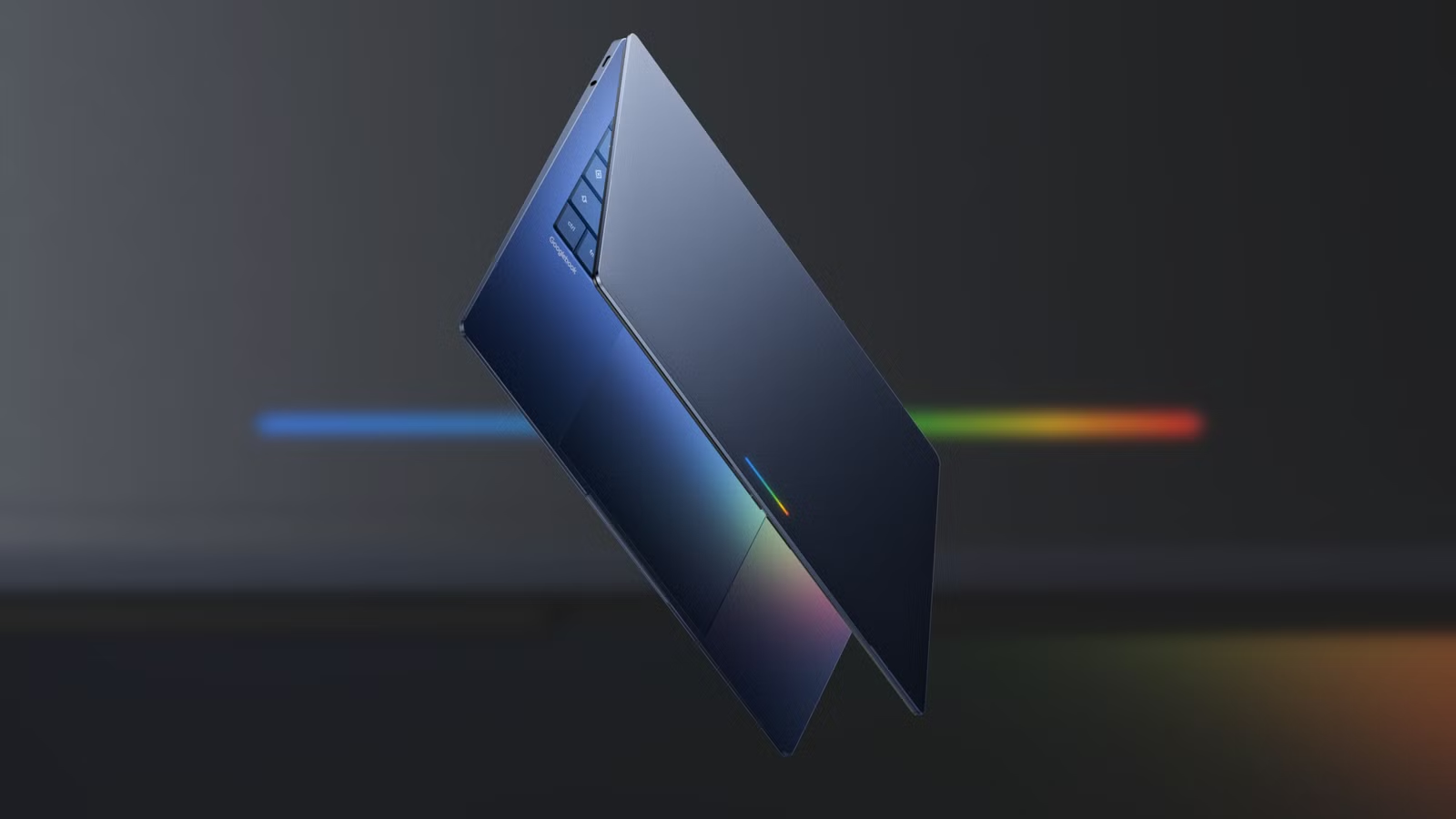
Googlebooks introduce a hardware feature called the Glowbar, a light strip that indicates Gemini's current state. It glows when the AI is processing, listening, or acting on your behalf.
Sameer Samat, President of Android Ecosystem, described it as 'a heartbeat for the AI.' The visual feedback addresses a common complaint about AI assistants: not knowing whether they're doing anything. The Glowbar makes the AI's activity visible at a glance.
What This Means for Current Chromebook Users
Google has not announced end-of-life dates for existing Chromebooks. However, the company is clearly directing its platform investments toward the new architecture. Schools and enterprises with large Chromebook deployments will need to plan for eventual migration.
The $14.7 billion Chromebook market is being repositioned as an 'AI laptop' category. Google is betting that the Gemini integration justifies premium pricing compared to the budget positioning Chromebooks occupied. Whether educational institutions will pay more for AI features remains to be seen.
The Android ecosystem updates affecting Googlebook integration
The Broader Strategy: AI as Operating System
Googlebooks represent Google's clearest statement yet that it views AI as the primary interface layer, not a feature within an interface. The Magic Pointer, Glowbar, and natural language widgets all point to a future where you describe intent rather than navigate menus.
This aligns with moves across the industry. Apple's Siri overhaul, Microsoft's Copilot integration, and various AI-native startups are all pursuing similar visions. Google's advantage is controlling both the OS and the AI model. It can optimize end-to-end in ways that third-party AI integrations cannot.
Logicity's Take
Frequently Asked Questions
When will Googlebooks be available?
Google announced the platform at I/O 2026 but has not disclosed specific release dates or pricing for consumer devices.
Will my Chromebook still receive updates?
Google has not announced end-of-life dates for existing Chromebooks. Expect continued support during the transition period, but long-term investment is shifting to Googlebooks.
Can Googlebooks run Chrome browser and web apps?
Yes. Googlebooks run Android, which includes Chrome. Web apps and browser-based workflows will work alongside native Android apps.
What is the Magic Pointer?
The Magic Pointer is an AI-enhanced cursor powered by Gemini. It provides contextual suggestions based on what you're pointing at, such as calendar shortcuts when hovering over dates.
Do Googlebooks require an internet connection for AI features?
Google has not specified offline capabilities. Given Gemini's cloud-based architecture, expect some features to require connectivity.
Need Help Implementing This?
Source: How-To Geek
Magic Pointer Interaction Details and Use Cases
The new article specifies that the 'Magic Pointer' is activated by a 'shake' gesture to trigger contextual Gemini AI actions. It also provides concrete examples of this functionality, such as automatically creating meeting invites from email dates and merging selected images into a single file.
Hardware Partners and Advanced Customization Features
The new article identifies the initial manufacturing partners as Acer, Asus, Dell, HP, and Lenovo, and introduces a signature hardware feature called the 'glowbar.' Additionally, it reveals a new capability allowing users to generate custom widgets through text prompts and provides a timeline for further updates later this year.
Gemini 3.1 and Auto-Browse Features for Chrome on Android
The new article provides specific details on Gemini 3.1 integration into Chrome for Android, introducing features like 'auto browse' for task automation and the ability to interact with Gmail, Calendar, and Keep. It also includes rollout timelines (starting next month in the US) and specifies subscription requirements for premium AI features.
Expansion to Gemini in Chrome and Rollout Details
The new source reveals that the 'Magic Pointer' feature will be coming to the desktop version of Gemini in Chrome, extending beyond the Googlebook hardware. It also provides details on potential rollout limitations to English-speaking countries and the possibility that the feature may requires an AI subscription plan.
Huma Shazia
Senior AI & Tech Writer
Produced with AI assistance and reviewed by the Logicity editorial team. Learn more in our Editorial Policy.