Key Takeaways
- Gemini's LLM architecture processes every command through AI reasoning, even simple ones like setting timers
- Google Assistant matched commands to actions directly without 'thinking', making it faster and more reliable for basic tasks
- Users can't set default apps in Gemini the way they could with Assistant, forcing workarounds like custom instructions
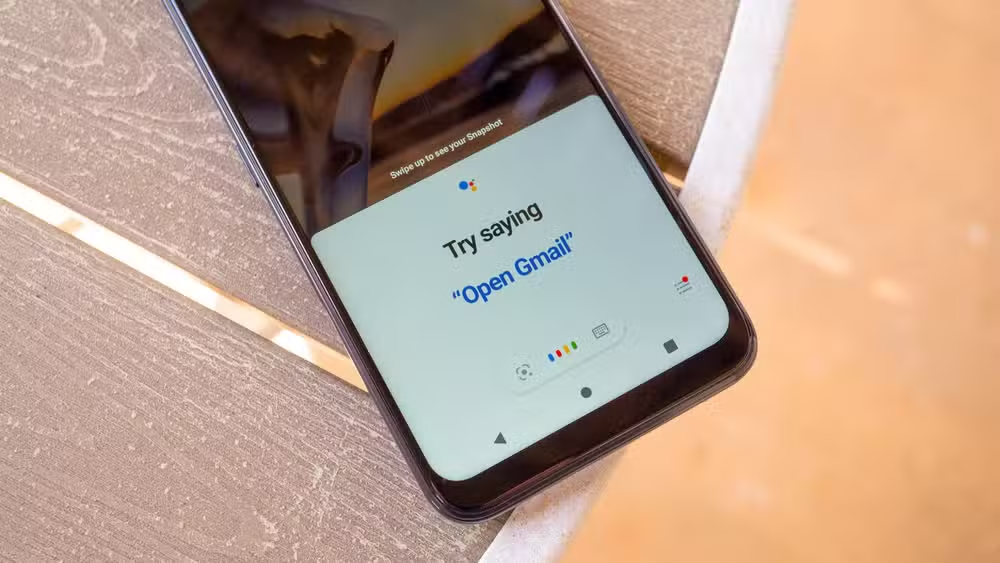
Gemini on Android fails at basic tasks that Google Assistant handled without breaking a sweat. Setting timers, adding items to specific lists, and executing straightforward commands now require more steps, more patience, and occasionally an argument with an AI that insists it can't do something it just did moments ago.
The irony is thick. Google replaced its reliable, if limited, assistant with a more powerful AI model that trips over the simplest requests. Joe Fedewa at How-To Geek documented this frustration in detail, and the core problem comes down to architecture: Gemini thinks too hard.

Why Google Assistant was better at simple commands
Google Assistant worked like a switchboard operator. When you said "Set a timer for 5 minutes," it scanned for intent phrases, matched "set a timer" to the timer action, extracted "5 minutes" as the duration, and fired the command to the clock app. No interpretation needed. No conceptual understanding. Just pattern matching to predefined actions.
Gemini takes a different path. As a large language model, it processes every prompt through its reasoning system. For the same timer command, Gemini reads the text, attempts to understand the intent conceptually, recognizes it needs an extension to carry out the task, selects the appropriate one, and then tells the clock app to start a timer. More steps, more potential failure points.
This is why Gemini responds slightly differently to the exact same request almost every time. It's generating a response, not executing a command.
When AI overthinking actually helps
Gemini's approach isn't all downside. Fedewa tested this by asking Gemini to "Set a timer for honeybush blueberry pancake tea." The assistant looked up the tea variety, found the recommended steep time, and started a timer for that duration. Google Assistant would have asked how long the timer should be since no time was mentioned.
That's genuinely impressive. But for the 95% of timer requests where users specify the duration themselves, Gemini's extra processing adds latency and potential errors without providing any benefit.
The to-do list problem shows deeper issues
Fedewa uses both Google Keep and Google Tasks. His to-do list lives in Tasks. But Gemini defaults to Keep when he asks to add something to his to-do list, and unlike Assistant, there's no way to set a default preference in the settings.
His workaround: adding a custom instruction telling Gemini to always use Google Tasks for to-do items and never use Keep. This should work. Gemini has access to Tasks and has used it successfully many times.
It didn't. In a recent conversation, Gemini claimed it couldn't access Google Tasks. Fedewa pointed out he'd used Tasks in the previous conversation. Gemini doubled down. They went back and forth until Fedewa asked what was on his Tasks list. Gemini retrieved it without issue. Then it apologized for the "confusion."
This is the fundamental problem with using an LLM for task execution. The model generates responses based on probability, which means it can contradict itself, misremember its own capabilities, and require users to debate basic functionality.
The case for a fallback mode
Fedewa's solution is simple: Gemini needs a "dumb" mode. When it detects a command that matches a known action pattern, it should bypass the LLM reasoning entirely and execute the command directly, the way Assistant did.
This isn't technically difficult. Google still has all the intent-matching infrastructure from Assistant. The question is whether they're willing to admit that a more powerful AI isn't always the right tool for every task.
A hybrid approach would give users the best of both: fast, reliable execution for simple commands and LLM reasoning for complex requests that benefit from it. The model could even decide which path to take based on command complexity.
What this means for AI assistants broadly
Gemini's struggles highlight a tension that every AI assistant will face. LLMs excel at understanding natural language, handling ambiguity, and performing complex reasoning. They're not designed for the precise, repeatable execution of predefined commands.
Apple's Siri integration with Apple Intelligence, Amazon's Alexa with LLM features, and other assistant upgrades will hit the same wall. More intelligence doesn't mean better at everything. Sometimes you just need a light switch, not a conversation partner.
Logicity's Take
Google is caught between two user bases. Power users want Gemini's reasoning capabilities. Everyone else wants their timers set without an argument. The fix requires Google to swallow some pride and acknowledge that Assistant's simpler architecture was better suited for many tasks. A mode toggle in settings or automatic fallback detection would solve this, but shipping it means admitting the AI hype overlooked basic usability.
More ways to streamline your Android experience and remove redundant software
Frequently Asked Questions
Why is Gemini worse than Google Assistant for simple tasks?
Gemini processes every command through its LLM reasoning system, adding steps and potential failure points. Google Assistant matched commands directly to actions without interpretation, making it faster and more reliable for straightforward requests like timers and reminders.
Can I switch back to Google Assistant from Gemini on Android?
On most Android devices, you can still switch your default assistant back to Google Assistant in settings. Go to Settings > Apps > Default Apps > Digital Assistant App and select Google Assistant instead of Gemini.
How do I make Gemini use Google Tasks instead of Keep?
Add a custom instruction in Gemini's settings specifying your preference. However, as documented, Gemini may still ignore this instruction inconsistently due to how LLMs generate responses.
Will Google add a simple command mode to Gemini?
Google hasn't announced plans for a fallback mode. The company appears committed to the LLM-first approach, though user feedback may influence future updates.
Need Help Implementing This?
If your team is building voice interfaces or AI assistants that balance conversational AI with reliable task execution, we cover the technical tradeoffs regularly. Subscribe to Logicity for analysis of what works and what doesn't in production AI systems.
Source: How-To Geek
Huma Shazia
Senior AI & Tech Writer
Produced with AI assistance and reviewed by the Logicity editorial team. Learn more in our Editorial Policy.






