Key Takeaways

- Manual spreadsheet formatting costs knowledge workers 5-10 hours weekly
- Gemini automates table creation, conditional formatting, and formula writing
- Teams can redirect time from data prep to actual business analysis
Read in Short
Gemini in Google Sheets handles the tedious data formatting that eats up your team's time. Instead of manually building tables, setting conditional rules, and organizing structure, you describe what you need in plain English. For teams processing monthly reports or managing operational data, this means hours saved every week.
According to [How-To Geek](https://www.howtogeek.com/i-didnt-know-that-gemini-could-do-this-in-google-sheets-but-now-i-use-it-daily/), Gemini's integration with Google Sheets has become a daily productivity tool that eliminates hours of manual spreadsheet organization work. The feature targets the biggest bottleneck in data work: not the analysis itself, but the constant administrative tasks needed to get data ready for insights.
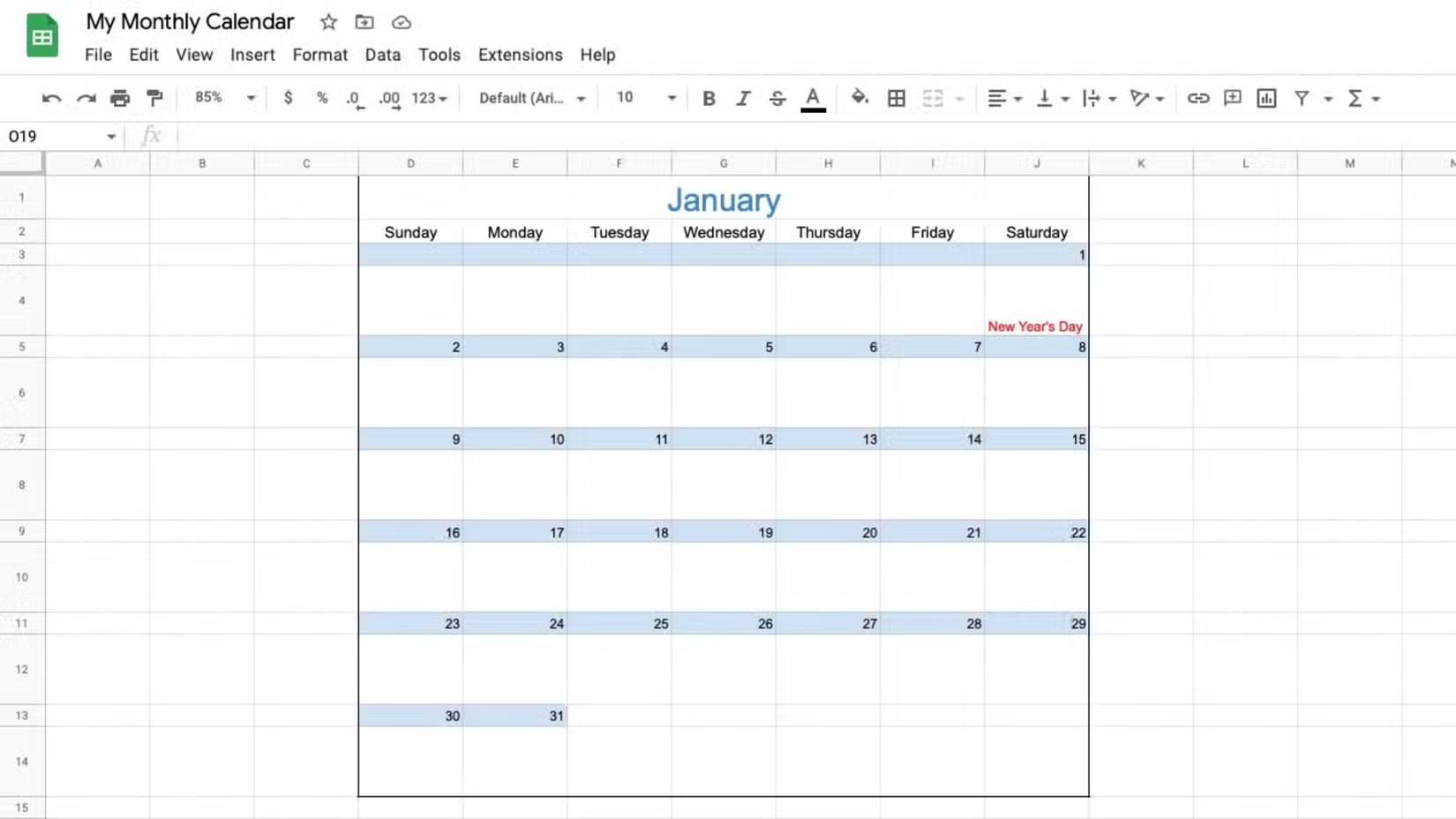
Here's the uncomfortable truth about your team's spreadsheet habits. Before anyone analyzes a single number, they're spending significant time building tables, naming headers, setting data types, and adjusting formatting. It's not just about making things look nice. Currency formats, percentage displays, date configurations, text wrapping, and cell alignment are functional requirements that determine whether data is even usable.
Why Does Spreadsheet Work Cost So Much Time?
The problem compounds as data grows. Adding columns means shifting existing structures. Introducing new data dimensions requires moving cells and fixing connected charts. Monthly reports demand exporting CSVs, pasting data, updating dates, and repairing formulas that break because the new dataset has different row counts.
For finance teams running monthly close processes, operations managers tracking inventory, or marketing teams consolidating campaign performance data, this isn't occasional friction. It's a constant tax on productivity. Your highest-paid analysts spend chunks of their week doing work that doesn't require their expertise.
- Building table structures from scratch for each new data set
- Setting number formats (currency, percentages, decimals) cell by cell
- Creating conditional formatting rules for data visualization
- Adjusting formulas when data sources change row counts
- Maintaining reference notes and validation rules across sheets
How Does Gemini in Google Sheets Actually Work?
Gemini in Google Sheets operates through natural language prompts. Instead of manually configuring each element, you describe the outcome you want. Need a quarterly sales tracker with conditional formatting that highlights underperforming regions? You type that request. Want to convert raw CSV data into a formatted table with proper currency displays? Ask for it.
The AI handles table creation, header naming, data type assignment, and structural organization. It can generate formulas, set up conditional formatting rules, and even create custom scripts for repetitive tasks. This shifts the work from manual execution to review and refinement.
Executive Summary
Gemini integration turns spreadsheet setup from a manual process into a conversation. Your team describes business requirements in plain English, and the AI generates the structure. Time savings range from 30 minutes to several hours per project, depending on complexity. The feature is included with Google Workspace subscriptions that include Gemini add-ons.
What Can Gemini Automate in Google Sheets?
The automation capabilities cover the full spectrum of spreadsheet busywork. Table creation is the obvious starting point. Describe your data structure, and Gemini builds it. But the real value emerges in the more tedious tasks that typically require cell-by-cell attention.
| Task | Manual Approach | With Gemini |
|---|---|---|
| Build formatted table | 20-45 minutes | Under 1 minute |
| Set conditional formatting | 10-20 minutes per rule set | Seconds per request |
| Create complex formulas | Research + testing time | Describe in plain English |
| Format imported CSV data | 30+ minutes of cleanup | Single prompt |
| Generate custom scripts | Requires coding knowledge | Natural language request |
Conditional formatting automation deserves special attention. Setting up rules that highlight cells based on values, create color gradients, or flag outliers typically requires navigating multiple menus and configuring each rule individually. With Gemini, you describe the business logic: "Highlight cells red when sales drop below target, yellow when within 10%, green when above." The AI implements it.
Is Gemini in Google Sheets Worth It for Business Teams?
The ROI calculation depends on how much time your team currently spends on spreadsheet preparation. If your analysts dedicate even 5 hours weekly to formatting and structure work, that's 260 hours annually per person. At fully-loaded labor costs for analytical roles, the math becomes compelling quickly.
The feature isn't about replacing human judgment. Your team still needs to verify outputs, make strategic decisions about data presentation, and ensure business logic is correctly implemented. But they're reviewing AI-generated work instead of building everything manually. That's a fundamentally different use of their time and expertise.
✅ Pros
- • Immediate productivity gains without workflow changes
- • No technical training required for basic use
- • Included with qualifying Google Workspace subscriptions
- • Works with existing spreadsheets and data sources
- • Reduces repetitive strain from tedious formatting tasks
❌ Cons
- • Requires Gemini-enabled Workspace subscription
- • AI outputs need human verification for accuracy
- • Complex custom requirements may need refinement prompts
- • Internet connection required for AI features
How Do Teams Implement This Without Disruption?
The adoption path is notably smooth compared to most productivity tools. Gemini works within the existing Google Sheets interface. There's no migration, no new platform to learn, no integration headaches. Teams with Google Workspace subscriptions that include Gemini can start using the feature immediately.
Start with low-stakes applications. Have team members use Gemini for new spreadsheet creation rather than modifying critical existing files. As comfort grows, expand to more complex use cases: automated report formatting, formula generation for recurring analyses, conditional formatting for dashboards. The technology investments your organization has already made in tools like [advanced DevOps scripts](shellcheck-for-devops-cut-script-failures-by-80) follow similar adoption curves.
- Verify your Google Workspace subscription includes Gemini features
- Start with simple table creation and formatting requests
- Progress to conditional formatting and formula generation
- Develop team-specific prompt templates for recurring tasks
- Establish review protocols for AI-generated outputs
What Are the Practical Limitations?
Gemini isn't infallible. Complex business logic sometimes requires multiple prompt refinements. The AI may misinterpret ambiguous requests or generate formulas that work technically but don't match your specific requirements. Human oversight remains essential, especially for financial data or reporting that feeds into business decisions.
Data privacy considerations also apply. Information processed through Gemini goes through Google's AI systems. Organizations with strict data handling requirements should review Google's AI data usage policies and ensure compliance with internal governance standards. For many business applications, this isn't a blocker, but it's worth understanding before rolling out across sensitive data sets.
Apple's approach to AI-assisted features shows where productivity tools are heading across platforms
Where Does This Fit in the Broader Productivity Stack?
Gemini in Google Sheets represents a larger shift in how knowledge workers interact with productivity tools. The traditional model required users to learn software interfaces and execute tasks step by step. The emerging model lets users describe outcomes and have AI handle execution.
This pattern is appearing across the productivity landscape. Microsoft's Copilot brings similar capabilities to Excel. Notion, Airtable, and other tools are adding AI assistants. For business leaders evaluating technology investments, the question isn't whether AI productivity features will become standard. It's how quickly your teams can capture the efficiency gains.
“The biggest thing slowing you down isn't the analysis itself. It's the constant, boring administrative work needed to get the data ready.”
— How-To Geek
Teams already investing in digital productivity tools like [e-readers for information consumption](e-readers-for-executives-why-digital-reading-boosts-productivity) can layer Gemini into their efficiency strategies. The cumulative effect of multiple small time savings adds up to significant competitive advantage.
What Should Business Leaders Do Next?
The actionable path forward involves three steps. First, audit your team's actual time spent on spreadsheet preparation work. Most leaders underestimate this because it's distributed across many small tasks. Second, ensure your Google Workspace subscription includes Gemini capabilities. If not, evaluate the upgrade cost against potential time savings. Third, identify your highest-volume spreadsheet use cases and pilot Gemini automation there.
The teams that move fastest will be the ones that recognize this isn't just a feature update. It's a fundamental change in how data work gets done. The competitive advantage goes to organizations that capture those efficiency gains early.
Frequently Asked Questions
How much does Gemini in Google Sheets cost?
Gemini features are included with Google Workspace plans that have the Gemini add-on. Business plans with Gemini typically start around $20-30 per user monthly. Check your current subscription to see if Gemini is already included.
How long does it take to learn Gemini in Google Sheets?
Basic functionality requires no training. Users can start with simple natural language prompts immediately. More advanced use cases like custom script generation may take a few days of experimentation to use effectively.
Is Gemini in Google Sheets secure for business data?
Google applies its enterprise security standards to Gemini features. However, data is processed through Google's AI systems. Organizations should review Google's AI data handling policies and ensure they meet internal compliance requirements before using with sensitive information.
Can Gemini replace our data analysts?
No. Gemini automates the mechanical aspects of spreadsheet work, not the analytical thinking. Your analysts will spend less time on formatting and more time on actual analysis. Human judgment remains essential for verifying outputs and making business decisions.
Does Gemini work with existing spreadsheets or only new ones?
Gemini works with both. You can use it to modify existing spreadsheets, add formatting to current data, generate new formulas for established workbooks, and automate tasks on files you've been using for years.
Logicity's Take
We've been watching AI productivity tools closely as we build automation solutions for clients. Gemini in Google Sheets solves a real problem, but it's part of a bigger shift that business leaders should understand. The organizations getting the most value from AI tools aren't just using them for individual productivity. They're thinking systematically about where AI fits into their workflows. At Logicity, we see this with our n8n automation work. The spreadsheet formatting that Gemini handles is often the first step in a longer process: data gets formatted, then analyzed, then fed into reports, then distributed. Smart teams are asking how to automate the entire chain, not just individual steps. For Indian businesses especially, these productivity gains compound. Labor arbitrage used to be the competitive advantage. Now it's about how quickly your team can turn data into decisions. A mid-size Hyderabad company using AI-assisted tools can operate with the analytical velocity of much larger competitors. Our advice: start with Gemini for immediate wins, but map your entire data workflow. The real opportunity is connecting these AI-assisted steps into end-to-end automation.
Another automation tool that reduces manual work and catches errors before they become problems
Need Help Implementing This?
Logicity helps businesses build AI-powered automation workflows that go beyond individual tools. If you're looking to connect Gemini, n8n, and other productivity systems into cohesive business processes, we'd like to hear about your use case. Our team specializes in turning fragmented workflows into streamlined operations.
Source: How-To Geek
Manaal Khan
Tech & Innovation Writer
Produced with AI assistance and reviewed by the Logicity editorial team. Learn more in our Editorial Policy.