Key Takeaways
- FUTO Keyboard requires zero internet permissions and processes all features locally
- Its swipe-typing algorithm claims 26% fewer errors than Gboard
- Voice-to-text uses on-device AI models, so voice data never leaves your phone
Every time you type on Gboard or Samsung Keyboard, your phone sends data to remote servers. Predictions, voice typing, personalization: all of it runs in the cloud. Google and Samsung don't publish exactly what they collect or how long they keep it. That ambiguity makes privacy-conscious users nervous.
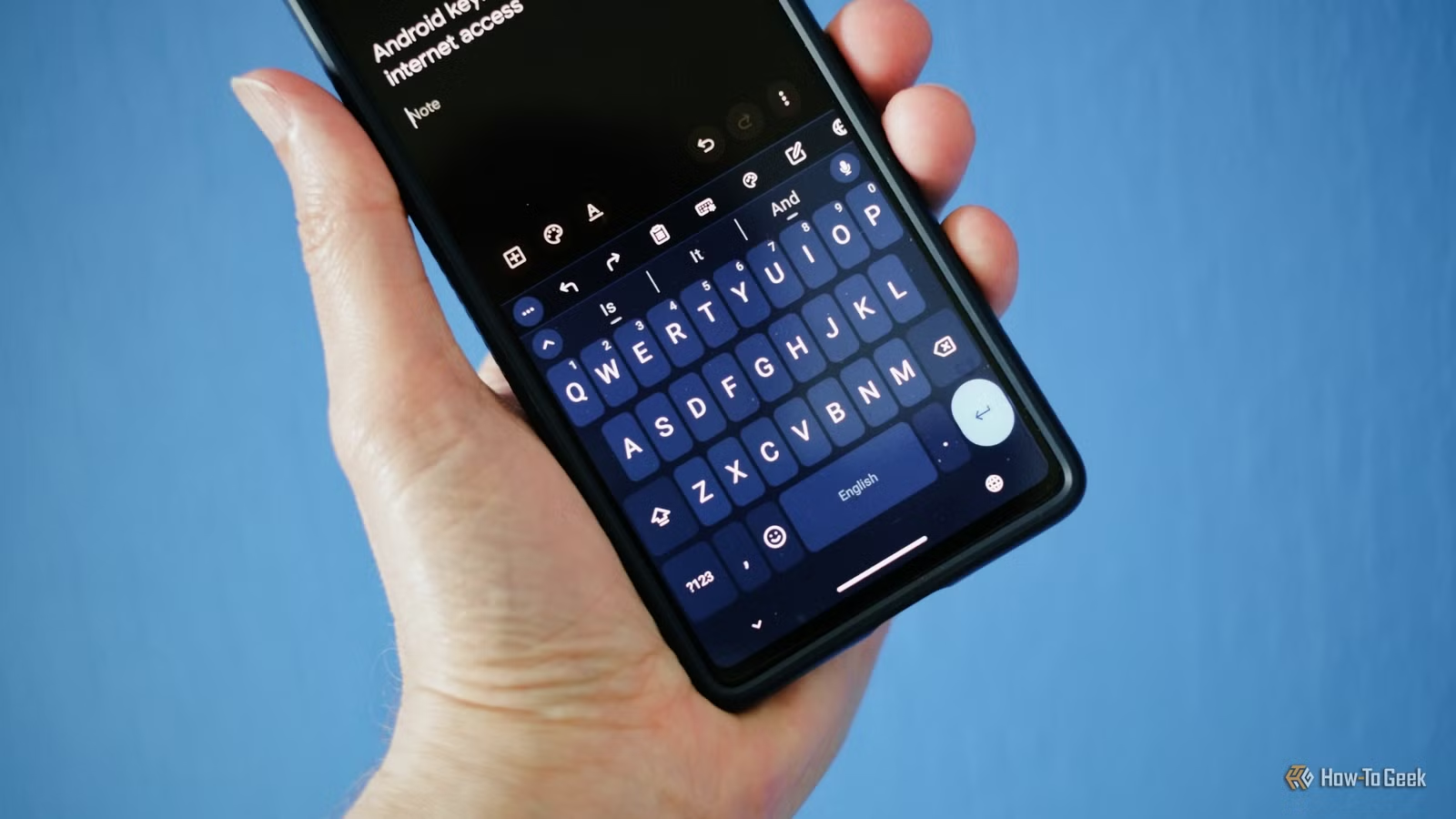
FUTO Keyboard is built to eliminate that uncertainty. It's an open-source Android keyboard that runs every feature offline. Predictive text, autocorrect, swipe typing, and voice recognition all happen on your device. The app requires zero internet permissions.
What Makes FUTO Different
Most alternative keyboards force you to choose between privacy and usability. You get a clunky interface, broken swipe typing, or no voice input at all. FUTO sidesteps those trade-offs.
The keyboard looks and feels like Gboard. It has a modern design, smooth animations, and the features users expect from a 2026 keyboard app. The difference is architectural: everything processes locally using on-device AI models.
Voice-to-text is the standout feature. Instead of streaming audio to Google's servers, FUTO uses a local implementation of Whisper, OpenAI's speech recognition model. Your voice data never leaves your phone. For anyone who dictates sensitive messages, that's a meaningful upgrade.
How Mainstream Keyboards Handle Your Data
Gboard's privacy policy allows Google to collect "the words you type" to improve predictions. Samsung Keyboard sends data to Samsung servers for similar purposes. SwiftKey, owned by Microsoft, uploads typing patterns to personalize your experience across devices.
These companies aren't running keyloggers. But they are collecting metadata, keystroke patterns, and voice snippets. The data powers useful features. It also creates a permanent record of your communication habits stored on servers you don't control.
FUTO's approach is simpler: process everything locally, upload nothing. The trade-off is that your predictions don't sync between devices. For most users, that's an acceptable compromise.
The Licensing Debate
FUTO calls itself open-source, but the label has drawn criticism. The app uses a "source-available" license that lets anyone inspect the code but restricts commercial use. Purists in the open-source community argue this doesn't meet the Open Source Definition maintained by the OSI.
On Reddit and Hacker News, the debate gets heated. Privacy-focused users in r/privacy and r/degoogle celebrate the keyboard. Open-source advocates in other communities push back on the licensing terminology.
“The goal of FUTO is to create a technology ecosystem where the user, not the corporation, remains in total control of their data and device experience.”
— Louis Rossmann, Tech Advocate and FUTO Supporter
For practical purposes, the distinction may not matter. The code is auditable. The app is free. You can pay what you want to support development, but you don't have to.
Installation and Setup
FUTO Keyboard is available through three channels: Google Play Store, F-Droid, and GitHub. All three versions are identical. Pick whichever you prefer.
The app warns during setup that it's in early development. Some features may be incomplete. In practice, the keyboard is stable enough for daily use. Updates arrive regularly, and the development team recently shipped a major upgrade to the glide-typing algorithm.
Switching keyboards on Android takes about 30 seconds. Go to Settings > System > Languages & Input > On-screen keyboard, then enable FUTO Keyboard and disable your current one.
More on Android's default app limitations
Who Should Switch
FUTO Keyboard is ideal for users who care about privacy but don't want to sacrifice usability. If you type passwords, financial details, or sensitive business information on your phone, keeping that data off remote servers is a straightforward win.
It's also useful for anyone who wants to de-Google their Android device. FUTO requires no Google account and no Play Services. It works on any Android phone running Android 8.0 or later.
Power users who rely on cross-device prediction syncing will miss that feature. FUTO's local-only architecture means your typing history stays on one device. If you switch phones frequently, you'll start fresh each time.
✅ Pros
- • All processing happens locally with no internet permissions
- • Voice-to-text uses on-device AI, keeping voice data private
- • Modern interface comparable to Gboard
- • Free with optional pay-what-you-want support
❌ Cons
- • No cross-device syncing of predictions or typing history
- • Still in active development with some incomplete features
- • Licensing model disputed by open-source purists
Logicity's Take
Frequently Asked Questions
Does FUTO Keyboard work without an internet connection?
Yes. FUTO Keyboard requires zero internet permissions. All features, including voice-to-text, run entirely on your device.
Is FUTO Keyboard really free?
Yes. The app is free to download and use. You can optionally pay any amount to support development, but it's not required.
How does FUTO Keyboard compare to Gboard?
FUTO claims its swipe-typing algorithm produces 26% fewer errors than Gboard. The interface is similarly polished. The main difference is that FUTO processes everything locally instead of using cloud servers.
Where can I download FUTO Keyboard?
The app is available on the Google Play Store, F-Droid, and GitHub. All three versions are identical.
Is FUTO Keyboard truly open source?
FUTO uses a source-available license. Anyone can inspect the code, but commercial use is restricted. Some open-source advocates argue this doesn't meet the strict definition of open source.
Need Help Implementing This?
Source: How-To Geek
Huma Shazia
Senior AI & Tech Writer
Produced with AI assistance and reviewed by the Logicity editorial team. Learn more in our Editorial Policy.






