Key Takeaways
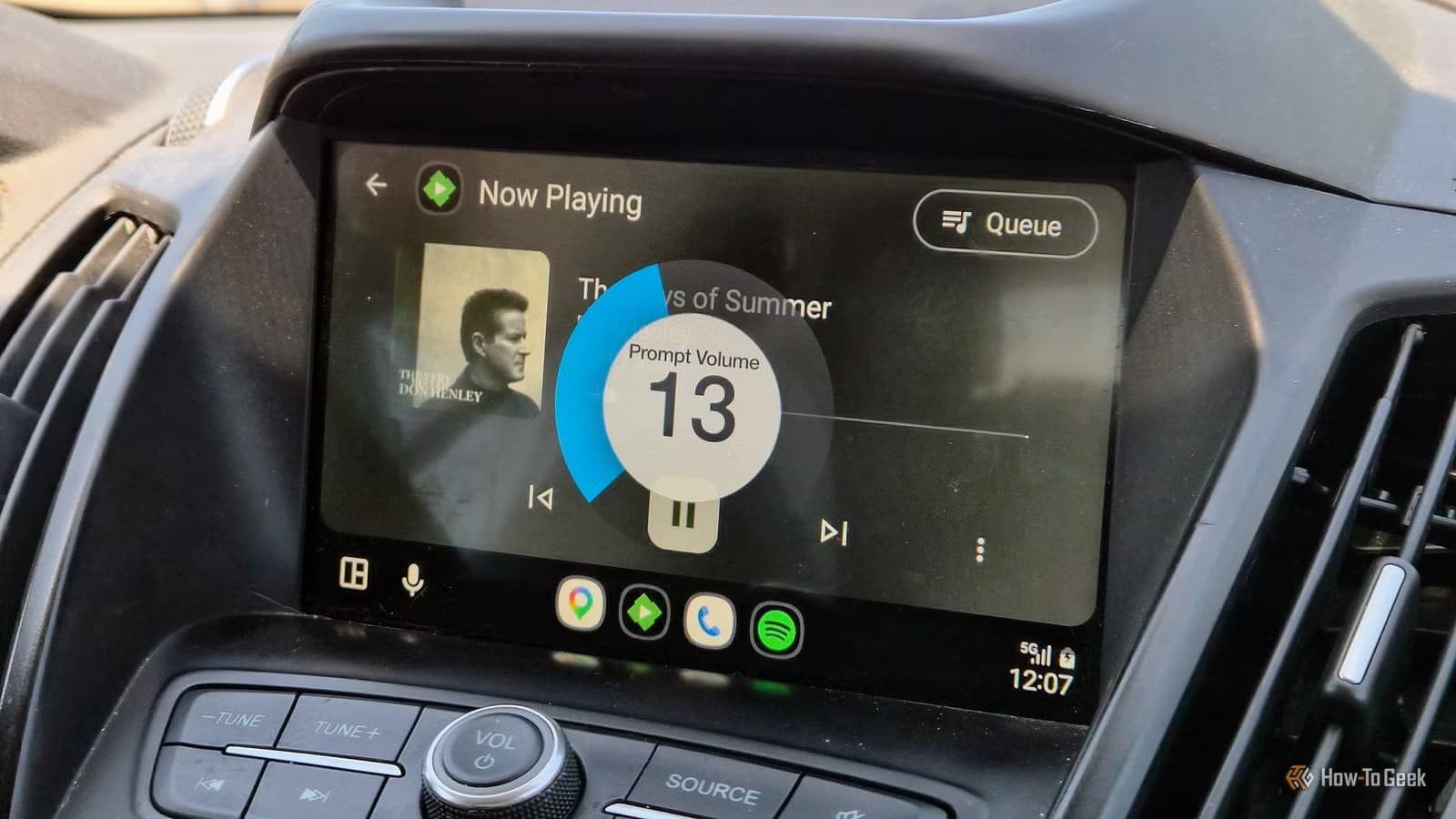
- CarPlay and Android Auto use separate audio channels for music and navigation, so adjusting volume during music playback won't affect navigation voice
- The fix: press the volume button while navigation instructions are actively playing, not during music
- Over 200 million vehicles now support CarPlay or Android Auto, making this a widespread usability issue
The fix for inaudible navigation directions in Apple CarPlay and Android Auto is so simple it's almost insulting: adjust the volume while the voice is speaking, not while music is playing. That's it. Two separate audio channels, one volume knob, and a design decision that has confused drivers for years.
Adam Davidson at How-To Geek recently documented his own embarrassing struggle with this exact problem. A tech journalist who spends his life troubleshooting gadgets for family members, Davidson found himself completely stumped by quiet navigation directions during a road trip. The music came through fine. But the turn-by-turn voice guidance? Nearly silent.
Why your volume knob doesn't do what you expect
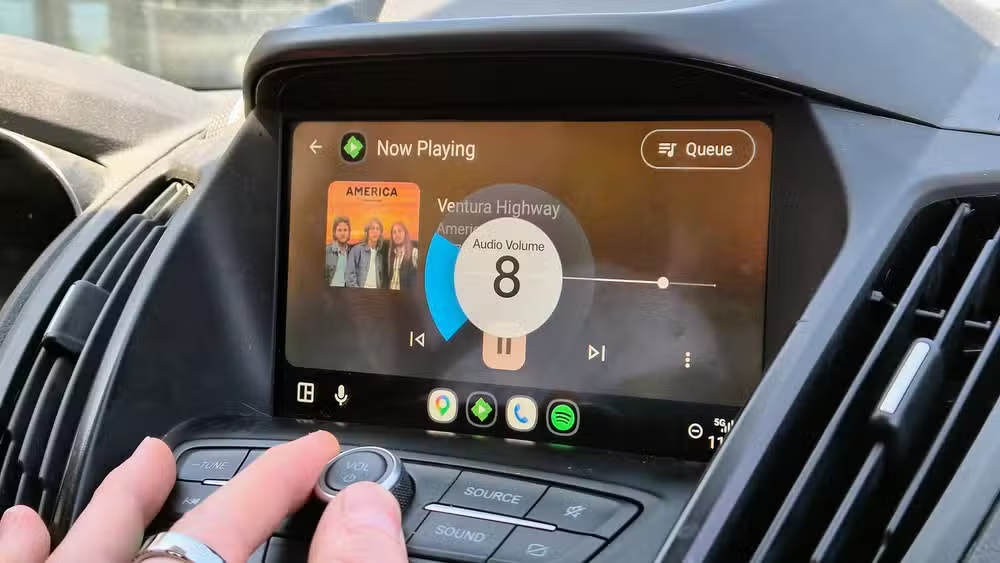
Modern vehicle infotainment systems treat media audio and navigation guidance as completely separate sound profiles. When you twist the volume knob while a song is playing, you're adjusting the music channel. The navigation channel sits at whatever level it was last set to, unchanged.
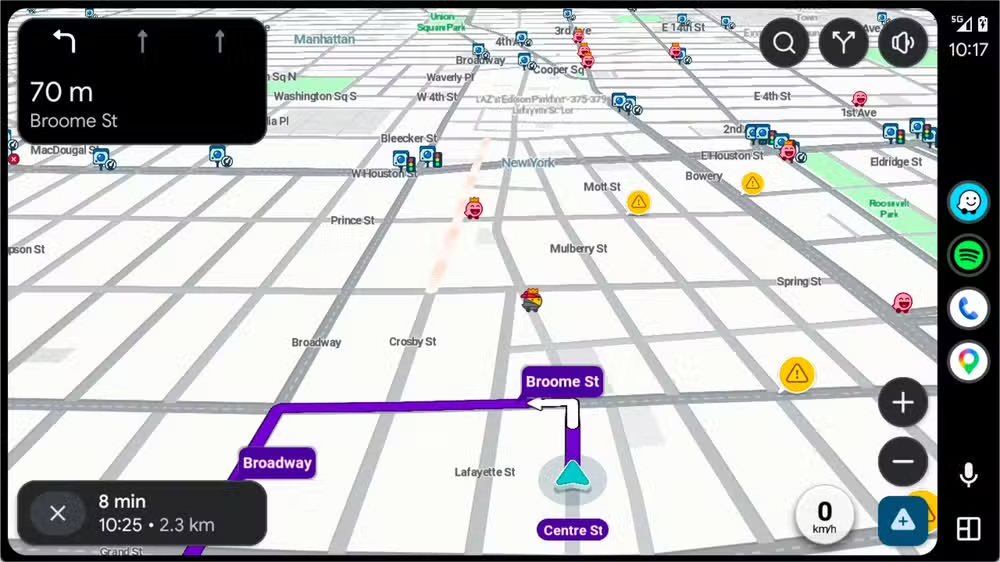
This multi-channel architecture makes technical sense. You might want loud music and quiet navigation prompts, or the reverse. But the implementation fails on one critical front: there's no obvious indicator telling drivers which channel they're currently adjusting.
The actual fix takes three seconds
Wait for navigation to speak. While the voice is actively giving directions, press your volume up button. Done. The navigation audio channel adjusts independently from your music volume. You'll need to catch it during the brief window when directions are being spoken, which typically lasts a few seconds per instruction.
Davidson tried everything else first. He dug through Waze settings on the CarPlay screen. Opened Apple Music looking for hidden audio controls. Even pulled over to check the Waze app directly on his phone, where the guidance volume slider was already maxed out. None of it worked because none of it addressed the actual problem: two channels, one knob, no clear feedback.
This affects 200 million vehicles
The scope of this usability oversight is staggering. An estimated 200 million vehicles worldwide now support Apple CarPlay or Android Auto. Roughly 60% of car buyers consider smartphone integration a must-have feature. That's a lot of drivers potentially missing turns because they don't know how to adjust a volume slider at the right moment.
Reddit communities for both platforms are filled with confession posts from users who felt foolish once they learned the fix. The consensus: the solution is obvious in hindsight, but the lack of any on-screen indication makes it an embarrassing design failure on the part of automotive manufacturers.
Some head units handle this better than others
Certain aftermarket stereos and newer OEM systems do show a visual indicator when you're adjusting navigation volume versus media volume. Budget units like the Kissound Double DIN ($85) pack in wireless Android Auto and CarPlay support, but your mileage will vary on how clearly they communicate which audio channel you're controlling.
If your vehicle's system shows no distinction, you're stuck with the timing approach. Wait for the voice, then adjust. It's not elegant, but it works reliably across both platforms.
Another piece about technology that should work but doesn't quite behave as expected
Related coverage on mobile ecosystem updates and usability improvements
Frequently Asked Questions
Why is my CarPlay navigation volume so low even when music is loud?
CarPlay and Android Auto use separate audio channels for media and navigation. Adjusting volume during music playback only affects the music channel. You need to adjust volume specifically while navigation is speaking to change the guidance volume.
How do I increase Android Auto navigation voice volume?
Press the volume up button on your steering wheel or infotainment system while navigation directions are actively being spoken. This adjusts the navigation audio channel independently from your music volume.
Does adjusting Waze volume settings fix quiet directions in CarPlay?
Not necessarily. Even with the Waze guidance volume slider maxed out in the app, the vehicle's separate navigation audio channel may still be set low. You must adjust via the car's volume controls during active voice guidance.
Why do car manufacturers use separate audio channels?
The design allows drivers to customize the balance between entertainment audio and navigation prompts. However, most infotainment systems fail to clearly indicate which channel you're adjusting, causing widespread confusion.
Is there a permanent fix for CarPlay low navigation volume?
Once you adjust the volume during navigation speech, the setting typically persists until you change it again. Some vehicles reset audio settings when you disconnect your phone, so you may need to readjust occasionally.
Logicity's Take
This is a textbook example of engineer-brain product design. The dual-channel audio architecture is technically sound and genuinely useful. But without any visual feedback telling drivers which channel they're adjusting, it becomes a usability trap that makes people feel stupid. Car manufacturers have had years to add a simple on-screen indicator. That none of them have done so widely suggests they don't read their own support forums.
Need Help Implementing This?
Building in-car software or infotainment integrations? Contact Logicity for consulting on automotive UX patterns that don't frustrate your users. We cover product design, audio routing architecture, and human-factors considerations for connected vehicle systems.
Source: How-To Geek
Manaal Khan
Tech & Innovation Writer
Produced with AI assistance and reviewed by the Logicity editorial team. Learn more in our Editorial Policy.






