Key Takeaways
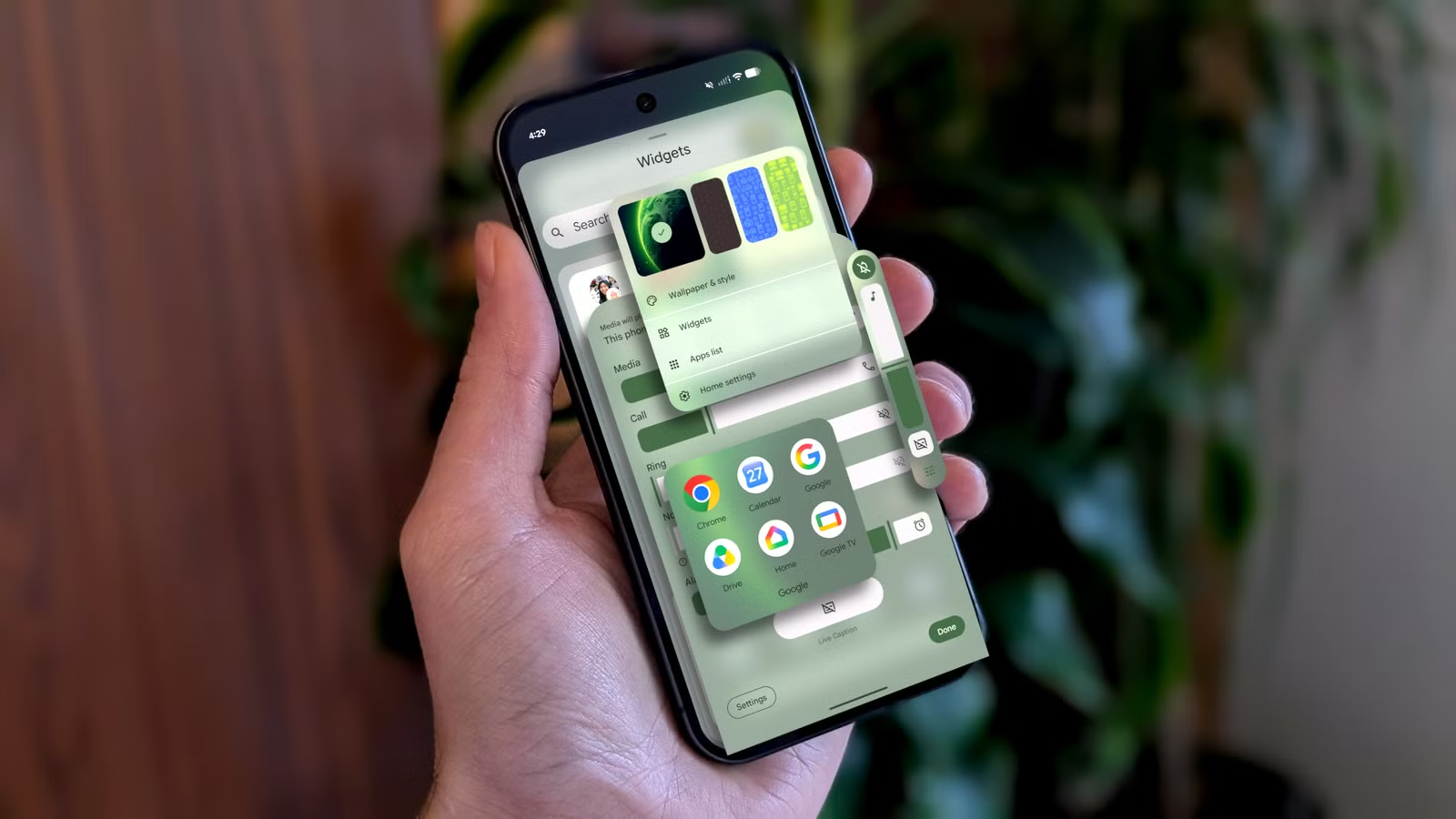
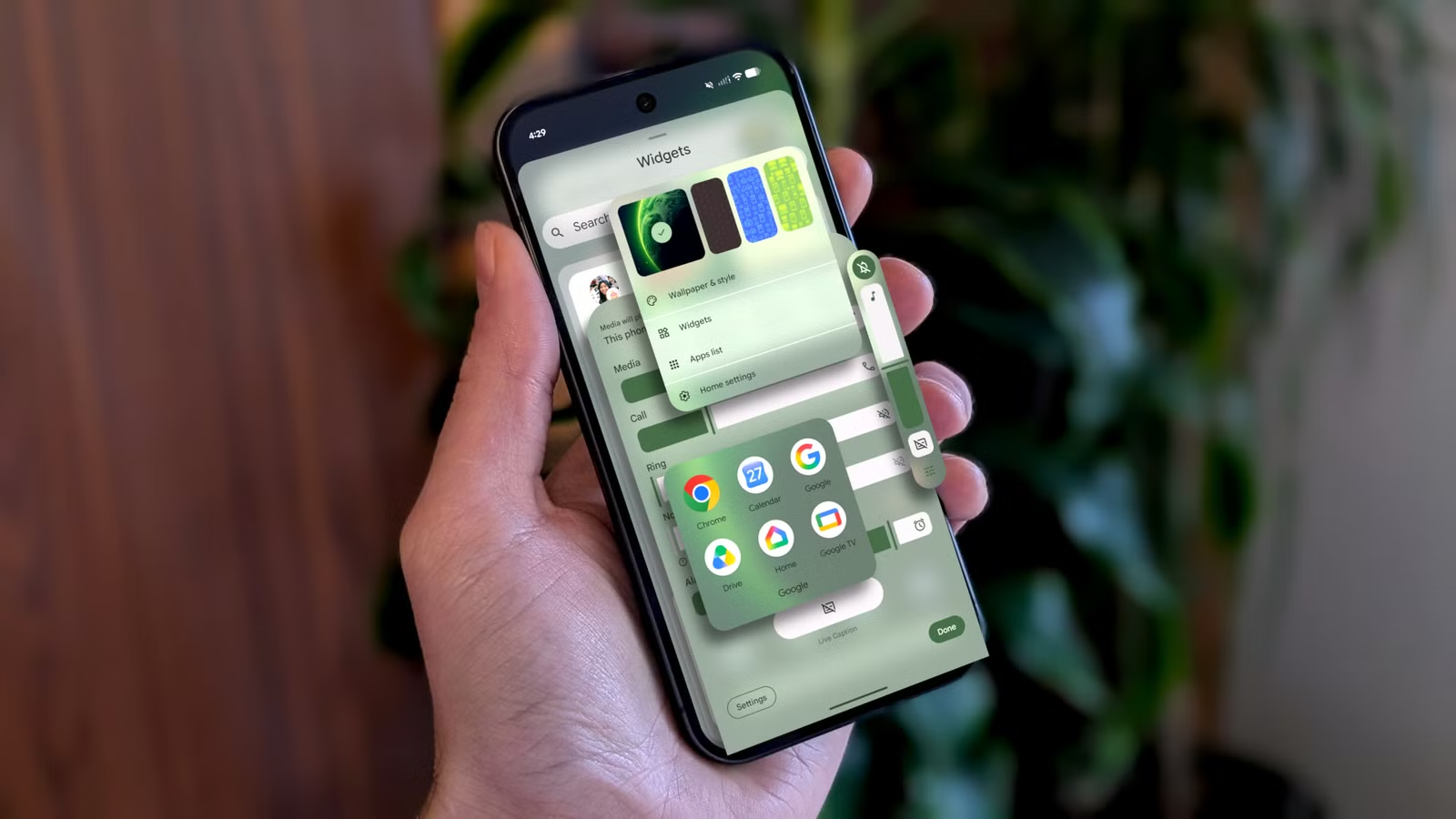
- Bubbles lets you float multiple apps on screen and switch between them with one tap
- New privacy controls add temporary precise location access and selective contact sharing
- Gemini Intelligence features announced at I/O won't arrive until later this summer
Android 17 went stable today, rolling out to Pixel phones and Pixel Watch devices alongside Wear OS 7. Samsung Galaxy and other Android phones should see the update next month. The release brings a reworked multitasking system called Bubbles, tighter privacy controls for location and contacts, and smartwatch features that finally make sense.
What's missing? The Gemini Intelligence features Google touted at I/O last month. Those arrive later this summer on "select advanced devices." For now, here's what you actually get.
How Bubbles changes Android multitasking
Bubbles takes the floating chat heads you know from Messenger and applies them to any app. Tap an app's bubble icon, it opens as a floating window. Tap again, it collapses. You can drag bubbles anywhere on screen.
The real trick: group multiple apps into one bubble cluster. Their icons stack at the top of the floating window, so you can jump between your email, a browser tab, and Slack without returning to the home screen. On foldables and tablets, this is obviously useful. On a standard phone, it's more situational but still welcome.
Full hands-on with the new Bubbles feature
Privacy controls that solve real problems
Android has offered "precise" versus "approximate" location for years. In practice, many apps refuse to function unless you grant precise access. You know the pattern: weather apps demanding your exact coordinates to show the forecast two blocks away.
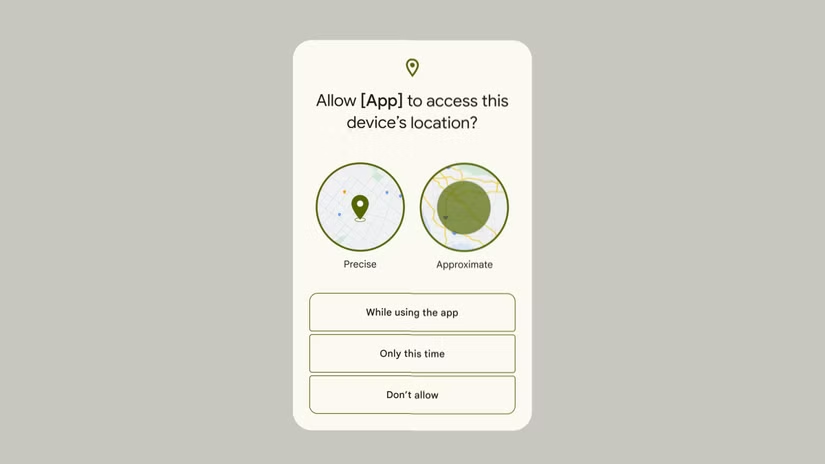
Android 17 adds temporary precise location. Grant it once for the task at hand, and it reverts automatically. No more digging through settings later to revoke access you only needed for five minutes.
Contact sharing gets the same treatment. Instead of handing an app your entire address book, you can now select specific contacts to share. This mirrors how Android already handles photos and files. It's overdue, and it works.
Wear OS 7: Live Updates and device controls
Wear OS 7 ships alongside Android 17. The headline feature is Live Updates support, which Android 16 introduced last year. These are real-time notifications for food delivery orders, timers, fitness tracking, and similar progress indicators. On your watch, they display the same information as your phone, condensed for the smaller screen.
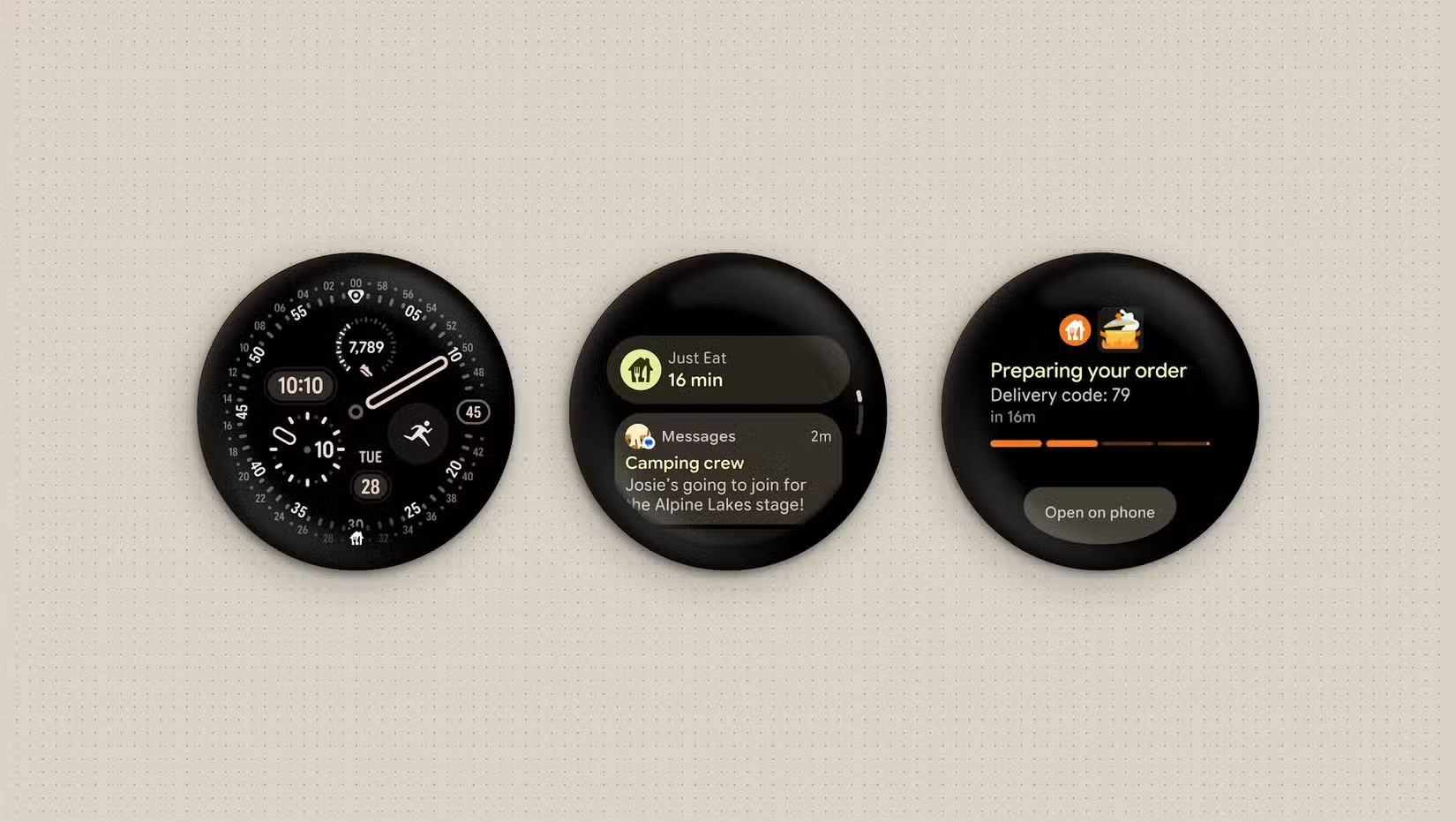
The more interesting addition: device controls from your wrist. The media player on your watch now includes an output switcher. If you're listening to music on Bluetooth headphones, you can move playback to a bedroom speaker or TV without touching your phone or speaking a voice command.
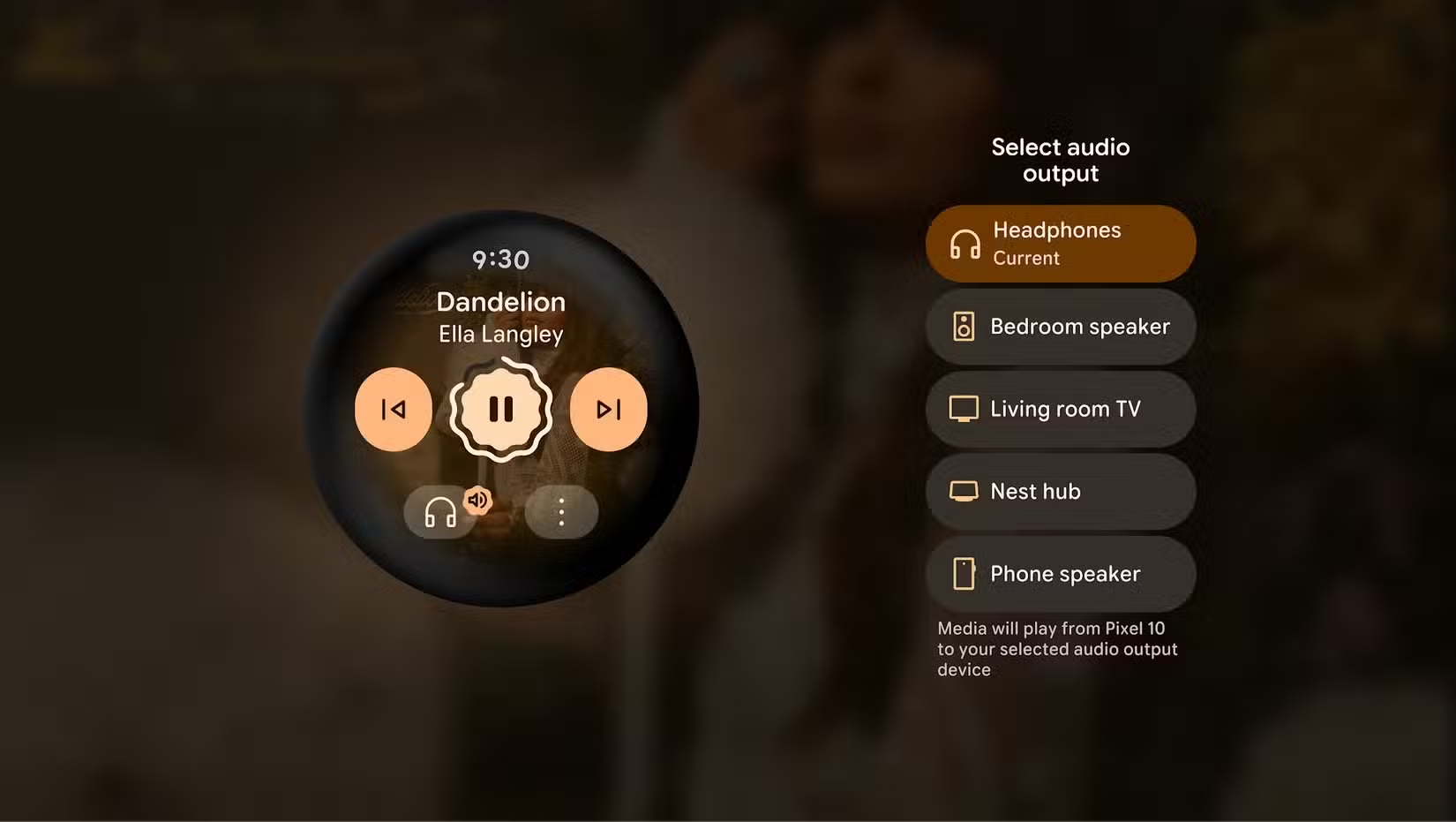
Google mentions compatibility with "intelligent eyewear" launching this fall. No specifics yet, but the infrastructure is in place for your watch to control smart glasses alongside home devices.
Details on Wear OS 7 rollout and compatibility
What about Gemini Intelligence?
At I/O, Google pitched Android as an "intelligence system" with Gemini at its core. The demos showed Gemini ordering food, buying tickets, and handling tasks you currently do manually across multiple apps.
None of that ships with Android 17's stable release. Google says Gemini Intelligence arrives on "select advanced devices" later this summer. The most anticipated feature, "Create My Widget," lets you ask Gemini to build a custom widget with specific information. That widget can then sync to your watch as a Tile.
It's a notable omission. Google's messaging implied these features would define Android 17. Instead, they'll trickle out over the coming months, likely starting with Pixel devices.
More on Android 17's AI roadmap
When will your phone get Android 17?
Pixel phones and Pixel Watch devices can update today. Samsung Galaxy devices and other Android phones are expected to start receiving Android 17 next month. Actual availability varies by carrier and manufacturer, following the usual Android update pattern.
Logicity's Take
Android 17's shipped features are practical but modest. The real story is what's delayed. Google positioned Gemini Intelligence as the OS's defining characteristic, yet it arrives "later this summer" on "select devices." This suggests either the AI features weren't ready for prime time, or Google is staging rollouts to manage server load. Either way, early adopters should temper expectations: the Android 17 you get today is the privacy and multitasking update, not the AI overhaul.
Frequently Asked Questions
Which phones get Android 17 first?
Pixel phones receive the Android 17 stable release today. Samsung Galaxy and other Android devices will start getting the update next month.
What is Bubbles in Android 17?
Bubbles lets you open apps as floating windows on top of other apps. You can group multiple bubbled apps together and switch between them by tapping their icons.
Does Android 17 include Gemini AI features?
Not yet. Google says Gemini Intelligence will arrive on select advanced devices later this summer. The stable release focuses on Bubbles, privacy controls, and Wear OS 7.
What's new in Wear OS 7?
Wear OS 7 adds Live Updates for real-time notifications, device controls from your watch, and media output switching to move audio between speakers and headphones.
Can I share only specific contacts in Android 17?
Yes. Android 17 lets you select individual contacts to share with apps instead of granting access to your entire address book.
Need Help Implementing This?
If you're building apps that need to integrate with Android 17's new privacy APIs or Wear OS 7 features, Logicity's technical guides cover implementation details. Check our developer tutorials for code-level walkthroughs.
Source: How-To Geek
Huma Shazia
Senior AI & Tech Writer
Produced with AI assistance and reviewed by the Logicity editorial team. Learn more in our Editorial Policy.






