Key Takeaways
- Things 3 wins for making complex tasks feel simple with its clean design
- Apple Reminders is the fastest way to start if you're already in the Apple ecosystem
- Todoist offers the best balance of features and affordability for cross-platform users
The personal productivity app market hit an estimated $300 million in subscriptions by the end of 2026. With 72% of remote workers citing task overload as their primary source of daily anxiety, picking the right to-do list app matters more than ever.
Zapier's annual roundup, written after years of hands-on testing, names six iPhone apps that stand above the rest. Each serves a different type of user. None is perfect for everyone.
The 2026 Winners
Here's Zapier's full list, with each app's standout strength:
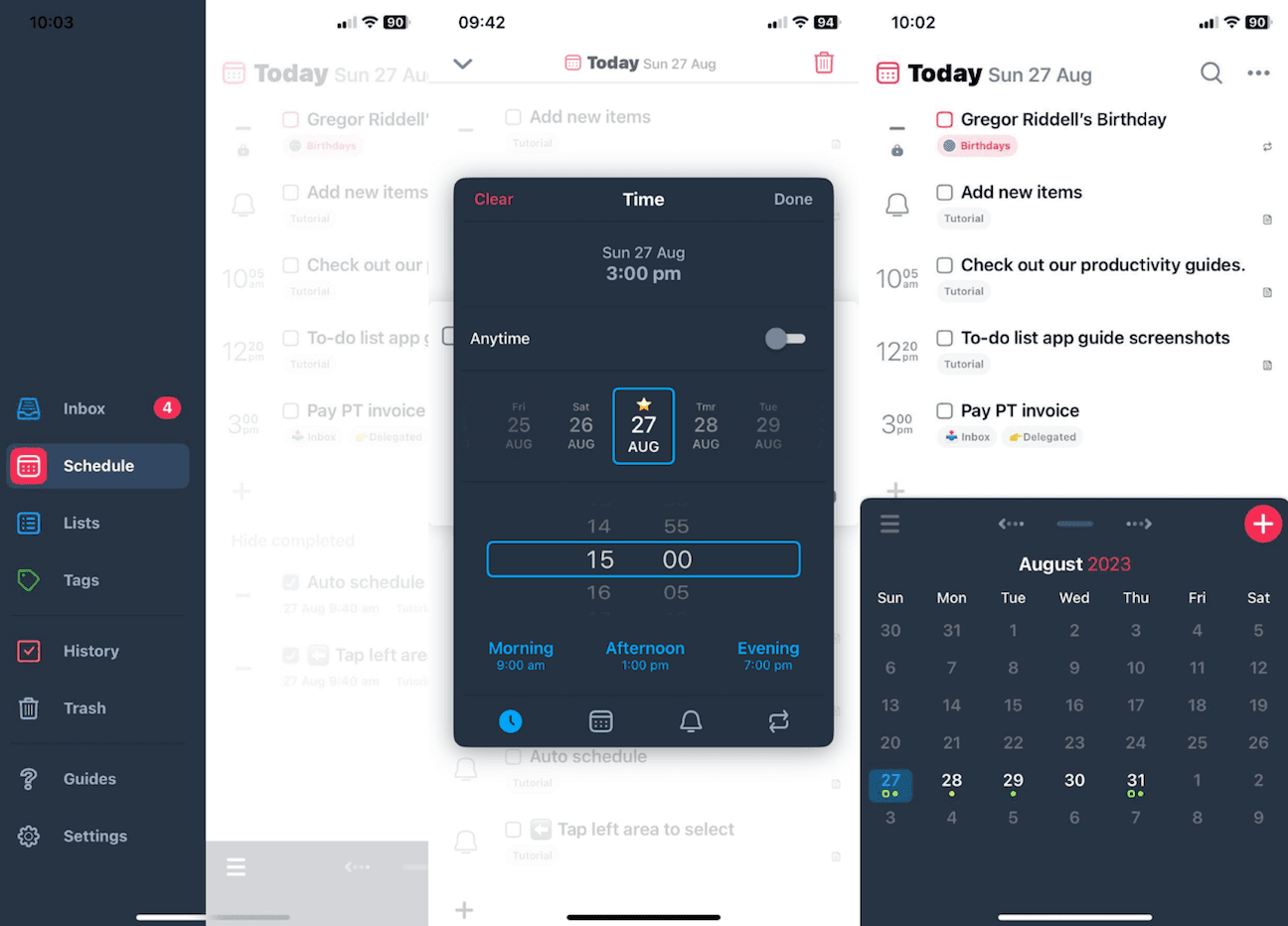
- Things 3 — for making complex tasks feel simple
- Apple Reminders — for getting started quickly
- TickTick — for prioritization
- Todoist — for a robust but affordable option
- Microsoft To Do — for Microsoft 365 users
- Sorted³ — for time blocking
Things 3: The Design Purist's Choice
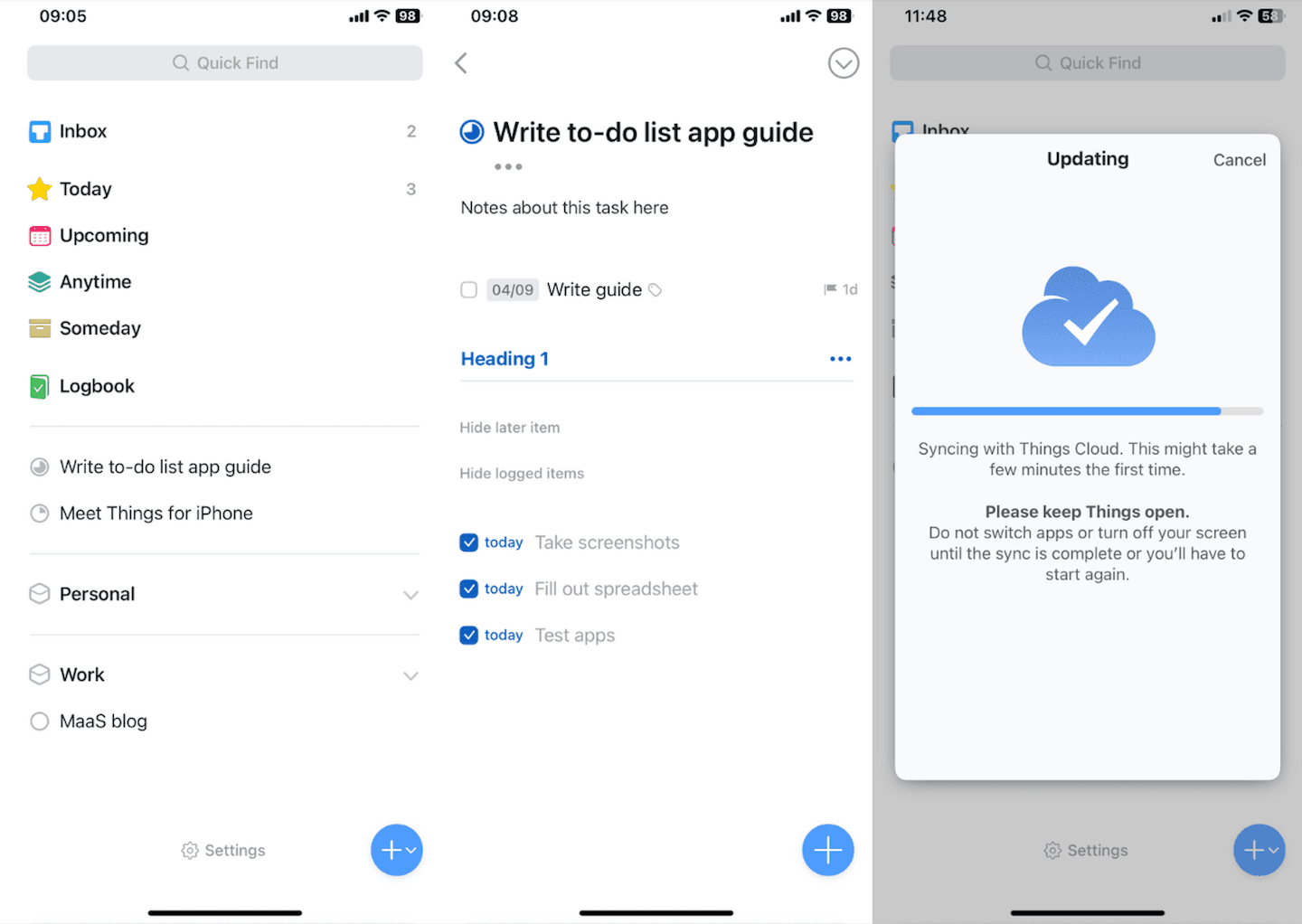
Cultured Code's Things 3 remains the gold standard for people who want power without clutter. The app received a design refresh for OS 26, maintaining its reputation for aesthetic minimalism while adding subtle improvements.
Things 3 uses a one-time purchase model ($9.99 for iPhone, $49.99 for Mac). This matters in 2026, when subscription fatigue has become a real factor in app choice. Reddit and HackerNews communities have grown vocal about recurring fees, and Things 3 has benefited from that backlash.
Apple Reminders: Zero Friction Start
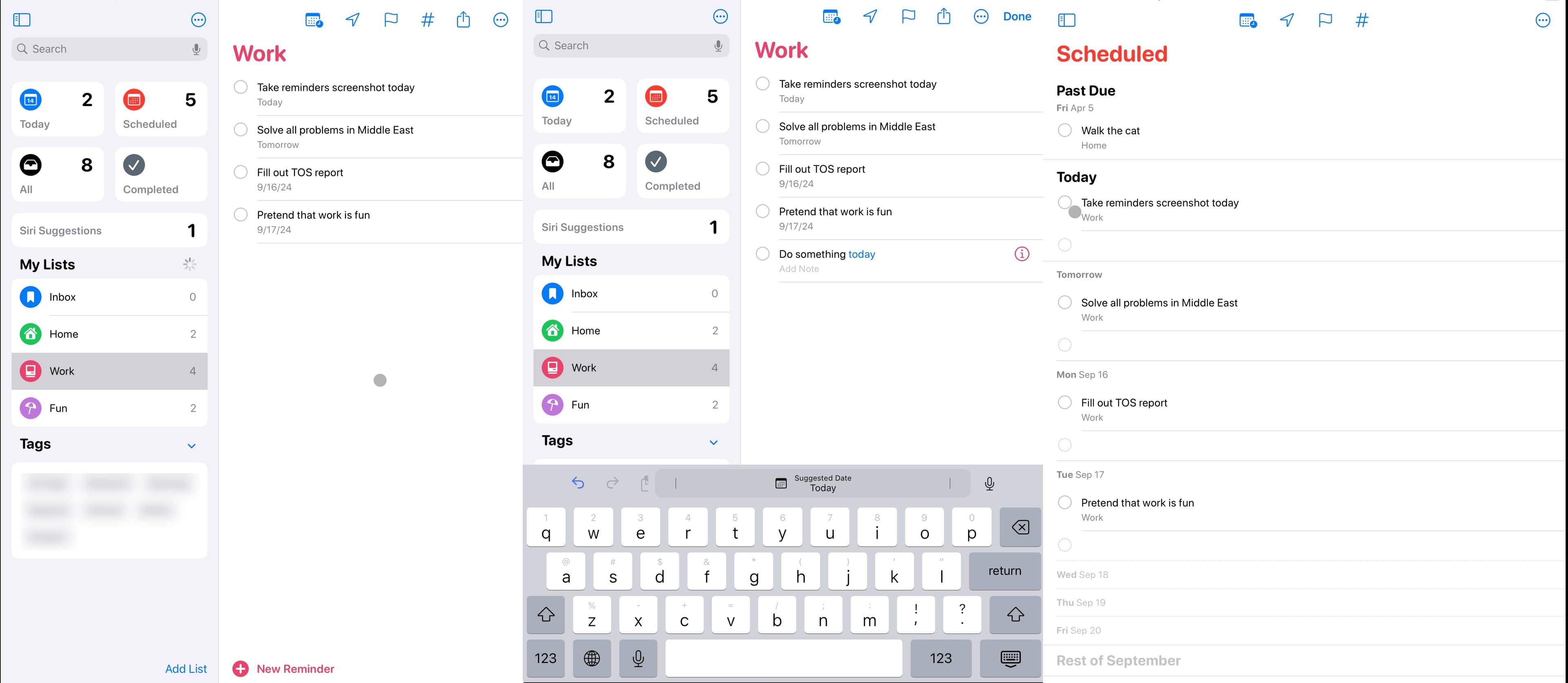
If you own an iPhone, Reminders is already installed. That's its biggest advantage. No account creation, no sync setup, no learning curve. You speak to Siri, and the task appears.
Apple has quietly improved Reminders over the past few years. It now handles subtasks, tags, and smart lists. For people who just need the basics done well, it's hard to argue against free.
TickTick: Built for Prioritization
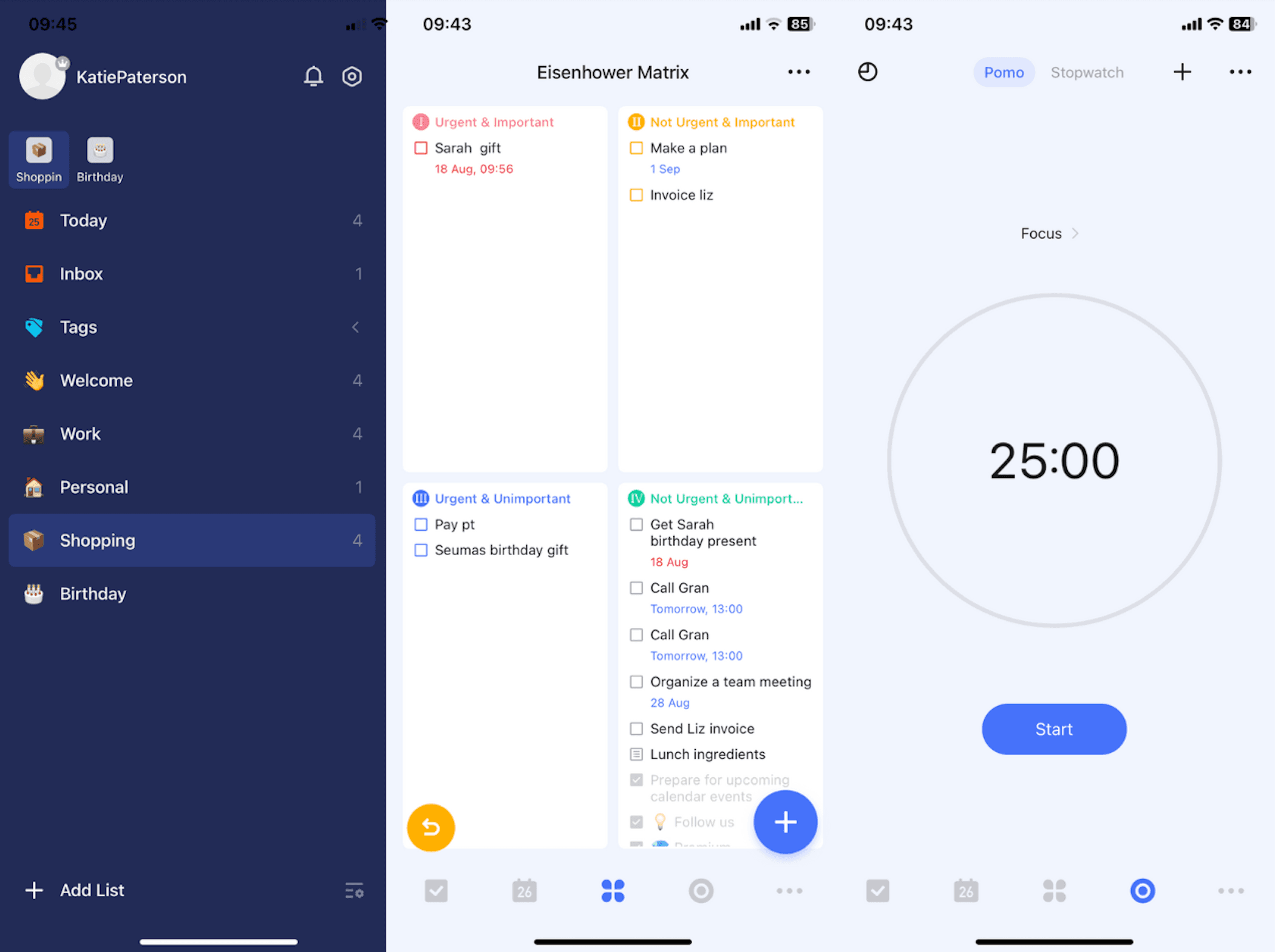
TickTick stands out with its Eisenhower Matrix view and built-in Pomodoro timer. The app helps users sort tasks by urgency and importance, not just due date. For people who struggle with what to work on next, this structure helps.
The free tier is generous. Premium runs $35.99/year and adds calendar integration, custom filters, and more Pomodoro stats.
Todoist: Cross-Platform Workhorse
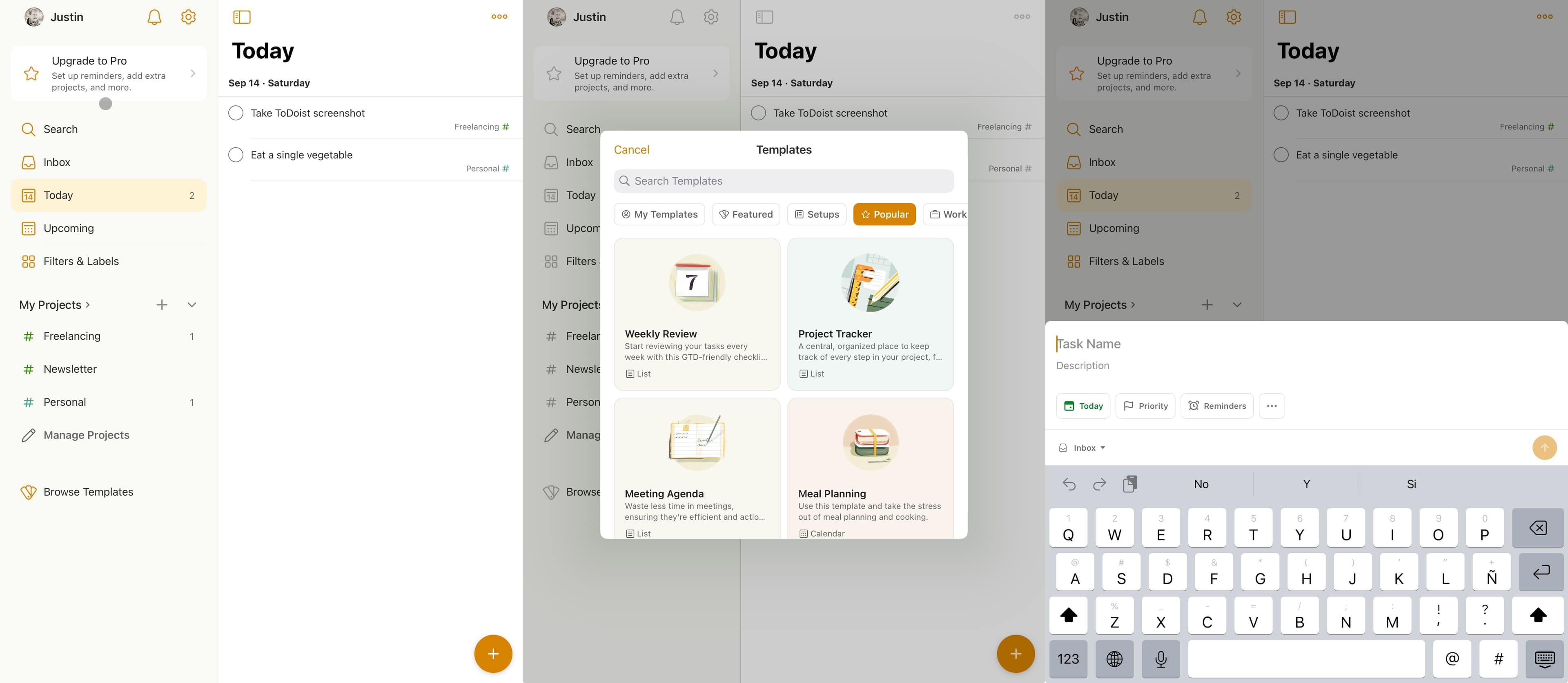
Todoist works on everything. iPhone, Android, Windows, Mac, web, browser extensions. For teams or individuals who switch devices constantly, this matters.
The app recently introduced Ramble, an AI-powered voice-to-task feature. You speak naturally, and Todoist parses your rambling into organized tasks with due dates and projects.
Pricing starts free, with Pro at $4/month and Business at $6/user/month. Zapier calls it "robust but affordable," which tracks.
Microsoft To Do: The Outlook Companion
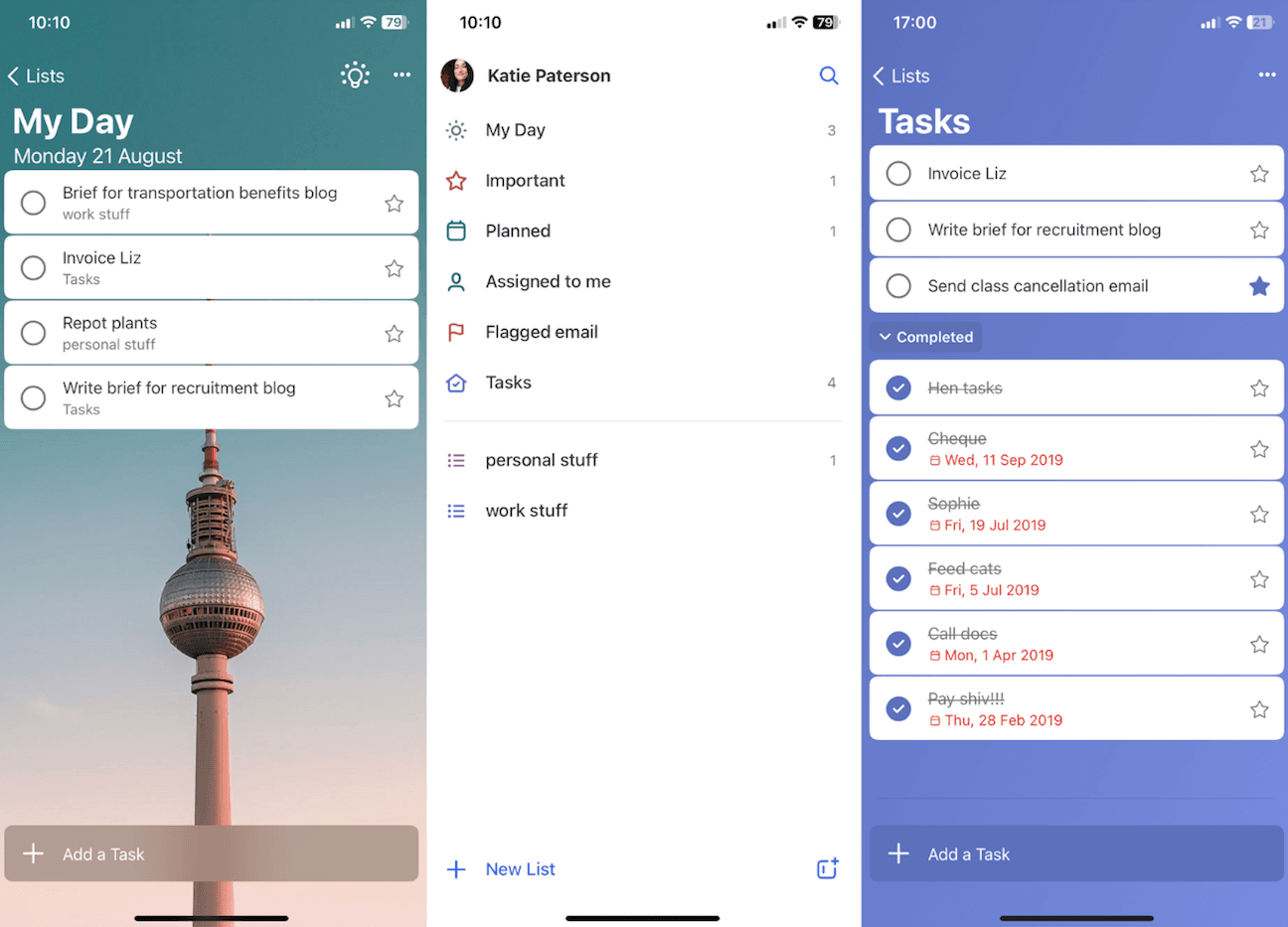
If your work lives in Microsoft 365, Microsoft To Do makes sense. Tasks sync with Outlook. Flagged emails become to-dos. It's free with your existing Microsoft subscription.
The app is serviceable rather than exceptional. It won't convert anyone away from Things 3 or Todoist on features alone. But for Microsoft shops, the integration removes friction.
Sorted³: Time Blocking Native
Sorted³ takes a different approach. Instead of a simple task list, it merges tasks and calendar events into a single timeline. You assign time blocks to tasks and see your day as a schedule, not a checklist.
This works well for people who think in hours, not items. The learning curve is steeper than Reminders or Things 3, but the payoff is a more realistic view of what you can actually accomplish.
What Zapier Looked For
The review team evaluated apps on four criteria:
- Streamlined — features don't create clutter on a phone screen
- Syncing — tasks added on iPhone appear everywhere else
- Established — the app has been around long enough to trust
- iOS-friendly — true native app with widgets and Siri shortcuts, not a web wrapper
The team explicitly noted they receive no payment for placement. Each app went through hands-on testing over multiple years.
The Subscription vs. One-Time-Purchase Debate
Community sentiment has shifted. On Reddit and HackerNews, users increasingly express frustration with recurring fees for basic productivity tools. Things 3's one-time purchase model has become a selling point, not a limitation.
On the other side, subscription apps like Todoist argue that ongoing revenue funds ongoing development. New features like Ramble require AI infrastructure that costs money to run.
There's no right answer here. It depends on whether you value predictable costs or continuous updates more.
The AI Factor
Early adopters of AI-integrated task managers report a 40% efficiency boost from "capacity-aware" planning. These systems analyze your calendar, energy levels, and task history to suggest what to work on and when.
Not everyone agrees. For many users, a simple list that stays out of the way remains more useful than an AI assistant that tries to think for them.
| App | Best For | Price Model | AI Features |
|---|---|---|---|
| Things 3 | Clean design, complex projects | One-time ($9.99 iOS) | None |
| Reminders | Quick start, Apple users | Free | Siri integration |
| TickTick | Prioritization, Pomodoro | Free / $35.99/yr | Basic |
| Todoist | Cross-platform teams | Free / $4-6/mo | Ramble voice-to-task |
| Microsoft To Do | Microsoft 365 users | Free with M365 | None |
| Sorted³ | Time blocking | Subscription | Schedule optimization |
Logicity's Take
Frequently Asked Questions
Which iPhone to-do app is best for beginners?
Apple Reminders. It's already on your phone, syncs with iCloud, and requires no setup. Start there and upgrade if you hit limitations.
Is Things 3 worth the one-time cost?
If you use Apple devices exclusively and want no subscriptions, yes. The $9.99 iPhone app and $49.99 Mac app pay for themselves within a year compared to Todoist Pro.
Can Todoist replace Things 3?
Functionally, yes. Todoist has more features and works on Android and Windows. But Things 3 has a cleaner interface and no recurring fees.
What's the best free to-do list app for iPhone?
Apple Reminders for simplicity. TickTick's free tier if you need prioritization features. Microsoft To Do if you already use Outlook.
Are AI to-do list features worth using?
Depends on your workflow. Todoist's Ramble feature saves time on voice capture. But many users find AI suggestions more distracting than helpful.
Understanding AI assistants helps contextualize AI features in productivity apps
Need Help Implementing This?
Source: The Zapier Blog
Manaal Khan
Tech & Innovation Writer
Produced with AI assistance and reviewed by the Logicity editorial team. Learn more in our Editorial Policy.