Key Takeaways
- Zapier MCP gives OpenClaw agents access to 7,000+ apps and 30,000+ actions without exposing raw credentials
- Five workflow templates cover lead routing, meeting reports, competitor monitoring, and research tracking
- Local AI agents gain enterprise-grade access while you control exactly which actions they can run
OpenClaw went viral earlier this year. The pitch: an open-source AI assistant that could negotiate your car deal or fight your insurance company over WhatsApp while you slept. People were impressed. They were also afraid.
The fear makes sense. OpenClaw runs on your machine. It can access your file system, command line, calendar, and email. The community has built thousands of skills connecting it to third-party apps. Many of those skills have been flagged as malicious.
Zapier MCP offers a safer path. It gives OpenClaw governed access to 7,000+ apps and 30,000+ actions. Your agent can take real actions in your tech stack without ever touching raw credentials. You control exactly which actions it can run.
Logicity's Take
How OpenClaw and Zapier MCP Work Together
OpenClaw has two parts. First, an AI agent running on a computer or server you control, powered by whatever LLM you choose. Second, a gateway that lets you talk to it from WhatsApp, Telegram, or similar messaging apps.
The Model Context Protocol (MCP) is a standardized way for AI agents to interact with external tools. When you connect Zapier MCP to OpenClaw, your local agent gains a secure channel to thousands of SaaS applications. The agent reasons locally. Zapier handles the API calls.
“The future of automation isn't static Zaps; it's autonomous agents that can reason, adapt, and use the same tools we use every day.”
— Wade Foster, CEO at Zapier
Setting Up the Connection
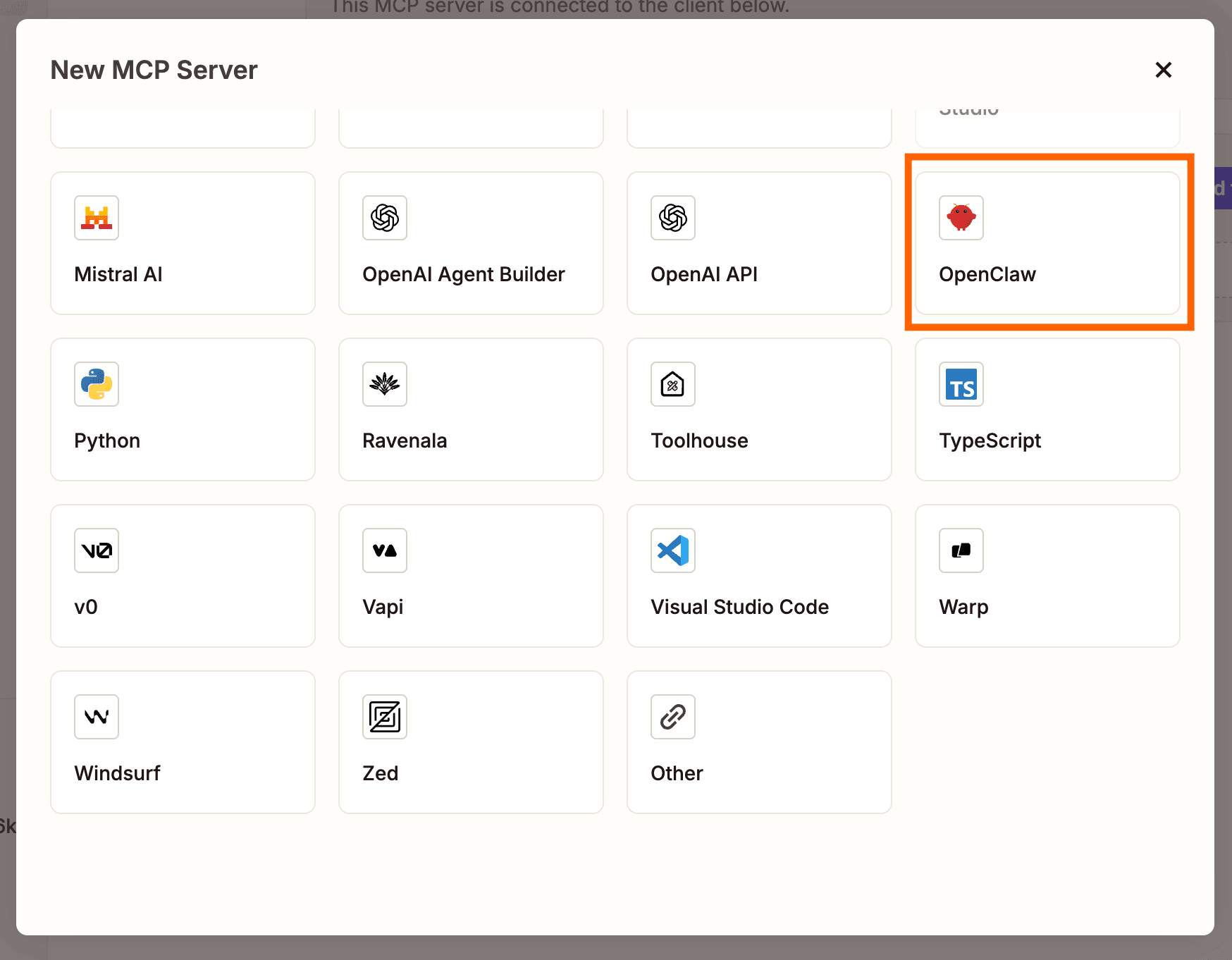
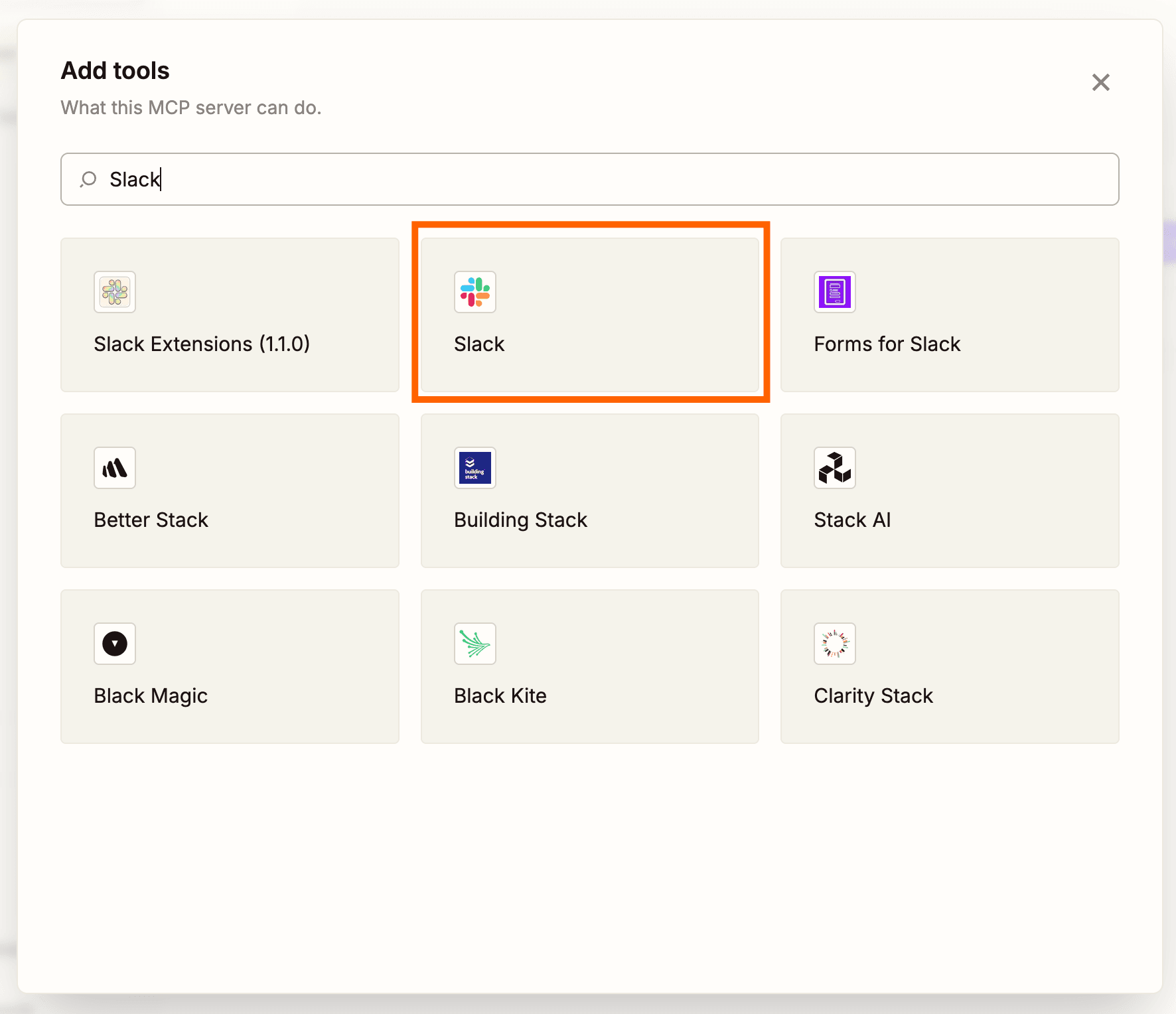
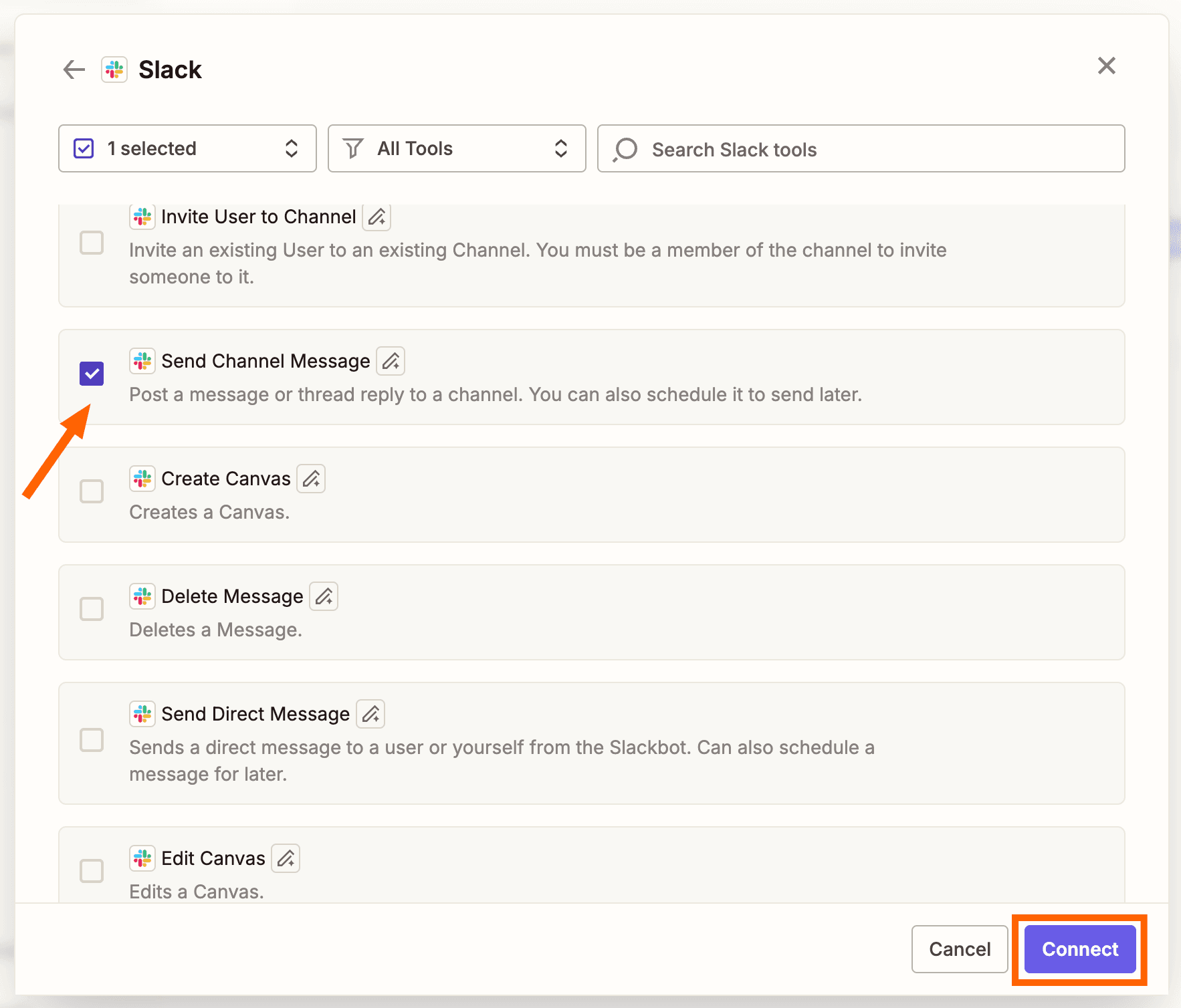
The setup takes minutes. Head to the Zapier MCP dashboard and click +New MCP Server. Select OpenClaw as your client. Then add your first action by searching for an app and selecting which action events to connect. Connect your app accounts, configure each action, and you're ready.
For custom logic or raw API access, you can also connect code files via Zapier SDK. The MCP approach is simpler for most use cases.
5 Workflows to Start With
Zapier's blog outlines five templates that demonstrate what's possible. Each comes pre-populated with apps, but you can swap them for any app in the Zapier directory.
1. Turn Slack Messages Into Tracked Action Items
Your agent monitors Slack channels for messages that look like requests or tasks. It extracts the action item, creates a ticket in your project tracker, and assigns it to the right person. No more scrolling through threads to find what you promised to do.
2. Qualify and Route New Leads From Your CRM
When a new lead enters your CRM, OpenClaw evaluates it against your qualification criteria. It enriches the record with available data, scores the lead, and routes it to the appropriate sales rep. High-value leads get flagged immediately.
3. Draft Client-Ready Reports From Meeting Notes
After a meeting, your agent takes raw notes and transforms them into a structured report. It pulls relevant context from your files, formats everything according to your template, and saves the draft where your team expects to find it.
4. Monitor Competitor Content and Log Key Signals
Your agent watches competitor websites, blogs, and social accounts. When it detects a new product announcement, pricing change, or marketing campaign, it logs the signal to a central tracker with its analysis of what the move might mean.
5. Push Research Summaries From the Web Into Your Project Tracker
When you're researching a topic, your agent can fetch content from the web, summarize the key points, and push structured notes directly into your project tracker. Research stays organized and connected to the project it supports.
The Security Trade-Off
The privacy model here is interesting. Discussions on HackerNews and Reddit's r/LocalLLaMA have focused on one key benefit: you keep the "brain" local while offloading API execution to a managed service.
Your LLM sees your private data. But your API credentials live in Zapier, not on your machine. The agent can only run actions you've explicitly allowed. If a malicious skill tries to access an app you haven't connected, nothing happens.
This reduces, but doesn't eliminate, risk. A local agent with file system access can still cause damage. Understanding what permissions you're granting before you start matters.
Similar MCP integration for Claude users
Comparable workflows for ChatGPT
MCP integration for the Cursor code editor
Should You Try This?
If you're already running OpenClaw, Zapier MCP is the most enterprise-ready way to connect it to your existing tools. The scoped permissions model addresses the biggest concern with local AI agents: uncontrolled access.
If you haven't tried OpenClaw yet, this integration makes it more practical for work use. The combination of local reasoning and managed integrations hits a sweet spot between privacy and capability.
Frequently Asked Questions
What is OpenClaw?
OpenClaw is an open-source AI agent framework that runs locally on your machine. It can access your file system, calendar, email, and command line, and communicates via messaging apps like WhatsApp or Telegram.
How does Zapier MCP make OpenClaw safer?
Zapier MCP handles API credentials and third-party connections through a managed service. Your agent can only run actions you've explicitly allowed, and your raw credentials never touch the local machine.
How many apps can OpenClaw access through Zapier MCP?
Zapier MCP provides access to 7,000+ apps and 30,000+ unique actions across its platform.
Do I need coding skills to set this up?
No. The basic setup requires clicking, typing, and copy-pasting. For custom logic or raw API access, you can use Zapier SDK, but the MCP approach works without code.
Is OpenClaw free to use?
OpenClaw is open-source. Costs depend on which LLM you choose to power it and any Zapier subscription fees for the integrations you use.
Need Help Implementing This?
Source: The Zapier Blog
Huma Shazia
Senior AI & Tech Writer
Produced with AI assistance and reviewed by the Logicity editorial team. Learn more in our Editorial Policy.