Key Takeaways
- Zapier MCP gives ChatGPT governed access to 9,000+ apps and 30,000+ actions through one connection
- Four ready-to-use workflows cover content drafting, CRM research, meeting follow-ups, and report generation
- Each tool call costs 2 Zapier tasks, so plan your automation budget accordingly
Most AI tools that promise to "take action" in other apps share the same problem. They lock you into one ecosystem, or they connect to a single app at a time. You get something working, then hit a wall when you need to reach a different tool in your stack.
Zapier MCP fixes this. One connection gives ChatGPT access to more than 9,000 apps in Zapier's directory and over 30,000 distinct actions. That means ChatGPT can create records, update spreadsheet rows, and send messages across your entire stack without you leaving the chat window.
“The integration of MCP allows AI to move beyond conversation to actual execution, effectively turning a chatbot into a digital operator.”
— Bryan Helmig, CTO at Zapier
Here are four workflows, with templates, to get you started.
How to Connect ChatGPT to Zapier MCP
Before trying these workflows, you need to install Zapier MCP into ChatGPT. The setup takes minutes if you can click, type, and copy-paste.
- Go to the Zapier MCP dashboard.
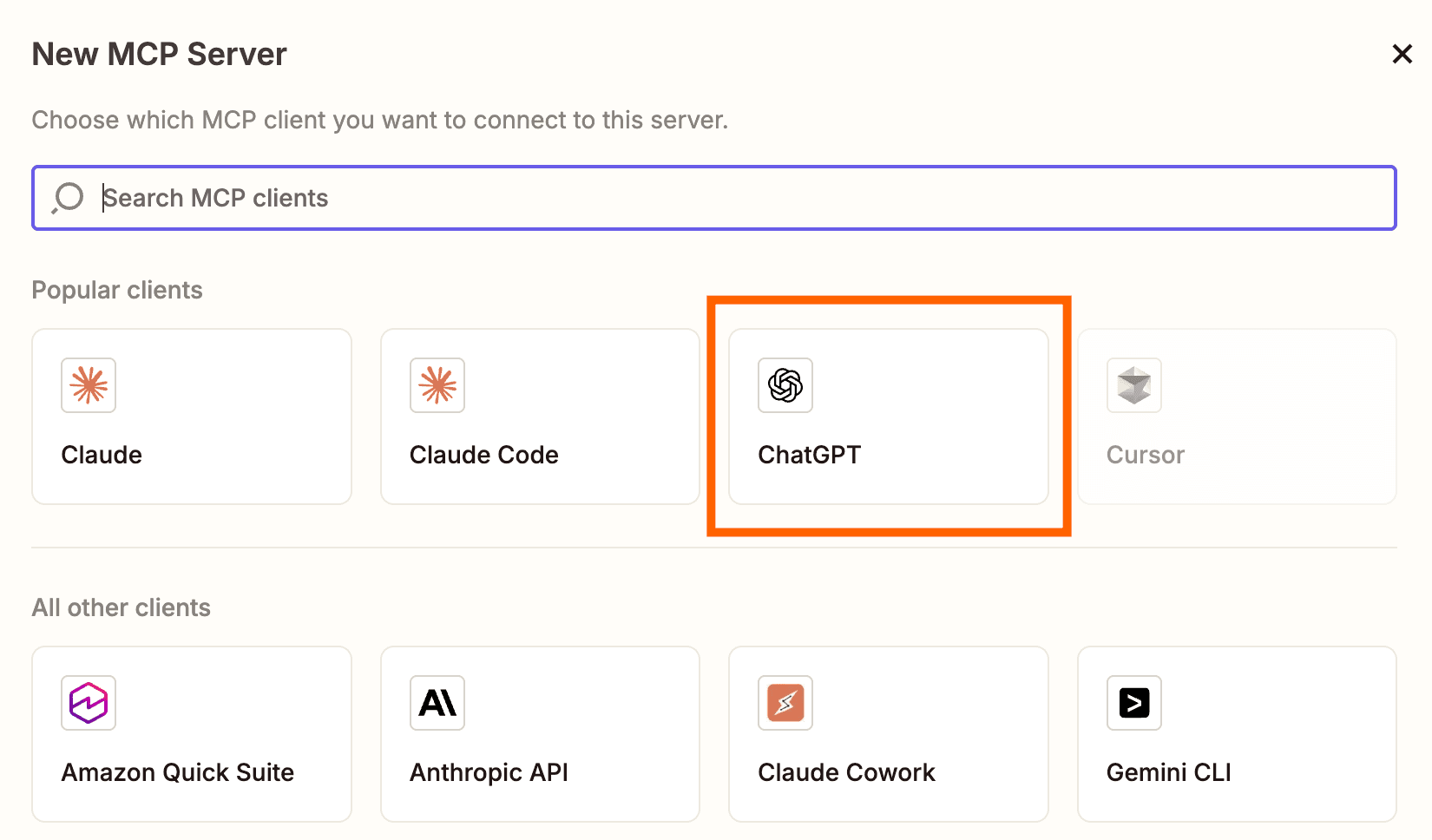
- Click +New MCP Server and choose ChatGPT as the client.
- Click +Add tool to set up your first action.
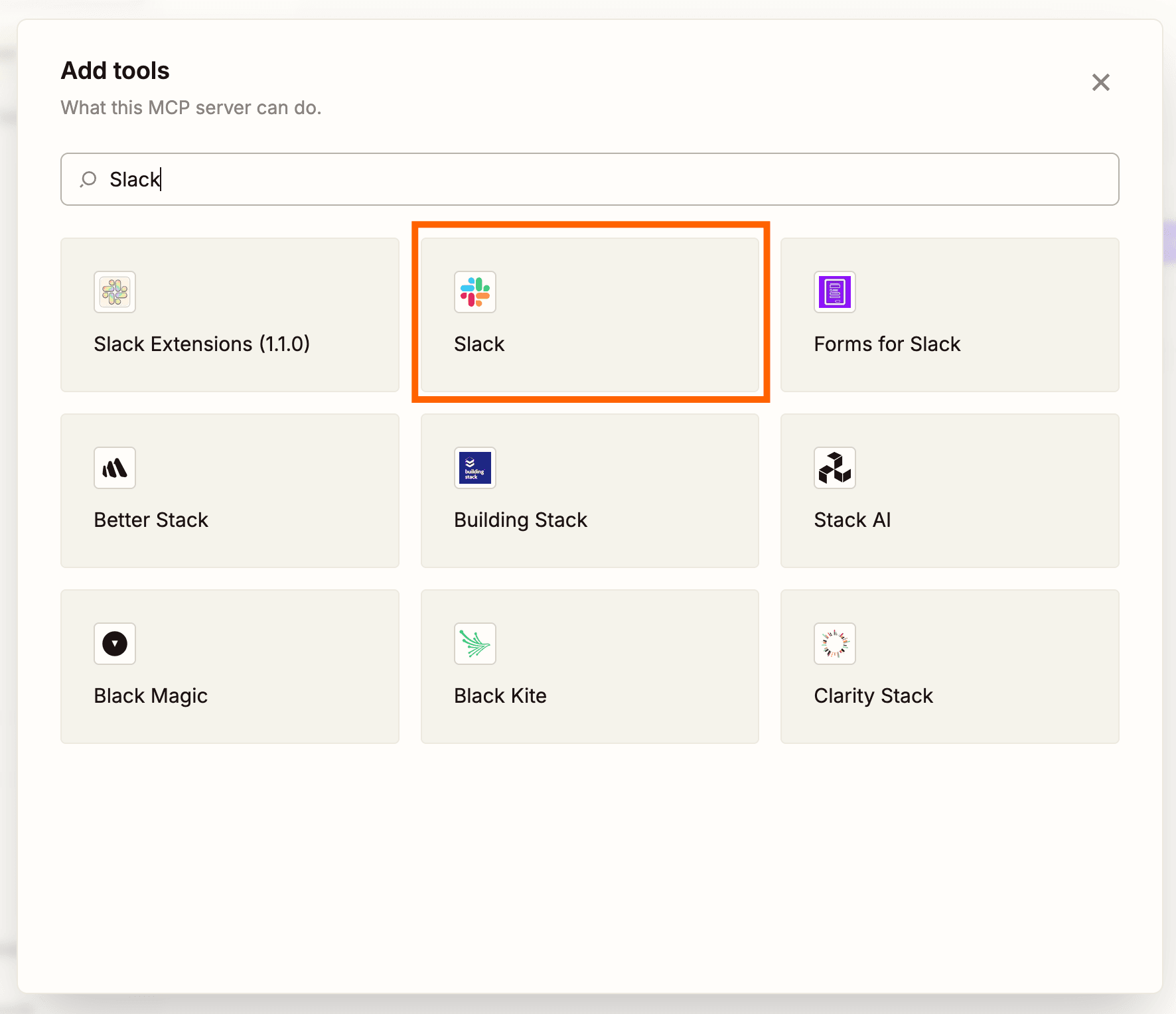
- Search for the app you want and click its tile.
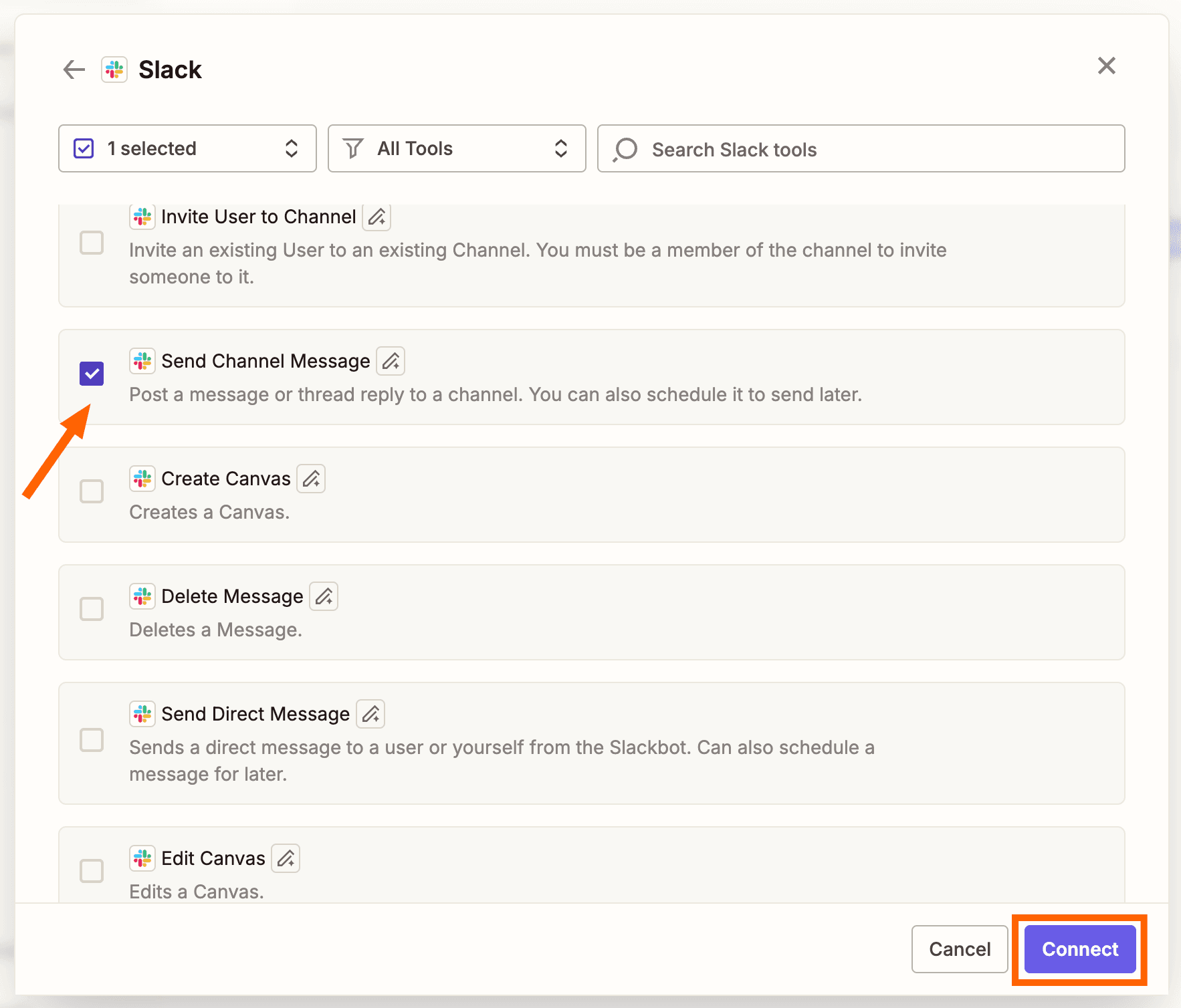
- Select the action events you want to connect, then click Connect.
- Connect your app accounts as needed.
- Configure each action via the kebab menu (⋮) and adjust values. Hover over tooltip icons for details. Click Save.
- Click Connect at the top of the dashboard and follow the instructions to add the server to your ChatGPT account.
1. Draft and Save Long-Form Content to Google Docs
This workflow is for content marketers and writers who need first drafts fast. You give ChatGPT a content brief. It writes the blog post draft and saves it directly to Google Docs. No reformatting, no copying and pasting between windows.
The template reads a content brief, generates a draft, and deposits it where it belongs. You review and edit in Google Docs, where you were going to work anyway.
2. Research a Prospect and Update Their HubSpot Record
Sales and RevOps teams rarely have time for pre-call research. This workflow does it for you. ChatGPT searches for recent company news, analyzes the prospect's situation, and writes the findings back to HubSpot. When you open that contact record before your call, the research is already there.
3. Summarize a Meeting and Send Follow-Up Tasks in Asana
Meetings generate action items. Those items often get lost between the meeting notes and your task manager. This workflow takes meeting content, extracts the key points, and creates follow-up tasks in Asana automatically. The handoff between discussion and execution becomes seamless.
4. Pull Data From Google Sheets and Write a Weekly Report to Notion
Weekly reports are tedious. You pull numbers from a spreadsheet, summarize them, and format everything in your documentation tool. This workflow handles the entire chain. ChatGPT reads the data from Google Sheets, generates a coherent summary, and publishes the report to Notion.
What This Costs
Each tool call made by the ChatGPT agent costs 2 Zapier tasks. If ChatGPT needs to read a Google Sheet, research a company, and update HubSpot in a single conversation, that's 6 tasks. Plan your automation budget accordingly, especially if you're running high-volume workflows.
Why This Matters
The Model Context Protocol represents a shift from chatbots that talk to agents that act. Instead of copying ChatGPT's output and pasting it into another app, you describe what you want and watch it happen. The AI moves from conversation partner to execution layer.
For teams already using Zapier, this adds a natural-language interface to existing automations. For teams new to automation, it lowers the barrier. You don't need to understand trigger-action logic. You just ask ChatGPT to do something, and it figures out which tools to use.
Compare how different AI assistants are expanding beyond chat into actionable workspaces
Logicity's Take
Frequently Asked Questions
What is Zapier MCP?
Zapier MCP (Model Context Protocol) is a connection layer that lets ChatGPT access and control over 9,000 apps in Zapier's ecosystem. It turns conversational AI into an execution engine that can create records, send messages, and update data across your tools.
How much does Zapier MCP cost per action?
Each tool call made by ChatGPT through Zapier MCP consumes 2 Zapier tasks. A workflow that requires three separate app actions would cost 6 tasks total.
Can I use Zapier MCP with AI tools other than ChatGPT?
Yes. Zapier MCP works with any MCP-compatible client. ChatGPT is one supported option, but the protocol is designed to be client-agnostic.
What apps can ChatGPT control through Zapier MCP?
ChatGPT can access over 9,000 apps including Google Docs, HubSpot, Asana, Notion, Google Sheets, Slack, and thousands of others in Zapier's directory. Over 30,000 individual actions are available.
Is it safe to give ChatGPT access to my business apps?
Zapier MCP provides governed access, meaning you configure which actions ChatGPT can perform. Start with low-risk workflows and expand access as you verify the AI handles tasks correctly.
Need Help Implementing This?
Source: The Zapier Blog
Huma Shazia
Senior AI & Tech Writer
Produced with AI assistance and reviewed by the Logicity editorial team. Learn more in our Editorial Policy.