Key Takeaways

- Joplin offers end-to-end encrypted notes with local or self-hosted storage, avoiding proprietary lock-in
- Paperless-ngx turns your scanned documents into searchable, auto-tagged archives on your own server
- Vaultwarden runs the full Bitwarden password manager on lightweight hardware you control
GitHub hosts over 420 million repositories, but the most useful tools often sit quietly with a few thousand stars while flashier projects dominate trending lists. Nick Lewis at How-To Geek recently shared five open-source applications he uses daily. All five run on modest hardware, require minimal maintenance after setup, and solve genuine problems without subscription fees or cloud vendor lock-in.
What makes these picks interesting: none of them compete directly with headline-grabbing projects like VS Code or Blender. They fill gaps that commercial software either ignores or monetizes heavily. For developers, sysadmins, or anyone running a home server, these represent genuine time-savers.
Joplin: Markdown notes with actual encryption
Joplin is a note-taking app built on Markdown, organized into notebooks and tags. It runs on Windows, macOS, Linux, iOS, Android, and even offers a terminal client. The web clipper extension lets you save content directly from your browser.
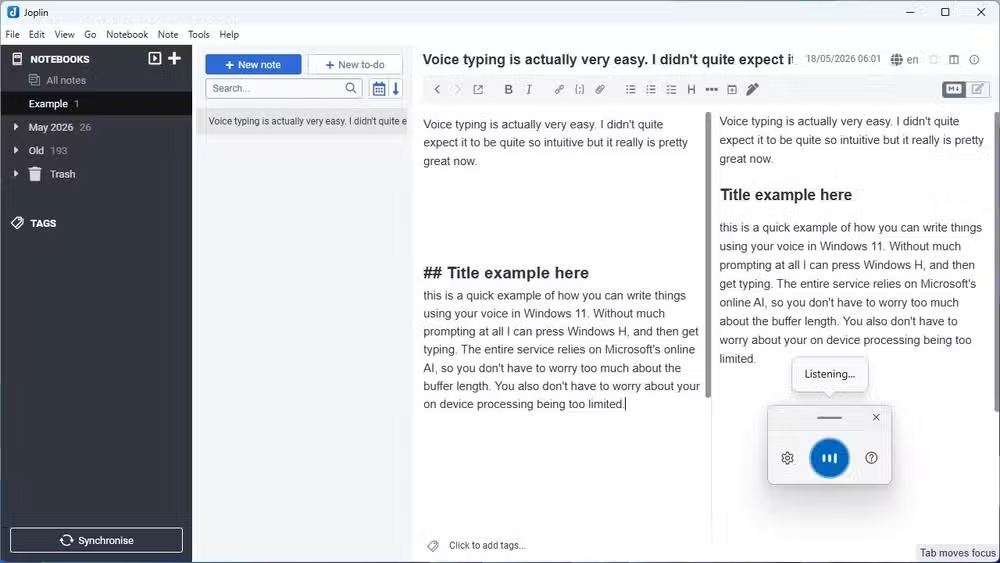
The real selling point is control. Joplin stores notes as plain Markdown in a database, so you can export everything without format conversion headaches. You can sync via Dropbox, OneDrive, Joplin's own cloud, or a server you run yourself. End-to-end encryption protects your data regardless of which option you choose.
This matters more now than it did two years ago. With every major note app announcing AI features trained on user data, a tool that keeps your notes genuinely private stands out. Your notes stay yours, period.
Paperless-ngx: Search your paper trail
Paperless-ngx is the successor to the original Paperless project. It runs on a home server and organizes PDFs, scanned documents, and photographs. The key feature: optical character recognition that makes everything searchable by text.
Auto-tagging and correspondent tracking handle the organizational heavy lifting. Once configured, the system runs hands-off. Scan a receipt, drop it in a folder, and Paperless-ngx indexes it automatically.
Lewis notes that while he started using it to reduce physical paper clutter, the search capability proved more valuable than expected. Finding that one insurance document from three years ago takes seconds instead of an hour of digging through folders.
ntfy: Push notifications without the platform tax
ntfy is a notification service for sending custom alerts to your phone or desktop. No accounts required, no third-party app store dependencies. The server itself runs at about 30MB, small enough for a Raspberry Pi Zero 2 W.
Use cases range from backup completion alerts to crash warnings for game servers. If you can write a script that triggers an HTTP request, you can send yourself a notification. The simplicity is the point. No Firebase configuration, no Apple Push Notification certificates, just a URL and a message.
Vaultwarden: Bitwarden on your own hardware
Vaultwarden is a Bitwarden-compatible password manager server written in Rust. It runs the full feature set, including passwords, passkeys, and secure notes, while using far fewer resources than the official Bitwarden server.
The official Bitwarden apps and browser extensions work directly with Vaultwarden. You get the polished client experience without paying for Bitwarden's hosted service or running their heavier official server stack.
Two caveats worth noting: there's no commercial support, so troubleshooting falls entirely on you and community forums. If your server goes down at 2 AM, you're the on-call engineer. For individuals and small teams comfortable with that trade-off, it's a compelling option.
Internet Pi: Network monitoring dashboard
The fifth tool Lewis highlights is Internet Pi, a monitoring dashboard designed to run on Raspberry Pi hardware. It tracks your network performance, displays metrics, and provides visibility into what's happening across your self-hosted services.
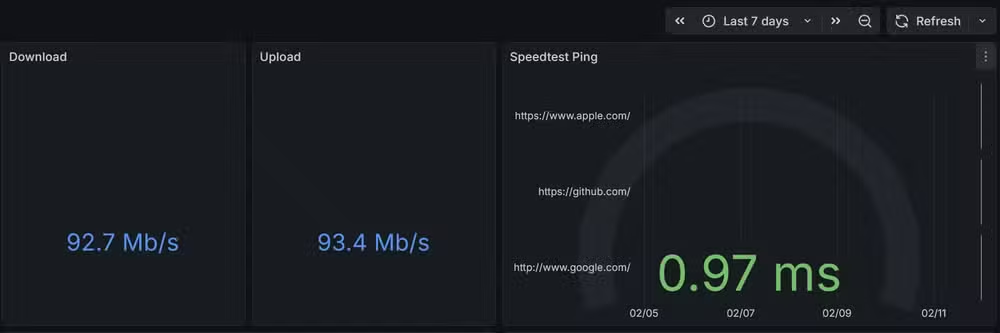
For anyone running multiple services on a home server, this kind of visibility prevents small problems from becoming outages. The dashboard approach beats checking each service individually.
Why these tools stay overlooked
Marketing. Commercial alternatives spend money on ads, press coverage, and influencer partnerships. Open-source tools spread through GitHub stars, Reddit threads, and word of mouth. The best ones surface eventually, but discovery remains slow.
The "awesome lists" phenomenon helps. Curated GitHub repositories collecting tools by category, like awesome-selfhosted or awesome-privacy, serve as discovery engines for precisely this kind of software. But they require actively looking, which most people don't do until a commercial tool raises prices or adds unwanted AI features.
Logicity's Take
The common thread here isn't just "free software." It's data sovereignty. Every one of these tools lets you keep your information on hardware you control, encrypted in ways you verify. As AI training on user data becomes standard practice for commercial apps, tools that guarantee local storage and end-to-end encryption shift from privacy-enthusiast niche to mainstream consideration. The 2026 version of "I don't want my notes feeding someone's model" is a reasonable concern, not paranoia.
Frequently Asked Questions
Do these open-source apps require coding skills to set up?
Basic command-line comfort helps. Most require running Docker containers or editing configuration files. Detailed documentation exists for all five, but expect a few hours of setup per tool.
Can I run multiple self-hosted apps on one server?
Yes. A modest home server or NAS can run all five simultaneously using Docker. A Raspberry Pi 4 handles lighter combinations well.
Are self-hosted password managers safe?
Vaultwarden uses the same encryption as Bitwarden. Security depends on your server configuration, including keeping it updated and using HTTPS. For most users, proper setup is as secure as cloud options.
What happens if the open-source project stops being maintained?
Your data remains accessible since these tools use standard formats like Markdown or SQLite databases. You can migrate or fork the project. This is less risky than a commercial service shutting down entirely.
Is Joplin a good replacement for Notion or Obsidian?
Joplin handles personal notes and to-dos well. It lacks Notion's database features and Obsidian's graph view, but offers better encryption and self-hosting options than either.
Another example of underused features hiding in plain sight
Need Help Implementing This?
Setting up self-hosted services requires server configuration, Docker knowledge, and ongoing maintenance. If your team needs guidance on deploying open-source tools securely, Logicity's technical consultation can help you evaluate options and avoid common pitfalls. Reach out through our contact page.
Source: How-To Geek
Manaal Khan
Tech & Innovation Writer
Produced with AI assistance and reviewed by the Logicity editorial team. Learn more in our Editorial Policy.






