Key Takeaways
- Meshtastic turns ESP32 LoRa boards into off-grid communication devices that relay messages over kilometers
- Local smart home sensors can connect directly to Home Assistant without cloud dependencies
- ESP32's onboard Wi-Fi works for local network projects even when external internet fails
Why Build Offline?
ESP32 boards ship with onboard Bluetooth and Wi-Fi, making them popular for connected projects. But that same hardware works just as well for builds that skip the internet entirely. Your local network stays up when your ISP goes down. And some projects, like mesh radios, don't need any network infrastructure at all.
Here are five ESP32 projects that keep working when your internet connection fails.
1. Off-Grid Communication with Meshtastic
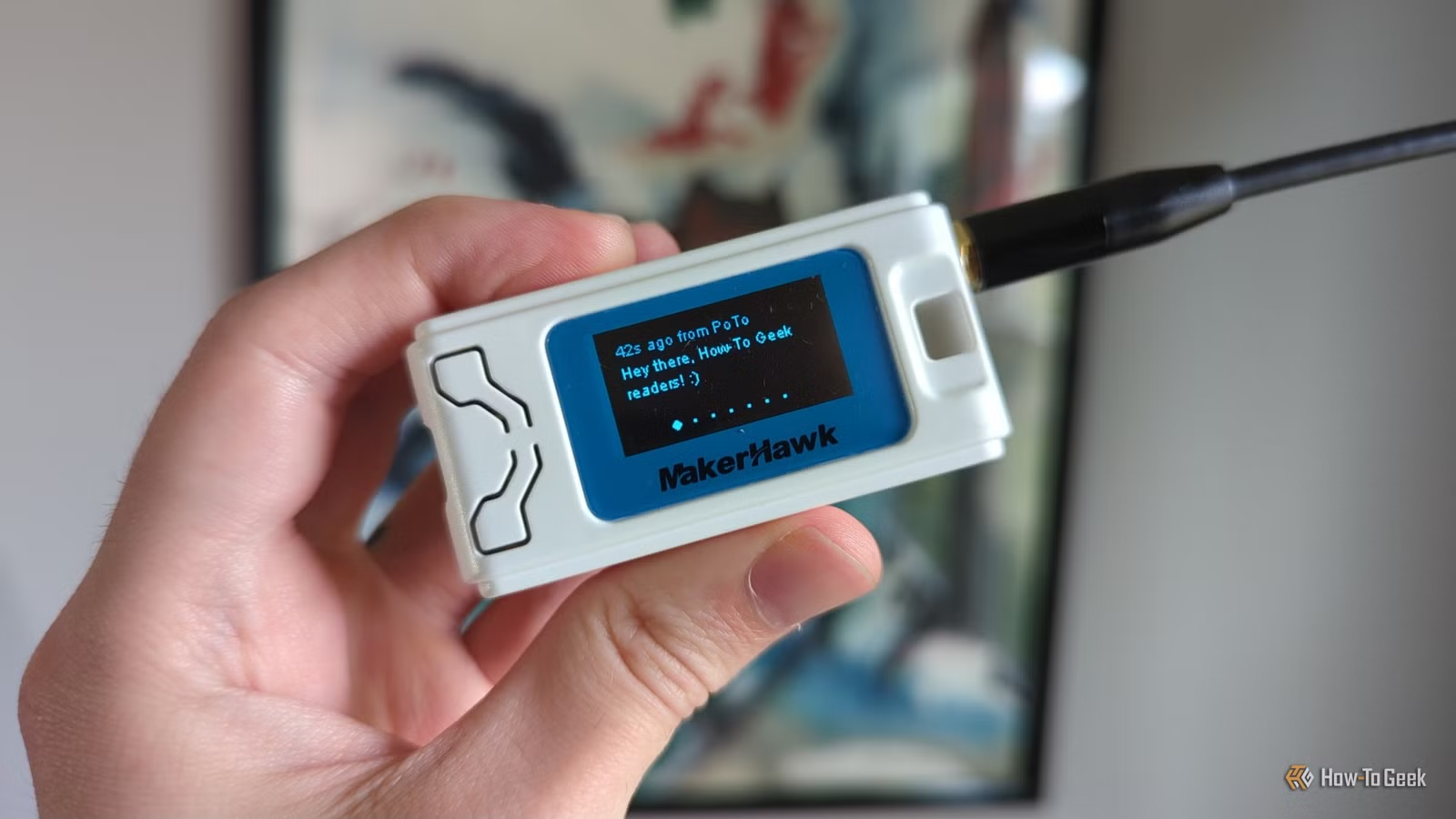
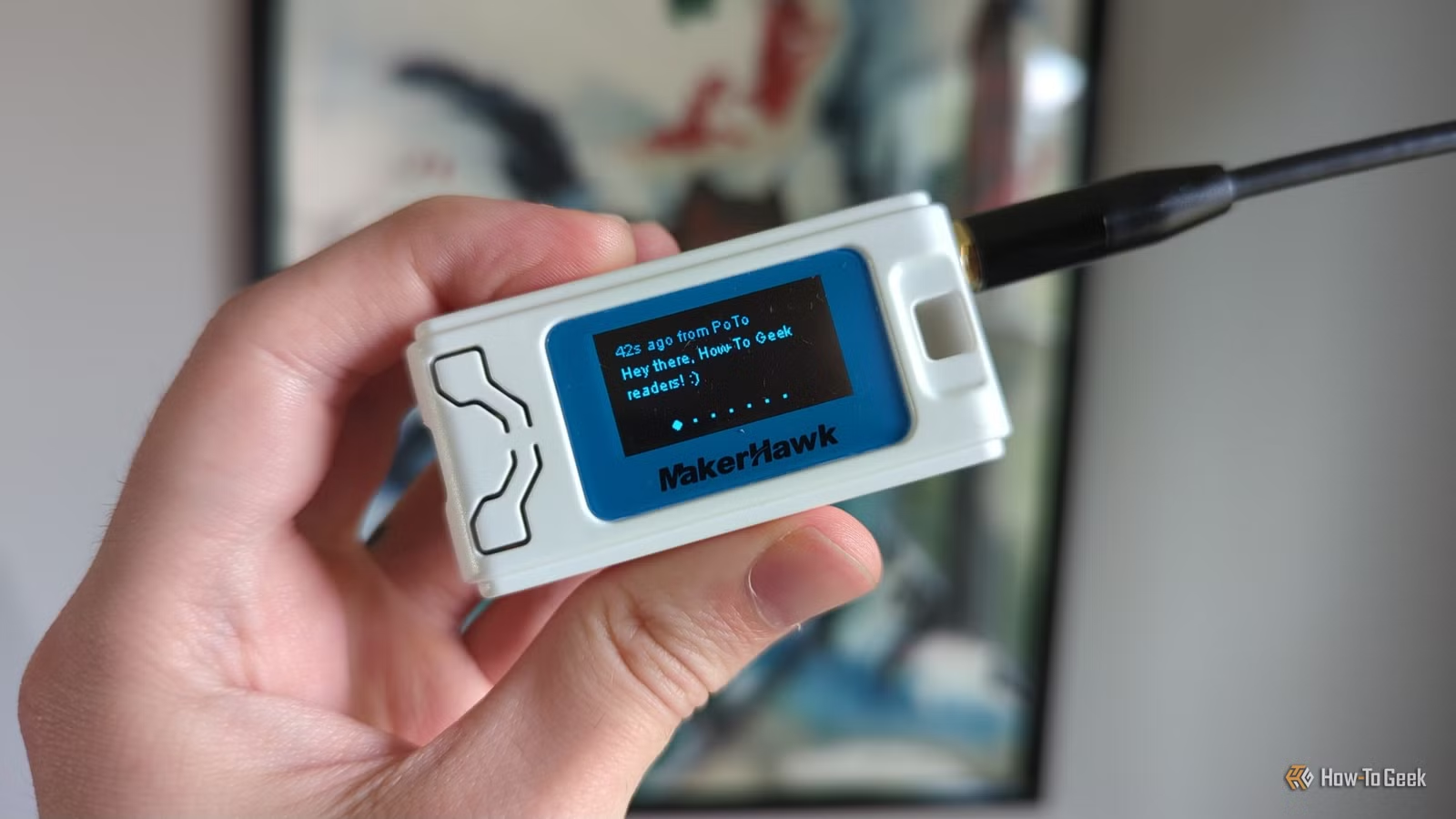
Meshtastic is the standout project for true off-grid use. It turns an ESP32-based LoRa board into a communication device that doesn't need internet, cell towers, or any infrastructure. You flash the Meshtastic firmware onto your board, connect your phone or computer over Bluetooth, USB, or local Wi-Fi, and send messages to other Meshtastic nodes.
LoRa (Long Range) radio works by encoding data using a modulation technique that sends small amounts of information over long distances with minimal power. The clever part: Meshtastic nodes act as repeaters. Your message can hop from node to node, covering significant distances as long as enough devices exist along the path.
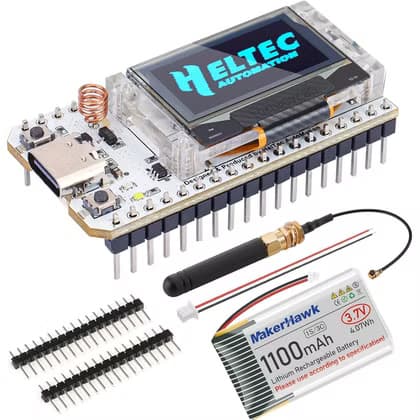
A basic setup costs around $27. The MakerHawk Heltec V3 kit includes an ESP32 LoRa board, LED display, 1100mAh battery, and multiple antennas. That's everything you need to join a local Meshtastic network or start one.
2. Local Temperature and Humidity Sensors
Commercial smart home sensors often require cloud connections. Your temperature reading travels to a server in another country before showing up on your phone. When that cloud service goes down, or when your internet fails, the sensor becomes useless.
ESP32 sensors don't have this problem. If you run Home Assistant, you can use ESPHome to pull data from temperature and humidity sensors connected to your ESP32. The communication happens entirely over your local network. Your smart home hub and your sensor talk directly to each other.
More open-source alternatives for common tech needs
Building your own sensors means no subscription fees, no privacy concerns about data leaving your network, and no dependence on a company keeping their servers running. Your automations keep working when the internet doesn't.
3. Air Quality Monitors
The same local-network approach works for air quality monitoring. Projects like the Aura air quality monitor by 21CNCStudio connect particulate matter sensors, CO2 sensors, and VOC detectors to an ESP32. The board processes the readings and sends them to your local Home Assistant server.
You get real-time data about your indoor air without paying for a commercial device that phones home to a manufacturer's cloud. The ESP32 handles the sensor processing locally. Your router handles the network traffic. Nothing leaves your home.
4. Local Weather Stations
Weather stations combine multiple sensors: temperature, humidity, barometric pressure, wind speed, rainfall. An ESP32 can read all of these and either display the data on a local screen or push it to your home server.
The practical advantage is reliability. Commercial weather stations often require internet connections for their apps to work. An ESP32 weather station keeps logging data regardless of your ISP's uptime. You can add an SD card for local storage or use your Home Assistant server's database.
5. Automation Controllers
ESP32 boards can run as standalone automation controllers. Connect relays, motors, or lights, and program the board to respond to sensors or schedules. The ESP32 handles the logic locally. No cloud required.
This works well for greenhouse automation, aquarium controllers, or any system where reliability matters more than remote access. The ESP32's dual-core processor handles multiple tasks without breaking a sweat, and ESPHome makes the programming accessible even if you're not writing C++ from scratch.
AI tools that simplify technical projects
The Local Network Advantage
Most of these projects use Wi-Fi, but they don't use the internet. Your home network keeps running when your ISP fails. As long as your router is powered on, your ESP32 devices can still communicate with your local servers and each other.
This distinction matters for smart home reliability. A cloud-dependent motion sensor stops triggering your lights when AWS has an outage. A local ESP32 sensor keeps working because the communication never leaves your building.
Logicity's Take
Frequently Asked Questions
How far can Meshtastic messages travel?
Range depends on terrain and antenna quality. Line-of-sight connections can reach several kilometers. With multiple nodes acting as repeaters, messages can travel much farther as they hop through the network.
Do I need programming experience to build ESP32 projects?
Not necessarily. ESPHome uses YAML configuration files rather than traditional code. Meshtastic comes pre-built. You flash firmware and configure settings rather than writing programs from scratch.
What's the difference between ESP32 and Arduino for these projects?
ESP32 includes onboard Wi-Fi and Bluetooth, dual cores, and more memory. Arduino boards are simpler but typically require separate modules for wireless communication. ESP32 costs slightly more but simplifies connected projects.
Can ESP32 sensors work with Google Home or Alexa?
Yes, through Home Assistant. Your ESP32 sensors connect to Home Assistant locally, and Home Assistant can expose them to Google Home or Alexa. The local communication stays reliable even if voice control requires internet.
Need Help Implementing This?
Source: How-To Geek
Manaal Khan
Tech & Innovation Writer
Produced with AI assistance and reviewed by the Logicity editorial team. Learn more in our Editorial Policy.






