Key Takeaways
- Linux has no drive letters; everything branches from a single root directory (/)
- Forward slashes replace backslashes in file paths — matching the rest of computing
- Package managers centralize app installation instead of individual installers
Switching from Windows to Linux is not like switching browsers or word processors. The underlying concepts differ enough that years of Windows muscle memory can work against you. A recent breakdown from How-To Geek highlights four Linux concepts that frequently confuse newcomers, and they point to deeper architectural differences worth understanding if you are considering the switch for development machines or servers.
No drive letters, just the root
Windows organizes storage around lettered drives: C: for the system, D: for media, maybe E: for a secondary SSD. You can install apps anywhere, store files anywhere, and generally rearrange the furniture however you like.
Linux dispenses with letters entirely. Everything — system files, user files, external drives — branches from a single root directory denoted by a forward slash (/). Plug in a USB stick and it appears under /mnt or /media. Your personal files live in /home. Application binaries go to /usr, while configuration files sit in /etc.
This structure follows the Filesystem Hierarchy Standard (FHS), and most software expects it. Move a config file somewhere non-standard and you may break the app that depends on it. Where Windows offers flexibility, Linux offers predictability. Once you internalize the hierarchy, you know exactly where to look for any file type across any distribution.
Forward slashes, not backslashes
A smaller but persistent annoyance: file paths on Linux use forward slashes (/home/user/documents), not the backslashes Windows prefers (C:\Users\User\Documents).
The irony is that Windows is the outlier. URLs use forward slashes. Most programming languages do too. The backslash convention dates to MS-DOS in the early 1980s and simply stuck around. Adopting Linux means aligning with the path format the rest of computing already uses, but that does not make the muscle memory any easier to overwrite. Expect weeks of reaching for the wrong key.
Package managers replace installers
Installing software on Windows typically involves downloading an .exe or .msi from a vendor's site, double-clicking, and following prompts. Each app handles its own updates. It works, but it scatters binaries and settings across Program Files, AppData, and ProgramData in ways that can be hard to track.
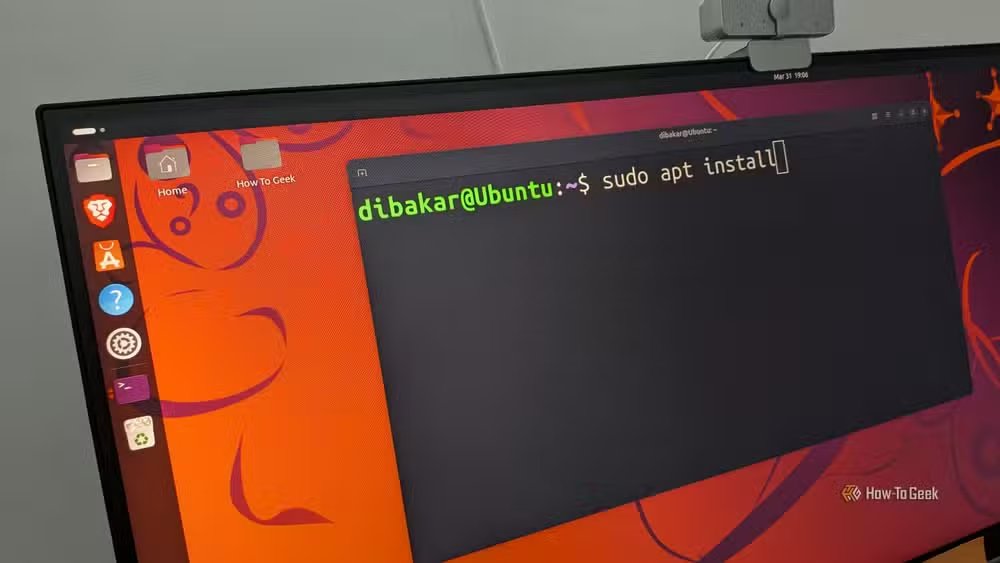
Linux distributions centralize installation through package managers like APT (Debian/Ubuntu), DNF (Fedora), or Pacman (Arch). You run a command, the package manager fetches the software from a trusted repository, installs it in the correct directories, and handles updates for every package on the system in one pass.
The upside: you can update your entire system — OS, apps, libraries — with a single command. The downside: if software is not in your distribution's repositories, installing it requires more steps, like adding third-party repositories, downloading AppImages, or compiling from source.
Why these differences matter for technical teams
For founders and CTOs evaluating Linux for development environments or production servers, these architectural differences carry practical implications. The FHS makes server configuration more predictable across machines; if /etc/nginx/nginx.conf exists on one Ubuntu server, it exists in the same place on another. Package managers simplify patching and compliance audits because every installed package is tracked in a central database.
The tradeoff is a steeper initial learning curve for team members coming from Windows-only backgrounds. Budget time for onboarding, and consider pairing newcomers with experienced Linux users for the first few weeks.
The fourth concept: permissions
The source article alludes to a fourth alien concept, and it is almost certainly file permissions. Linux treats every file and directory with explicit read, write, and execute flags for the owner, the group, and everyone else. On Windows, access control exists but is often invisible unless you dig into Advanced Security settings.
On Linux, you will encounter permission errors quickly if you try to edit system files without elevated privileges (sudo). It is a security feature, not a bug. Learning the chmod and chown commands early saves frustration later.
Windows keeps adding features Linux users have had for years
Logicity's Take
The real barrier to Linux adoption is not any single concept; it is the accumulation of small differences that invalidate old habits. Organizations that succeed with Linux treat the first month as deliberate unlearning, not just training. Pair programming and internal wikis documenting 'here is how we do X on Linux' pay dividends long after onboarding ends.
Frequently Asked Questions
Why does Linux use forward slashes instead of backslashes?
Forward slashes were the original path separator in Unix, which Linux is based on. Windows adopted backslashes in MS-DOS because forward slashes were already used for command options. The rest of computing, including URLs and most programming languages, stuck with forward slashes.
What is a package manager in Linux?
A package manager is a tool that downloads, installs, updates, and removes software from centralized repositories. Examples include APT for Debian-based systems, DNF for Fedora, and Pacman for Arch Linux.
Can I install Windows-style .exe files on Linux?
Not directly. You can use compatibility layers like Wine or Proton to run some Windows executables, but native Linux software is distributed in formats like .deb, .rpm, or AppImages, managed through package managers or manual installation.
What is the root directory in Linux?
The root directory, represented by a single forward slash (/), is the top-level directory from which all other directories branch. It is roughly analogous to the C: drive on Windows, but there are no other drive letters — everything lives under /.
Need Help Implementing This?
Considering Linux for your development or production environment? Logicity can help you build an onboarding plan tailored to Windows-trained teams. Reach out for a consultation on infrastructure modernization.
Source: How-To Geek
Manaal Khan
Tech & Innovation Writer
Produced with AI assistance and reviewed by the Logicity editorial team. Learn more in our Editorial Policy.






