Key Takeaways
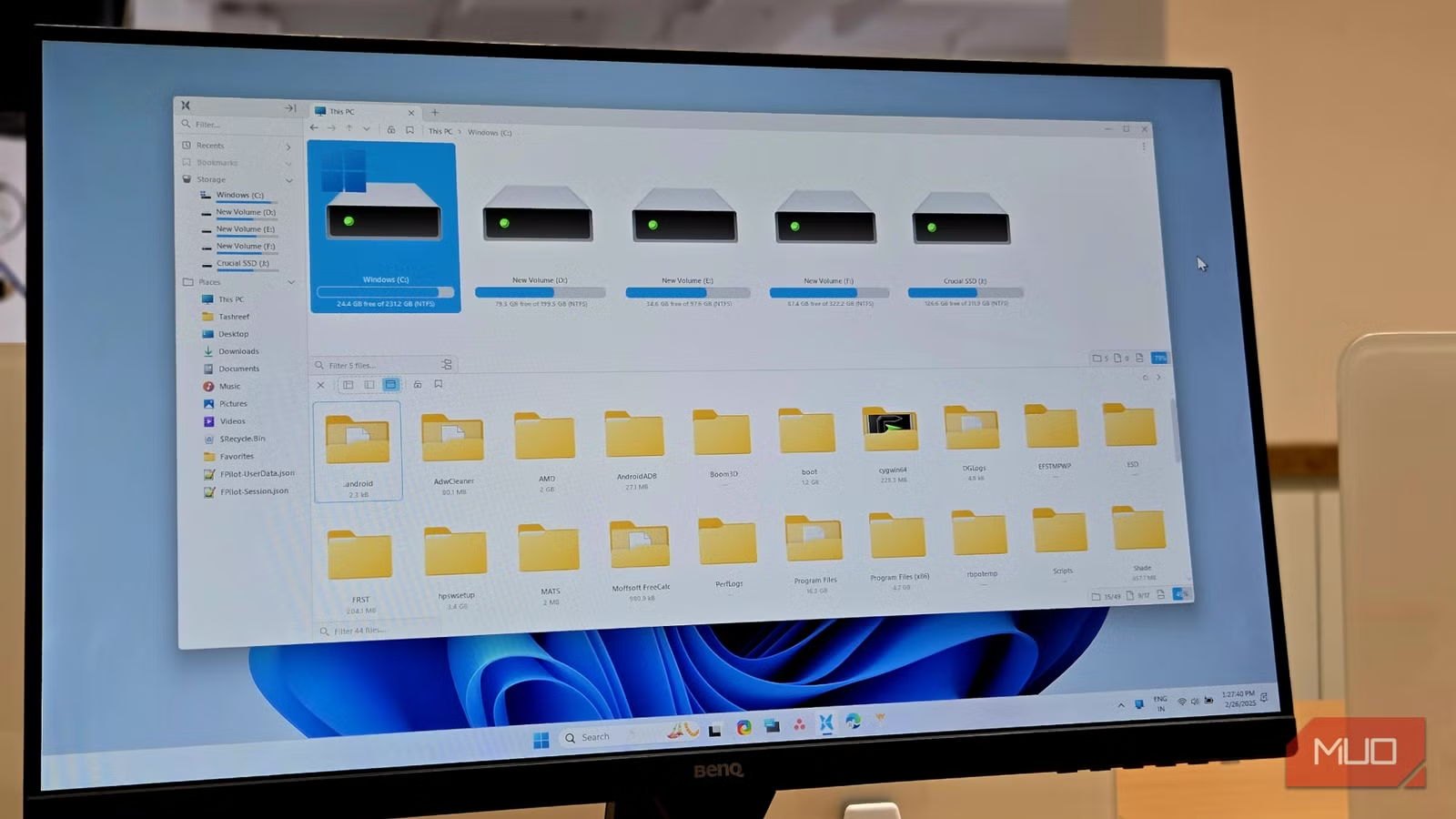
- Windows 11 now supports .7z, .rar, and tar archives natively through libarchive integration
- The streaming-based extraction engine is fast on NVMe SSDs but slower on spinning drives
- Password-protected archives and RAR creation still require third-party tools like 7-Zip
Windows 11 can now extract .7z, .rar, and multiple tar variants directly from File Explorer, no third-party software required. Microsoft quietly baked the open-source libarchive library into the OS, ending a 20-year dependency on tools like WinRAR and 7-Zip for basic archive handling. The change shipped in the 26H1 update and is already running on over 300 million devices.
For years, right-clicking a .7z or .rar file in Windows did nothing useful. You needed WinRAR, 7-Zip, or some other utility, often downloaded from sketchy pages bundled with toolbars and flagged by corporate IT. That era is over for most use cases.
How Microsoft rebuilt archive support
Windows could only handle ZIP files natively for over two decades. The old ZIP handler, zipfldr.dll, was too limited to extend. Microsoft's engineers built a new C++ class called ArchiveFolder and a supporting library called archiveint.dll, which is essentially Microsoft's compiled version of libarchive.
When you extract a file now, File Explorer passes it to this backend. The engine reads the archive's headers, determines the compression type, and extracts everything to disk. Since libarchive processes archives as a stream rather than loading them into memory all at once, the approach is fast and resource-light on modern hardware.
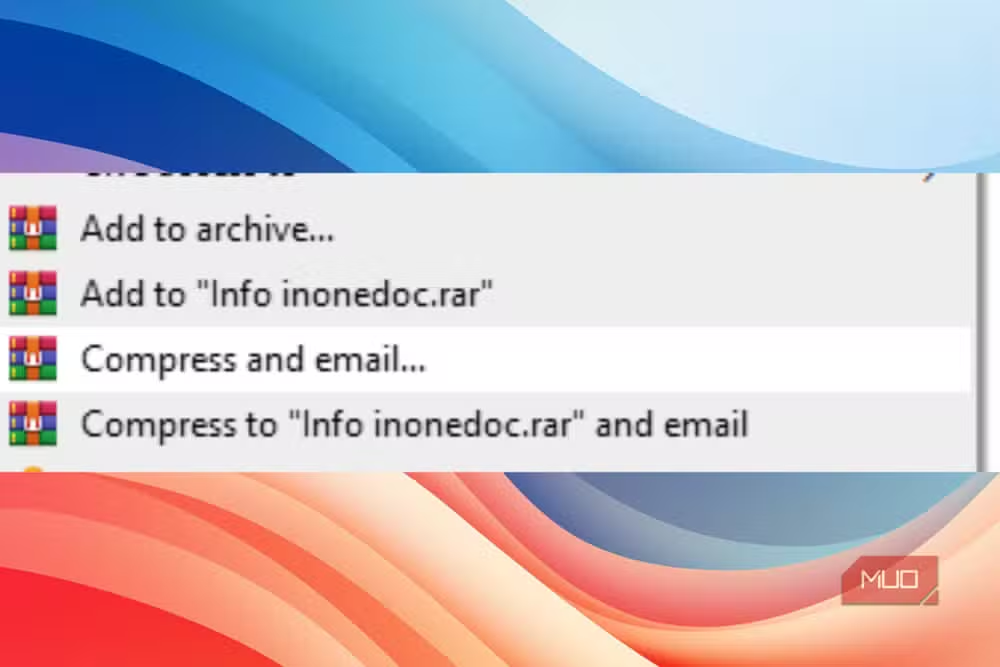
The practical result: Windows 11 handles .7z, .rar, .tar.gz, .tar.bz2, .tar.xz, and .tar.zst out of the box. Right-click, hit "Extract All," and it works the same way ZIP files always did.
Creating archives without installing anything
The update also adds native archive creation. Right-click any file or folder, hover over "Compress to," and you'll see options to package things into ZIP, 7z, or TAR. Pick one and Windows handles it with sensible defaults.
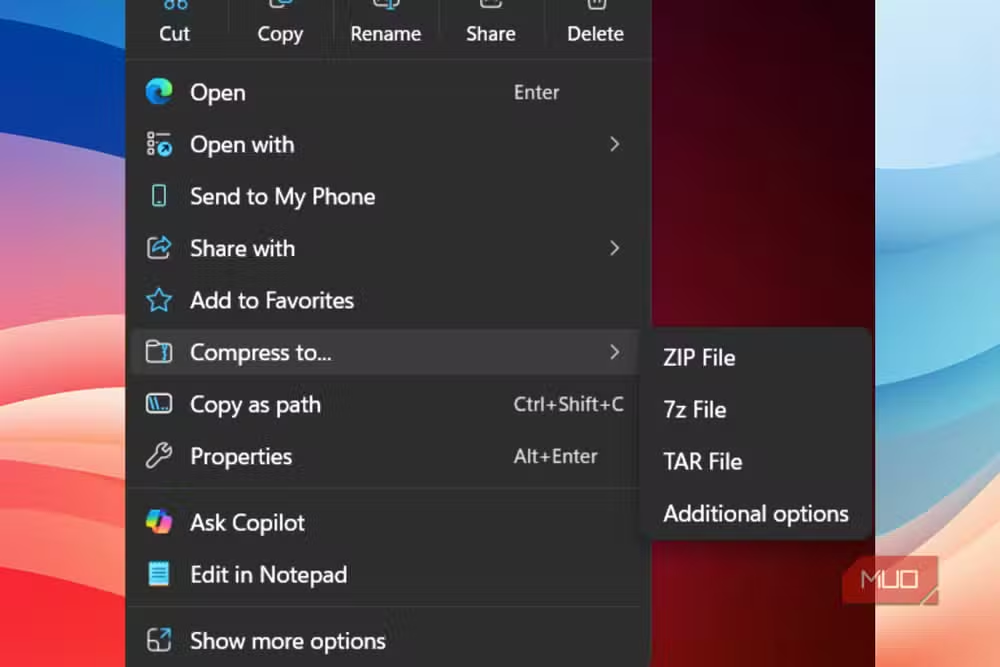
For more control, "Additional options" at the bottom opens a compression wizard. TAR archives support GNU tar and POSIX ustar variants with BZIP2, Gzip, xz, and Zstandard compression. For 7z files, you can choose between LZMA1, LZMA2, and PPMd, with a slider to trade compression depth for speed. Checkboxes let you preserve symbolic and hard links, useful when packaging complex directory structures.
What's still missing
Two gaps remain. Windows can open RAR files but cannot create them. RARLAB's licensing restrictions block this, and there's no indication Microsoft will negotiate around them.
The bigger omission: password-protected and encrypted archives aren't supported yet. If you need AES-256 encryption or want to split archives across multiple volumes, you still need 7-Zip or a similar tool. This feels like an oversight given how common encrypted archives are in enterprise workflows.
Why extraction speed depends on your drive
The streaming architecture changes where the bottleneck sits. Performance now depends on storage speed, not RAM. On a fast NVMe SSD, native extraction keeps pace with dedicated third-party apps for large 7z or TAR archives. NVMe drives read at several gigabytes per second, fast enough that streaming never becomes the limiting factor.
On spinning hard drives or slow USB drives, expect different results. The streaming approach that excels on SSDs can bottleneck when I/O is the constraint. If you're working from a USB 2.0 flash drive, 7-Zip's memory-based approach might still be faster.
40% — Reported reduction in File Explorer hangs after the UI architecture overhaul in the latest Windows 11 update
Should you uninstall WinRAR?
For most people, yes. The native tool handles common formats well, and 12 million monthly third-party archive downloads have already disappeared from download trackers since the 26H1 update. The context menu is faster too, with a 45% reduction in load latency following Microsoft's UI refactor.
Power users should keep 7-Zip installed. If you create password-protected archives, need to split files across volumes, or work with RAR creation, the native tool won't cover you. But for extracting a .7z project file or unpacking a Linux tarball, the standard Windows wizard does the job.
More on recent Microsoft platform updates and patches
Logicity's Take
Microsoft's libarchive integration removes friction that enterprise IT teams have managed for decades. The real win isn't convenience for individuals, it's eliminating a category of third-party software that required vetting, licensing, and deployment across fleets of machines. The missing encryption support will keep 7-Zip in corporate SOEs for now, but this update signals Microsoft is serious about making Windows self-sufficient for everyday tasks.
Frequently Asked Questions
Can Windows 11 extract RAR files without WinRAR?
Yes. Windows 11 26H1 and later can open and extract .rar files natively through File Explorer using libarchive. However, creating RAR files still requires RARLAB's proprietary software.
Does Windows 11 support password-protected 7z files?
Not yet. The native extraction tool cannot open encrypted or password-protected archives. You'll need 7-Zip or similar software for those.
Is native Windows archive extraction faster than 7-Zip?
It depends on your storage. On NVMe SSDs, performance is comparable. On slower drives like HDDs or USB 2.0 devices, 7-Zip's memory-based approach may be faster.
Which archive formats does Windows 11 support natively?
Windows 11 now handles ZIP, 7z, RAR, .tar.gz, .tar.bz2, .tar.xz, and .tar.zst. It can create ZIP, 7z, and TAR archives but not RAR.
When did Windows add native 7z and RAR support?
The libarchive integration shipped with the Windows 11 26H1 update in 2026, available on over 300 million devices as of mid-2026.
Need Help Implementing This?
If you're managing Windows deployments at scale and need guidance on deprecating third-party archive tools from your SOE, reach out to Logicity's enterprise consulting partners for IT policy and tooling reviews.
Source: MakeUseOf
Manaal Khan
Tech & Innovation Writer
Produced with AI assistance and reviewed by the Logicity editorial team. Learn more in our Editorial Policy.






