Key Takeaways
5 Best Pocket Alternatives: AI-Powered Read-It-Later Apps
- Instapaper remains the top choice for most users with its simple interface and Kindle support
- Readwise Reader at $9.99/month targets power users with AI features and YouTube transcript support
- Browser reading lists in Chrome and Safari offer a free, zero-friction alternative
The best read-it-later apps in 2026 have narrowed to four solid options: Instapaper for most people, Flyleaf for Apple users, Readwise Reader for power users, and browser reading lists for anyone who wants the simplest approach. With Pocket gone, the category has consolidated around tools that do one thing well: save articles for offline reading when you actually have time.
Disclosure
Some links in this post are affiliate links — Logicity earns a commission if you sign up, at no extra cost to you. We only link products we have used or actively recommend.
The Zapier Blog tested over 20 read-it-later apps for this roundup, evaluating each on one-click saving, offline download capabilities, typography customization, organizational features, and cross-platform sync. Here's what stood out for operations teams juggling research, competitive intel, and industry reading.
Which read-it-later app works for most people?
Instapaper wins for general use. It's one of the oldest apps in the category, and its simplicity is the main selling point. There's no clutter, no social features, no AI bells. You save an article with a browser extension or bookmarklet, and the app downloads it for offline reading on iOS, Android, or Mac.
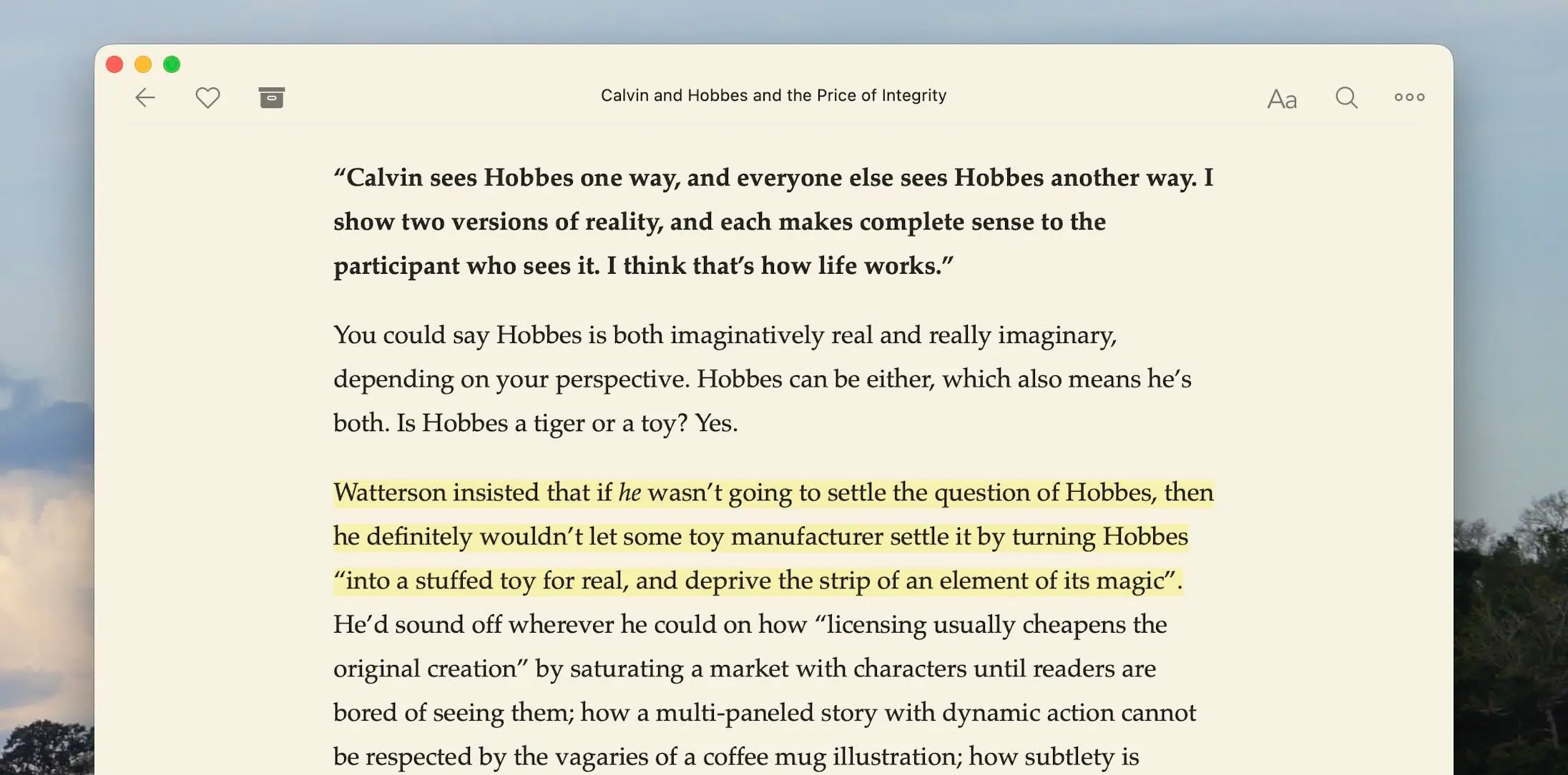
The free tier covers most needs. Premium costs $5.99/month and adds search across your archive, full-text search, and unlimited notes. One feature that sets Instapaper apart: a speed reading mode that flashes one word at a time. It forces you to keep pace rather than re-reading sentences. Not for everyone, but useful for clearing a backlog.
Instapaper also sends articles directly to Kindle devices. For RevOps teams who prefer e-ink over screens after a day of dashboards, this is a real advantage. The app integrates with Zapier for automations like saving articles from RSS feeds, Slack messages, or email digests.
What's the best option for Apple-only teams?
Flyleaf targets users who stay in the Apple ecosystem. It runs on iPhone, iPad, and Mac with a native design that feels like a first-party Apple app. The reading interface prioritizes typography and whitespace over feature density.
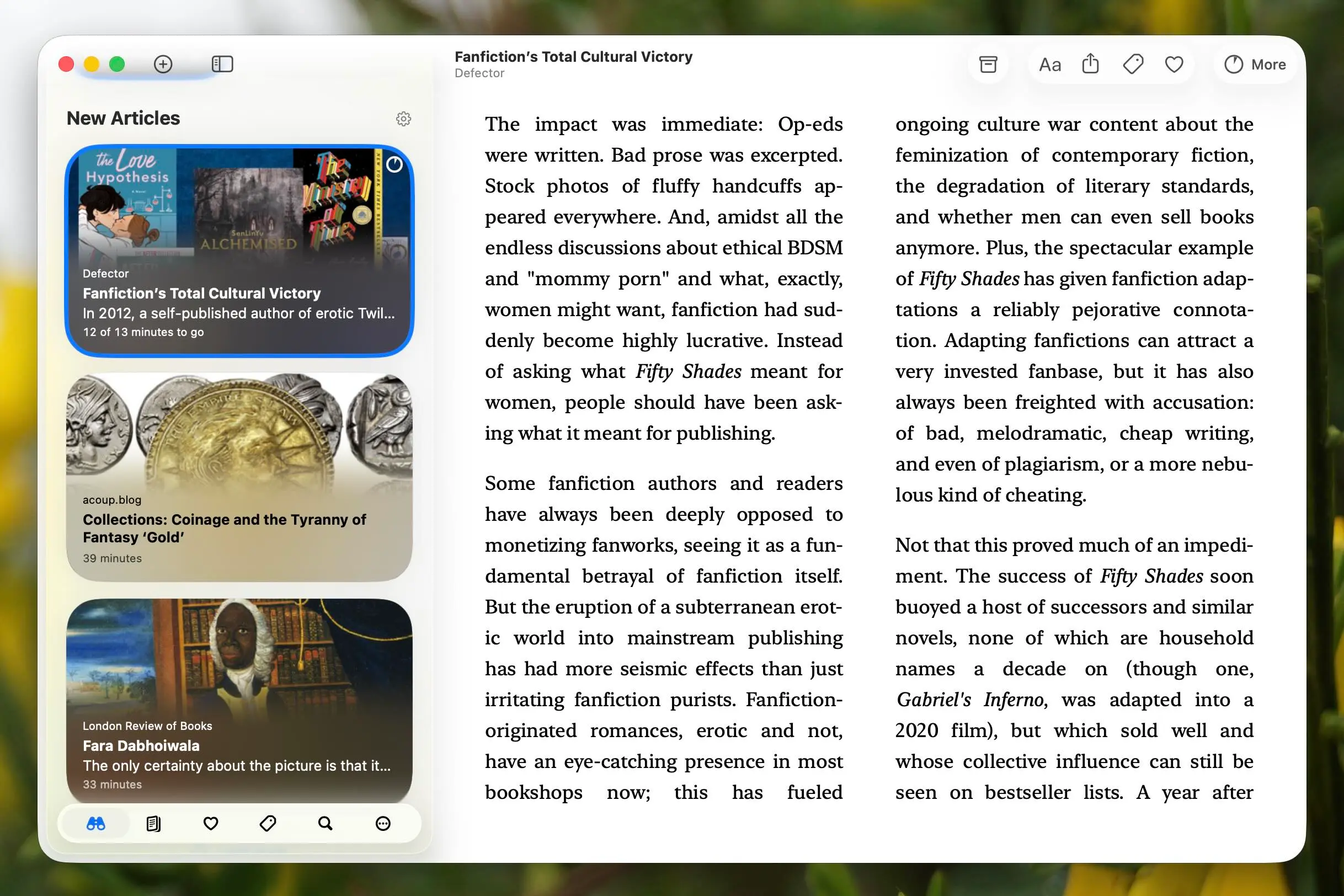
Pricing is aggressive: free with a $2/month premium tier. That's cheaper than Instapaper or Readwise. The tradeoff is no Android or Windows support. If your team standardizes on Apple hardware, Flyleaf is worth testing. If anyone uses a Windows laptop or Android phone, skip it.
When does Readwise Reader make sense?
Readwise Reader costs $9.99/month billed annually. That's almost double Instapaper Premium, so what do you get? AI-powered features, YouTube transcript saving, and tight integration with the Readwise highlight review system.
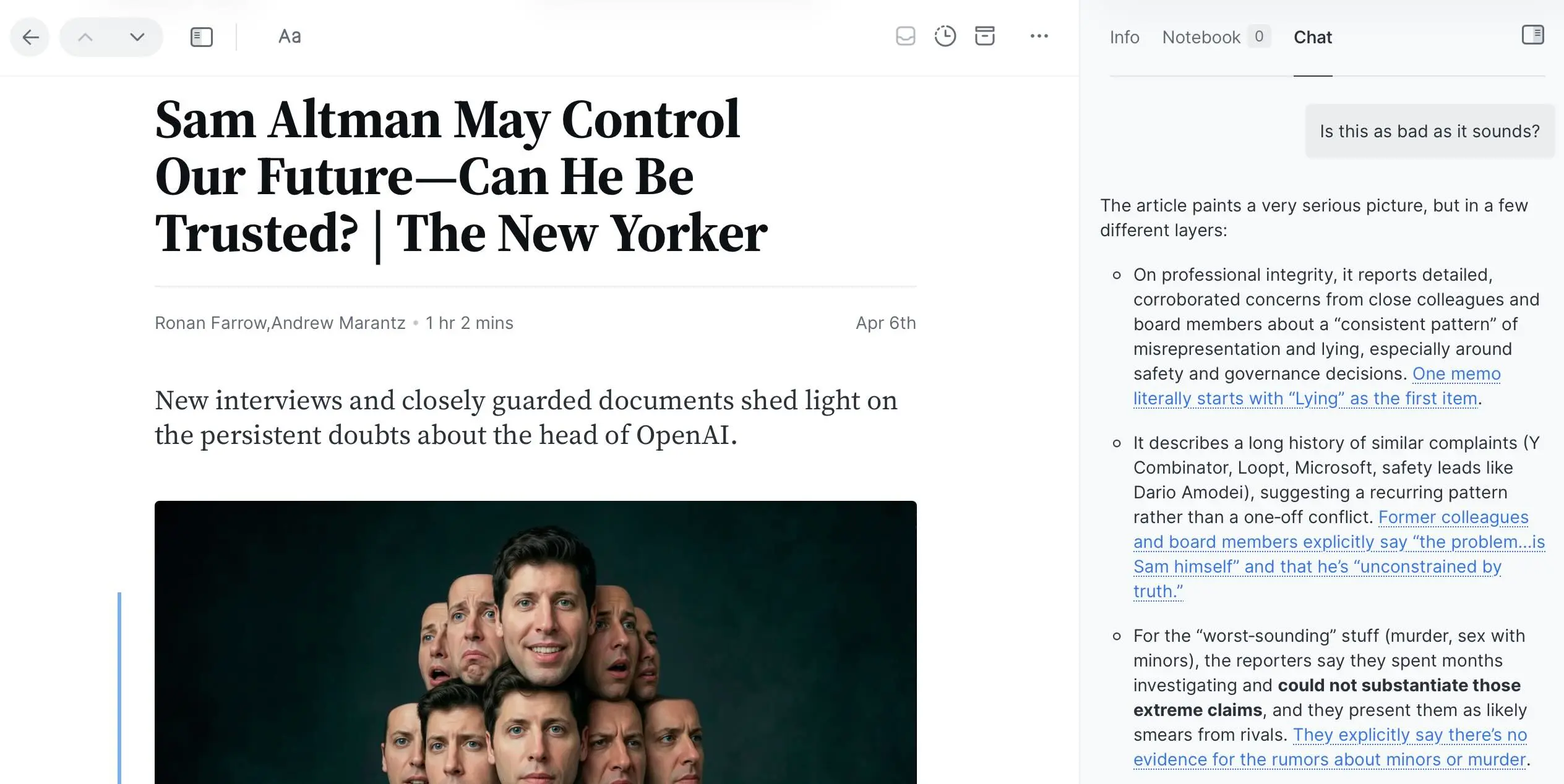
The AI features include automatic tagging, article summarization, and the ability to ask questions about saved content. For operations leads who save 50+ articles per month on industry trends, competitor moves, and technical documentation, searchable AI summaries save real time.
Daniel Doyon, co-founder of Readwise, has said: "Reader isn't just about saving articles—it's about making everything you read searchable, highlightable, and connected to your notes." The app syncs highlights to Notion, Obsidian, Roam, and other knowledge management tools. That integration layer is why power users pay the premium.
Readwise Reader also pulls transcripts from YouTube videos. Save a conference talk or product demo, and the full transcript becomes searchable alongside your articles. For teams tracking webinars, earnings calls, or competitor keynotes, this feature alone can justify the subscription.
Should you just use your browser's reading list?
Chrome and Safari both include free reading lists. No app to install, no subscription. You right-click a link and add it to the list. Done.
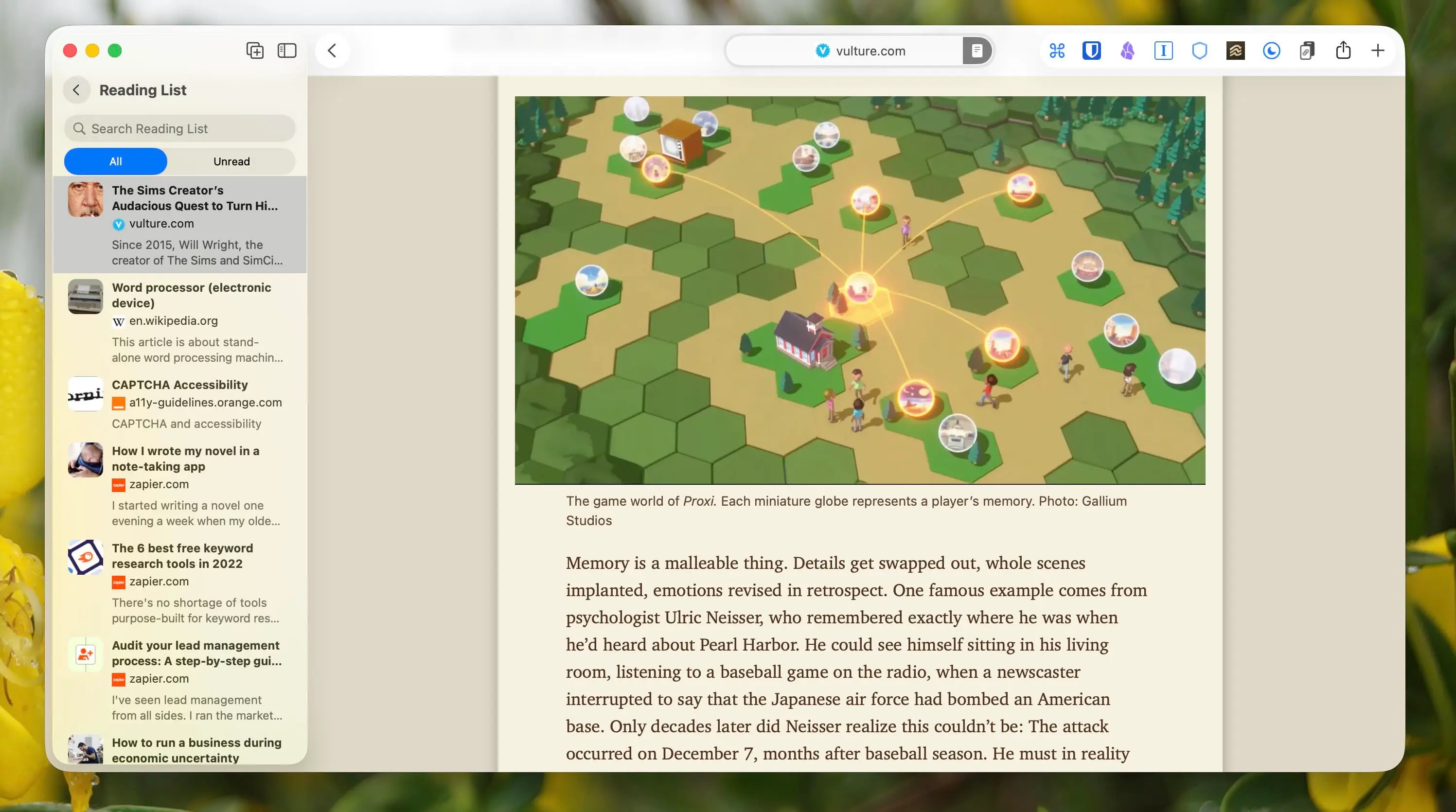
The limitations are obvious: no offline reading on mobile, no custom typography, no organization beyond the linear list. But for someone who saves three articles a week and reads them the same day, browser reading lists work fine. They're also the only option that doesn't require another account.
One statistic worth noting: roughly 70% of saved articles are never read. If that describes your behavior, a browser list costs you nothing while you figure out whether you'll actually build the reading habit.
How do these apps compare on pricing and features?
| App | Best for | Price | Standout feature |
|---|---|---|---|
| Instapaper | Most users | Free / $5.99 per month | Speed reading, Kindle sync |
| Flyleaf | Apple users | Free / $2 per month | Native Apple design |
| Readwise Reader | Power users | $9.99 per month (annual) | AI summaries, YouTube transcripts |
| Browser reading list | Casual use | Free | Zero setup |
Automation options for read-it-later workflows
Each app offers different automation depth. Instapaper has the most mature Zapier integration: you can auto-save articles from RSS feeds, create reading list items from saved Slack messages, or archive articles to Airtable for team visibility.
Readwise Reader connects to note-taking apps but has fewer trigger-based automations. Make and n8n offer similar Instapaper integrations for teams on different automation stacks.
For RevOps teams building competitive intel workflows, the pattern is: RSS feed monitors competitor blogs → automation tool saves to Instapaper → weekly digest reviews in the app → highlights export to shared knowledge base. That pipeline requires about 30 minutes to set up and runs indefinitely.
Logicity's Take
For Operations and RevOps teams, the real question is whether read-it-later lives in personal workflow or team workflow. Instapaper is the best solo tool. But if you need shared reading lists, comment threads on articles, or automatic sync to a team wiki, you're actually shopping for a knowledge management tool—something like Notion, Slite, or a dedicated research tool like Polar. At $9.99/month, Readwise Reader's value proposition only holds if you're exporting highlights somewhere else. If you're just reading and moving on, Instapaper at $5.99 or Flyleaf at $2 covers everything.
Frequently Asked Questions
What happened to Pocket read-it-later app?
Mozilla shut down Pocket, leaving Instapaper as the most popular dedicated read-it-later service. Users migrated primarily to Instapaper and Readwise Reader.
Can I use read-it-later apps offline?
Yes, Instapaper, Flyleaf, and Readwise Reader all download full articles for offline reading on mobile. Browser reading lists require an internet connection.
Which read-it-later app works with Kindle?
Instapaper has built-in Kindle integration. You can send articles directly to your Kindle device for e-ink reading.
Is Readwise Reader worth $9.99 per month?
Only if you save 30+ articles monthly and use the AI features or highlight export to tools like Notion or Obsidian. Casual readers should stick with Instapaper or Flyleaf.
Do read-it-later apps work with automation tools?
Instapaper has the deepest Zapier integration. You can auto-save from RSS, Slack, or email. Readwise Reader focuses more on note-taking app integrations than workflow automation.
Need Help Implementing This?
Building a competitive intel or research workflow for your ops team? Logicity helps RevOps teams set up automated content pipelines that feed directly into your CRM or knowledge base. Get in touch for a workflow audit.
Source: The Zapier Blog
Manaal Khan
Tech & Innovation Writer
Produced with AI assistance and reviewed by the Logicity editorial team. Learn more in our Editorial Policy.