Key Takeaways
- Samsung Browser can automatically close tabs after 7 or 30 days to free up RAM
- One-tap AI summaries let you skip long articles without prompting Gemini
- The browser is now available on Windows, not just Samsung Galaxy phones
Why Samsung Browser deserves a second look
Most Samsung Galaxy owners install Chrome immediately and ignore the preloaded Samsung Browser. That's a mistake. Samsung's browser has three features that Chrome lacks, and one of them directly addresses the memory problems that plague phones with less RAM.
The browser is also no longer limited to Samsung phones. It's now available on Windows, which means you can sync your browsing across devices without switching to Chrome.
Auto-close tabs to free up RAM
How many tabs do you have open right now? If you checked Chrome, you'd probably find dozens. One MakeUseOf writer found 47 open tabs on his phone. While Android manages memory reasonably well, many of those tabs continue loading assets in the background. On devices without flagship-level RAM, this becomes a real problem.
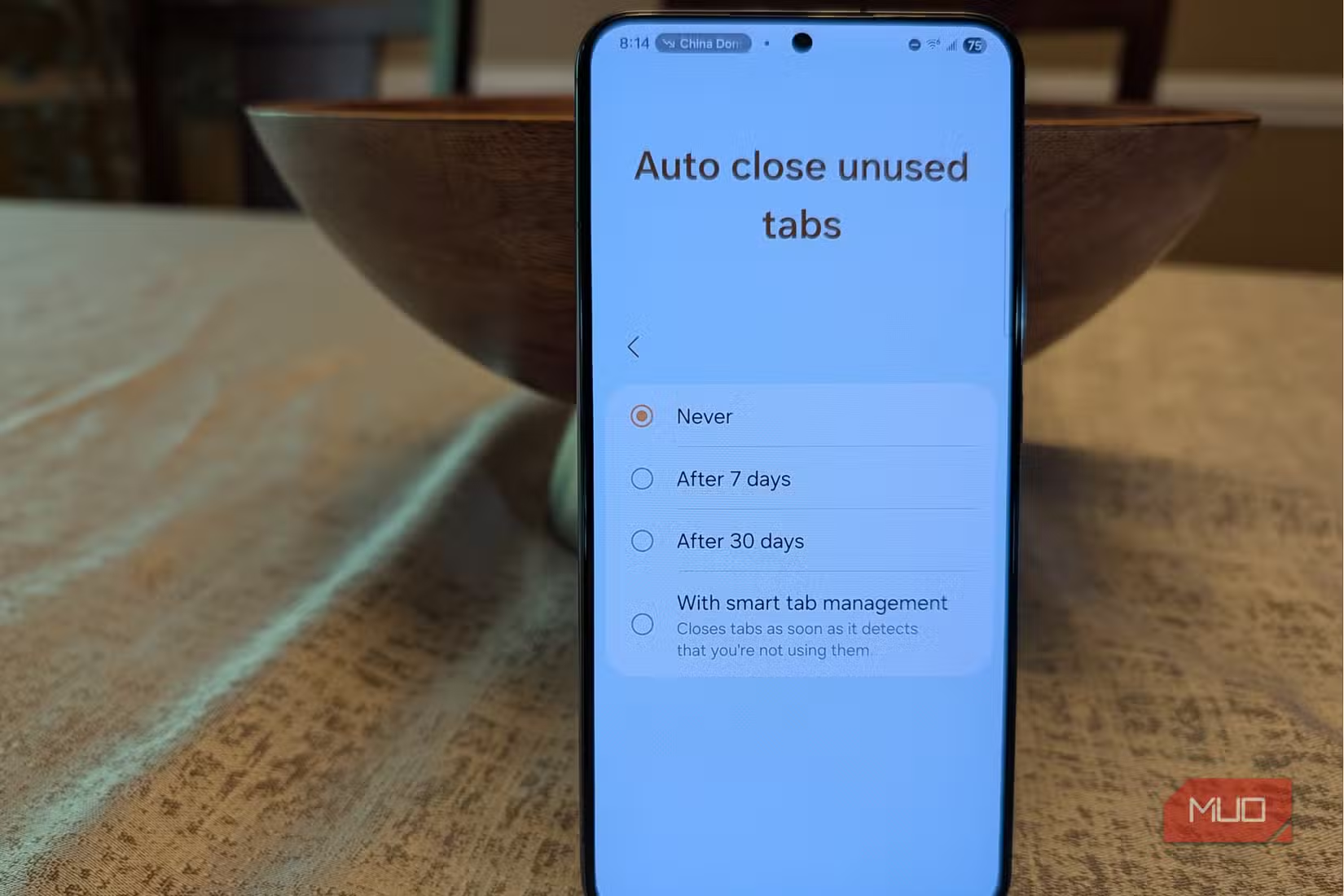
Samsung Browser solves this with an automatic tab cleanup feature. You can set it to close unused tabs after 7 days, 30 days, or let the phone detect which tabs you're ignoring and close them automatically.
The automatic detection is aggressive. It might close tabs you still want. The 7-day option is safer. If you haven't looked at a tab in a week, you probably don't need it.
To enable this: tap the three-dot menu, then Settings, then Auto close unused tabs.
One-tap AI page summaries
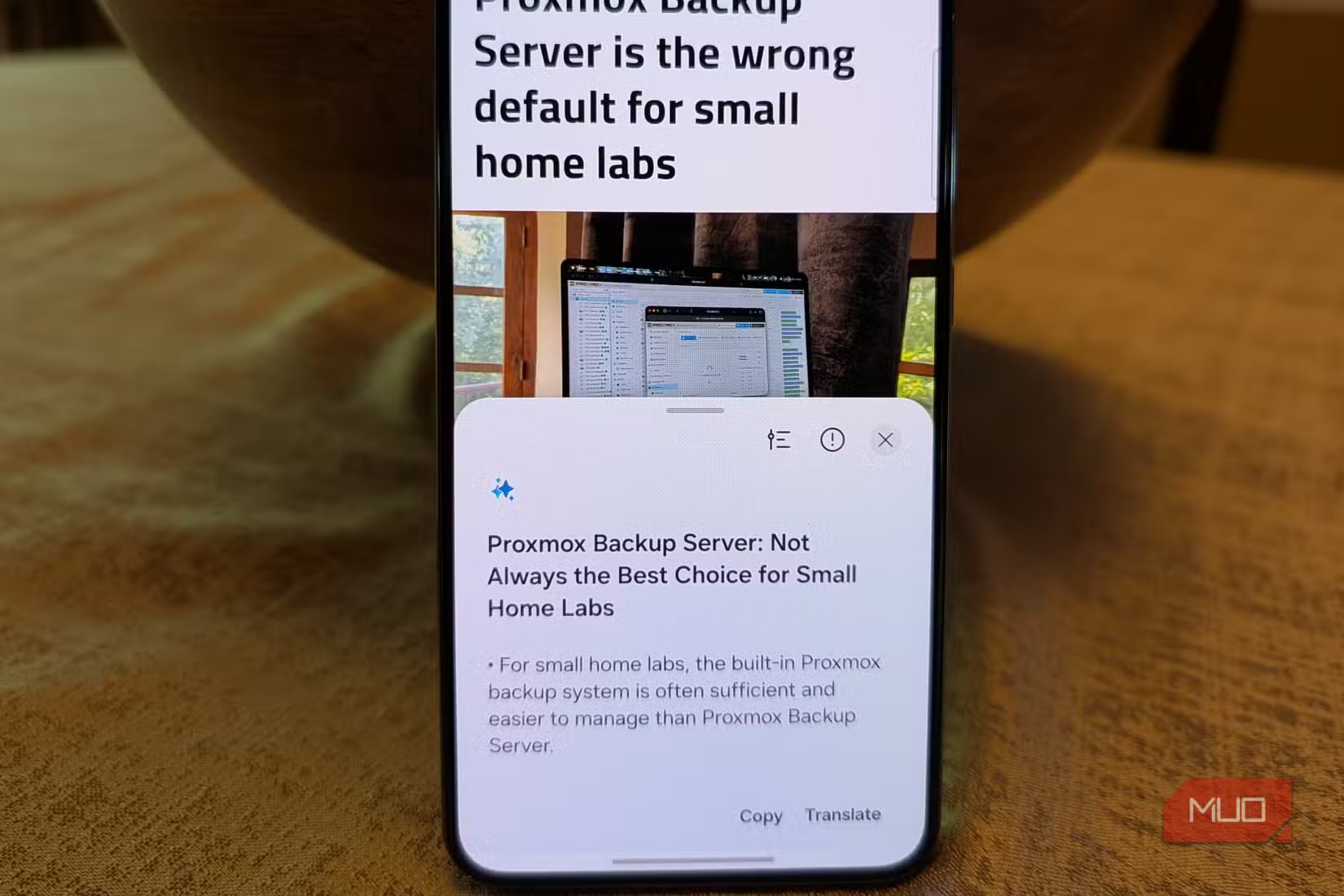
Chrome can summarize pages with Gemini, but you have to press the Gemini button and then write a prompt. Samsung Browser adds a permanent button that gives you an AI summary of any page in one tap.
For long articles, documentation, or research pages, this saves time. You get the key points without scrolling through thousands of words. The feature works on any page, not just certain content types.
A better tab management UI
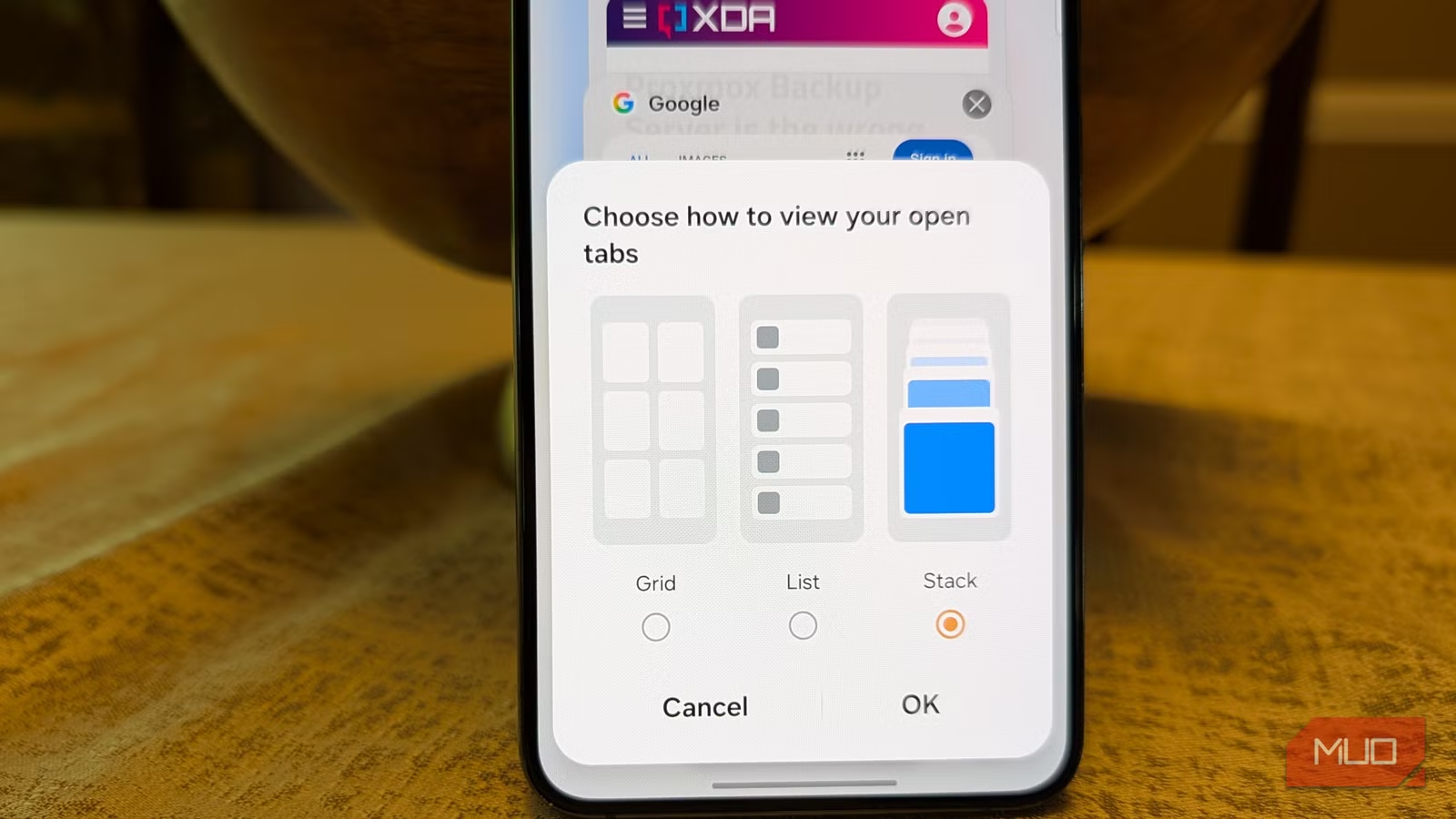
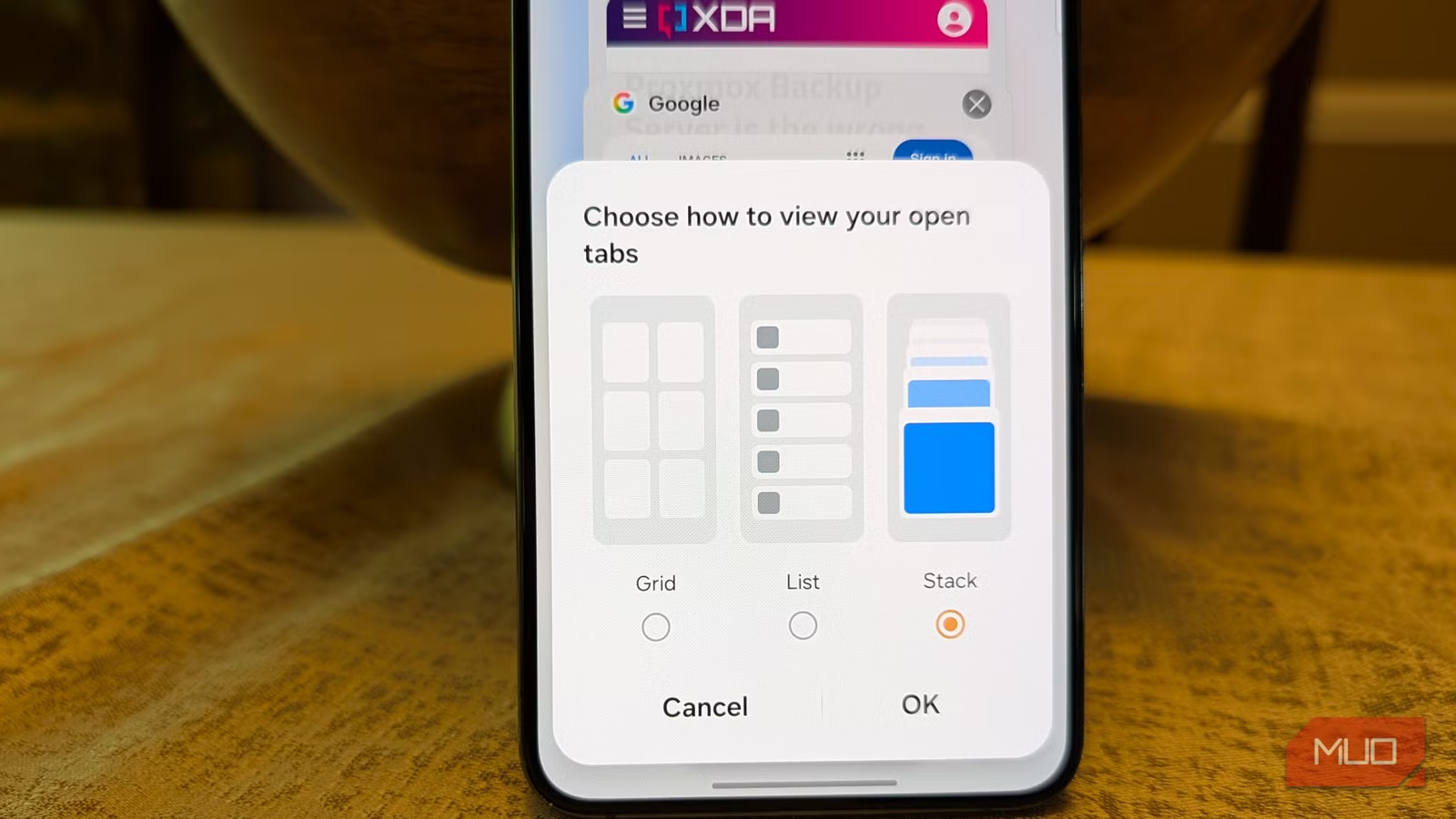
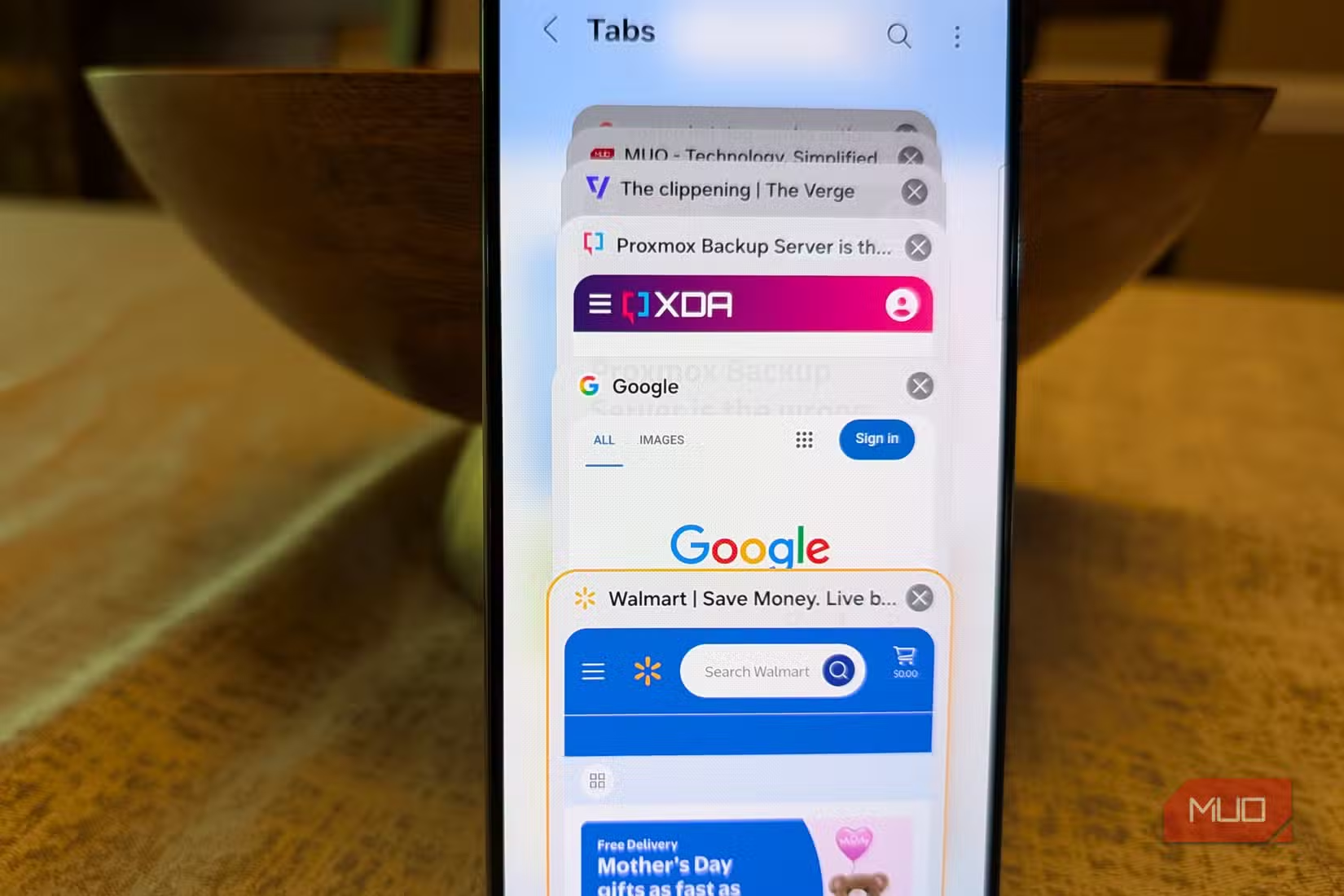
Samsung Browser lets you change how your open tabs appear. Instead of Chrome's card stack, you can switch to a layout that makes it easier to scan through many tabs at once.
This sounds minor, but it matters when you have 20+ tabs open. Finding the one you need is faster when you can see more of them at once.
Should you switch from Chrome?
If you have a Samsung phone with 8GB of RAM or less, the auto-close feature alone makes Samsung Browser worth trying. Memory management on mid-range phones is a real bottleneck, and automatically clearing unused tabs helps.
The AI summary feature is genuinely faster than Chrome's Gemini integration for quick reads. One tap versus two taps plus a prompt is a meaningful difference when you're doing it dozens of times a day.
Chrome still has advantages in extension support and cross-platform sync if you're on non-Samsung devices. But for Samsung phone owners, the built-in browser has caught up in ways that matter.
Logicity's Take
More hidden value in preinstalled phone apps
Frequently Asked Questions
Is Samsung Browser available on non-Samsung phones?
Samsung Browser is primarily designed for Samsung Galaxy devices, but it's now available on Windows. Availability on other Android phones is limited.
Does auto-closing tabs delete my browsing history?
No. The feature closes the tabs to free up memory, but your browsing history remains intact. You can still access previously visited pages through your history.
How does Samsung Browser's AI summary compare to Chrome's Gemini?
Samsung Browser offers a one-tap summary button that works immediately. Chrome requires pressing the Gemini button and then typing a prompt, which adds extra steps.
Will Samsung Browser sync with Chrome bookmarks?
Samsung Browser syncs through your Samsung account, not Google. You'd need to manually export and import bookmarks to switch between browsers.
Need Help Implementing This?
Source: MakeUseOf
Manaal Khan
Tech & Innovation Writer
Produced with AI assistance and reviewed by the Logicity editorial team. Learn more in our Editorial Policy.






