Key Takeaways
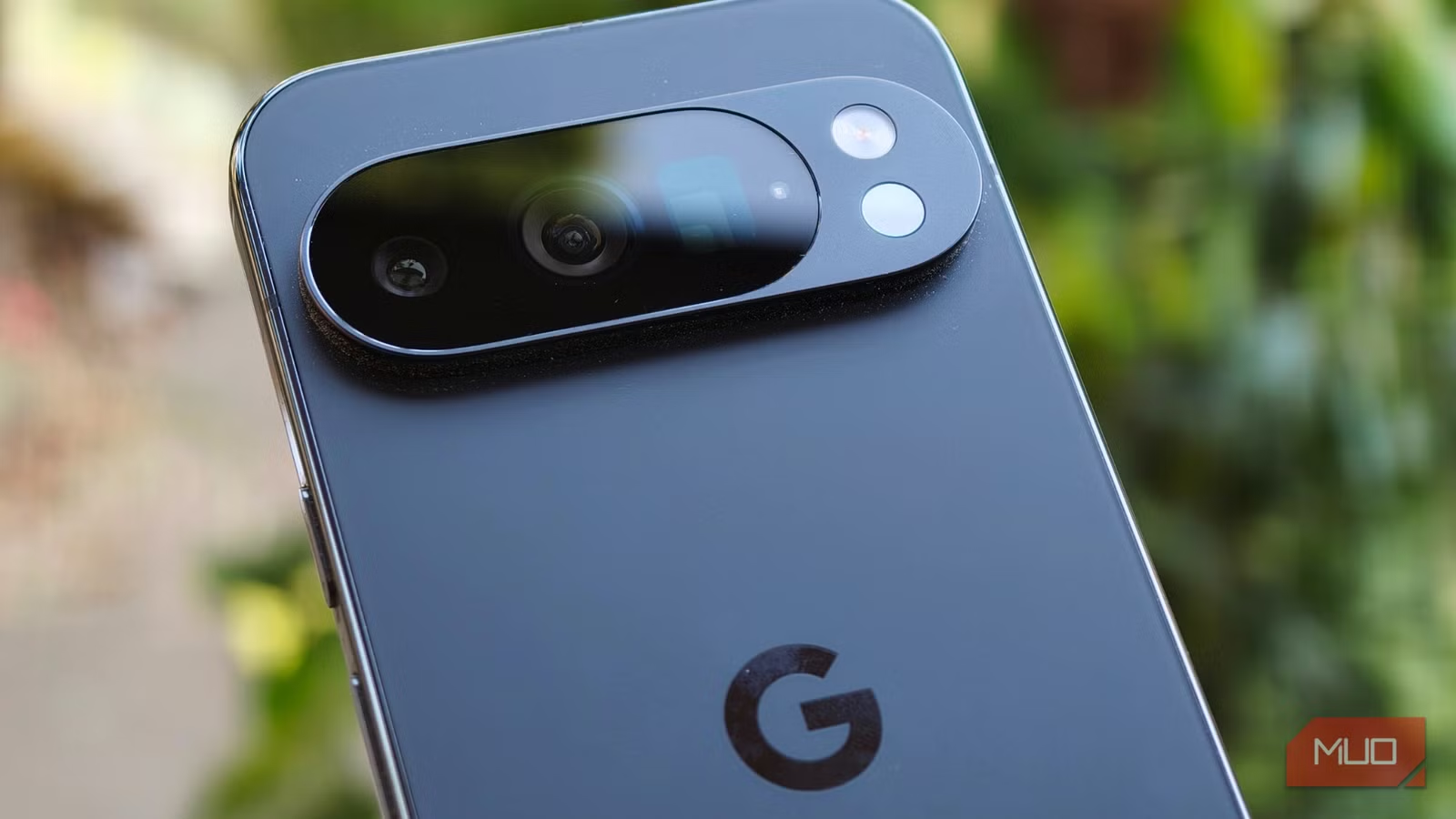
- Google Pixel Pro phones have a built-in infrared thermometer that can measure object temperatures with surprising accuracy
- Your phone's accelerometer can trigger custom shortcuts like shake-to-flashlight or auto-silence when placed face down
- Automation apps like Tasker unlock the full potential of sensors already sitting unused in your pocket
Your smartphone contains at least 14 sensors, most of which you've never consciously used. Screen rotation, step counting, location tracking, automatic brightness. All of it happens through hardware working silently in the background. But several of these sensors can do far more than their default jobs suggest.
A breakdown from MakeUseOf highlights three hidden phone sensors that are genuinely useful once you know they exist. The surprising part isn't that the hardware is there. It's that most owners walk around with capabilities they paid for but never touch.
Pixel's infrared thermometer: more useful than you'd expect
If you own a Google Pixel 8 Pro, 9 Pro, 9 Pro XL, 10 Pro, or 10 Pro XL, there's an infrared thermometer built into the camera island on the back of your phone. Most owners see it daily and have no idea what it does.
The Thermometer app comes preinstalled. Open it, select Object Temperature, point the phone about two inches from any surface, and wait for the on-screen circle to fill. Tap the center to capture and save the reading. You can even specify the material type for improved accuracy.
Practical applications aren't hard to find. Shimul Sood, who wrote the original piece, uses it to check tea temperature before drinking. She's also compared it against a dedicated temperature gun during a fever and found the Pixel's readings were remarkably close. This isn't a medical device, but for quick object temperature checks, it's surprisingly capable hardware that's already in your pocket.
What can you actually do with an accelerometer?
Every smartphone includes an accelerometer. This is the sensor responsible for screen rotation, step counting, and video stabilization. It detects motion, orientation, and the effects of gravity on your device hundreds of times per second.
The default behaviors are fine. But the accelerometer can do much more with the right apps.
Motion-based shortcuts are the obvious starting point. A quick shake of your phone can turn on the flashlight, launch the camera, or skip to the next track. These are one-time setups that save seconds dozens of times per day.
Automation apps like Tasker take things further. Your phone can automatically silence notifications when placed face down on a table. It can launch your fitness app the moment you start jogging. Some devices even use accelerometer data to detect a sudden drop and trigger protective measures before impact.
How to set up accelerometer shortcuts on Android
The process varies by manufacturer, but the general approach is consistent. Check your phone's Settings for gesture controls. Look for options like "flip to mute" or "shake for flashlight." Many Android skins include these by default but leave them disabled.
For more complex automations, Tasker remains the gold standard. It can monitor accelerometer data continuously and trigger custom actions based on specific motion patterns. The learning curve is real, but the payoff is a phone that responds to physical gestures you define.
The barometer and magnetometer you forgot about
Most flagship phones also include a barometer and magnetometer. The barometer measures atmospheric pressure, which helps GPS calculate altitude more accurately. Weather apps can tap into it for hyperlocal pressure readings. Hikers and climbers use third-party apps to track elevation changes in real time.
The magnetometer functions as a digital compass. It's what makes those augmented reality direction apps work when you point your camera down a street. Combined with GPS and accelerometer data, it enables indoor navigation features that pure satellite positioning can't handle.
None of this is new hardware. It's been sitting in phones for years. The gap is between what the sensors can do and what default apps ask them to do.
Why these sensors stay hidden
Manufacturers optimize for the common case. Most users want screen rotation and step counting to work without configuration. Exposing advanced sensor controls would confuse more people than it helps.
That leaves a gap for users willing to dig. The hardware is already there. The APIs exist. Third-party developers have built apps that unlock these capabilities. The only barrier is knowing the sensors exist in the first place.
Logicity's Take
The real story here isn't about hidden features. It's about how smartphone hardware has outpaced software defaults. Manufacturers ship phones with 14+ sensors, then use maybe half of them in stock apps. The thermometer in Pixel Pro phones is a perfect example: genuinely useful hardware that Google barely promotes. For power users, this creates an opportunity. For everyone else, it's money left on the table.
If you enjoy unlocking hidden hardware capabilities, ESP32 projects offer similar satisfaction with dedicated microcontrollers.
Frequently Asked Questions
Which phones have a built-in thermometer?
Google Pixel 8 Pro, Pixel 9 Pro, Pixel 9 Pro XL, Pixel 10 Pro, and Pixel 10 Pro XL include an infrared thermometer. The sensor sits in the camera island on the back of the device.
Can I use my phone's accelerometer to trigger shortcuts?
Yes. Many Android phones include built-in gesture controls for shake-to-flashlight or flip-to-mute. Apps like Tasker allow custom automations based on accelerometer data.
Is the Pixel thermometer accurate enough for medical use?
No. Google does not certify it as a medical device. It can measure object temperatures with reasonable accuracy but should not replace a proper thermometer for health purposes.
What is the barometer sensor used for in phones?
The barometer measures atmospheric pressure, which helps GPS calculate altitude more accurately. Third-party apps use it for weather tracking and elevation monitoring during hikes.
How do I find what sensors my phone has?
Apps like 'Sensors Toolbox' or 'CPU-Z' list all hardware sensors on your device. Most flagships include accelerometer, gyroscope, magnetometer, barometer, proximity, and ambient light sensors at minimum.
Need Help Implementing This?
Want to build custom automations using your phone's sensors or integrate sensor data into your app? Reach out to the Logicity team for recommendations on automation frameworks and development resources.
Source: MakeUseOf
Manaal Khan
Tech & Innovation Writer
Produced with AI assistance and reviewed by the Logicity editorial team. Learn more in our Editorial Policy.






