SSD as RAM: why this common swap trick fails badly
Key Takeaways
- RAM operates at nanosecond speeds; even fast NVMe SSDs work in microseconds, creating a 1,000x latency gap
- Swap files exist as a stability mechanism, not a performance enhancement
- The only viable use case is running software that physically cannot fit in your available DRAM, accepting severe slowdowns
Using an SSD as RAM through Windows pagefile or Linux swap sounds like a clever hack. Memory prices remain high, and a spare 2TB NVMe drive sitting idle looks like free real estate. But the physics of storage versus memory makes this workaround a recipe for frustration. MakeUseOf's Gavin Phillips learned this firsthand when he tried moving his pagefile to a secondary SSD on an 8GB laptop.
The core problem is simple arithmetic. DDR5 RAM operates with latency around 10 nanoseconds. A fast NVMe SSD? About 10 microseconds. That's a 1,000x difference. When your system hits a page fault and needs to fetch data from swap, the processor sits idle for what feels like geological time.
What swap actually does (and doesn't do)
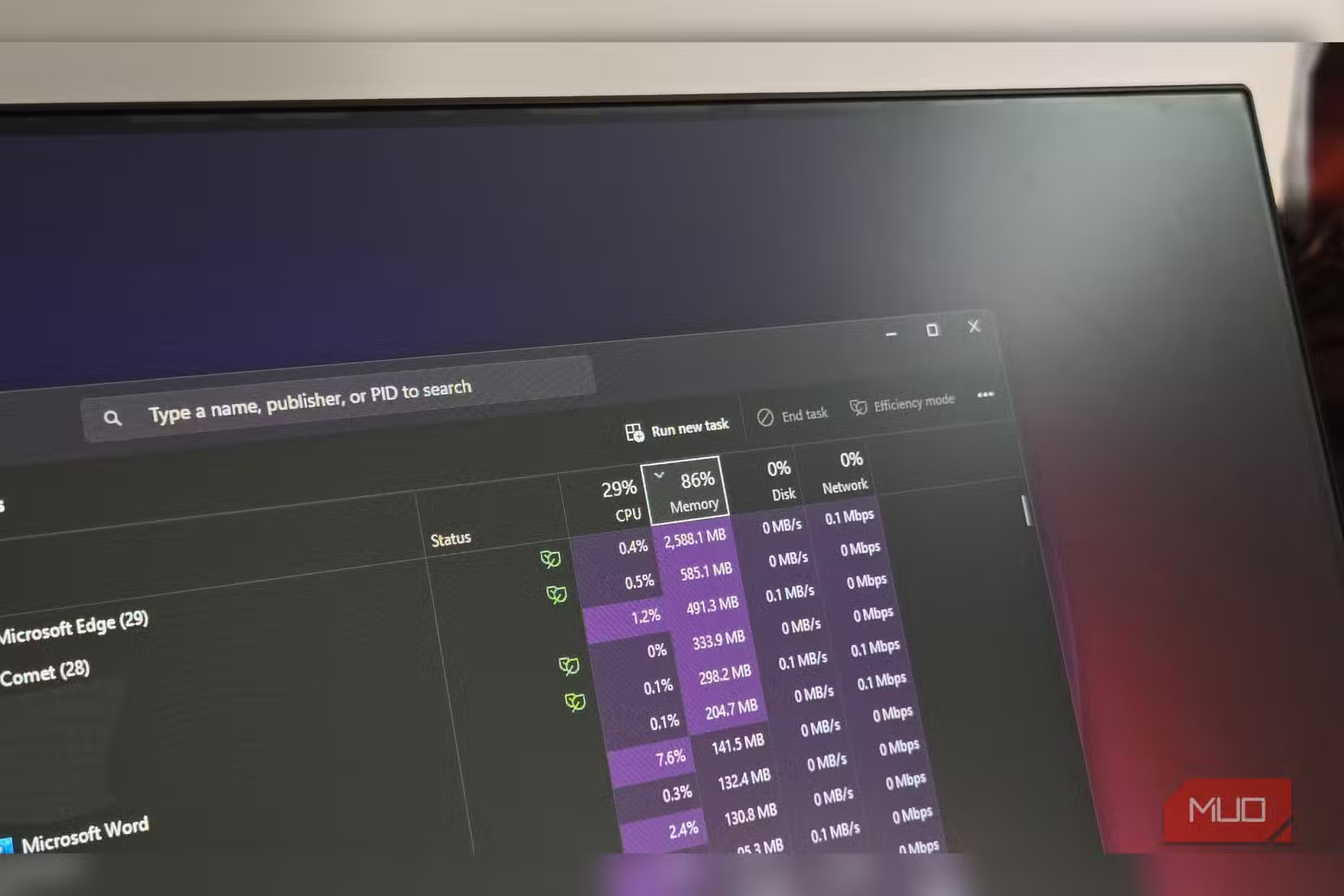
Virtual memory isn't bonus RAM. It's a safety net. When your system exhausts physical memory, the operating system moves inactive data to a dedicated area on your storage drive. This prevents crashes, but performance tanks.
Phillips was running an Intel Core i5 1135G7 laptop with 8GB RAM. Opening a few browser tabs and three programs pushed him against that limit. The system crawled. His solution: partition a secondary SSD and redirect the Windows pagefile there.
The latency gap that ruins everything
Dr. Sarah Chen, a systems architect at Micron, explains the fundamental barrier: "The physical bottleneck of the PCIe bus compared to the direct CPU-to-Memory path means that even the fastest Gen5 SSD will feel like an eternity to the processor during a page fault."
Random 4K read performance tells an even worse story. High-end RAM outperforms standard NVMe SSDs by roughly 5,000x on this metric. These aren't incremental differences. They're orders of magnitude.
Heavy swap usage also hammers your SSD with writes. GamersNexus has documented the "swap death" phenomenon where high-frequency pagefile writes trigger thermal throttling and accelerate drive wear. You're trading a slow system now for a dead drive later.
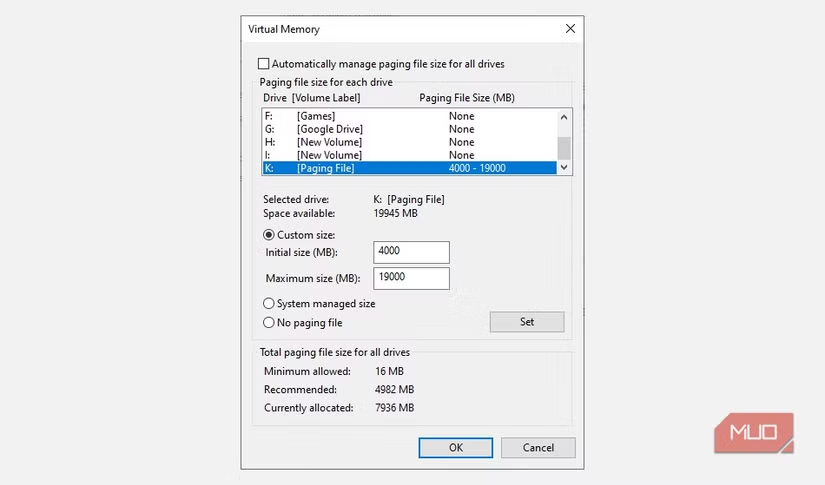
How to set up a custom pagefile anyway
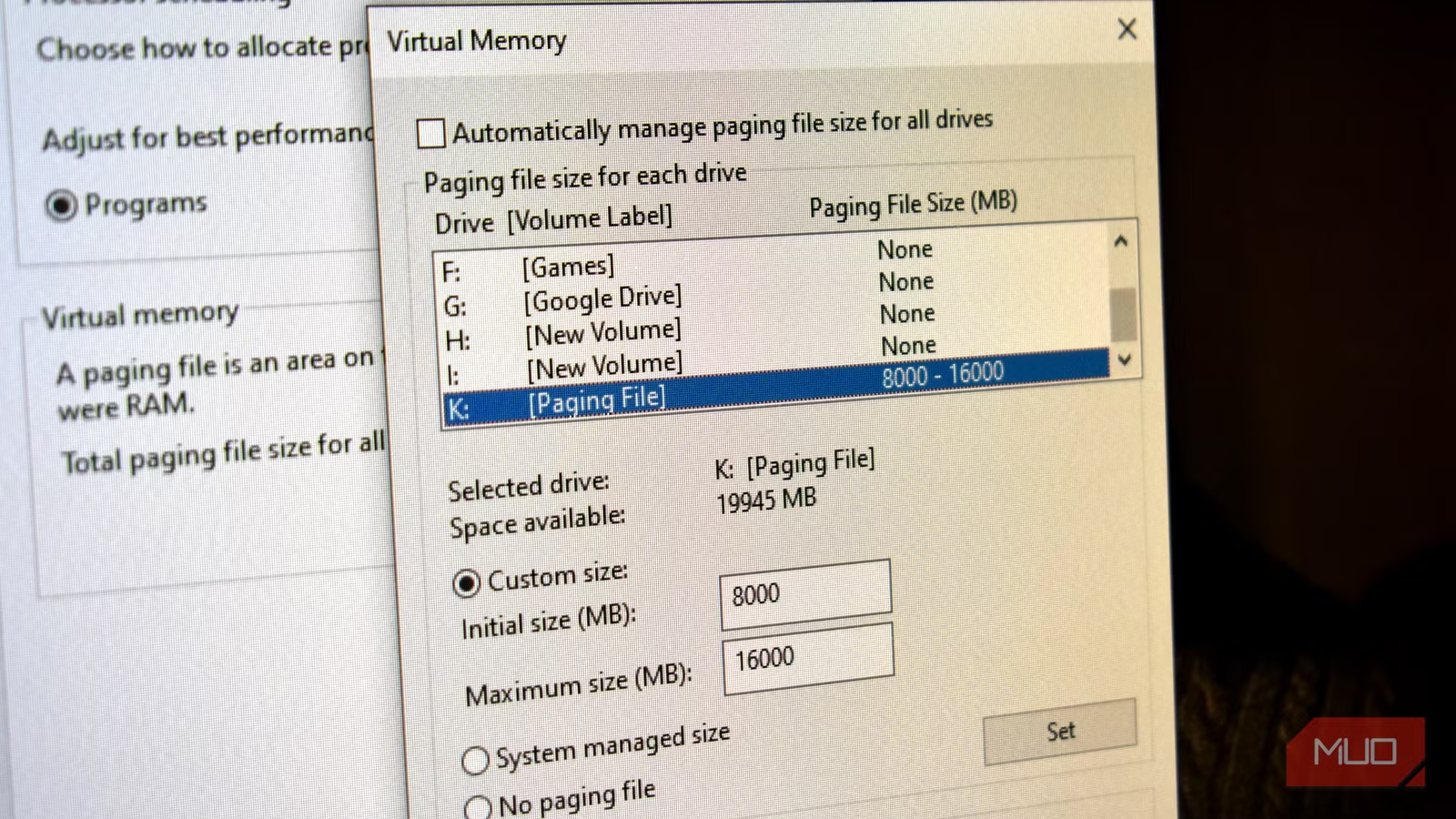
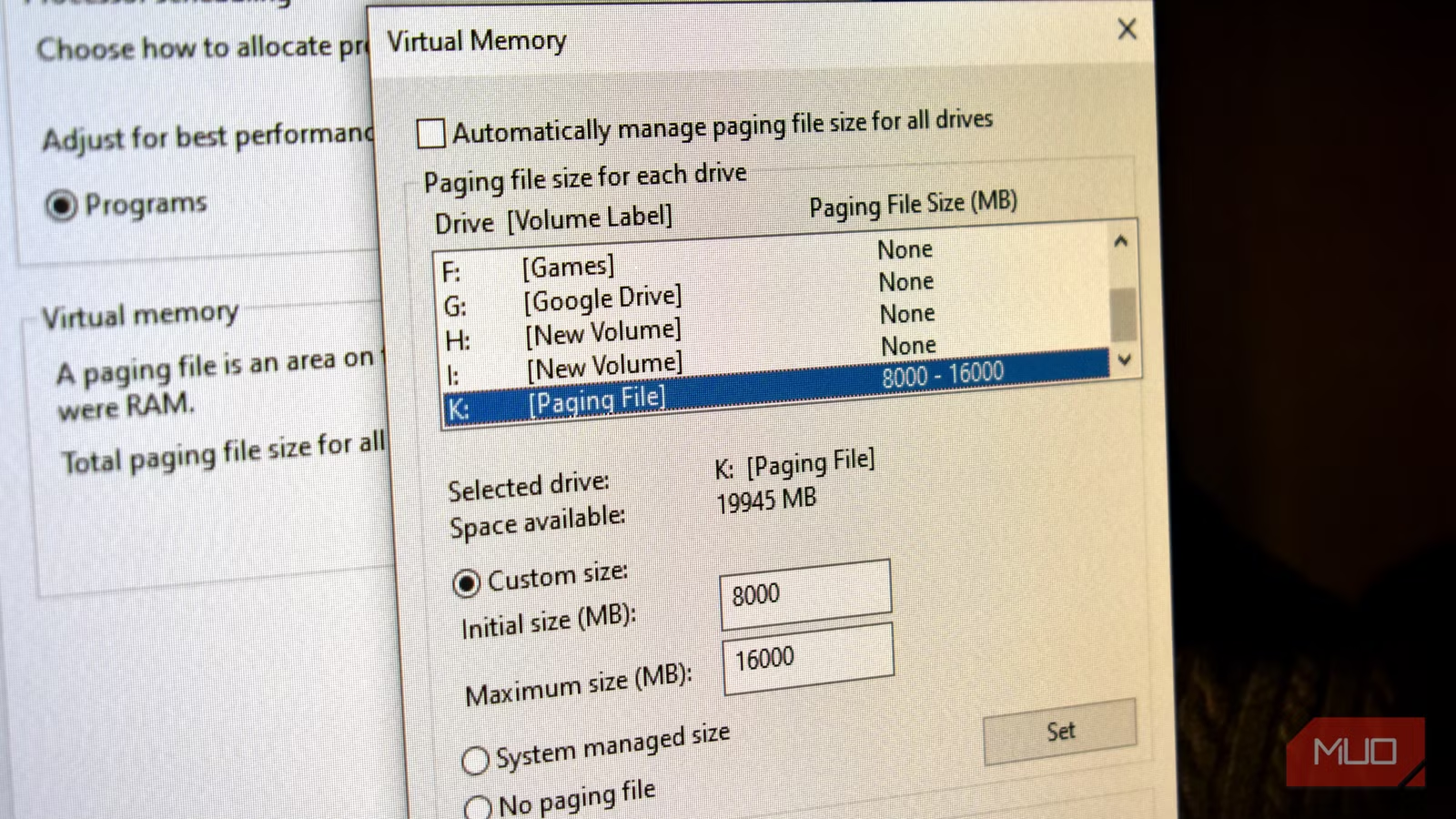
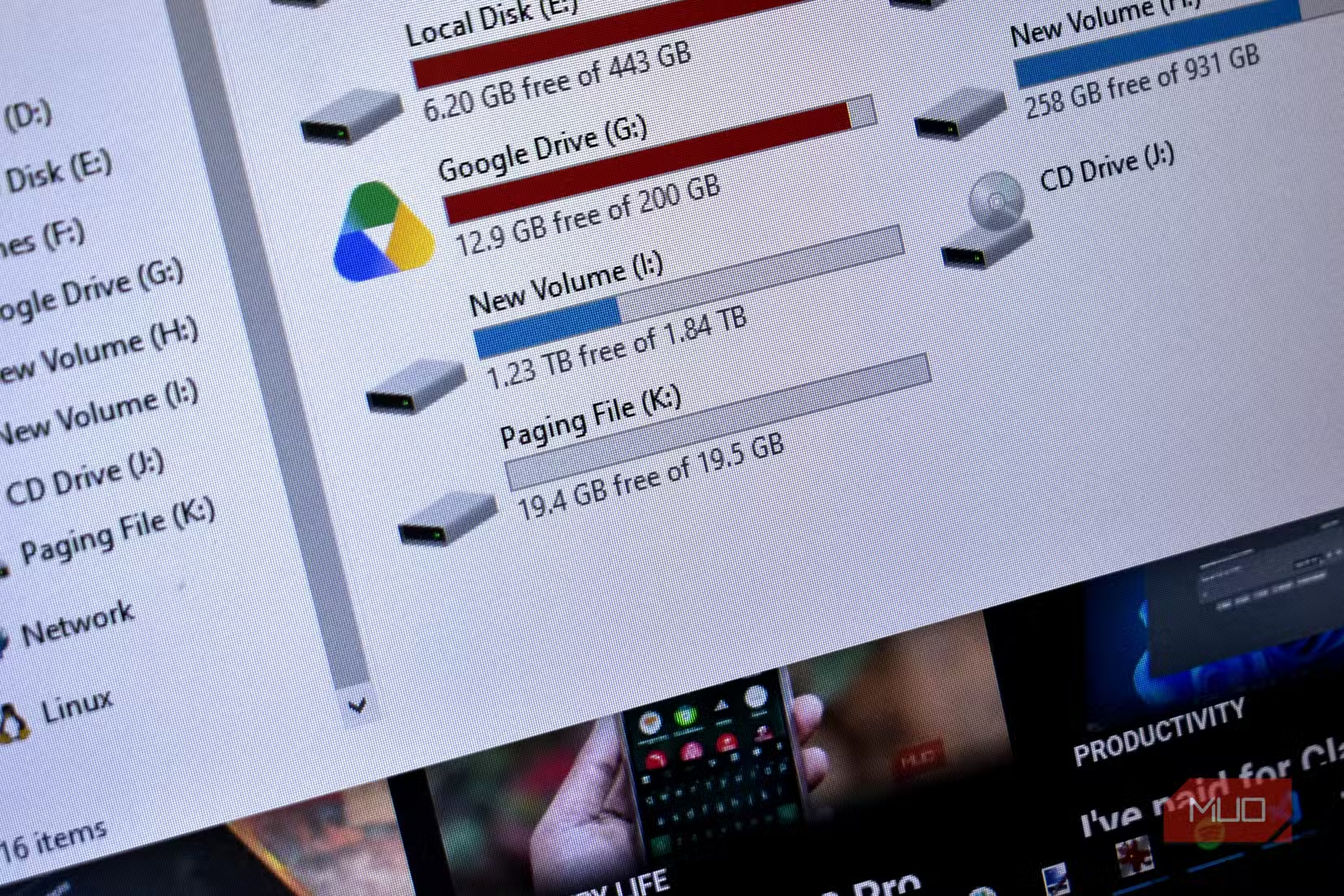
If you still want to try this, Windows makes it straightforward. Open Disk Management from the Start Menu and locate your secondary drive. Right-click, select Shrink Volume, and allocate space. Phillips created a 20GB partition, which formats in seconds.
One catch: you must keep a small pagefile on your primary drive. Some applications refuse to work with virtual memory allocated to a separate partition. The system needs that fallback.
Navigate to Advanced System Settings, then the Advanced tab. The virtual memory settings let you specify exactly where Windows places its pagefile and how large to make it.
There's a critical caveat: partitioning your primary drive accomplishes nothing. You're shuffling data around the same physical hardware. A genuinely separate drive is mandatory for any theoretical benefit.
The one scenario where this actually works
Reddit's r/buildapc and Hacker News threads converge on a single acceptable use case: running software that physically cannot fit in your available DRAM. Large language models are the prime example. If you need to run a 70-billion-parameter AI model locally and your system has 32GB of RAM, offloading to an NVMe SSD lets you at least run it. Slowly.
Emerging CXL-attached memory offers a middle ground. Expected latencies of 100-200 nanoseconds sit between local DRAM and traditional SSD swap. Still slower than RAM, but the penalty shrinks from catastrophic to merely painful.
Another case where understanding your storage allocation matters
Hardware that looks interchangeable often isn't
Logicity's Take
The persistence of this hack reflects how badly the market has failed budget users. DDR5 prices have climbed with AI demand, and many laptops still ship with soldered 8GB configurations that can't be upgraded. Until memory becomes affordable again or CXL matures, users are stuck choosing between expensive upgrades and painful workarounds. The SSD swap trick is a symptom, not a solution.
Frequently Asked Questions
Can I use an SSD as RAM in Windows?
Technically yes, through the pagefile. Windows can use SSD storage as virtual memory. But the 1,000x latency difference versus actual RAM means severe performance degradation under load.
Does using an SSD for swap damage the drive?
Heavy swap usage generates substantial write activity. This accelerates wear on NAND flash cells and can trigger thermal throttling. The drive will degrade faster than under normal use.
How much faster is RAM than an SSD?
DDR5 RAM operates around 10 nanoseconds latency. NVMe SSDs operate around 10 microseconds. That's roughly 1,000x slower for the SSD, and random 4K reads show an even larger 5,000x gap.
When is SSD swap actually useful?
Only when running software that physically exceeds your available RAM, like large AI models. You accept massive speed penalties in exchange for the ability to run the software at all.
Will CXL memory replace RAM?
CXL-attached memory offers 100-200ns latency, faster than SSD but slower than local DRAM. It expands capacity for memory-intensive workloads but won't replace primary RAM for latency-sensitive tasks.
Need Help Implementing This?
If you're struggling with memory constraints on development machines or workstations, Logicity can connect you with infrastructure consultants who specialize in cost-effective hardware upgrades. Contact our team for recommendations tailored to your workload.
Source: MakeUseOf
Huma Shazia
Senior AI & Tech Writer
مقالات ذات صلة
تصفح الكل
5 إعدادات في متصفحك تسرّب بياناتك حتى مع تفعيل VPN
ماذا لو أخبرتك أن متصفحك المفضل يسلّم عنوان IP الحقيقي وموقعك الفعلي وعادات تصفحك لأي موقع يطلبها، حتى مع تفعيل VPN؟ هذا بالضبط ما يحدث لملايين المستخدمين يومياً، ومنهم من يكتشف ذلك بالصدفة عند إجراء

كيف تعرض شاشة هاتف Android على التلفزيون مجاناً باستخدام Google Cast
هل تبحث عن طريقة لعرض شاشة هاتف Android على التلفزيون دون دفع أموال لتطبيقات مليئة بالإعلانات أو شراء كابلات HDMI؟ الحل موجود فعلياً داخل هاتفك: ميزة Google Cast المدمجة في نظام Android 16 تتيح لك بث

4 تطبيقات سامسونج تستحق البقاء على هاتفك Galaxy
يأتي هاتف Galaxy الجديد محملاً بأكثر من 50 تطبيقاً مُثبتاً مسبقاً، وليست جميعها ضرورية. لكن وسط هذا الكم من التطبيقات، تبرز أربعة تطبيقات سامسونج تستحق فعلاً أن تبقى على جهازك — بل قد تفضّلها على بدائ

استدعاءات يونيو 2026 للسيارات: Ford وHonda وToyota تسحب ملايين المركبات من الأسواق
سجّلت الهيئة الوطنية الأمريكية لسلامة المرور على الطرق السريعة NHTSA أكثر من 300 استدعاء للسلامة شملت أكثر من 100 شركة مصنّعة منذ بداية عام 2026، لكن استدعاءات يونيو 2026 للسيارات جاءت الأضخم والأخطر.
اقرأ أيضاً
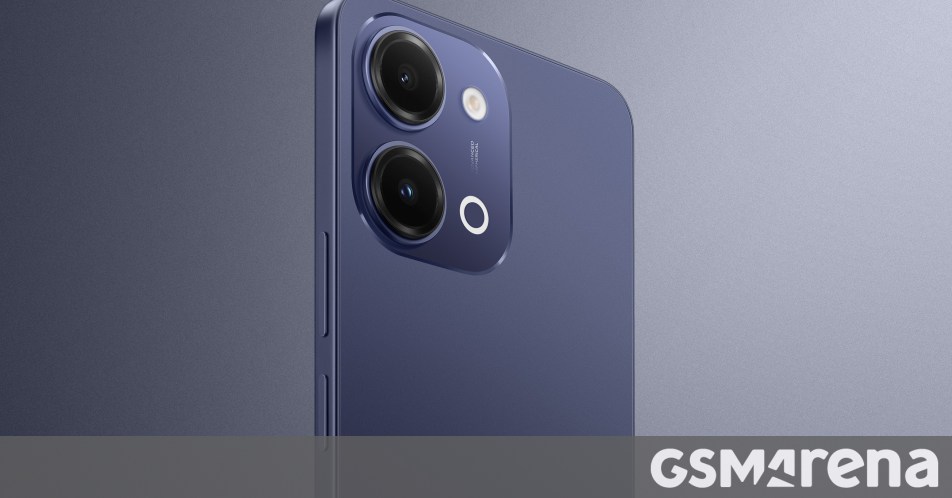
iQOO Z11i يظهر في الصين: هاتف vivo Y60 بثوب جديد وبطارية 6,500 مللي أمبير
بدأت iQOO بالتشويق لهاتفها الجديد Z11i في السوق الصينية، ليُضاف إلى عائلة Z11 المتنامية التي باتت تضم نماذج عدة. الهاتف يأتي ببطارية ضخمة سعة 6,500 مللي أمبير، لكن تسريبات من منصة Weibo تشير إلى أنه ق

Honor Watch 6: بطارية تدوم 35 يوماً في ساعة تزن 68 غراماً فقط
كشفت Honor عن ساعتها الذكية الجديدة Honor Watch 6، وهي تطرح سؤالاً مباشراً على منافسيها: كيف تحشرون بطارية بسعة 980mAh في ساعة لا يتجاوز وزنها مع السوار 68 غراماً، وتجعلونها تدوم 35 يوماً كاملة؟ هذا ل

الإمارات تحظر وسائل التواصل الاجتماعي على من هم دون 15 عاماً: أول دولة عربية تتخذ هذه الخطوة
في خطوة تاريخية تضع الإمارات في طليعة الدول العربية، أعلنت الحكومة الإماراتية حظر وسائل التواصل الاجتماعي على الأطفال دون 15 عاماً حظراً فعلياً، لتصبح بذلك أول دولة عربية تتخذ إجراءً بهذا الحجم لحماية