Key Takeaways
- Windows Insiders can now choose between Small and Large Start menu sizes
- The taskbar can be positioned on any screen edge with customizable icon alignment
- New toggles let users hide Recommended and All sections, showing only pinned apps
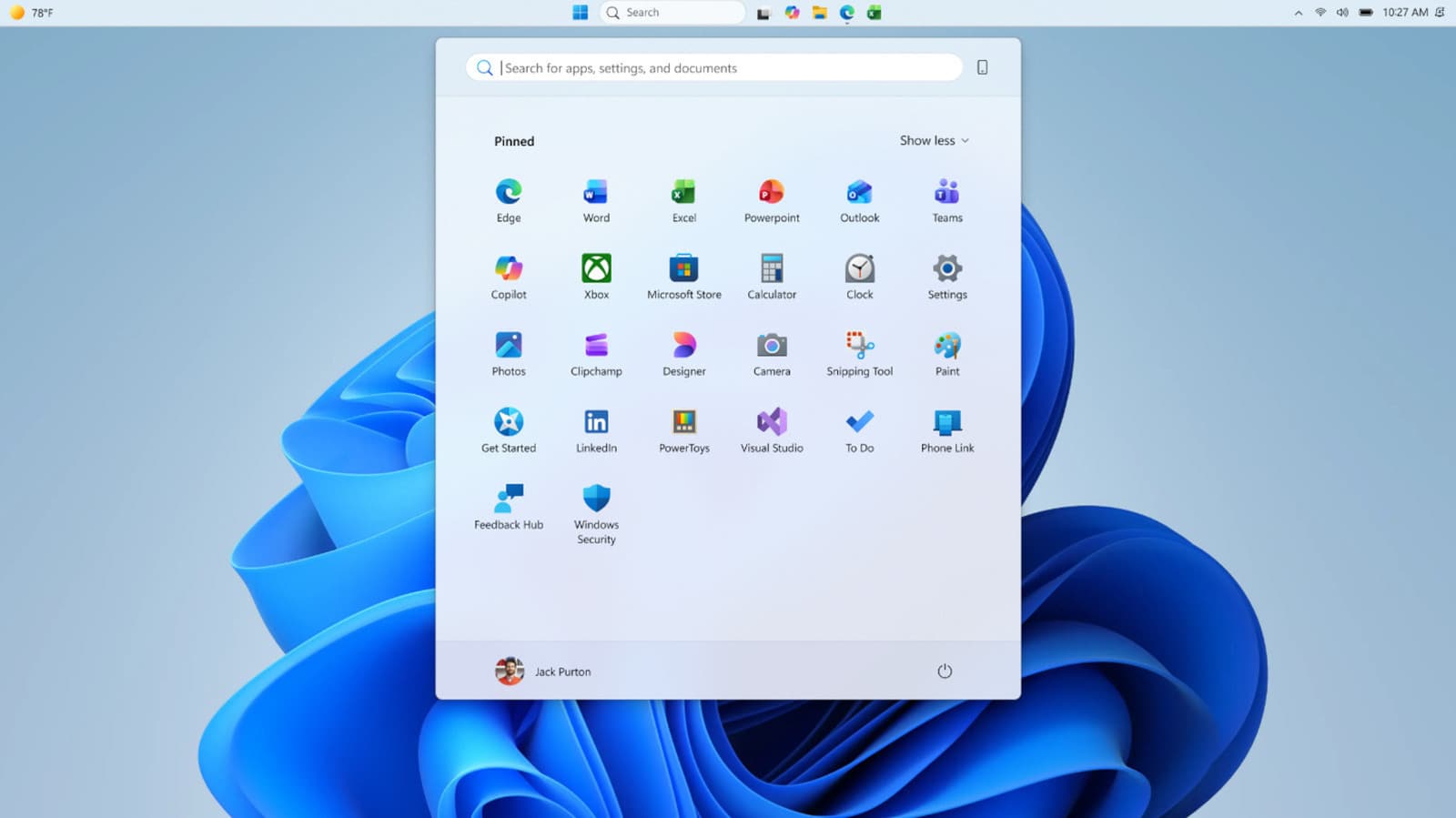
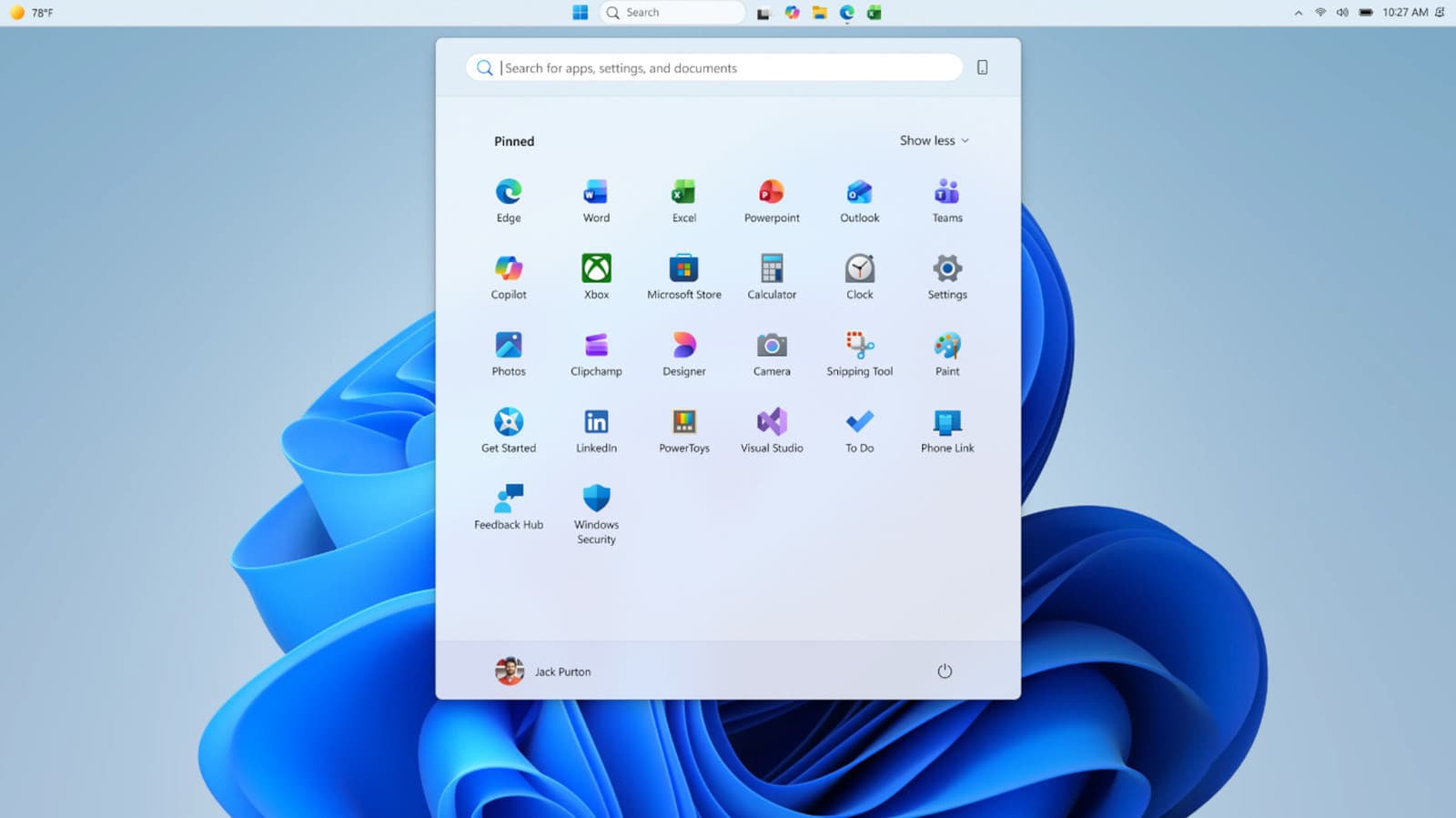
Microsoft is finally addressing one of Windows 11's most persistent complaints: the bloated Start menu. Starting today, Windows Insiders in the Experimental channel can choose between Small and Large versions of the menu. The setting syncs across displays, so your preference sticks whether you're on a laptop screen or an external monitor.
The timing makes sense. Windows Latest reported that the Start menu nearly doubled in size after a November update. Microsoft acknowledged the feedback at the time but offered no immediate fix. This test rollout is the company's response.
What's Actually Changing
The update brings three major customization features to Windows 11.
First, the size toggle. Users can pick Small or Large from Start menu settings. No more guessing based on display resolution or DPI settings. Your choice persists across all connected displays.
Second, section-level controls. New toggles let you show or hide three menu sections: Pinned, Recommended, and All. If you only want to see your pinned apps, switch off the other two. These toggles will roll out over the coming weeks.
Third, a separate file recommendations control. Previously, disabling recommendations turned them off everywhere. Now you can hide file suggestions in Start alone while keeping them active in other Windows features.
Microsoft also added a privacy option: hiding your name and profile picture from the Start menu. Useful if you share your screen in meetings or stream.
The Taskbar Gets Flexible Again
Windows 10 users could drag the taskbar to any screen edge. Windows 11 removed that ability. Now it's back, at least for Insiders.
You can position the taskbar on the top, bottom, left, or right edge of your screen. Icon alignment options vary by position. Place it on the left or right edge and you can choose between top-aligned or centered icons. Put it on the top or bottom and your options are left-aligned or centered.
This flexibility matters for users with ultrawide monitors, vertical screens, or specific workflow preferences. It's a feature that third-party tools like Start11 and StartAllBack have been selling for years. Those apps typically cost around $4.99.
Logicity's Take
How to Get These Features
These changes are only available to Windows Insiders in the Experimental channel. To join, register with your Microsoft account at the Windows Insider Program page. Insiders test preview builds and provide feedback before features reach the general public.
The size toggle and taskbar positioning are rolling out starting today. Section-level toggles will follow over the coming weeks. Microsoft hasn't announced when these features will hit the stable release.
Part of a Broader Quality Push
This update fits into what insiders are calling Microsoft's "quality reset" for Windows. The Start menu has been rebuilt using WinUI 3, replacing the previous React Native implementation. Microsoft claims this should improve responsiveness by around 60%.
“We are doing the foundational work required to win back fans and strengthen engagement across Windows... prioritizing quality and serving our core users better.”
— Satya Nadella, CEO at Microsoft
The message is clear: Microsoft knows Windows 11 frustrated power users. Removing customization options that existed in Windows 10, pushing recommendations aggressively, and bloating the Start menu all contributed to that frustration. These Insider tests suggest the company is course-correcting.
Another example of companies responding to user feedback and quality concerns
Frequently Asked Questions
How do I change my Windows 11 Start menu size?
Currently, only Windows Insiders in the Experimental channel can change Start menu size. Go to Start menu settings and choose between Small and Large options. The feature hasn't reached the stable Windows 11 release yet.
Can I move the taskbar in Windows 11?
Windows Insiders can now position the taskbar on any screen edge (top, bottom, left, or right). This feature is being tested in the Experimental channel before wider rollout.
How do I join the Windows Insider Program?
Register with your Microsoft account at the Windows Insider Program website. Once enrolled, you can choose your channel (Dev, Beta, or Release Preview) and receive preview builds before public release.
When will these Start menu changes reach regular Windows 11 users?
Microsoft hasn't announced a timeline for the stable release. Features typically spend several weeks to months in Insider channels before reaching the general public.
Need Help Implementing This?
Source: Engadget
Manaal Khan
Tech & Innovation Writer
Produced with AI assistance and reviewed by the Logicity editorial team. Learn more in our Editorial Policy.