Key Takeaways
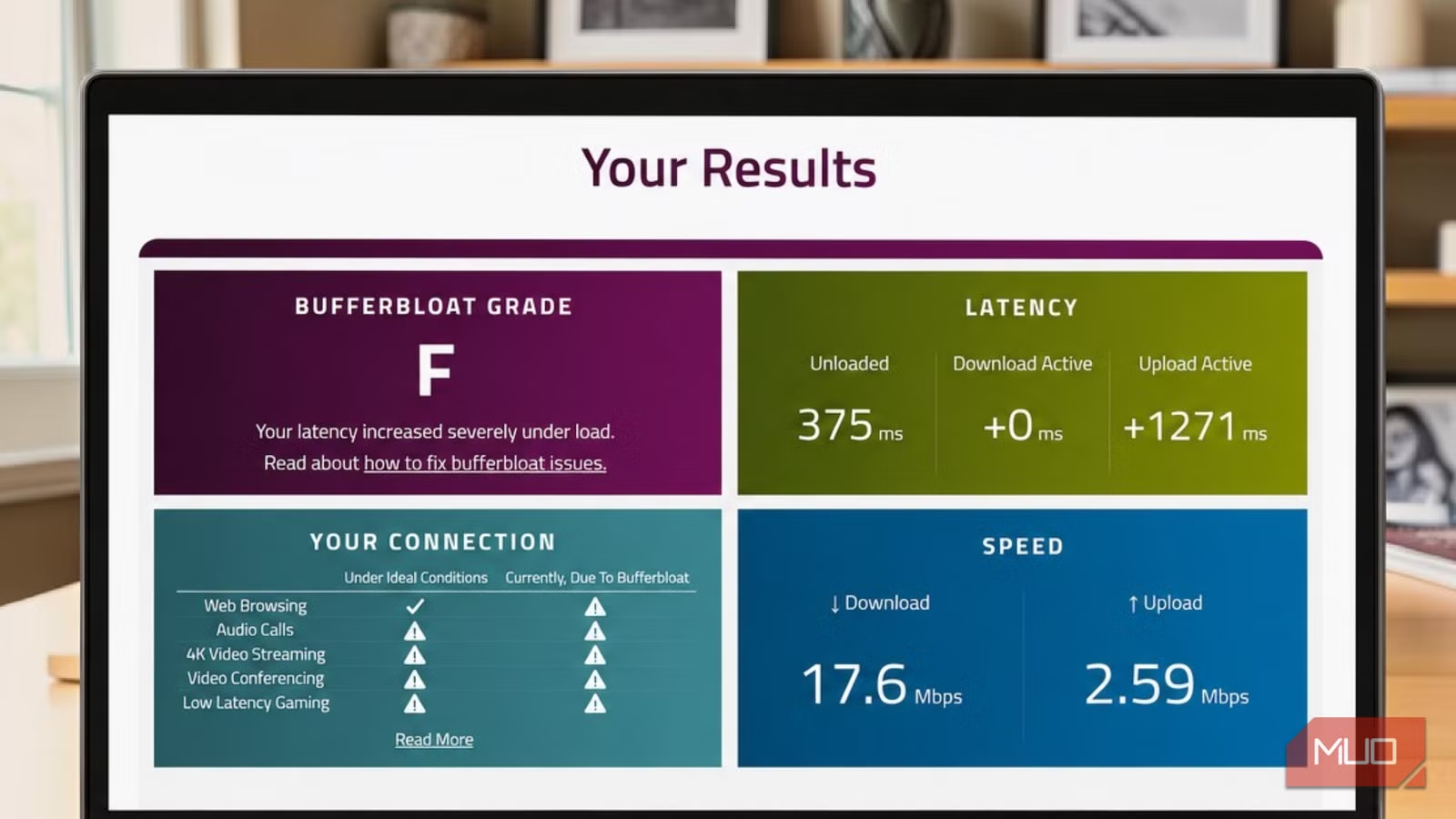
- Standard speed tests measure idle latency, not how your connection performs under load
- Bufferbloat causes latency spikes of 150ms or more when multiple devices use the network
- A free Waveform test grades your connection and reveals router queue management issues
Your speed test showed 66 Mbps. Your video call looked like a broken flipbook the moment someone in your house started uploading photos. The ping looked fine at 6ms. So why did your network feel like you were gaming through a VPN in another country?
The answer isn't weak Wi-Fi, an overloaded DNS server, or ISP throttling. It's something a standard speed test cannot show you. It's called bufferbloat. And there's a free test that reveals it in under a minute.
Why Speed Tests Only Tell Half the Story
Speed tests mainly measure peak throughput. That's how quickly your connection can move data when nothing else is fighting for bandwidth. The ping number shown under your Mbps result is idle latency, the round-trip time measured when your connection is not under load.
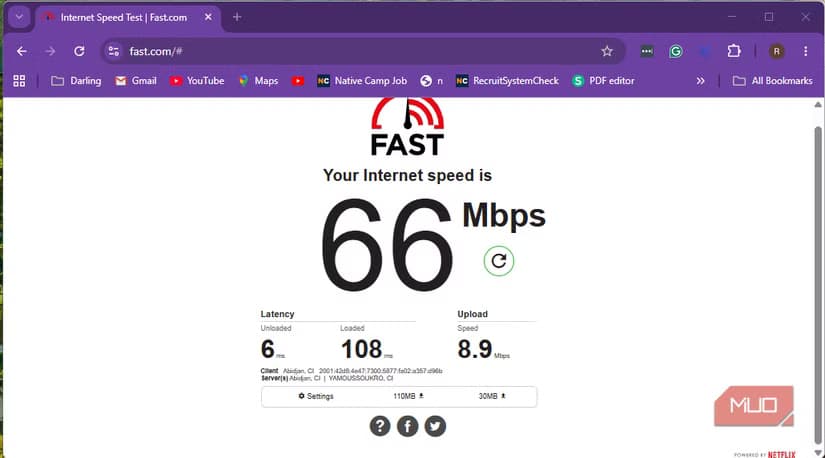
That has always been where most speed tests stopped. They told you how your connection behaved at rest, but not what happened when it was actually busy. While platforms like Ookla have recently added "loaded latency" metrics, these numbers are usually buried in smaller text or sub-menus.
Here's the core distinction: latency is how long it takes a packet to make a round trip. Bandwidth is how much data your connection can move over time. You can have plenty of bandwidth and still experience terrible latency under load.
What Is Bufferbloat?
Bufferbloat occurs when your router's memory buffer becomes overloaded during heavy usage. Your router has a queue where it holds data packets waiting to be sent or received. When too many packets pile up, latency spikes. Real-time activities like gaming and video conferencing suffer most.
“If your internet connection isn't properly managed, your router's buffers become a 'holding pen' for data packets, creating a massive, unnecessary queue that results in latency spikes, or 'bufferbloat'.”
— Waveform Support Documentation
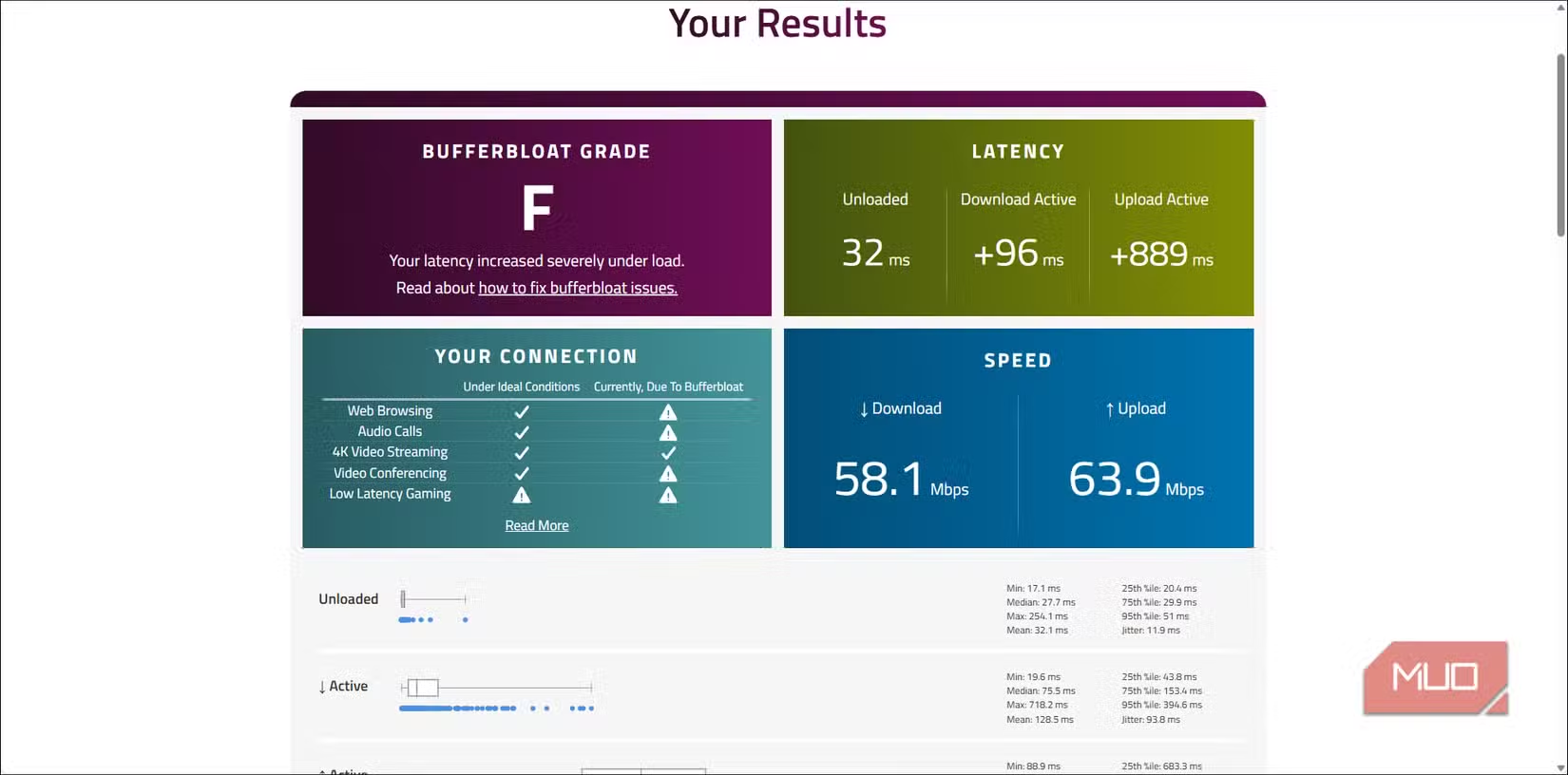
Users with severe bufferbloat often see latency jump to 150ms or higher during simultaneous uploads. That's enough to make video calls choppy and online games unplayable.
The Free Test That Reveals Bufferbloat
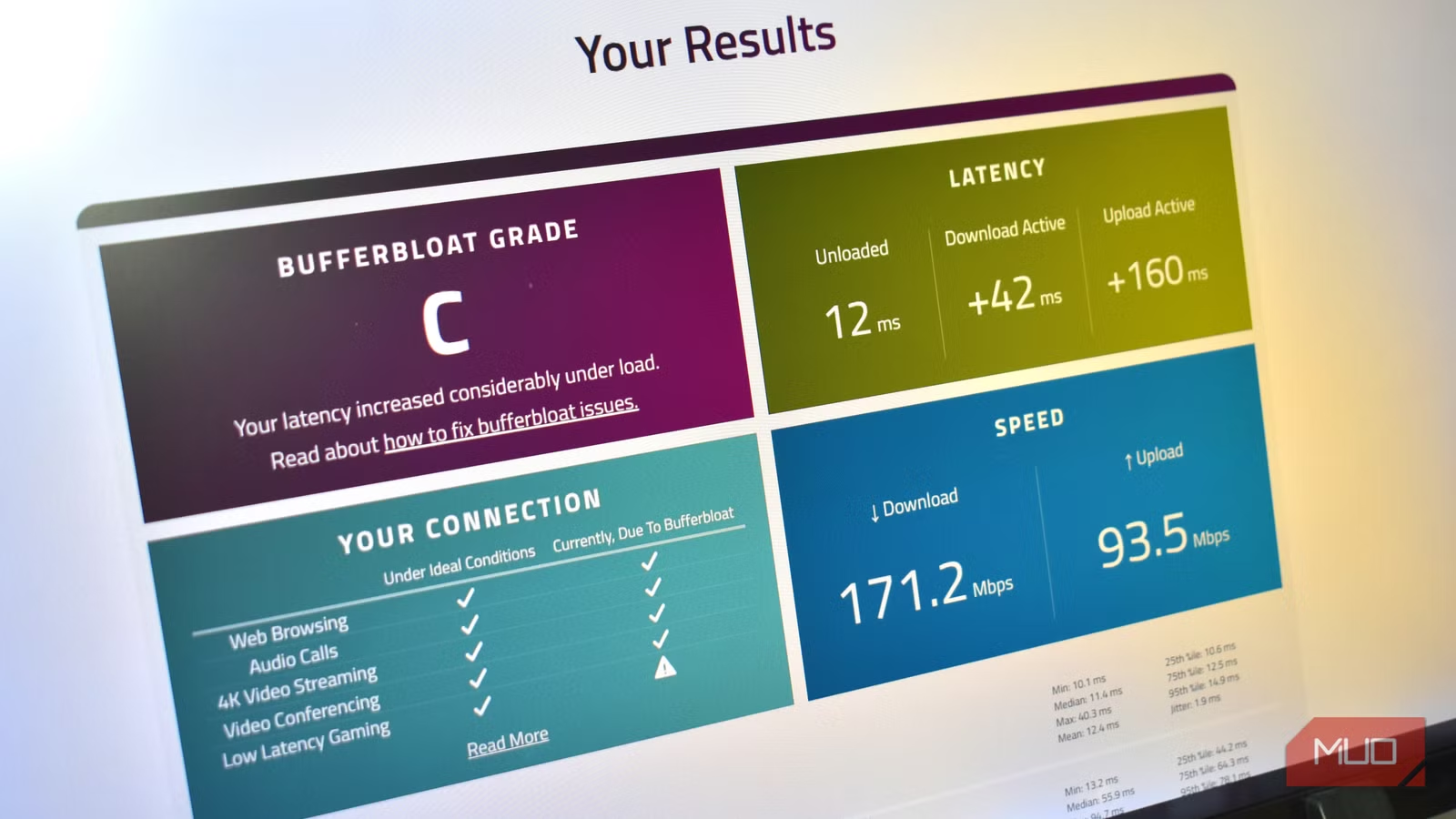
Waveform's Bufferbloat Test measures your connection under stress, not at rest. It runs download and upload tests while simultaneously checking latency. The result is a letter grade from A+ to F.

The test takes about a minute. Visit waveform.com/tools/bufferbloat and click start. The results show your download speed, upload speed, and crucially, how much your latency increases under load.
An A or A+ grade means your connection handles traffic well. A C or below means bufferbloat is affecting your experience. An F grade means severe bufferbloat, often 150ms+ latency spikes that explain every laggy video call you've ever blamed on your ISP.
Why This Test Is a Community Favorite
The Waveform test is a perennial favorite on r/HomeNetworking and r/gaming. Users frequently post screenshots of their F grades after upgrading to "fast" internet, only to be told their ISP is fine. The culprit is their router's lack of Smart Queue Management (SQM).
SQM is a feature that manages packet queues intelligently, preventing bufferbloat. Many consumer routers don't include it. Some that do have it disabled by default.
What to Do If You Get a Bad Grade
If your bufferbloat grade is C or worse, you have options.
- Check if your router supports SQM or QoS (Quality of Service). Enable it if available.
- Consider a router with built-in SQM support. Many OpenWrt-compatible routers offer this.
- As a basic manual fix, cap your bandwidth usage at 90% of your total speed in your router's QoS settings. This leaves headroom to prevent queue overflow.
- If you're technical, flash your router with OpenWrt or DD-WRT firmware, which includes SQM options.
The 90% cap is a quick workaround. It's not elegant, but it prevents your router from ever reaching the point where bufferbloat kicks in.
Logicity's Take
The Bottom Line
Your 66 Mbps connection isn't lying to you. It can move that much data. But when your router's queue fills up, every packet waits in line. That waiting time is what makes your video call stutter, your game lag, and your browsing feel slow.
The Waveform Bufferbloat Test takes 60 seconds and costs nothing. It might explain months of frustration.
Frequently Asked Questions
What is bufferbloat and why does it cause lag?
Bufferbloat occurs when your router's memory buffer fills with too many data packets, creating a queue that delays all network traffic. This causes latency spikes even on fast connections.
Why doesn't a normal speed test show bufferbloat?
Standard speed tests measure idle latency when nothing else is using your connection. Bufferbloat only appears under load, when multiple devices or applications compete for bandwidth.
How do I fix bufferbloat on my home network?
Enable Smart Queue Management (SQM) or QoS on your router if available. Alternatively, cap your bandwidth usage at 90% of your total speed, or upgrade to a router with built-in SQM support.
What is a good bufferbloat test grade?
An A or A+ grade means your connection handles traffic well. C or below indicates bufferbloat is affecting your experience. An F grade means severe bufferbloat with latency spikes of 150ms or more.
Need Help Implementing This?
Source: MakeUseOf
Manaal Khan
Tech & Innovation Writer
Produced with AI assistance and reviewed by the Logicity editorial team. Learn more in our Editorial Policy.