Key Takeaways
- LM Studio offers a user-friendly desktop app for running local LLMs without terminal commands
- Local inference eliminates recurring subscription costs and keeps your data private
- Plugins like DuckDuckGo search help local models access current information
AI subscriptions keep getting more expensive. When they don't raise prices outright, companies reduce token limits or add usage caps. One tech writer decided to stop waiting for the inevitable and switch to local LLMs running entirely on his laptop.
Raghav Sethi, writing for MakeUseOf, recently documented his transition away from ChatGPT to a fully local AI setup. His reasoning is practical: why pay monthly fees for something your existing hardware can handle?
LM Studio Beats Ollama for Daily Use
Sethi tested both major options for local inference: Ollama and LM Studio. His verdict is clear. LM Studio wins for everyday chatting.
The difference comes down to design philosophy. Ollama excels at connecting to external tools like Claude Code. It's built for developers who want local models as part of a larger workflow. LM Studio is built for people who just want to open an app and start talking to an AI.
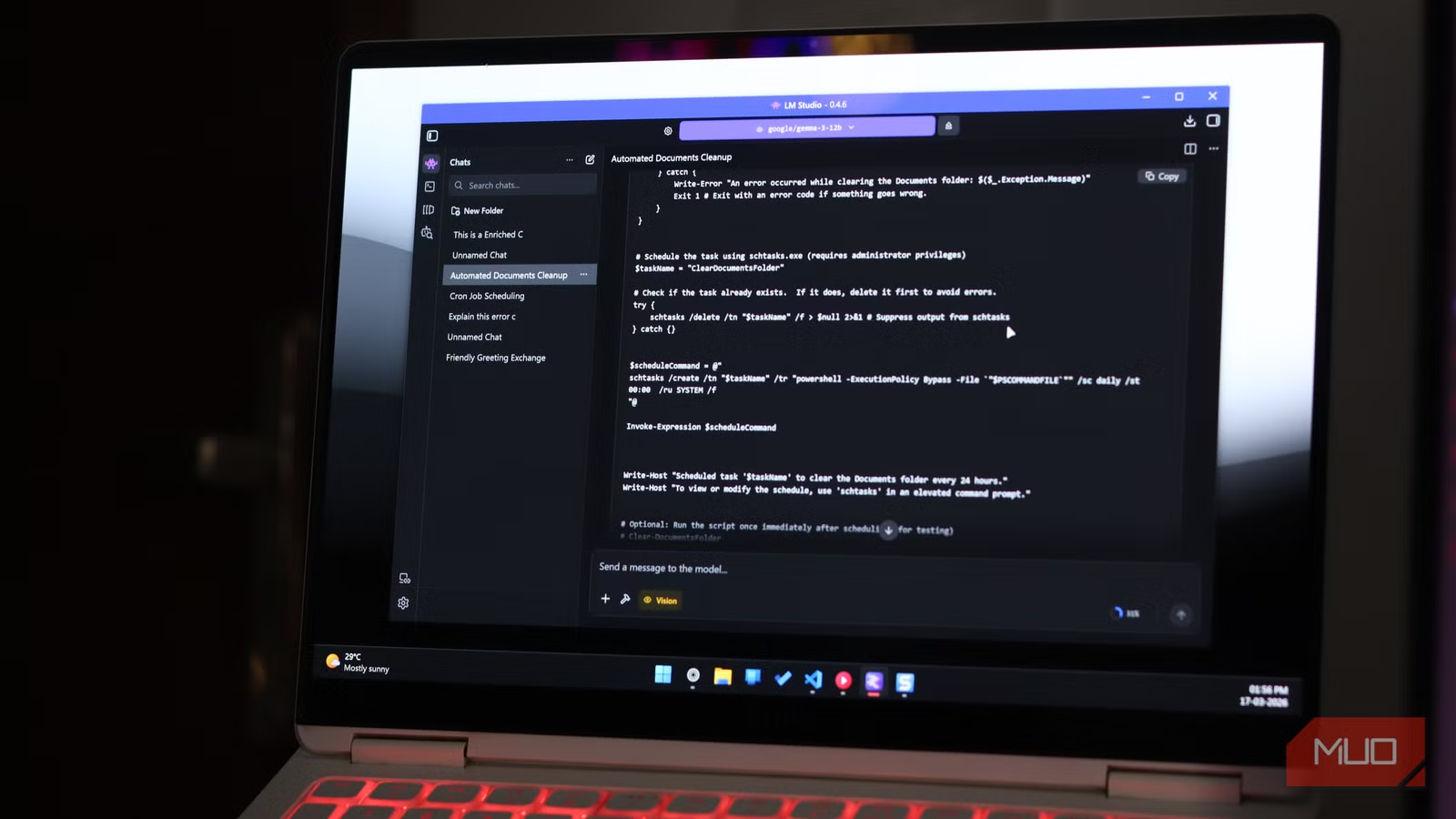
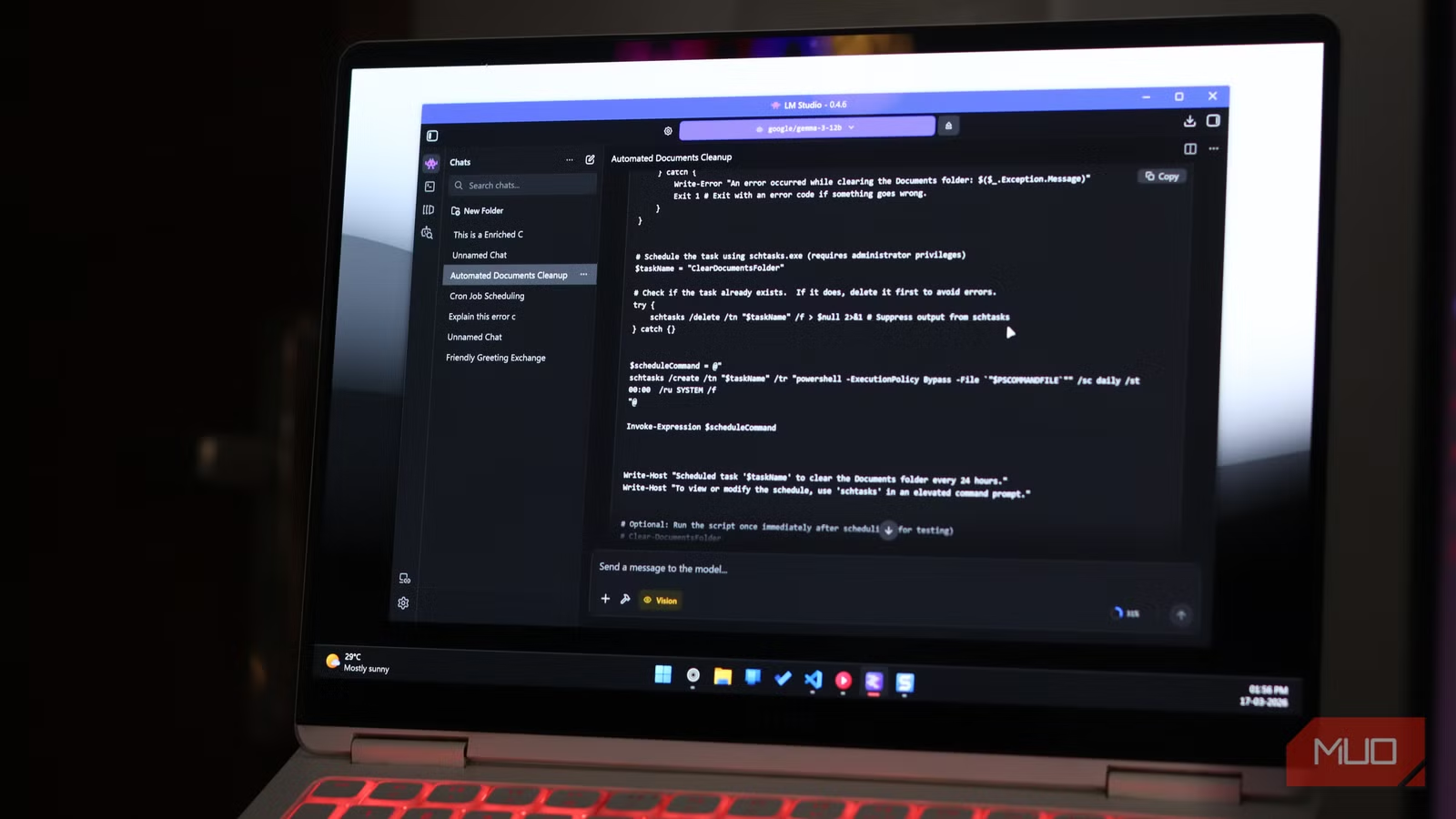
"You open it, find a model, download it, and start chatting," Sethi writes. "The whole thing takes a few minutes, and you don't need to touch a terminal."
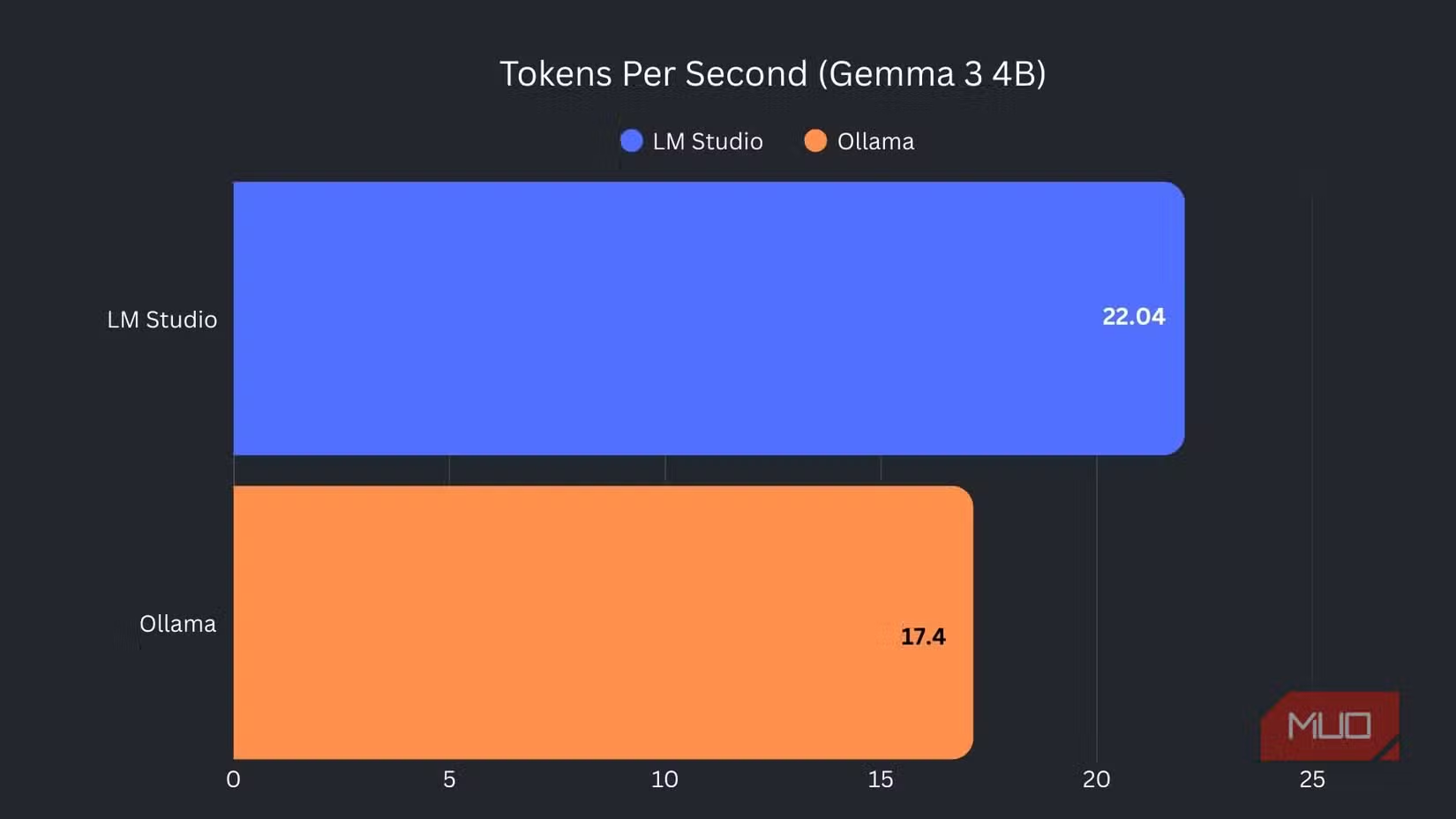
Performance matters too. Sethi reports higher tokens per second on LM Studio compared to Ollama running the same models. For conversational use, that speed difference is noticeable.
Model Discovery Done Right
Finding the right model is often the hardest part of local AI. LM Studio handles this better than the alternatives.
The app lets you filter models by parameter count, quantization level, and intended use case. You see the download size before committing. Comparing 8B models side by side inside the app beats jumping between browser tabs and documentation pages.
This matters because model selection is confusing for newcomers. A 7B quantized model performs very differently from a 13B full-precision one. Seeing these specs in one interface removes a major barrier.
Plugins Fix the Stale Data Problem
The biggest complaint about local LLMs is outdated training data. Your model knows nothing about events after its cutoff date. LM Studio addresses this with a plugin system.
The DuckDuckGo plugin pulls live search results before the model responds. A Wikipedia plugin does the same for reference information. These aren't revolutionary features, but they solve a real daily annoyance.
Neither plugin transforms the experience. But they make local models practical for tasks that require current information, like summarizing recent news or checking facts.
When to Keep Ollama Around
Sethi isn't abandoning Ollama entirely. For developer workflows where a local model needs to connect to other tools, Ollama remains his choice. It integrates better with external applications and services.
The practical approach: use LM Studio for conversational AI and Ollama for programmatic access. Both tools are free. Running both costs nothing beyond your laptop's electricity.
✅ Pros
- • No monthly subscription fees after hardware investment
- • Complete data privacy since nothing leaves your machine
- • Higher token/second performance than Ollama for chat
- • Built-in model discovery with filtering options
- • Plugins for live search results
❌ Cons
- • Requires decent hardware with sufficient RAM
- • Models have training data cutoffs without plugins
- • Less capable than GPT-4 or Claude for complex tasks
- • Initial setup requires choosing and downloading models
The Economics of Local Inference
ChatGPT Plus costs $20 per month. That's $240 per year for a single user. Claude Pro runs the same. Enterprise tiers cost more.
A laptop capable of running 7B or 8B parameter models competently isn't exotic hardware anymore. Many machines bought in the last three years have enough RAM and processing power. If your laptop already handles these models, the marginal cost of switching is zero.
The tradeoff is capability. Local 8B models don't match GPT-4 or Claude Opus for complex reasoning or lengthy context windows. For everyday tasks like drafting emails, brainstorming, or explaining code, they're often good enough.
Context on OpenAI's business challenges as users explore alternatives
Getting Started
LM Studio runs on Windows, macOS, and Linux. Download the app, pick a model that fits your RAM, and start a conversation. The whole process takes minutes.
For most users, starting with a 7B or 8B parameter model makes sense. These run on machines with 16GB RAM. Larger models need more memory but provide better responses.
Sethi's advice: don't wait until subscription prices force you to switch. Build the workflow now while cloud AI is still cheap enough to fall back on.
Logicity's Take
Frequently Asked Questions
What hardware do I need to run local LLMs?
Most 7B and 8B parameter models run on laptops with 16GB RAM. Larger models require 32GB or more. Apple Silicon Macs and recent Windows laptops with dedicated GPUs perform best.
Is LM Studio free to use?
Yes. LM Studio is free for personal use. You download models separately, which are also free. There are no subscription fees or usage limits.
How do local LLMs compare to ChatGPT?
Local 8B models handle everyday tasks well but lag behind GPT-4 and Claude for complex reasoning, coding, and long-context work. For drafting, brainstorming, and simple questions, many users find local models sufficient.
What's the difference between LM Studio and Ollama?
LM Studio is optimized for conversational use with a polished desktop interface. Ollama focuses on developer integrations and connecting local models to external tools and services.
Can local LLMs access current information?
By default, no. They only know information from their training data. LM Studio offers plugins like DuckDuckGo search that fetch live results before the model responds.
Need Help Implementing This?
Source: MakeUseOf
Manaal Khan
Tech & Innovation Writer
Produced with AI assistance and reviewed by the Logicity editorial team. Learn more in our Editorial Policy.