Key Takeaways
- Google Wallet stores boarding passes locally, so they load without Wi-Fi or cellular signal
- Gmail integration auto-imports boarding passes from flight confirmations without manual steps
- Android 16's live updates surface flight status on your lock screen without opening any app
Google Wallet is not a travel app. It won't build your itinerary or suggest restaurants near your hotel. But for the specific job of getting through airports without fumbling through five different airline apps, it has become indispensable.
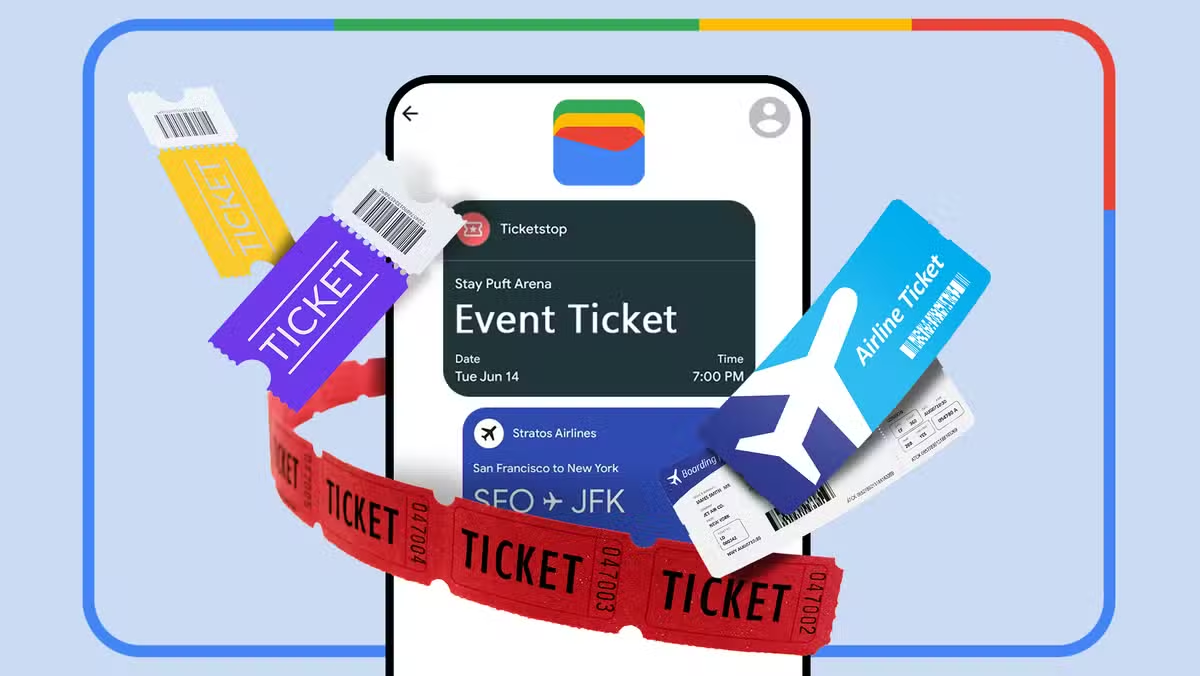
Tech journalist Viraj Gawde at How-To Geek lays out the case: despite using dedicated apps like Tripsy and always installing the relevant airline app before flights, he reaches for Google Wallet every time at the airport. The app consolidates boarding passes, transit tickets, and loyalty cards into one place. That sounds mundane until you're standing at a security checkpoint with no signal and a line of impatient travelers behind you.
What makes Google Wallet faster at airport checkpoints?
Speed matters when the TSA agent is waiting. Airline apps often require a login, take several seconds to load, and bury the boarding pass behind home screens and promotional banners. Google Wallet eliminates these steps. Launch the app, and your boarding pass sits front and center. No authentication delay, no menu navigation.
For travelers with connecting flights across different carriers, the consolidation is more valuable. Two airlines means two apps, two boarding passes, and constant switching while exhausted and rushing to your gate. Google Wallet acts as a single hub. Scroll to the right pass and you're done.
Offline access solves the airport Wi-Fi problem
Airport Wi-Fi is unreliable. Cellular signals in terminals can be patchy. International travelers face expensive roaming charges that make pulling up an app feel like a financial decision.
Google Wallet stores passes locally on your device. This means your boarding pass loads instantly whether you have five bars of signal or none. Airline apps that require a live connection to fetch your documents become a gamble in those conditions. The difference is not theoretical. It's the difference between breezing through security and holding up the line while waiting for a page to load.
How does Gmail integration add passes automatically?
When a flight confirmation from a supported airline hits your Gmail inbox, Google Wallet often adds the boarding pass without any action from you. No tapping "add to wallet," no forwarding emails, no manual import. The pass just appears.
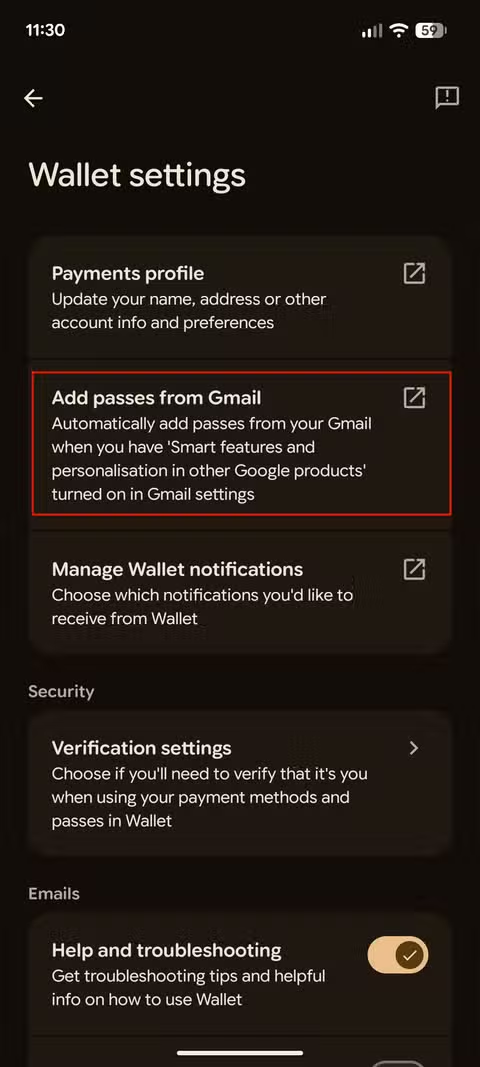
This invisible automation matters most at 4am before an early departure, when your brain is not equipped to remember administrative tasks. The pass is already there.
Lock screen notifications surface passes at the right moment
Google Wallet can push your boarding pass to your lock screen as your flight approaches. Tap the notification and you're looking at your QR code. No unlocking the phone, no opening the app, no scrolling through passes.
Other travel apps send push notifications too, but they typically open the full app and require several taps to reach your boarding pass. The lock screen shortcut shaves seconds off each interaction. Across multiple checkpoints in a single journey, those seconds compound.
Live flight updates on Android 16
Google Wallet's newest feature, rolling out on Android 16, uses the platform's live update system to show flight information directly on the lock screen and always-on display. Estimated arrival time, flight duration, and a progress bar showing where you are along the route. One tap takes you straight to your boarding pass QR code.
The feature started rolling out gradually in April 2026, according to Gawde, and not everyone has access yet. Keeping Google Wallet and Play Services updated improves your chances. When widely available, this replaces the habit of repeatedly checking a flight tracking app.
What Google Wallet still won't do
To be clear about limitations: Google Wallet is not replacing your travel planning apps. It won't help you find flights, compare prices, or build an itinerary. It does not handle hotel bookings beyond storing a confirmation. It's a document wallet, not a travel agent.
The airline's own app still matters for seat selection, boarding group information, and rebooking when things go wrong. But for the specific moment when you need to produce a boarding pass quickly, Google Wallet has a narrower job and does it better.
Logicity's Take
The real insight here is architectural. Google Wallet works because it's a thin layer that pulls data from email, stores it locally, and surfaces it contextually. It doesn't try to replace airline apps. It just handles the moment of retrieval better. For business travelers managing multiple flights across carriers, this centralization is worth more than any single airline's loyalty app features. The competitive advantage compounds as you add more passes.
Frequently Asked Questions
Does Google Wallet work without internet?
Yes. Google Wallet stores boarding passes and transit tickets locally on your device, so they load instantly without Wi-Fi or cellular signal.
How do I add a boarding pass to Google Wallet?
Many airlines support direct "Add to Google Wallet" buttons. If your flight confirmation arrives in Gmail from a supported airline, the pass may be added automatically without any manual steps.
Can Google Wallet store boarding passes from different airlines?
Yes. Google Wallet consolidates passes from multiple airlines in one place, eliminating the need to switch between carrier apps during connecting flights.
What is the Google Wallet live flight update feature?
On Android 16 and later, Google Wallet can display flight status, estimated arrival time, and a route progress bar on your lock screen. Tapping it opens your boarding pass QR code directly.
Does Google Wallet replace airline apps?
Not entirely. You still need airline apps for seat selection, rebooking, and detailed flight information. Google Wallet excels at the moment of producing your boarding pass quickly.
More hidden Android settings that improve daily workflow
Need Help Implementing This?
Logicity covers the tools and workflows that make technology work for business. Subscribe to our newsletter for practical guides on mobile payments, digital identity, and enterprise mobility.
Source: How-To Geek
Huma Shazia
Senior AI & Tech Writer
Produced with AI assistance and reviewed by the Logicity editorial team. Learn more in our Editorial Policy.






