Key Takeaways
- Home Assistant OS is a free, open-source platform that turns spare PCs into smart home hubs
- The platform supports over 2,700 integrations and runs entirely locally for full data privacy
- Pre-built hardware like Home Assistant Green ($219) offers a plug-and-play alternative
Home Assistant OS lets you repurpose an old computer into a centralized smart home controller. The open-source platform runs locally, supports over 2,700 device integrations, and costs nothing to install. For tech leaders managing home offices or evaluating IoT infrastructure, it's a practical alternative to cloud-dependent hubs from Amazon, Google, or Apple.
The platform now powers more than 2 million active installations worldwide, according to Home Assistant's usage statistics. That number reflects a growing frustration with vendor lock-in and subscription fees. When your smart lights, cameras, and thermostats all phone home to different corporate servers, you lose control over your own data and depend on services that could change pricing or shut down entirely.
What can Home Assistant OS actually do?
Home Assistant OS is built around Docker containers, which means it runs efficiently on modest hardware. A 10-year-old laptop, a Raspberry Pi, or a virtual machine all work. The system auto-discovers smart devices on your network and supports integrations for Z-Wave, Thread, Philips Hue, IKEA smart products, Amazon devices, Apple HomeKit, and hundreds of others.
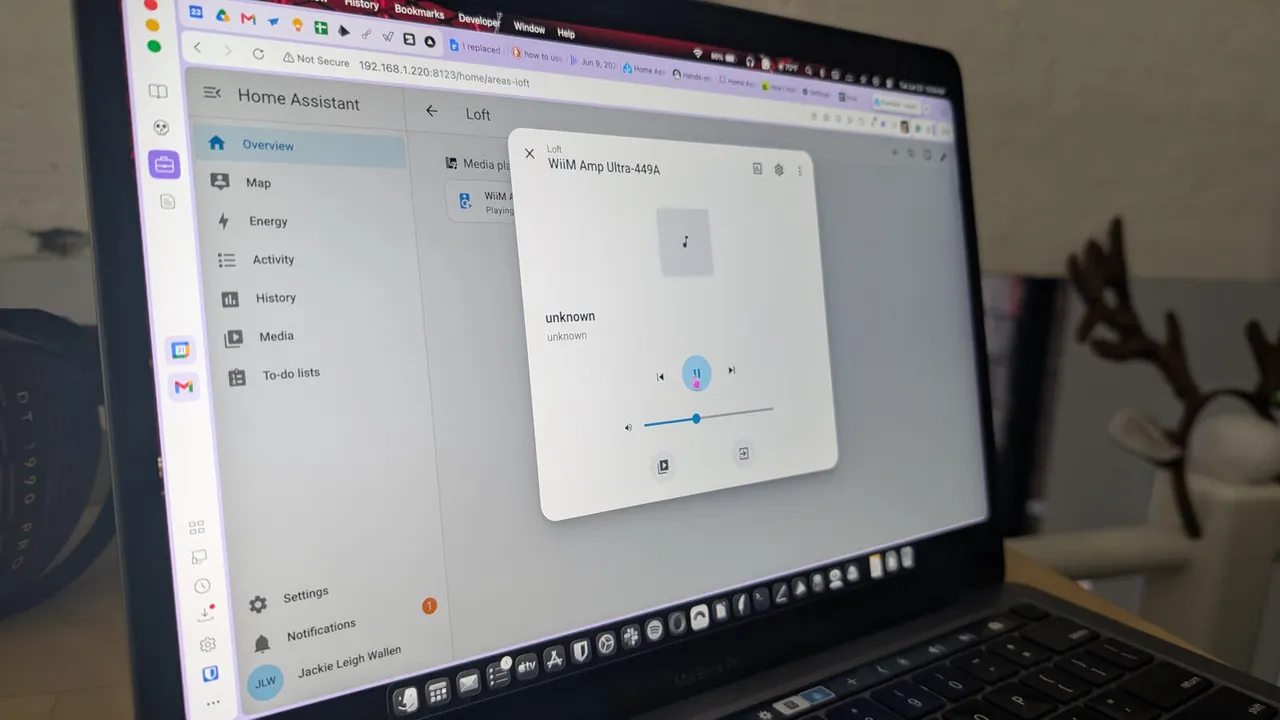
The real power lies in automations. You can create rules like "turn off all lights when the last person leaves" or "start the coffee maker when my morning alarm goes off." These run locally, so they work even if your internet goes down. The platform also offers dashboards for monitoring energy usage, viewing camera feeds, and managing to-do lists.
How does installation work?
You download the Home Assistant OS image from the official site and flash it to a USB drive or install it via VirtualBox for testing. The process requires basic OS installation skills but nothing beyond what a developer or IT professional would find routine. Once booted, the system provides a web interface for configuration.
For those who prefer hardware that just works out of the box, the Home Assistant Green costs $219 and comes pre-configured. It's a small dedicated device that plugs into your network and starts discovering devices immediately. The trade-off: DIY installation on spare hardware costs nothing beyond the electricity to run it.
The privacy argument
Cloud-based smart home systems send your data to corporate servers. When you ask Alexa to turn off the lights, that voice command travels to Amazon. When Google Home adjusts your thermostat, Google knows your schedule. Home Assistant runs entirely on your local network by default.
This matters for business contexts too. A home office with sensitive work, a small office IoT deployment, or any environment where data residency is a concern benefits from local-only processing. No subscription, no cloud dependency, no third-party access to your usage patterns.
What are the limitations?
Home Assistant requires technical comfort. Setting up complex automations means writing YAML configuration files or learning the visual automation builder. When integrations break after device firmware updates, you're the one debugging.
Remote access also requires additional setup. By default, the system only works on your local network. Enabling access from outside your home means configuring a VPN or subscribing to Nabu Casa's cloud service ($6.50/month), which provides secure remote access while supporting the open-source project financially.
Logicity's Take
Home Assistant fills a gap that commercial hubs ignore: local control without recurring costs. For tech leaders, it's worth evaluating as a home office infrastructure component or a proof-of-concept for IoT deployments. The $0 entry point removes financial risk, but budget 4-8 hours for initial setup and learning. Competitors like openHAB (also free, Java-based) and Hubitat Elevation ($150 hardware, local processing) offer alternatives if Home Assistant's Docker architecture doesn't fit your stack.
Should you actually try this?
If you have a spare PC collecting dust and any interest in home automation, yes. The learning curve pays dividends in flexibility and privacy. If you want plug-and-play simplicity, the commercial hubs still win on convenience. Home Assistant sits firmly in the power-user category. It rewards investment with control that no cloud platform offers.
The 62% of Home Assistant users running it on dedicated hardware suggests the community has largely moved past the Raspberry Pi hobbyist phase. Old office PCs, Intel NUCs, and mini-servers now serve as the backbone for serious home automation setups that rival or exceed what Amazon and Google sell.
Frequently Asked Questions
What hardware does Home Assistant OS require?
A Raspberry Pi 4, an old PC with at least 2GB RAM, an Intel NUC, or a virtual machine. The system is lightweight and runs on modest 10-year-old hardware.
Is Home Assistant OS free?
Yes. The software is fully open-source under the Apache 2.0 license. Optional cloud services from Nabu Casa cost $6.50/month for remote access and voice assistants.
Can Home Assistant work with Alexa or Google Home?
Yes. Home Assistant integrates with both platforms, allowing you to use voice commands while keeping automations running locally.
How many smart devices does Home Assistant support?
Over 2,700 integrations cover brands like Philips Hue, IKEA, Ring, Nest, and thousands of others. Most popular smart home devices work out of the box.
Is Home Assistant difficult to set up?
Basic installation takes under an hour for someone comfortable with OS installs. Complex automations require learning YAML or the visual automation editor.
Another free tool for cross-platform home and office workflows
Need Help Implementing This?
Looking to deploy Home Assistant for your home office or evaluate it for IoT infrastructure? Logicity's team can help you assess the technical requirements and integration options. Reach out for a consultation.
Source: Latest news
Huma Shazia
Senior AI & Tech Writer
Produced with AI assistance and reviewed by the Logicity editorial team. Learn more in our Editorial Policy.