Key Takeaways
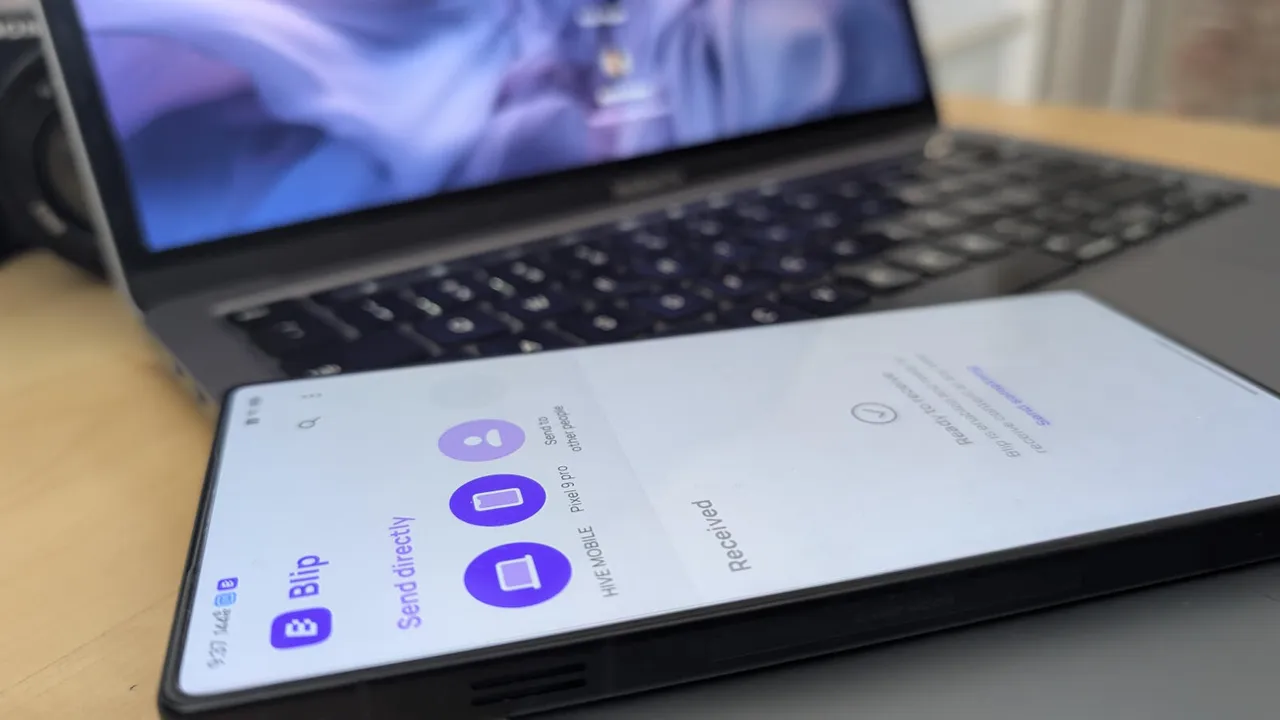
- Blip offers free cross-platform file sharing between Android, Windows, Mac, iOS, and iPadOS with end-to-end encryption
- Business use requires a $25 per user per month license, while personal use remains completely free
- The app preserves original file quality, has no size limits, and supports folder transfers
Blip, a free file-sharing app for Android, Windows, Mac, iOS, and iPadOS, solves a problem IT teams know too well: moving files between devices running different operating systems. The app uses end-to-end encryption, imposes no file size limits, and transfers at speeds that outpace most alternatives in the category.
For personal use, Blip costs nothing. Businesses pay $25 per user per month. That pricing structure makes it worth evaluating against existing enterprise file transfer solutions, particularly for organizations with mixed device environments.
What makes Blip different from AirDrop and Nearby Share?
Apple's AirDrop works only within its ecosystem. Google's Nearby Share (now Quick Share) primarily serves Android and Chrome OS. Windows has its own sharing features that don't extend to mobile. Blip sidesteps these walled gardens entirely.
The app preserves original file quality during transfer. Images and videos arrive without compression artifacts. It handles folders, not just individual files. Progress indicators and notifications keep users informed throughout transfers.
Registration requires an email address, which Blip uses to verify accounts and control who can send and receive files. The same email can be used across multiple Blip installations without issues.
Installation and setup
On Android, search for "blip file sharing" in Google Play and tap Install. For Mac and Windows, download the installer from Blip's website, run it, and follow the wizard. iOS users can find the app in the Apple App Store.
After installation, entering your email triggers a 6-digit verification code. Enter that code to activate the app. The entire process takes under two minutes per device.
Linux support is listed as "coming soon," though attempts to sign up for early access have reportedly failed. Until a native Linux client arrives, alternatives like Packet or LocalSend can fill the gap.
Business licensing considerations
The $25 per user monthly fee for commercial use puts Blip in a specific price range. For a 50-person team, that's $1,250 monthly. IT leaders should weigh this against existing solutions and the productivity gains from faster, simpler cross-platform transfers.
The end-to-end encryption matters for compliance-sensitive environments. Files transfer directly between devices without routing through third-party servers. That architecture reduces attack surface and simplifies data residency questions.
Logicity's Take
Blip enters a crowded market that includes LocalSend (free, open source, fully offline), Snapdrop (browser-based), and enterprise options like Citrix ShareFile. For IT departments, the $25/user/month business tier needs justification against these alternatives. LocalSend, in particular, requires no account registration and works entirely over local Wi-Fi with zero server dependency. Blip's advantage lies in its polish and notification system, but budget-conscious teams should test LocalSend first.
Who should use Blip?
Small teams with mixed device environments benefit most. Designers transferring large PSDs between a MacBook and Windows workstation. Field workers moving photos from iPhones to Android tablets. Consultants who need to share files with clients regardless of what devices they use.
Enterprises with existing MDM solutions and enterprise file sync tools may find less value. Blip fills a specific gap, and organizations that have already plugged that gap won't need it.
Frequently Asked Questions
Is Blip free for personal use?
Yes. Personal use is completely free. Commercial environments require a Business license at $25 per user per month.
Does Blip work on Linux?
Not yet. Linux support is listed as coming soon, but the signup process for early access has been unreliable.
Are there file size limits in Blip?
No. Blip has no size limits and handles large files including high-resolution videos without degrading quality.
Is Blip secure for sensitive files?
Blip uses end-to-end encryption for all transfers. Files move directly between devices without passing through external servers.
Need Help Implementing This?
Logicity's consulting team helps IT departments evaluate and deploy cross-platform tools that fit their compliance requirements. Contact us to discuss your file sharing needs.
Source: Latest news
Manaal Khan
Tech & Innovation Writer
Produced with AI assistance and reviewed by the Logicity editorial team. Learn more in our Editorial Policy.