Key Takeaways
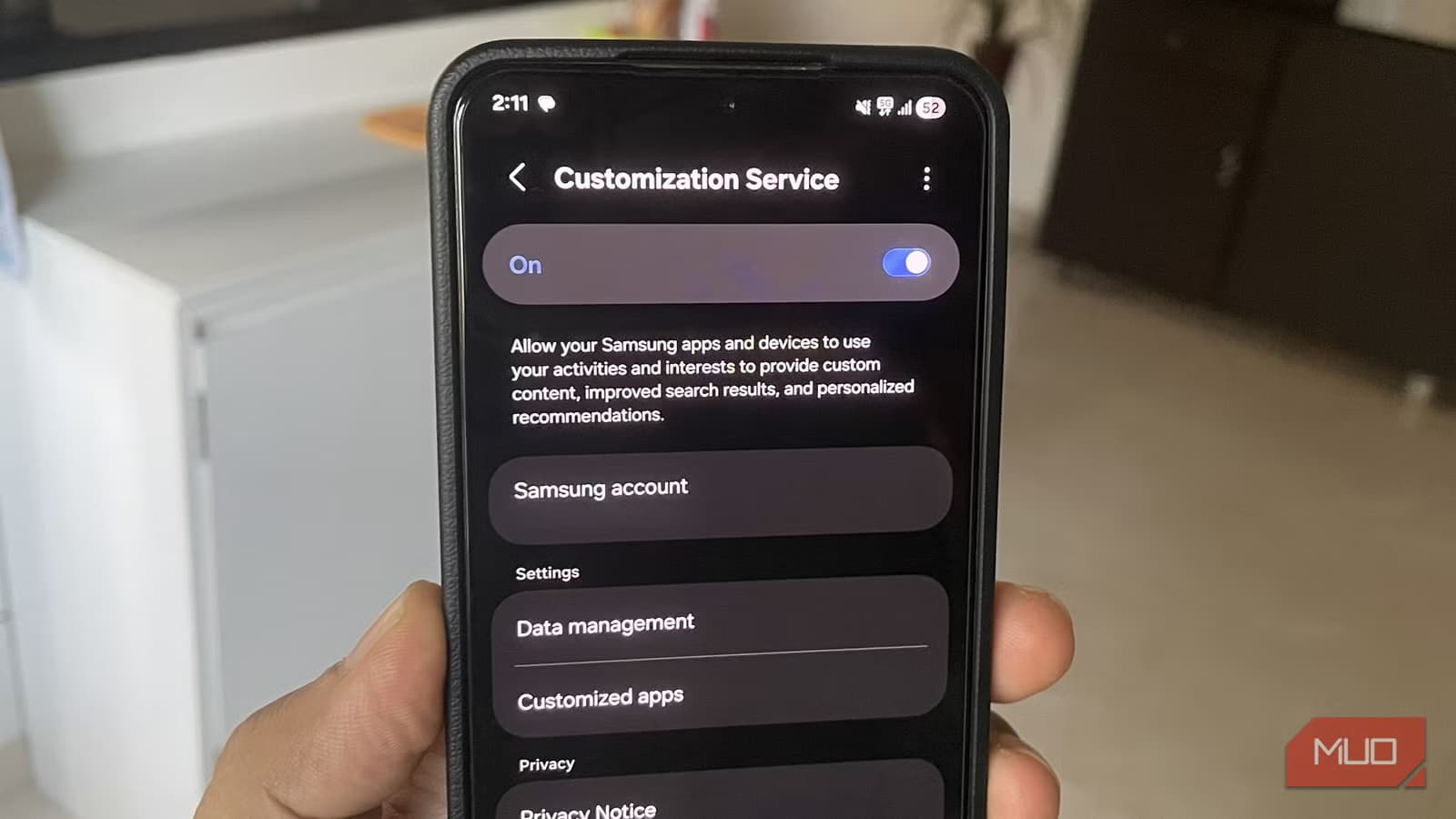
- Customization Service collects usage data across Samsung apps and sends it to Samsung's servers, often using 5-20% of daily battery
- The service doesn't appear in your app drawer, making it easy to overlook in battery usage statistics
- Disabling it takes seconds and has no impact on core phone functionality
When your phone's battery starts draining faster than usual, the obvious suspects are aging hardware or power-hungry apps. But on Samsung Galaxy phones, there's a quieter culprit that rarely gets blamed: Customization Service.
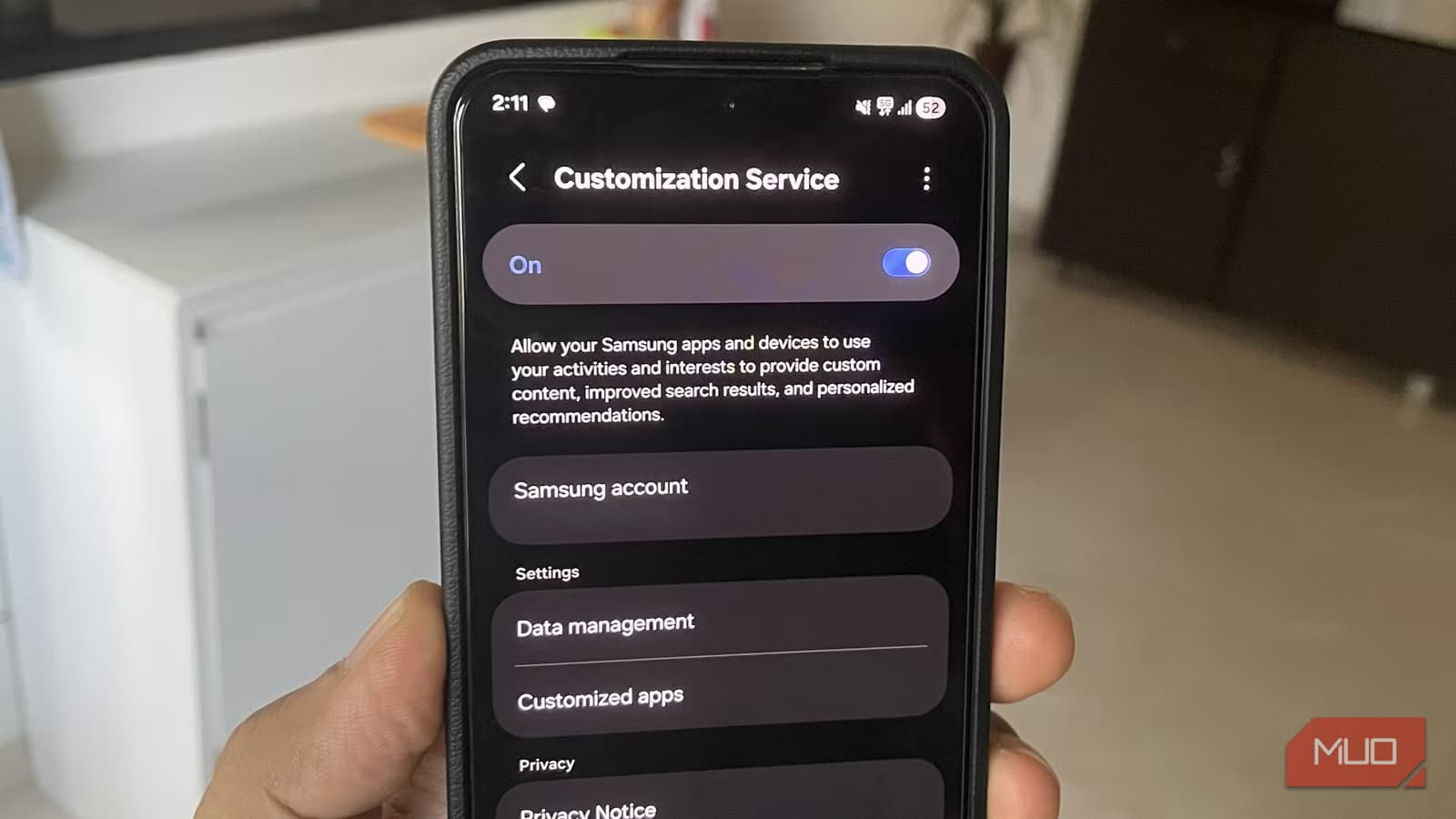
This built-in Samsung feature runs constantly in the background, collecting data about how you use your phone. It powers personalized recommendations across Samsung's apps. The cost? Anywhere from 5% to 20% of your daily battery, depending on how heavily you use Samsung's ecosystem.
What Customization Service Actually Does
Samsung enables Customization Service the moment you sign into a Samsung account on your phone. Its job is to track your behavior across Samsung apps and services, then use that data to surface personalized suggestions. This includes your browsing in Samsung Internet, your reading in Samsung News, and your searches in the Galaxy Store.
All of this collected data gets sent to Samsung's servers. That transmission, combined with the constant background monitoring, requires processing power and network activity. Both drain battery.
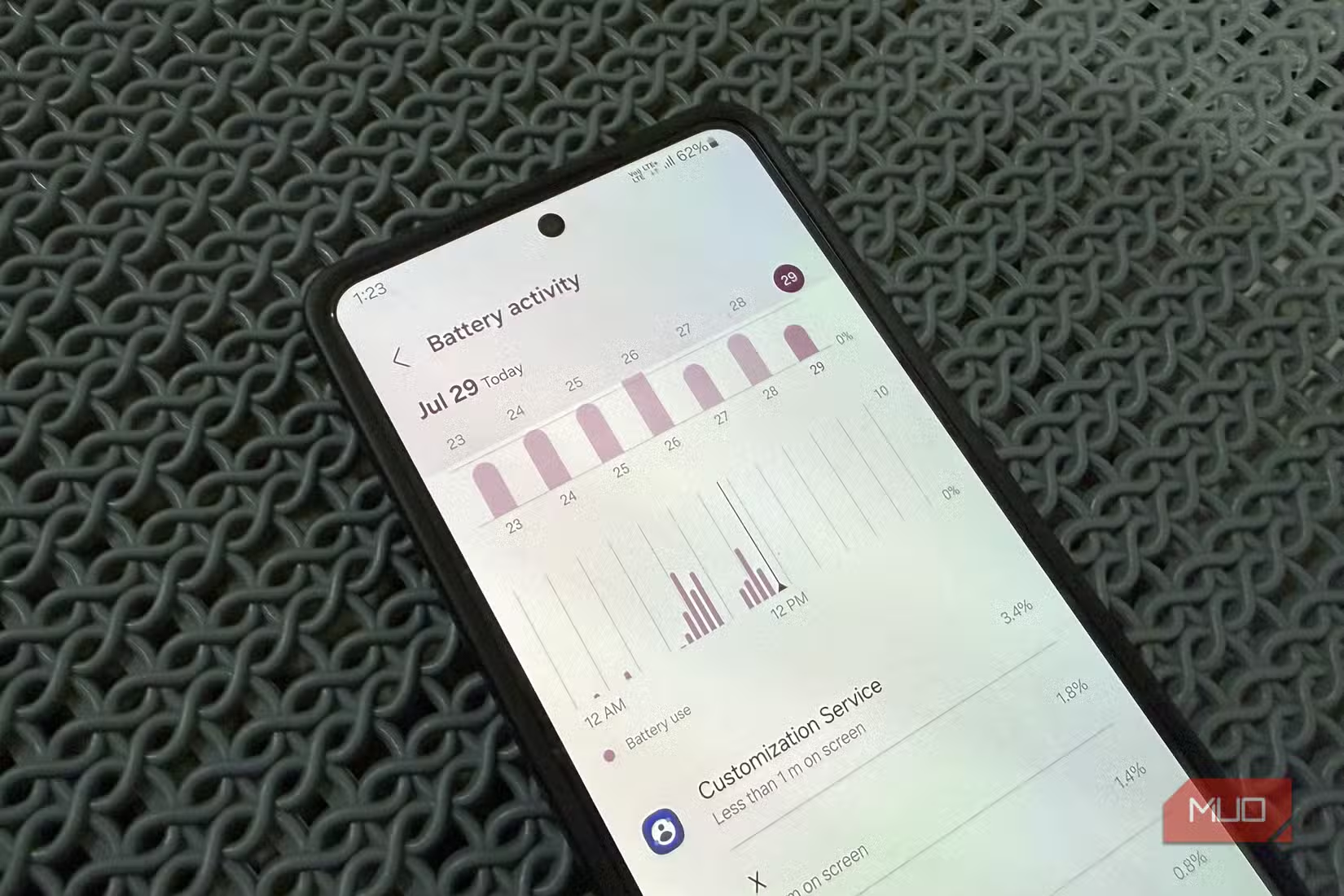
The service flies under the radar because it doesn't show up in your app drawer. When you check Settings > Battery > View details, it looks like a core system process. It's not. It's an optional data collection feature that Samsung enables by default.
How Much Battery Does It Actually Use?
The impact varies based on your usage patterns. If you rely heavily on Samsung's built-in apps, Samsung Internet, Samsung News, Bixby, and the Galaxy Store, expect Customization Service to appear near the top of your battery usage list. Some users report it consuming more power than Instagram or YouTube.
If you primarily use Google Chrome, third-party news apps, and the Play Store, the impact drops significantly. In those cases, it might only consume 0.1% of your battery. But for Samsung ecosystem users, it's a genuine problem.
Logicity's Take
The Privacy Angle
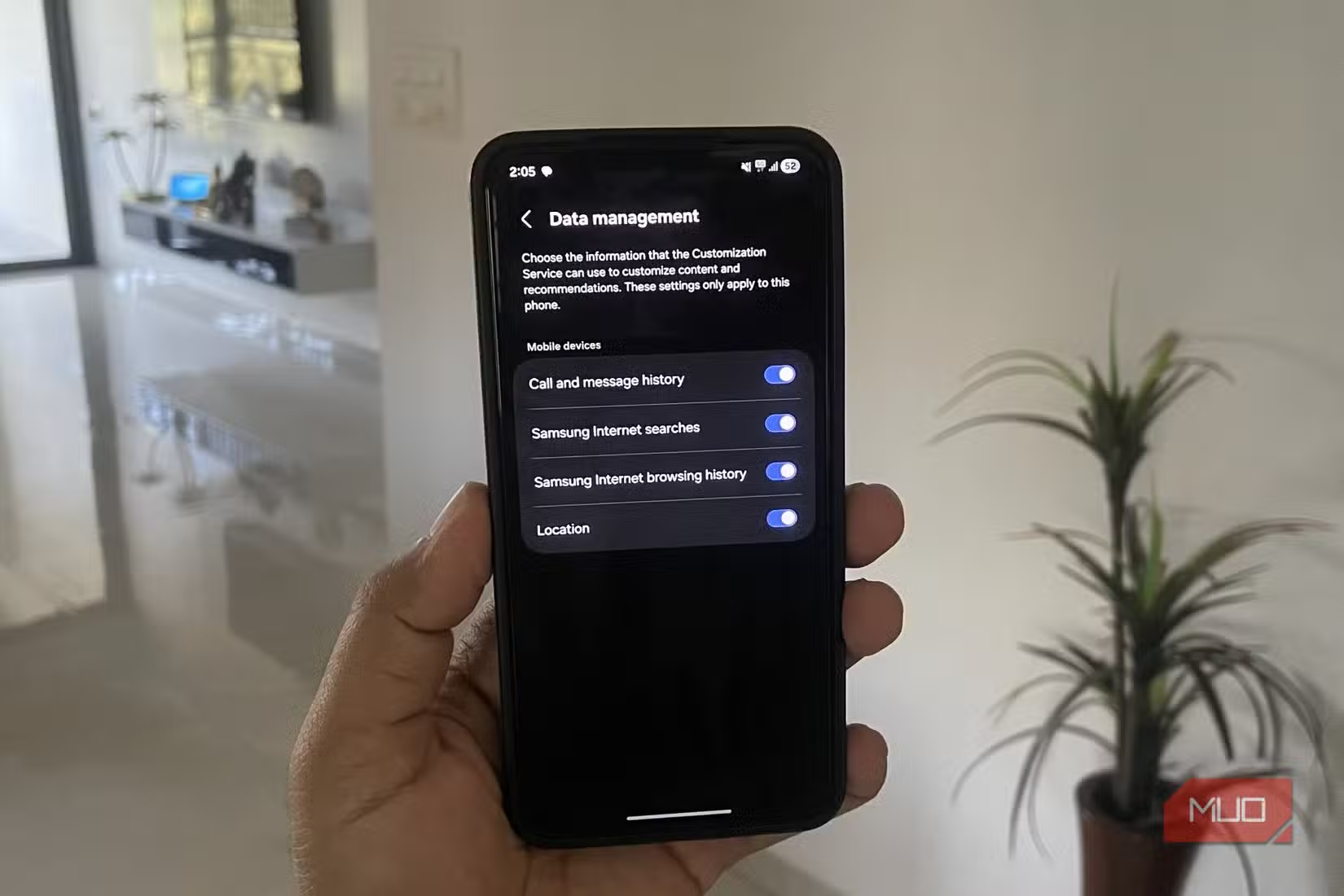
Battery drain isn't the only reason to disable this feature. Customization Service collects location data, search history, and app usage patterns. If you're uncomfortable with that level of tracking, even from your phone manufacturer, turning it off makes sense on privacy grounds alone.
Reddit communities like r/Samsung and r/GalaxyS24 frequently discuss this service. The common sentiment: frustration that it's enabled by default and hidden in settings where most users won't find it.
How to Disable Samsung Customization Service
The toggle isn't in battery settings where you'd expect it. Samsung placed it under privacy controls.
- Open Settings on your Galaxy phone
- Scroll down and tap Security and privacy
- Tap Privacy
- Tap Customization Service
- Toggle it off
That's it. The change takes effect immediately. You don't need to restart your phone.
What You Lose by Disabling It
Turning off Customization Service means Samsung apps will show generic recommendations instead of personalized ones. Bixby routines that depend on learned behavior may work less smoothly. Galaxy Store suggestions will be less targeted.
For most users, these tradeoffs are negligible. If you don't rely on Samsung's personalization features, you won't notice any difference, except better battery life.
More quick fixes for common tech frustrations
Other Battery-Draining Culprits to Check
Customization Service isn't the only background process worth examining. After major One UI updates, several system services can start consuming more power than expected. Check your battery usage regularly under Settings > Battery > View details and look for anything unfamiliar near the top of the list.
If an app or service is using significant battery but you don't actively use it, investigate whether you can disable it or restrict its background activity.
Frequently Asked Questions
Will disabling Customization Service break my Samsung phone?
No. It only affects personalized recommendations in Samsung apps. Core phone functions, calls, messages, camera, and third-party apps work exactly the same.
Why doesn't Customization Service appear in my app drawer?
Samsung designed it as a background system service rather than a standalone app. It runs invisibly unless you check battery usage statistics or privacy settings.
Can I re-enable Customization Service later?
Yes. Return to Settings > Security and privacy > Privacy > Customization Service and toggle it back on anytime.
Does every Samsung phone have this feature?
It's present on Galaxy phones running One UI with a signed-in Samsung account. Older devices or those without a Samsung account may not have it enabled.
Need Help Implementing This?
Source: MakeUseOf
Huma Shazia
Senior AI & Tech Writer
Produced with AI assistance and reviewed by the Logicity editorial team. Learn more in our Editorial Policy.