Key Takeaways
Relay.app Is Shutting Down? Here's Your Next Step: Free migration

- Relay.app shuts down August 15, 2026 for free users, September 14, 2026 for paid accounts
- Export your entire workspace now since full exports take up to 24 hours to generate
- Use Relay's build prompts with Zapier Copilot to rebuild workflows faster than starting from scratch
Relay.app is shutting down. Free users lose access on August 15, 2026. Paid accounts get until September 14. If your ops team built workflows, agents, or tables in Relay, you have about a year to export everything and rebuild elsewhere.
Disclosure
Some links in this post are affiliate links — Logicity earns a commission if you sign up, at no extra cost to you. We only link products we have used or actively recommend.
The good news: Relay made the migration process relatively painless. Every user gets an additional 25,000 steps and 10,000 AI credits to help with the transfer. Your workspace, app credentials, and tokens will be deleted automatically once your wind-down period ends, so treat those dates as hard deadlines.
What you need to export from Relay
Full workspace exports can take up to 24 hours to generate. Do not wait until the last week. Start now, even if you plan to rebuild later.
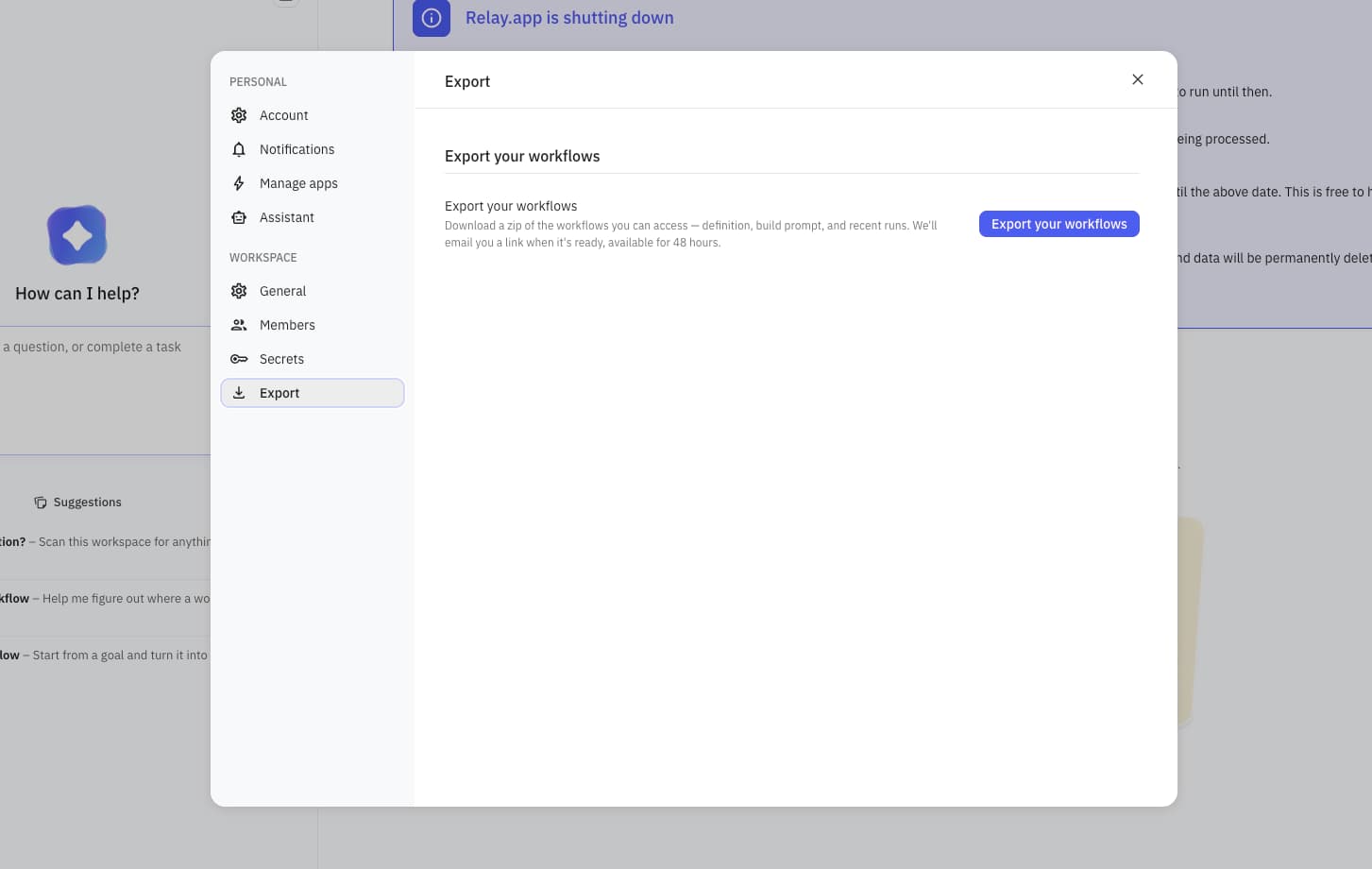
In your Relay.app dashboard, go to Workspace settings and click Export workspace data. This downloads a .zip file containing a folder for every Workflow, Sequence, MCP Server, and Table in your workspace.
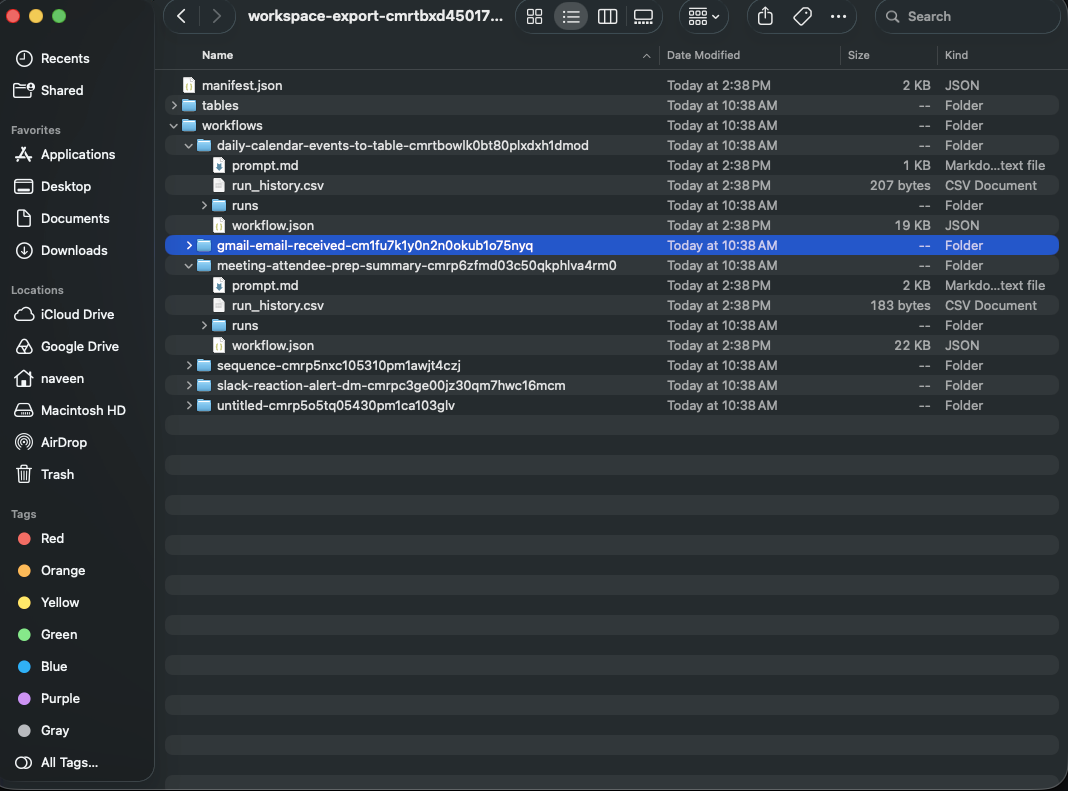
Each folder includes a build prompt as a .md file, run history as a CSV, a JSON file with the workflow's exact structure, a JSON file per workflow run, and table data as a CSV where relevant.
You'll receive an emailed link once the export is ready. That link expires in 48 hours. Download it immediately.
Why build prompts matter more than JSON exports
Relay's JSON export represents the exact structure of a workflow, but it's written in Relay's internal format. Dropping it into another tool doesn't do much on its own.
Build prompts are the useful part. These are plain-language descriptions of each workflow designed to be handed to an AI assistant. Zapier Copilot can read them and propose triggers, actions, and field mappings across 7,000+ app integrations.
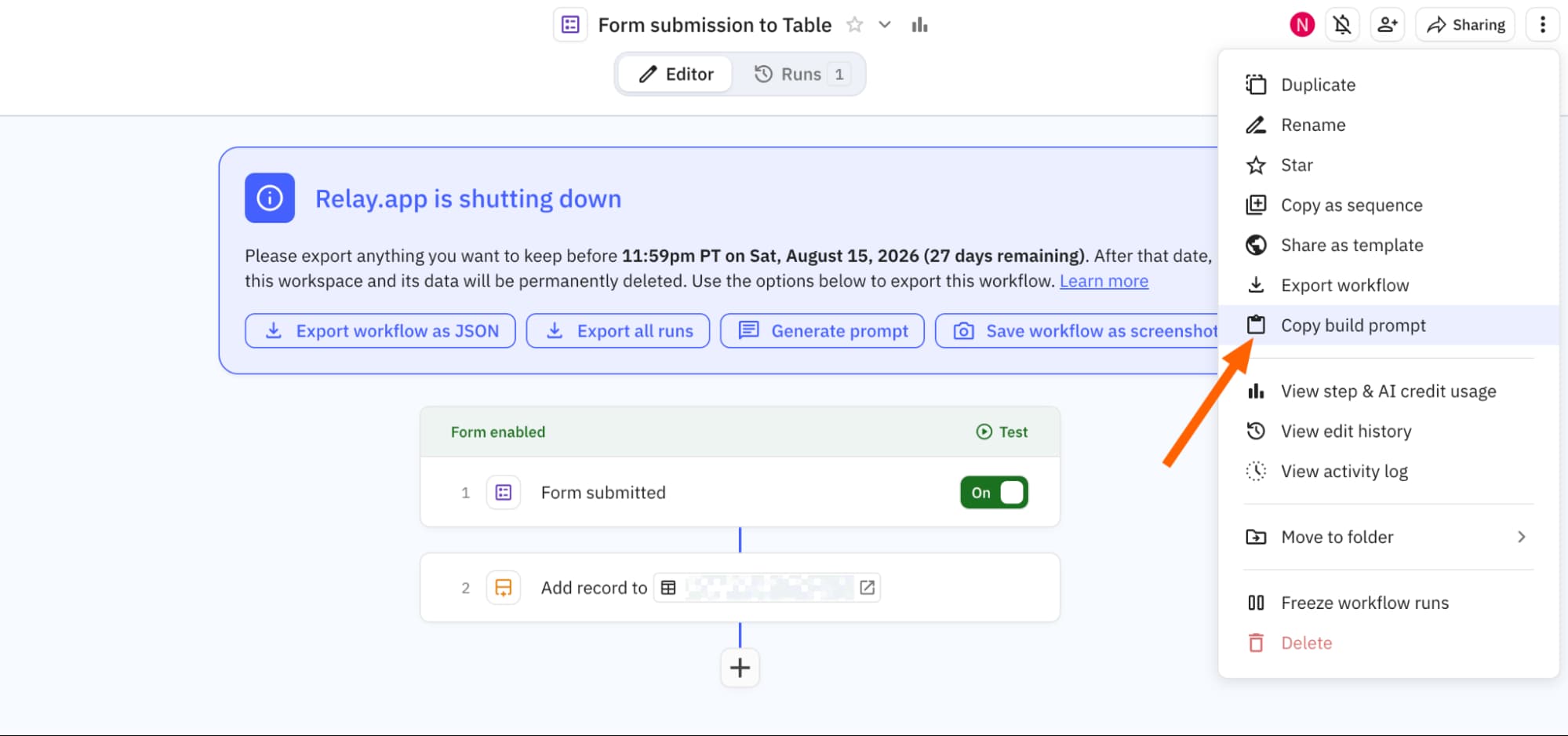
Build prompts are included in your workspace .zip, but you can also grab one for a single workflow. Open the workflow, then either choose Generate prompt from the shutdown announcement widget or click the overflow menu in the top right and select Copy build prompt.
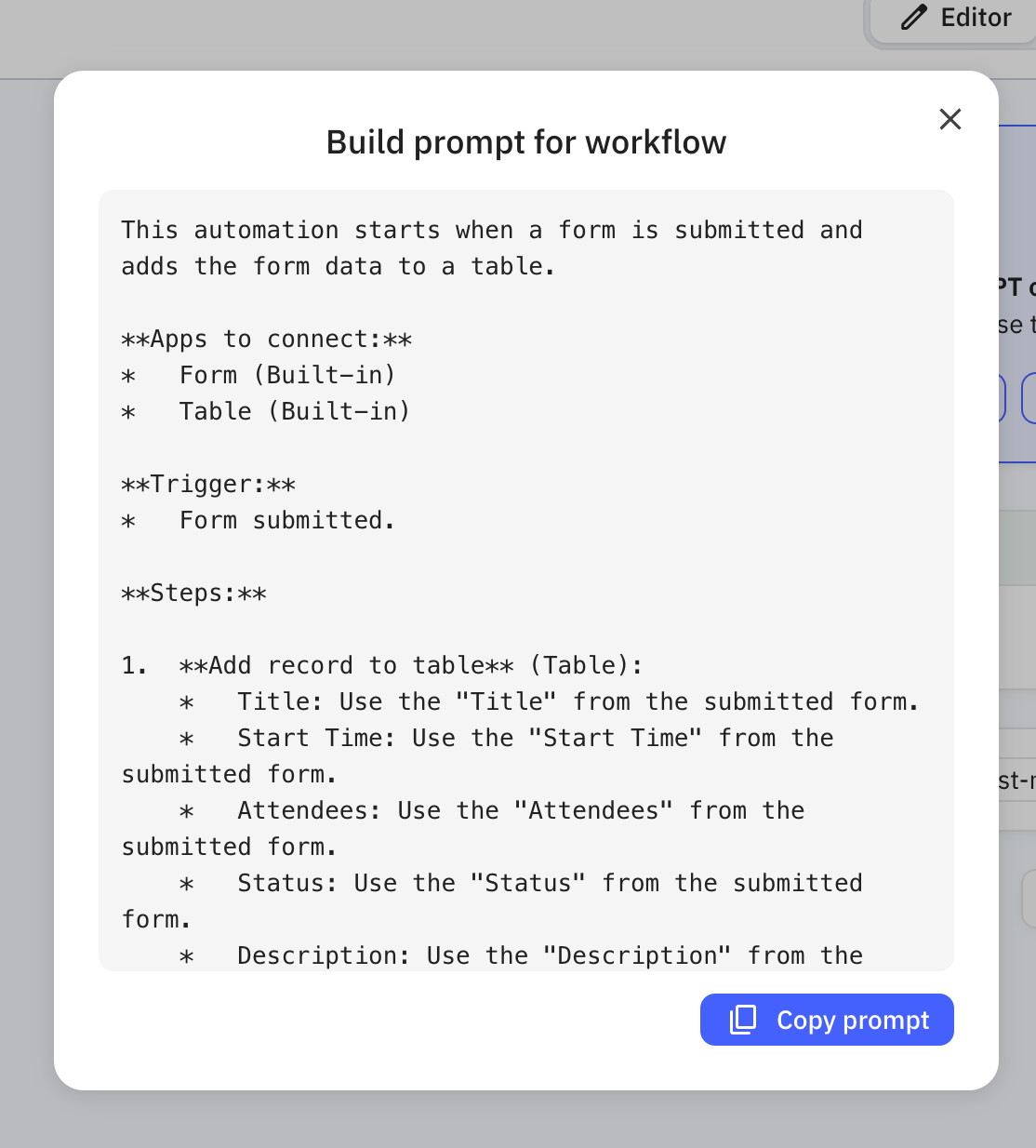
Relay generates a detailed prompt describing the trigger, every step, and the logic connecting them. Copy it and save it somewhere accessible.
Save screenshots and run history for documentation
Screenshots aren't part of the data export. If you want a visual record of what a workflow looked like, open it and choose Save workflow as screenshot. This generates images of the full workflow and each individual step.
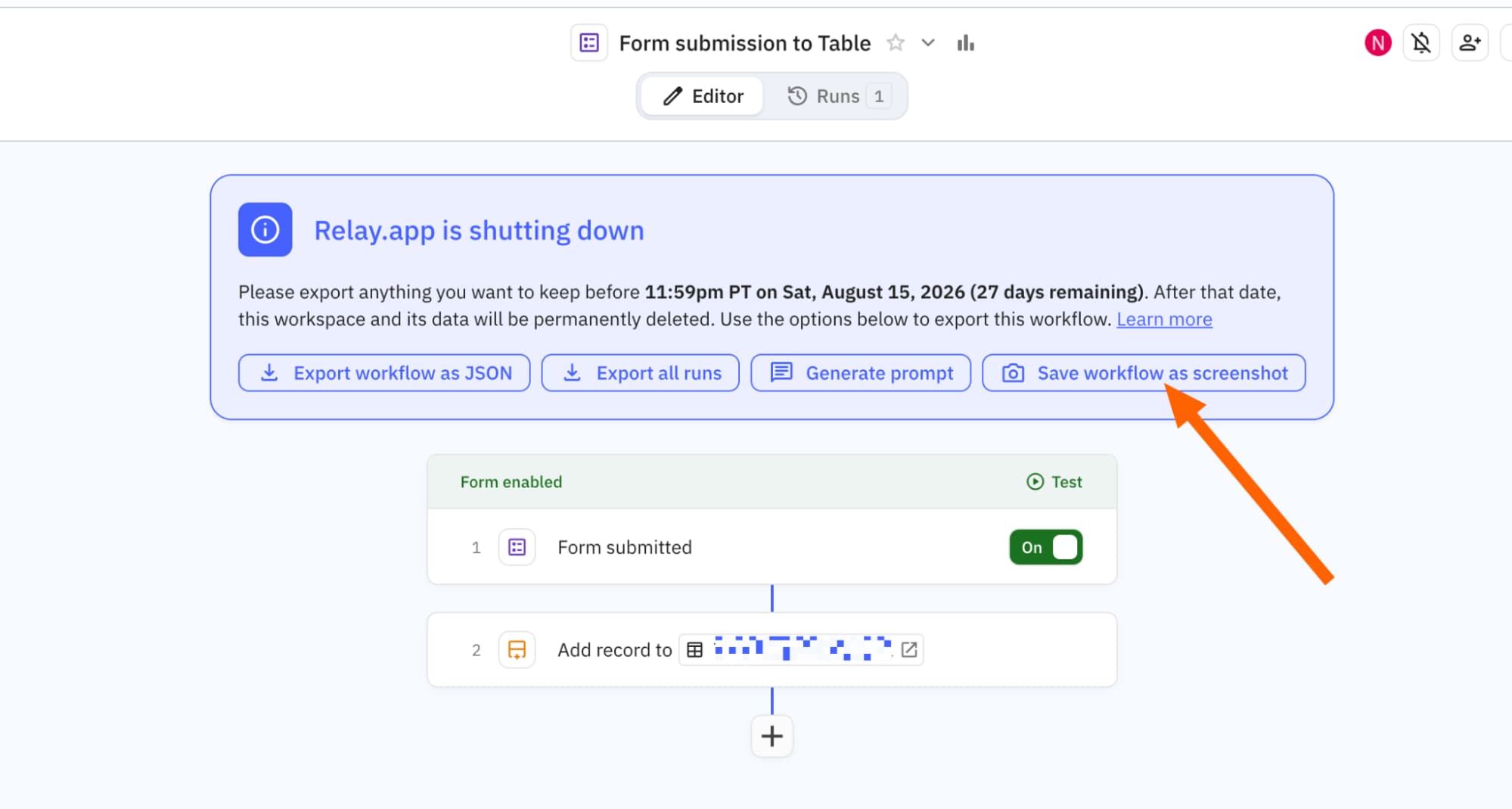
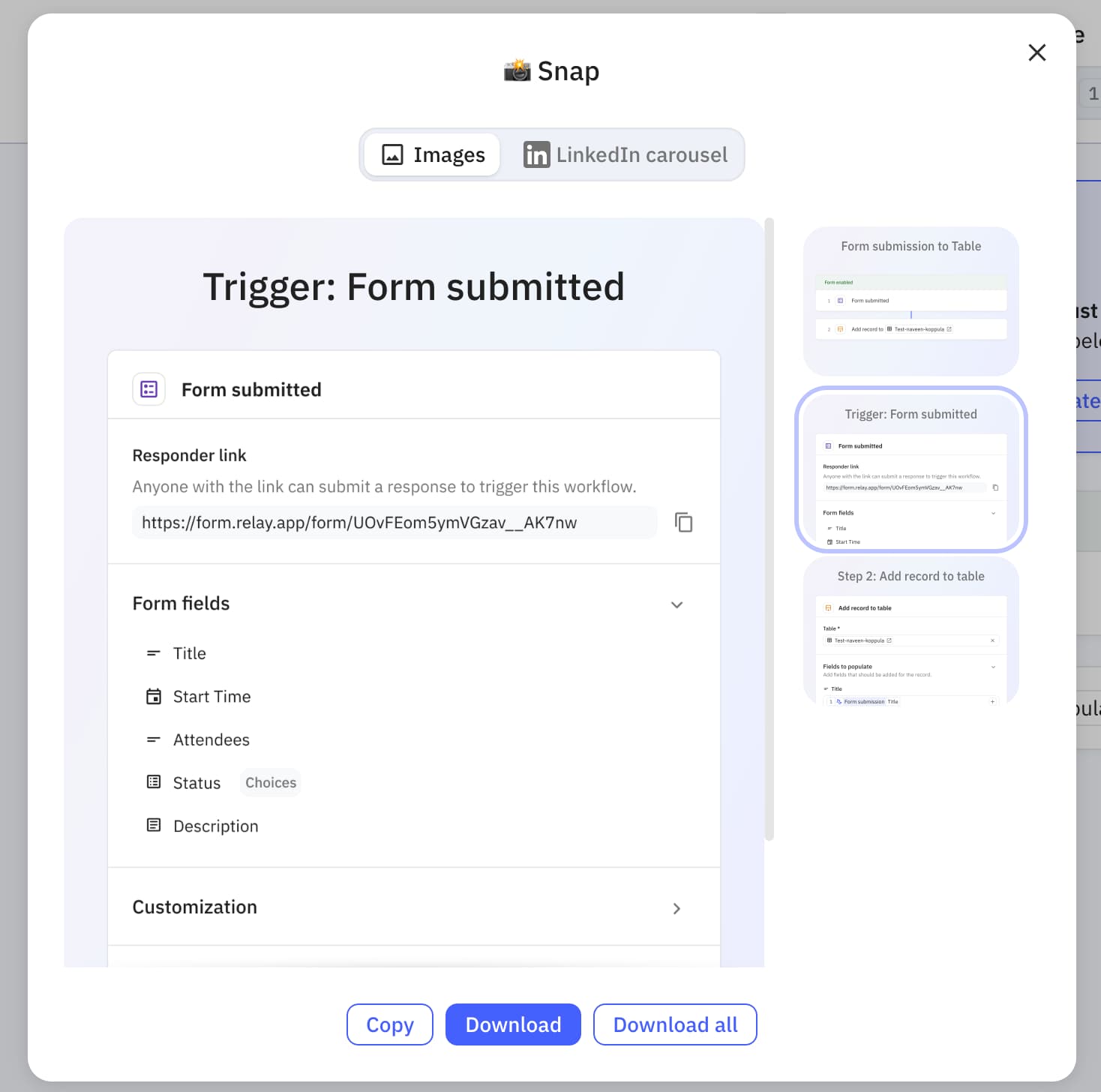
If you want a record of how a workflow performed historically, open its Runs tab and export the runs as a CSV. You can also open a single run and export it as JSON for details like execution history, AI chat logs, and error messages.
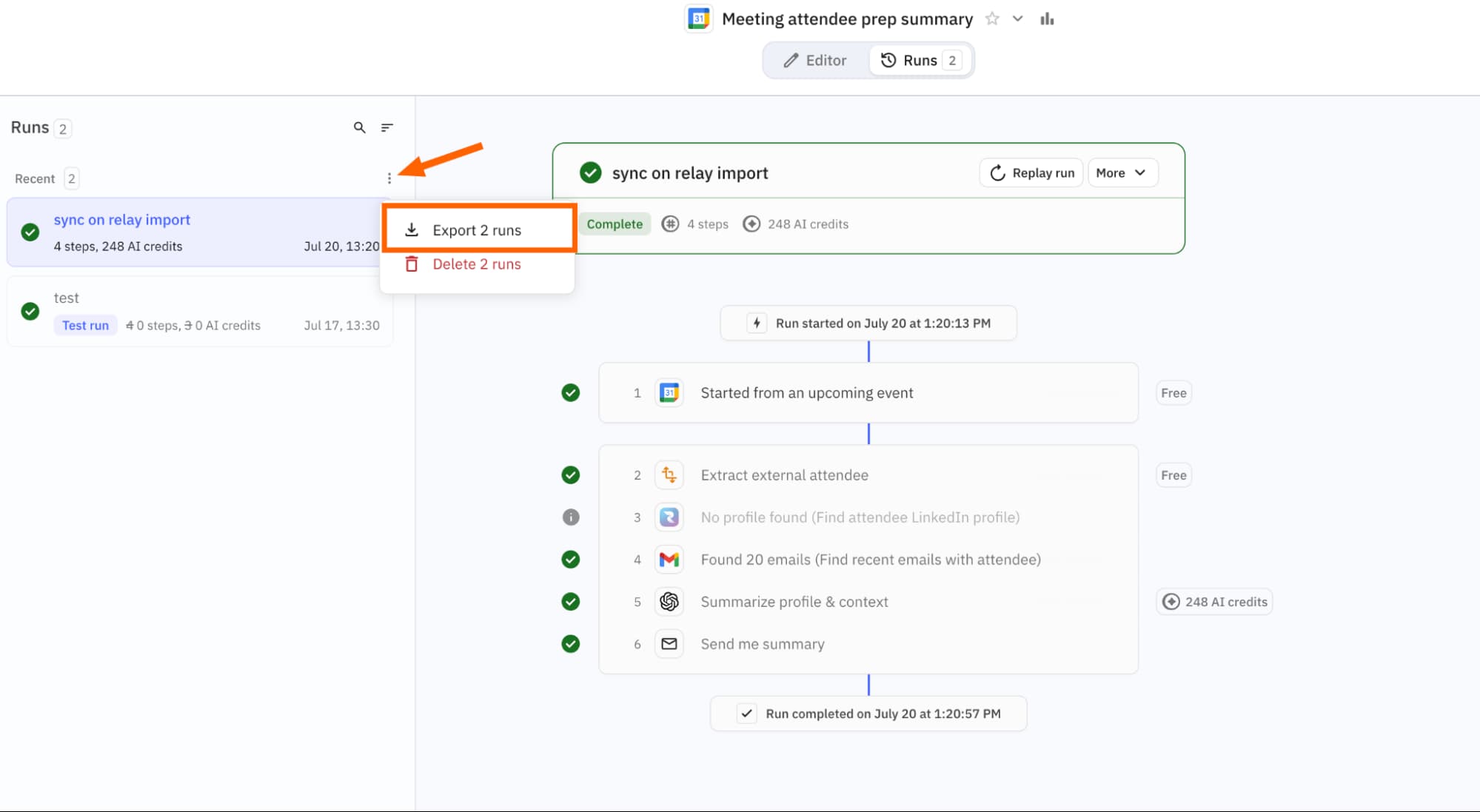
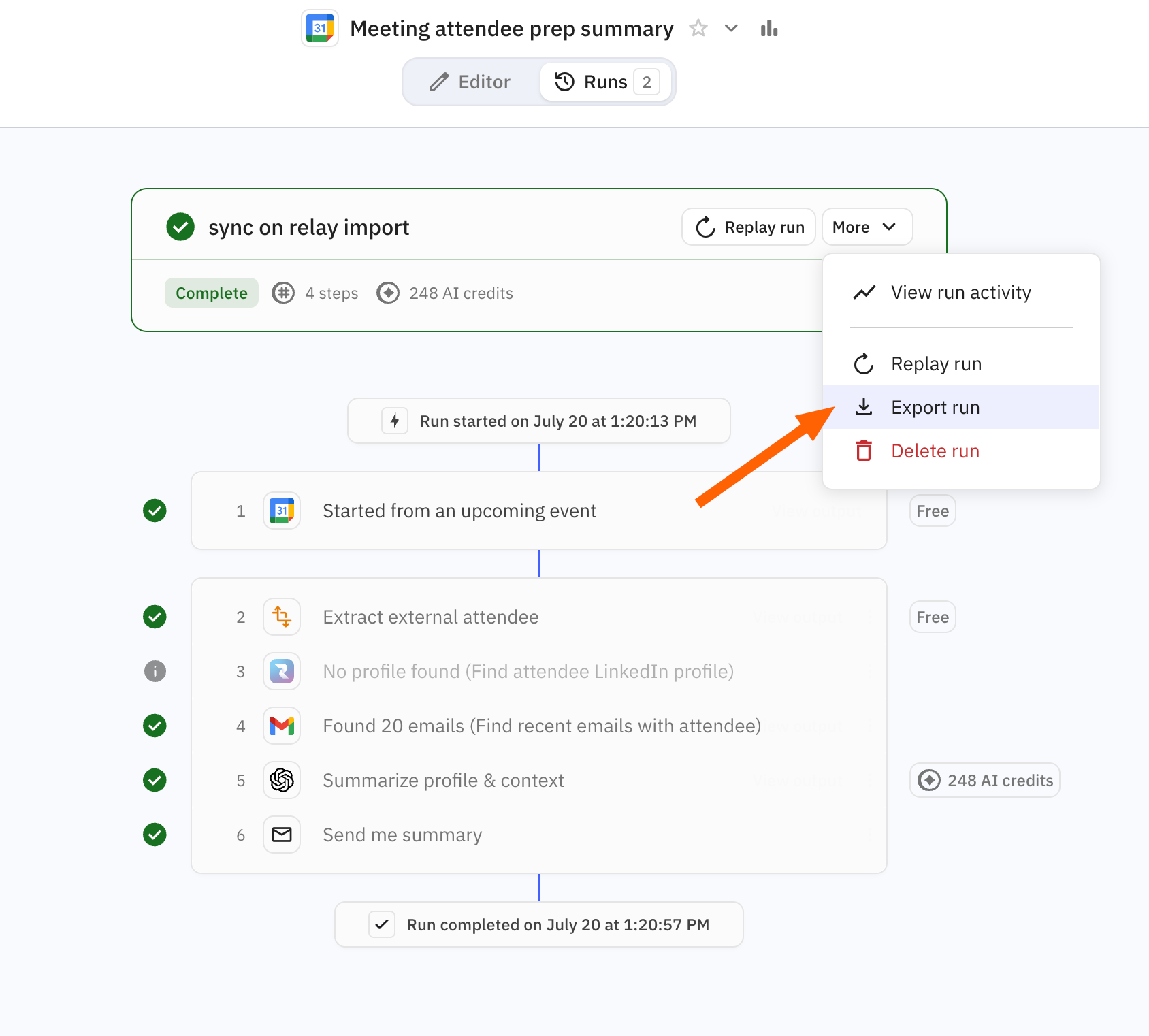
Run data won't transfer into Zapier. But it's useful for troubleshooting a workflow's logic before you rebuild it, or for compliance records.
Rebuilding workflows in Zapier with Copilot
Once you have your build prompts, the fastest path is Zapier Copilot. Describe what you want to build, or paste the workflow prompt from Relay, and Copilot proposes triggers, actions, and field mappings.
Create a Zapier account if you don't have one, then start a new Zap from your dashboard. Paste the build prompt from Relay into the Copilot chat window. It helps to add a line at the top telling Copilot what you want, like "Rebuild this workflow using the trigger and steps described below."
For complex workflows with conditional branches or multiple paths, wrap sections in headers using markdown or XML-style tags. This prevents Copilot from blending unrelated steps together. Simple two-step automations don't need this.
Relay alternatives beyond Zapier
Zapier is the obvious destination because of its market dominance. More than 2.2 million businesses use it, and the integration catalog is unmatched. But it's not the only option.
Make offers more visual workflow design and typically lower pricing for high-volume automations. n8n is self-hostable and open-source, which matters if your team has data residency requirements or wants full control over the infrastructure. Both support importing workflow logic, though neither reads Relay's format natively.
Microsoft Power Automate is another contender if your organization is already deep in the Microsoft stack. The trade-off: tighter vendor lock-in and a steeper learning curve for teams coming from no-code tools.
Logicity's Take
Relay's shutdown is part of a broader consolidation in the automation space. Smaller players struggle to compete against incumbents like Zapier with 7,000+ integrations and enterprise sales teams. For RevOps teams evaluating alternatives, Zapier's pricing starts at $19.99/month for the Starter plan with 750 tasks. Make undercuts that at $9/month for 1,000 operations. n8n is free if self-hosted. The real cost isn't the subscription. It's the rebuild time. Budget 2-4 hours per complex workflow, and prioritize the automations that actually run daily over dormant experiments.
Key dates for Relay migration
Frequently Asked Questions
Will my Relay workflows keep running until the shutdown date?
Yes. Existing workflows continue running until August 15, 2026 for free users and September 14, 2026 for paid accounts. After that, they stop permanently.
Can I import Relay workflows directly into Zapier?
No. Relay's JSON format isn't compatible with Zapier. Use Relay's build prompts with Zapier Copilot to rebuild workflows faster than starting from scratch.
How long does a full Relay workspace export take?
Up to 24 hours. You'll receive an email with a download link that expires after 48 hours.
What happens to my app credentials stored in Relay?
They get deleted automatically when your wind-down period ends. Reconnect your apps in your new automation platform before the shutdown.
Does Relay offer refunds for remaining subscription time?
The shutdown announcement doesn't specify refund policies. Contact Relay support directly for billing questions.
Related automation techniques for operations teams moving workflows between platforms
Need Help Implementing This?
If your team needs help migrating complex Relay workflows or evaluating automation platforms, reach out to the Logicity team. We help ops teams scope migration projects and avoid the common pitfalls.
Source: The Zapier Blog
Manaal Khan
Tech & Innovation Writer
Produced with AI assistance and reviewed by the Logicity editorial team. Learn more in our Editorial Policy.