Key Takeaways
Pipeline Parallelism: layer-wise sharding across nodes

- Single-node serving fails when total memory footprint (weights + KV cache + overhead) exceeds available GPU memory, not just model parameters
- Tensor parallelism works best within a node due to bandwidth requirements; pipeline parallelism tolerates inter-node latency better
- A 70B BF16 model needs ~140GB for weights alone, excluding KV cache that scales with context length and concurrency
Most LLM inference tutorials assume your model runs on a single server. That assumption breaks down fast. Once you're serving 70B-class dense models, scaling mixture-of-experts architectures, or handling long-context workloads, inference becomes a distributed systems problem. DigitalOcean's guide to multi-node parallelism addresses the question production teams actually face: given your model size, hardware topology, latency SLA, and traffic pattern, how should you configure tensor parallelism (TP), pipeline parallelism (PP), and data parallelism (DP)?
Disclosure
Some links in this post are affiliate links — Logicity earns a commission if you sign up, at no extra cost to you. We only link products we have used or actively recommend.
When does single-node serving break down?
The threshold isn't a parameter count. It's when your total serving footprint can't fit comfortably on one node with production headroom. Many teams make a critical mistake here: they calculate memory for model weights and assume deployment is feasible. In production, that math is incomplete.
A serving replica needs GPU memory for model weights, KV cache, activation buffers, NCCL communication buffers, scheduler state, CUDA graphs, quantization metadata, and speculative decoding buffers if enabled. You also need margin for fragmentation and burst traffic. A 70B dense model in BF16 requires roughly 140GB just for weights. That excludes everything else.
KV cache becomes the dominant memory component for workloads with long prompts, large conversation history, high concurrency, or substantial output lengths. A model that fits at 4K context might fail at 64K or 128K under realistic traffic, even when your GPUs have compute headroom. For 100B+ dense models or large MoE architectures, you may not be able to store weights on a single node at all.
How do TP, PP, and DP actually differ?
Tensor parallelism splits computation within individual layers across GPUs. Each GPU holds a portion of the weight matrices and computes part of every forward pass. This requires high-bandwidth interconnect because GPUs must exchange activations at every layer boundary.
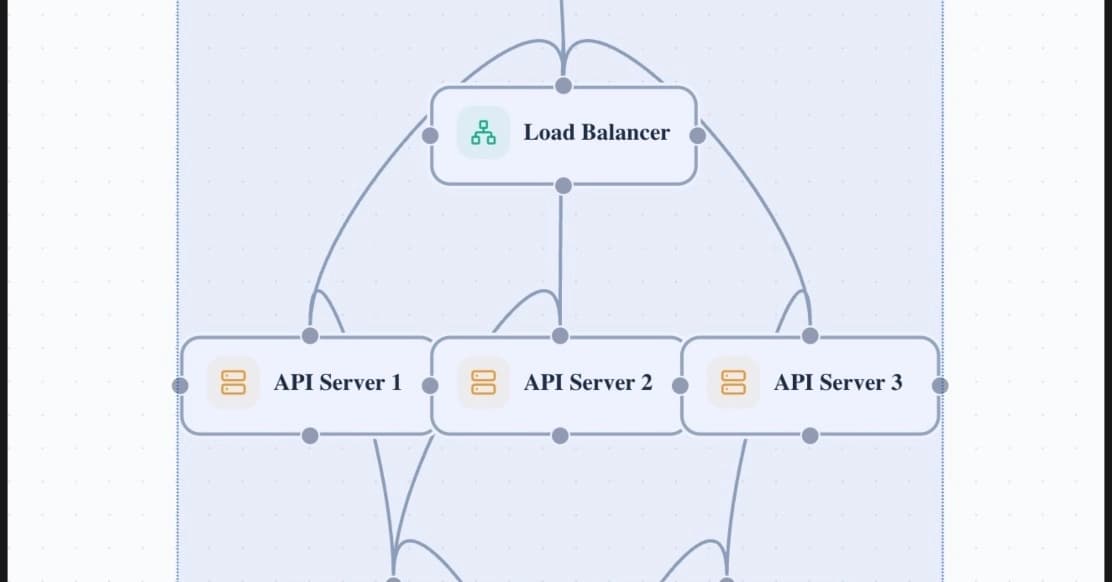
Pipeline parallelism assigns different groups of transformer layers to different GPU stages. GPU 1 might hold layers 0-19, GPU 2 holds layers 20-39, and so on. Communication happens only between stages, not within every layer. The trade-off: pipeline bubbles. Some GPUs sit idle while waiting for activations from upstream stages.
Data parallelism replicates the entire model stack so independent requests process simultaneously. It's the simplest form of scaling, but it requires each replica to fit in memory. Modern production systems combine all three strategies.
Why tensor parallelism degree collapses across nodes
Tensor parallelism demands bandwidth. Within a node, NVLink or NVSwitch can deliver 600GB/s+ between GPUs. Between nodes, even InfiniBand tops out at 400Gb/s per link. That's roughly a 10x drop in effective bandwidth.
The practical implication: TP works best within a node. Once you extend TP across node boundaries, the interconnect bottleneck dominates. Your GPUs spend more time waiting for data than computing. Most production deployments constrain TP degree to GPUs that share high-bandwidth interconnect, typically within a single node or pod.
Pipeline parallelism trades bandwidth for bubbles
PP tolerates inter-node latency better than TP because communication happens less frequently. Instead of exchanging activations at every layer, you only transfer data between pipeline stages. This makes PP the natural choice for spanning nodes.
The cost is pipeline bubbles. In a naive implementation, the first stage completes its work and waits while downstream stages process. The last stage then waits while upstream stages fill with the next batch. This idle time can approach 50% in poorly configured systems. Techniques like microbatching and interleaved scheduling reduce bubbles, but they add complexity.
Decision matrix: when to use which strategy
The right configuration depends on your specific constraints. Here's how to think through the decision:
- Model fits on one node with 20%+ headroom: start with TP within the node, DP across replicas
- Model exceeds single-node memory: add PP to span nodes, keep TP within nodes
- Latency SLA under 100ms at p99: minimize PP stages, favor TP where interconnect supports it
- Throughput over latency: increase PP stages, batch more aggressively to fill bubbles
- Long-context workloads: budget heavily for KV cache, may force more aggressive distribution
Worked example: 70B model across multi-node GPU Droplets
Consider serving a 70B dense model on DigitalOcean GPU Droplets. With 8 GPUs per node at 80GB each, you have 640GB total per node. The model weights consume ~140GB in BF16. That leaves ~500GB for KV cache and overhead, which sounds comfortable.
At 128K context with high concurrency, KV cache can easily consume 300GB+. Add NCCL buffers, CUDA graphs, and fragmentation margin, and single-node deployment becomes tight. The safe path: use TP=8 within the node, then add PP=2 across two nodes to double your memory budget. DP scales out throughput from there.
Network topology matters more than GPU count in this configuration. If your inter-node links can't sustain the PP communication pattern, latency suffers regardless of how many GPUs you add.
Framework defaults aren't neutral
vLLM, TensorRT-LLM, and other serving frameworks ship with default parallelism configurations. Those defaults optimize for common cases, not your specific workload. A framework might default to TP=8 when your model would perform better with TP=4, PP=2. Always profile your actual traffic pattern before accepting defaults.
Deep dive on TP vs PP trade-offs with latency and throughput benchmarks
Logicity's Take
The 'just add more GPUs' approach to LLM scaling is dead. Memory management, not compute, now drives most infrastructure decisions for production inference. Teams evaluating cloud GPU options should compare not just GPU memory per instance, but inter-GPU bandwidth within nodes (NVLink/NVSwitch) and inter-node fabric (InfiniBand vs Ethernet). AWS p5 instances, GCP A3 VMs, Azure ND H100 v5, and DigitalOcean GPU Droplets all differ significantly in interconnect topology. The right choice depends on whether your workload is TP-heavy (bandwidth-sensitive) or PP-heavy (latency-tolerant). Most teams underestimate KV cache scaling by 2-3x; budget accordingly.
Frequently Asked Questions
What's the minimum GPU count for multi-node LLM inference?
There's no fixed minimum. The trigger is when your serving footprint (weights + KV cache + overhead) exceeds single-node memory with production headroom. For 70B models with long context, that often means 2+ nodes with 8 GPUs each.
Can I use tensor parallelism across nodes?
Technically yes, but the bandwidth requirements make it impractical. TP requires 10x more interconnect bandwidth than typical inter-node links provide. Use PP to span nodes, TP within nodes.
How much memory should I reserve for KV cache?
KV cache scales with context length, batch size, and output length. For 128K context workloads, expect KV cache to consume 2-3x the model weight footprint under realistic concurrency.
Does quantization change the parallelism decision?
INT8 or INT4 quantization reduces the weight footprint, potentially allowing single-node deployment. However, KV cache often remains in higher precision, so long-context workloads may still require multi-node even with quantized weights.
What's the latency penalty for pipeline parallelism?
Naive PP can introduce 30-50% idle time (pipeline bubbles). With microbatching and interleaved scheduling, this drops to 10-20%. The exact penalty depends on your batch size and number of PP stages.
Need Help Implementing This?
Configuring multi-node parallelism for production inference requires profiling your specific model, traffic pattern, and hardware topology. If your team needs guidance on TP/PP/DP configuration or cloud GPU selection, reach out to the Logicity team for a technical consultation.
Manaal Khan
Tech & Innovation Writer
Produced with AI assistance and reviewed by the Logicity editorial team. Learn more in our Editorial Policy.