Key Takeaways
- Kindle syncs reading progress for non-Amazon books across devices; Kobo does not
- Kobo's built-in Libby integration beats Kindle's separate-app approach for library books
- High-end Kobo models support Google Drive for file transfers; budget models do not
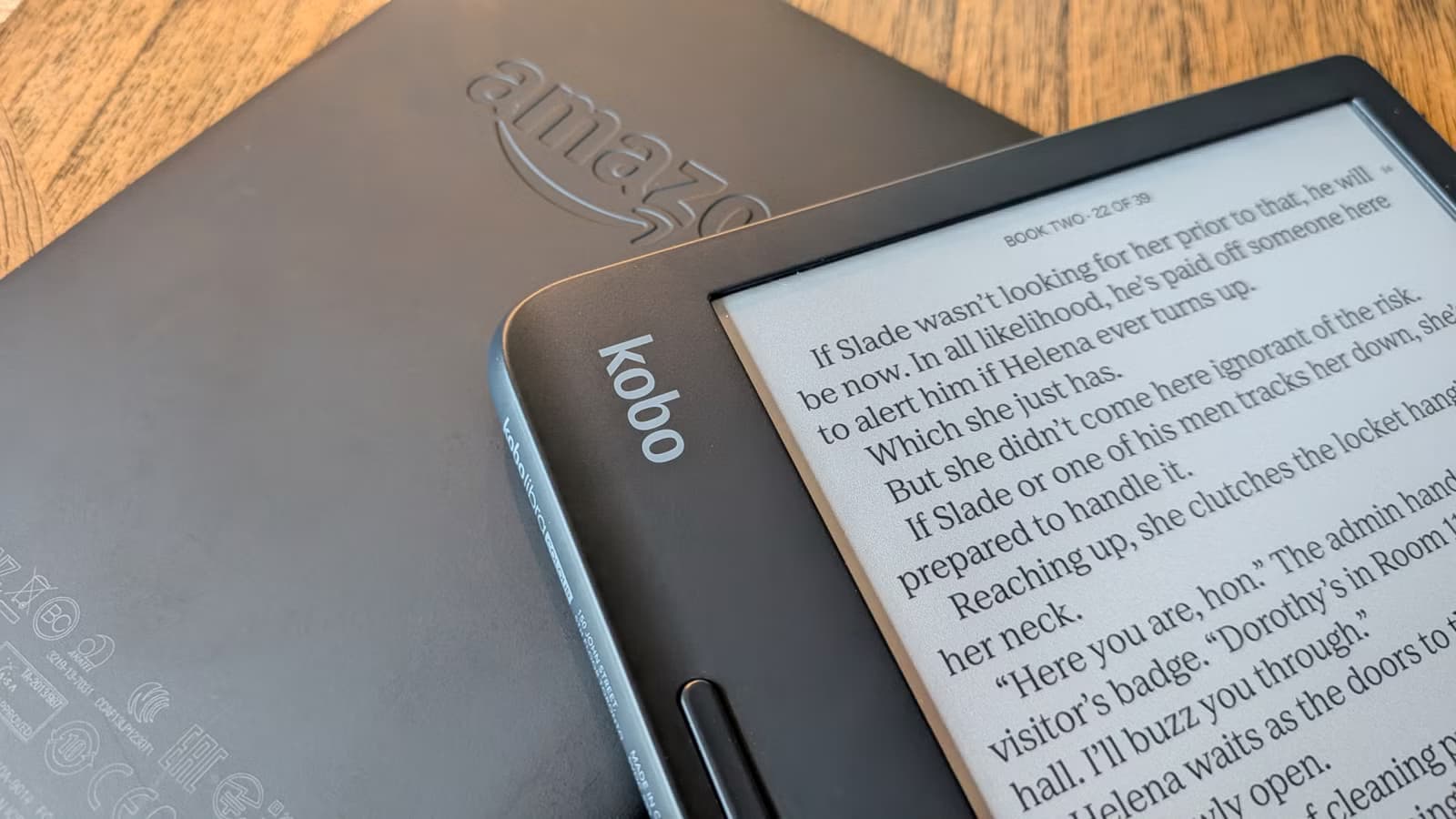
Amazon's Kindle does one thing better than Kobo: syncing reading progress for books you didn't buy from the parent company. That's the conclusion from tech journalist Joe Fedewa after switching from a Kindle Paperwhite to a Kobo Libra Colour. The finding is counterintuitive. Kobo markets itself as the more open platform, yet Amazon's locked-down ecosystem handles third-party books more gracefully when it comes to cross-device reading.
Fedewa used his Kindle for six years, loading it primarily with library books from Libby and DRM-free EPUBs he'd stripped with Calibre. In both cases, the books appeared in Amazon's Kindle app on his phone, syncing progress automatically. Waiting at a coffee shop? Open the app, pick up where you left off. No Kindle device needed.
Kobo can't match this. Only books purchased directly from the Kobo Store sync to the mobile app. Library books borrowed through OverDrive (Kobo's name for its Libby integration) stay siloed on the eReader. The same goes for sideloaded EPUBs.
Where Kobo actually beats Kindle
The comparison isn't one-sided. Kobo's library integration runs circles around Kindle's. On a Kindle, borrowing a library book means opening Libby on a separate device, checking out the title, then sending it to your Kindle through a clunky multi-step process. Kobo handles everything on-device. You browse, borrow, and download without touching your phone.
Getting non-store books onto the device is also smoother on high-end Kobo models. The Libra Colour integrates with Google Drive. Drop an EPUB into a designated folder and it appears on the Kobo. Clean, wireless, no cable required. Budget models like the Clara Colour lack this feature, though. You're back to USB transfers.
Kobo's openness extends to software. Installing custom firmware is straightforward compared to jailbreaking a Kindle. For readers who want full control over their device, that matters.
The real tradeoff: convenience vs. flexibility
Amazon built Whispersync for its own store purchases, but the feature works for anything you send through the Send to Kindle pipeline. That includes personal documents, converted EPUBs, and library loans. The system doesn't care where the book originated.
Kobo drew a harder line. Sync is a store feature. Everything else stays local. For readers who only read on their e-reader, this doesn't matter. For anyone who occasionally pulls out their phone, it's a genuine loss.
Fedewa isn't switching back. The Libby integration alone justifies the Kobo for him. But he's clear about the tradeoff. Amazon, despite its reputation for locking users in, built a more flexible sync system for third-party content than the ostensibly open alternative.
How to work around Kobo's sync limitations
If you've already committed to Kobo, there are partial solutions. KOReader, a popular open-source reading app, can be installed on Kobo devices. It supports progress sync through external services like Calibre's content server. The setup takes effort, but it works.
Another option: treat the Kobo as your dedicated reading device and accept the phone app's limitations. Plenty of readers prefer the focused experience anyway. No phone notifications, no temptation to check email.
| Feature | Kindle | Kobo |
|---|---|---|
| Sync for store purchases | Yes | Yes |
| Sync for library books | Yes | No |
| Sync for sideloaded books | Yes | No |
| On-device library borrowing | No | Yes |
| Native EPUB support | No | Yes |
| Google Drive integration | No | High-end models only |
Which e-reader fits your workflow?
The Kindle vs Kobo decision comes down to where you read and how you acquire books. Heavy phone readers who sideload content will miss Kindle's sync. Library-first readers who stick to one device will appreciate Kobo's streamlined borrowing. Neither platform does everything well.
Amazon controls roughly 70% of the e-reader market. That dominance lets it invest in polish for edge cases, like syncing books it doesn't sell. Kobo, as the underdog, focuses on its core differentiators: open formats, library integration, and customization. Both strategies make sense. They just serve different readers.
Logicity's Take
Kobo's sync gap isn't a technical limitation. It's a business choice. Syncing non-store content would require server infrastructure with no direct revenue attached. Amazon can afford to subsidize that feature because it locks users deeper into the Kindle ecosystem. Kobo's smaller margins don't allow the same generosity. The workaround here is community software like KOReader, but Rakuten should consider opening an API for third-party sync services. That would address the gap without requiring Kobo to build the infrastructure itself.
Frequently Asked Questions
Can Kobo sync reading progress with the phone app?
Only for books purchased from the Kobo Store. Library books and sideloaded files do not sync to the Kobo mobile app.
Does Kindle support EPUB files natively?
No. Kindle uses proprietary formats like AZW and MOBI. You can send EPUBs through Send to Kindle, which converts them automatically.
Which e-reader is better for library books?
Kobo offers better on-device integration with Libby/OverDrive. You can browse and borrow without a separate app. Kindle requires using Libby on another device first.
Can you install custom software on a Kobo?
Yes. Kobo devices are relatively easy to customize compared to Kindle. Apps like KOReader can be installed without jailbreaking.
Does Google Drive work on all Kobo models?
No. Only high-end models like the Libra Colour support Google Drive integration. Budget models require USB transfers for sideloading.
Another comparison of a budget alternative versus a dominant ecosystem player
Need Help Implementing This?
Choosing between e-reader ecosystems affects your long-term reading workflow. If you're building a personal library or managing devices across a team, we can help you evaluate the tradeoffs. Contact Logicity for guidance on digital reading infrastructure.
Source: How-To Geek
Huma Shazia
Senior AI & Tech Writer
Produced with AI assistance and reviewed by the Logicity editorial team. Learn more in our Editorial Policy.






