Key Takeaways
- JamesDSP is a free, open-source sound effects manager that goes beyond basic equalization
- The app is available via Flatpak or distro package managers, with specific versions for Pipewire users
- Key settings like dynamic bass boost and post gain can dramatically improve Linux audio output
Audio on Linux has always been hit-or-miss. At best, sound works fine. At worst, it lacks the volume and punch you get from a Windows install with identical hardware. Most audio tuning programs on Linux are basic equalizers. They let you adjust frequencies but don't address deeper issues like weak bass or overall loudness.
JamesDSP for Linux changes that. This free, open-source sound effects manager does more than equalize. It transforms how audio sounds on Linux systems, adding bass, improving clarity, and boosting volume without distortion.
What Is JamesDSP?
JamesDSP is a sound effects manager that originated as an Android app. Back when custom ROMs were more common, the Android version was a popular choice for users who wanted better audio control. The Linux desktop version builds on that foundation.
The app is entirely open-source and free. It offers a clean interface divided into menus and submenus, though it gets technical quickly. Don't let that intimidate you. Most users only need to focus on two or three options to see significant improvements.
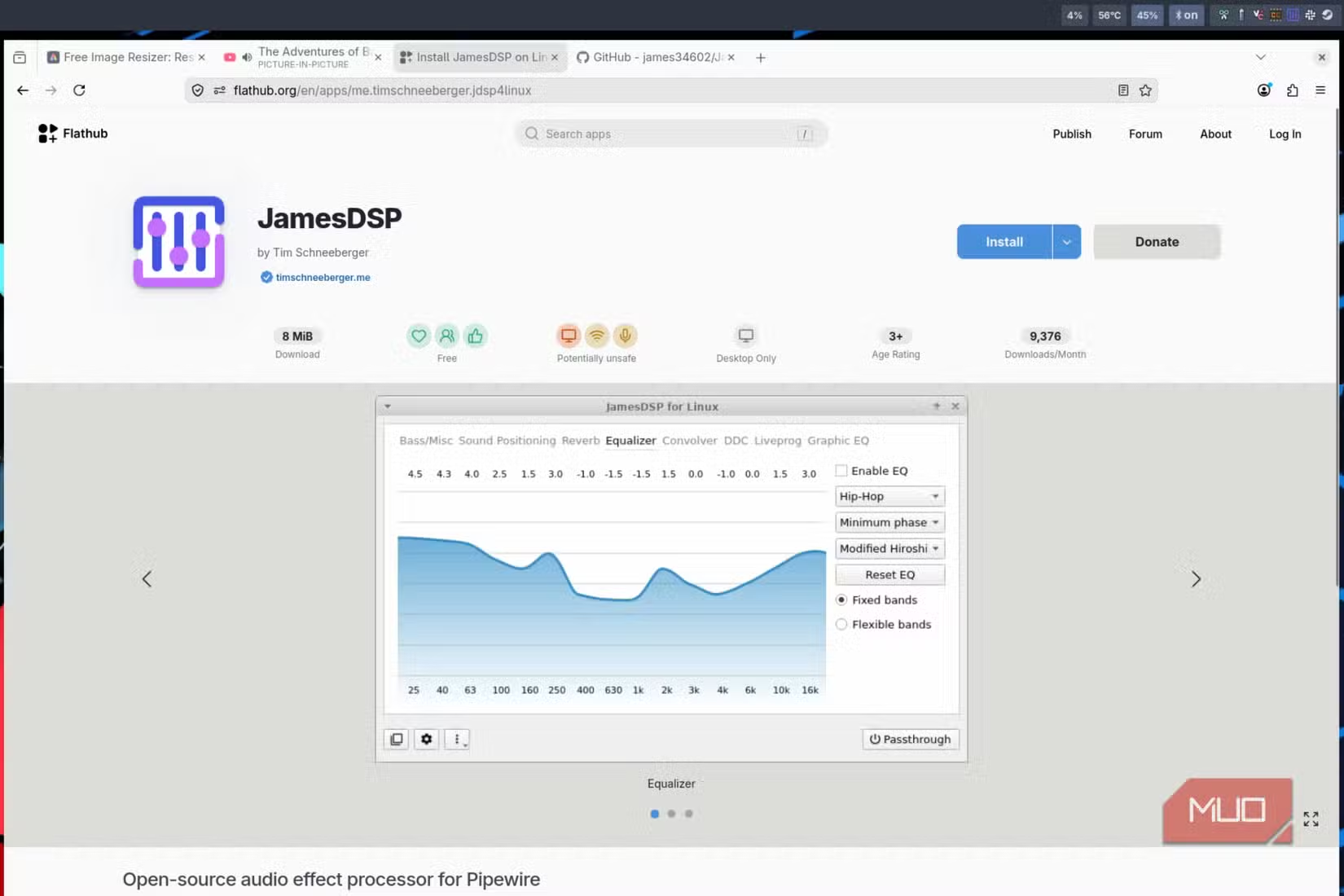
Installing JamesDSP
Installation is straightforward. You have two main options: Flatpak or your distro's package manager.
- Flatpak: Recommended for immutable distros like SteamOS or Bazzite
- AUR (Arch users): The regular JamesDSP package works well
- Pipewire users: The jamesdsp-pipewire-bin package installs faster
For Arch-based systems, the AUR has several versions. If you're running Pipewire, grab jamesdsp-pipewire-bin for a quicker installation. Otherwise, stick with the standard JamesDSP package.
Choosing the right Linux distro affects audio stack compatibility
Configuring JamesDSP for Best Results
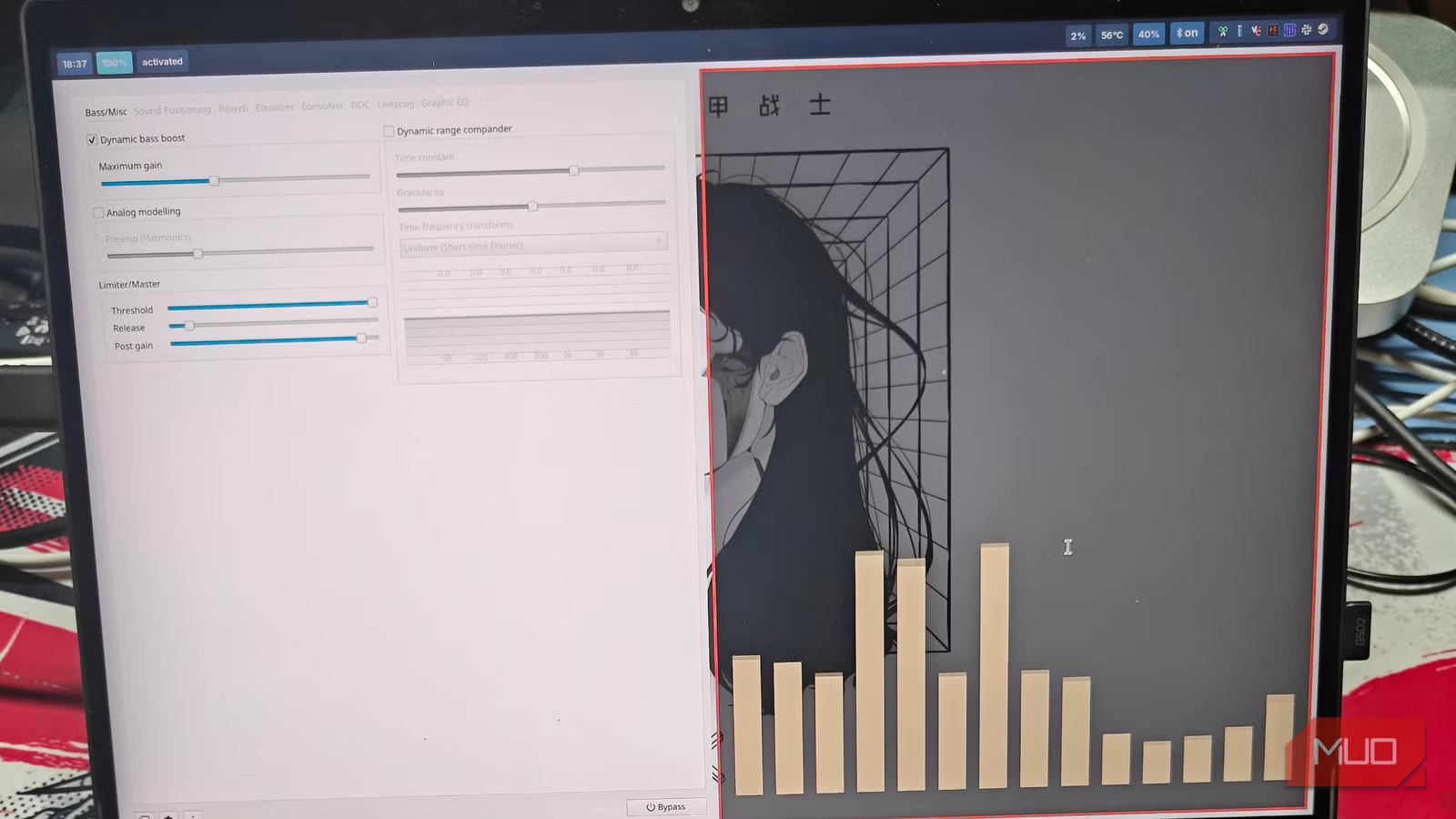
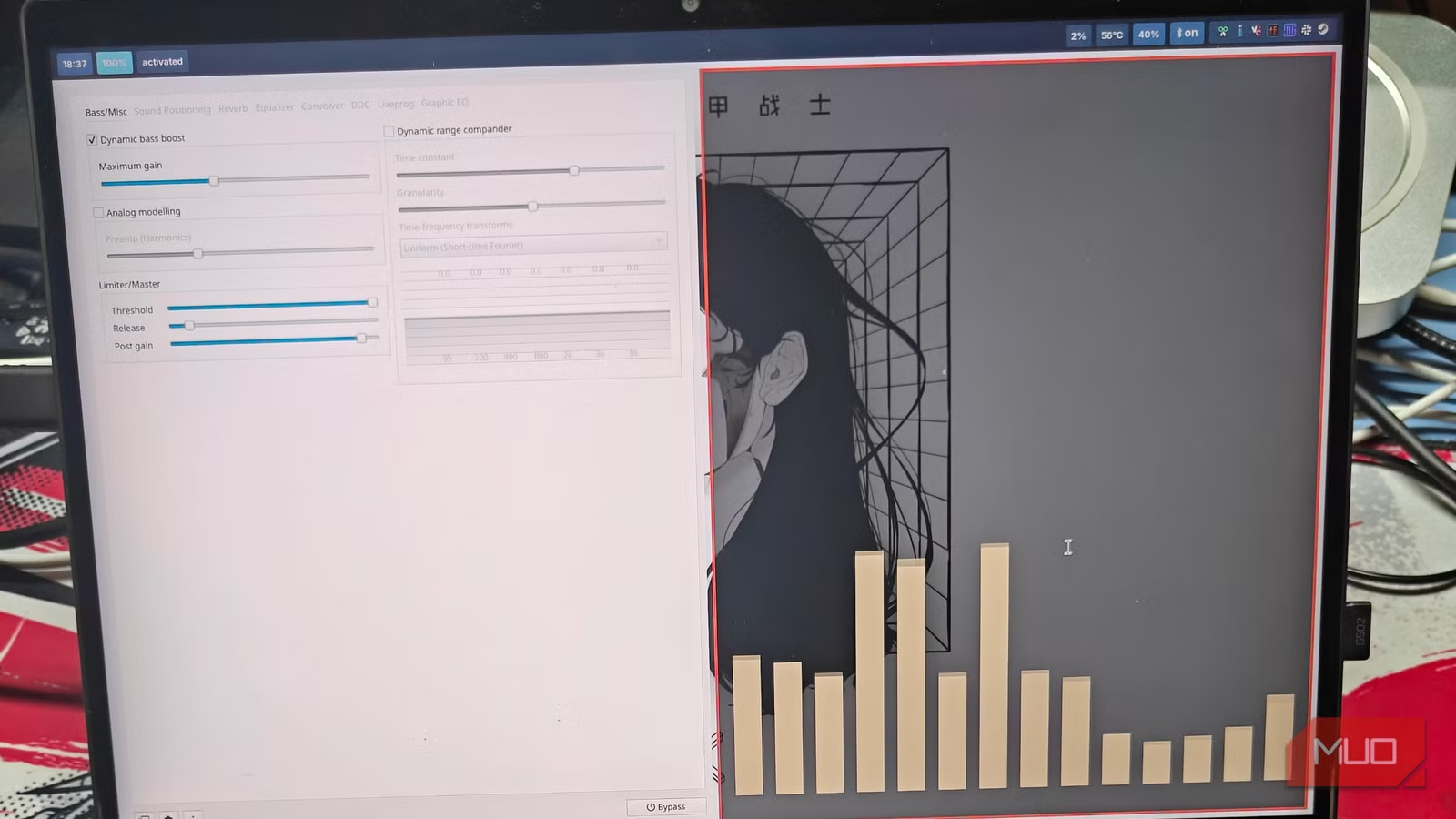
Once installed, JamesDSP opens with a minimal UI. The interface is clean, though it gets technical fast. Focus on the Bass/Misc tab first. This is where the real improvements happen.
Here are the key settings to adjust:
- Enable dynamic bass boost and set maximum gain to around 70%
- Navigate to the Limiter/Master section
- Increase the Post Gain setting to boost overall volume
The dynamic bass boost adds low-end punch that Linux audio often lacks. The post gain adjustment addresses the volume gap between Linux and Windows on the same hardware. These two changes alone make a noticeable difference.
Results: What Changed?
After configuring JamesDSP, the audio improvement is substantial. Bass becomes present without being muddy. Sound is crisp and sharp, without the distortion you might expect from aggressive boosting. Most importantly, volume increases to levels that match or exceed Windows.
For users who've struggled with Linux audio seeming quieter than it should be, this solves a long-standing frustration. The app doesn't just equalize frequencies. It fixes fundamental issues with how Linux handles audio output.
Logicity's Take
Beyond Basic Equalization
JamesDSP offers more than bass boost and gain controls. The app includes convolver support for impulse responses, stereo widening, and various DSP effects. Most users won't need these features, but they're available for audio enthusiasts who want deeper customization.
The app works with both Pipewire and PulseAudio, though the Pipewire version offers tighter integration. If you're on a modern distro, you're likely already running Pipewire.
Audio tuning principles apply across devices
Frequently Asked Questions
Does JamesDSP work with Pipewire?
Yes. There's a dedicated jamesdsp-pipewire-bin package for Pipewire users, and the standard version also supports it.
Is JamesDSP safe for speakers and headphones?
The limiter settings prevent distortion and clipping. Start with conservative gain settings and increase gradually to avoid pushing hardware too hard.
Can I use JamesDSP on SteamOS?
Yes. The Flatpak version is recommended for SteamOS, Bazzite, and other immutable distributions.
Does JamesDSP affect gaming audio latency?
DSP processing adds minimal latency. Most users won't notice any delay in games or video playback.
Need Help Implementing This?
Source: MakeUseOf
Huma Shazia
Senior AI & Tech Writer
Produced with AI assistance and reviewed by the Logicity editorial team. Learn more in our Editorial Policy.