Key Takeaways
- Apple Silicon Macs can run Stable Diffusion locally using Metal Performance Shaders instead of NVIDIA CUDA
- ComfyUI works better than AUTOMATIC1111 on modern Macs with current Python versions
- An M4 Pro with 24GB unified memory generates images at a usable pace without hitting memory constraints
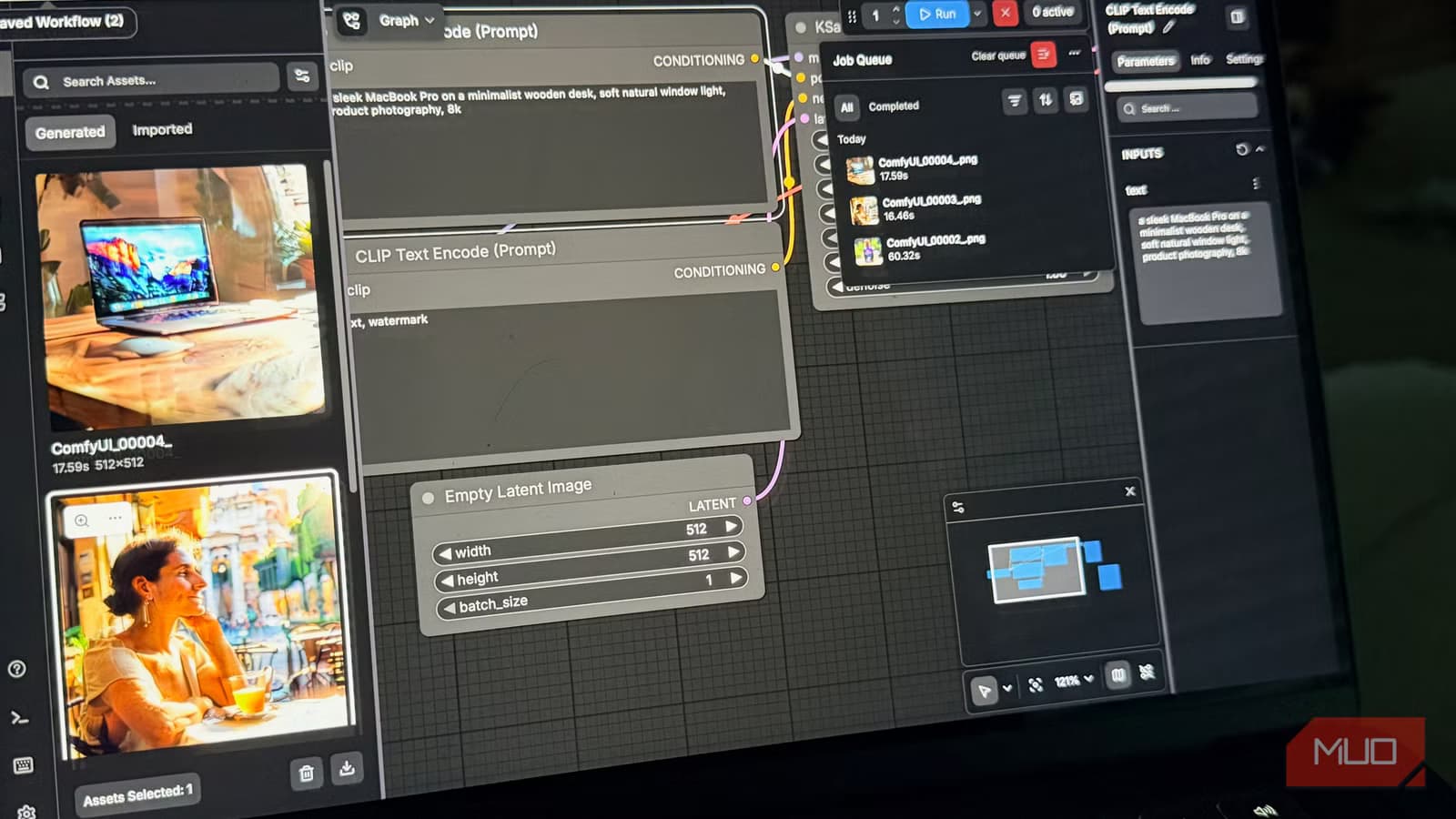
Running Stable Diffusion locally on Mac is not only possible, it works well enough to replace cloud AI image subscriptions entirely. That's the conclusion from MakeUseOf writer Bryan Wolfe, who spent a year assuming his M4 Pro MacBook was locked out of local AI image generation because it lacked NVIDIA hardware.
He was wrong. Apple Silicon supports Stable Diffusion through Metal Performance Shaders, Apple's GPU acceleration framework. The catch is that most tutorials online are written for Windows machines with dedicated NVIDIA cards, which makes Mac setup look harder than it actually is.
Why ditch cloud AI image tools?
Wolfe had been using Adobe Firefly, Midjourney, and DALL-E bundled with ChatGPT Plus. All of them work. All of them cost money. And all of them impose limits that shape your workflow around their business model rather than your actual needs.
Midjourney requires a subscription and operates through Discord, an awkward home for a creative tool. DALL-E comes bundled with ChatGPT Plus, meaning you pay for the entire package whether you use image generation or not. Free tiers on most platforms watermark output or cap generations so aggressively you can't build a real workflow around them.
"I kept thinking there had to be a better way," Wolfe writes. "I just kept assuming it wasn't available to me."
The Mac myth that delayed the switch
Every time local AI image generation came up in his reading, Wolfe would hit some mention of CUDA or NVIDIA and close the tab. The ecosystem seemed built exclusively for Windows machines with dedicated graphics cards.
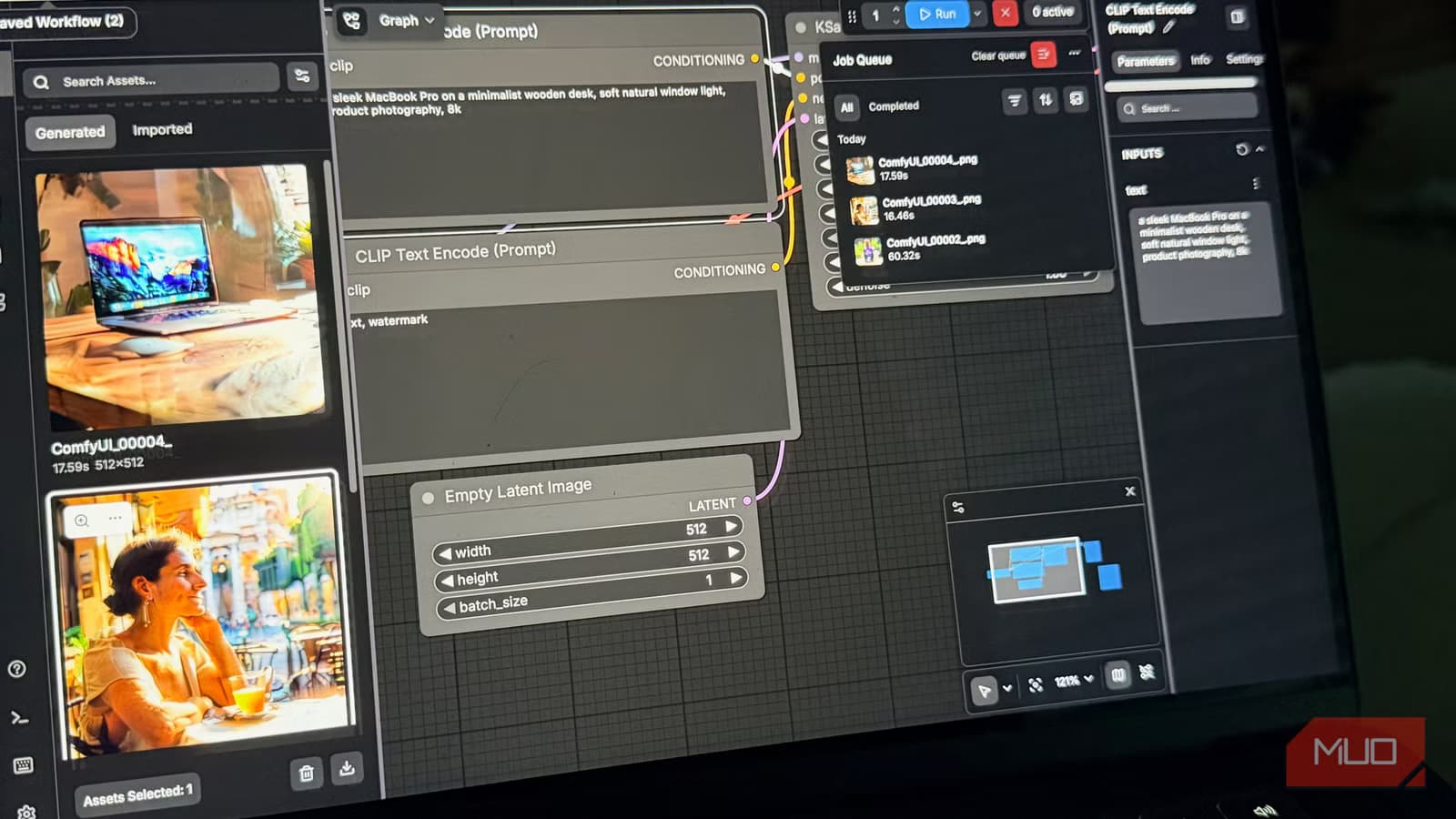
That assumption cost him a year. Apple Silicon runs Stable Diffusion using Metal Performance Shaders instead of CUDA. ComfyUI, the node-based interface Wolfe settled on, supports it well. Generation is slower than on a high-end Windows GPU rig, but "slower" does not mean "unusable."
On his M4 Pro with 24GB of unified memory, images generate at a pace that works for his workflow. The unified memory architecture means he avoids the memory constraints that trip up lower-spec machines. The barrier on Apple Silicon is about ecosystem differences and documentation gaps, not raw capability.
Why ComfyUI beats AUTOMATIC1111 on Mac
AUTOMATIC1111 has been the most widely recommended Stable Diffusion interface for years. It has a huge community. Wolfe tried it first. On a modern Mac with a current Python version, it fought him the entire way.
Dependency conflicts, build errors, version mismatches. Hours of troubleshooting led nowhere. He gave up on it.
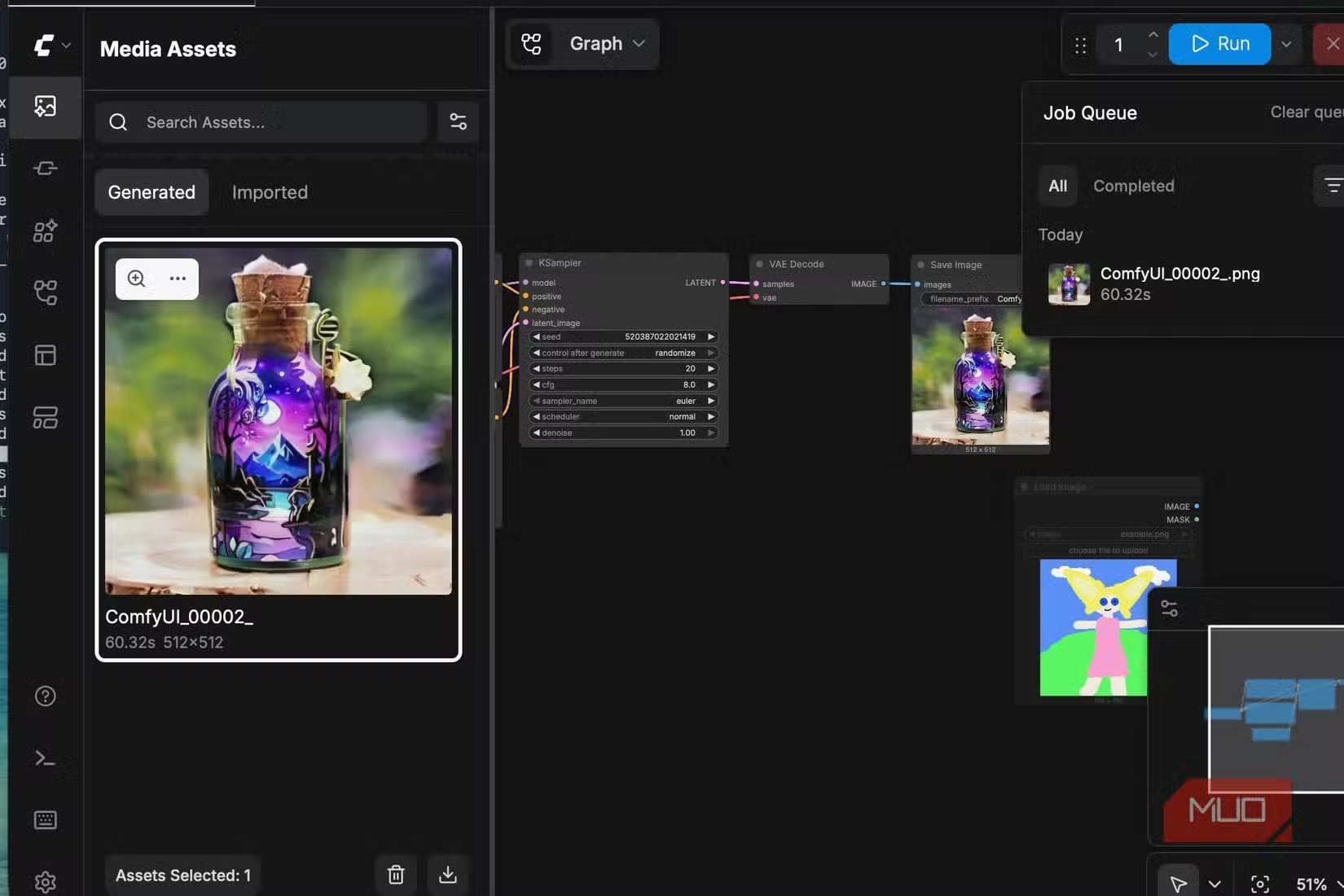
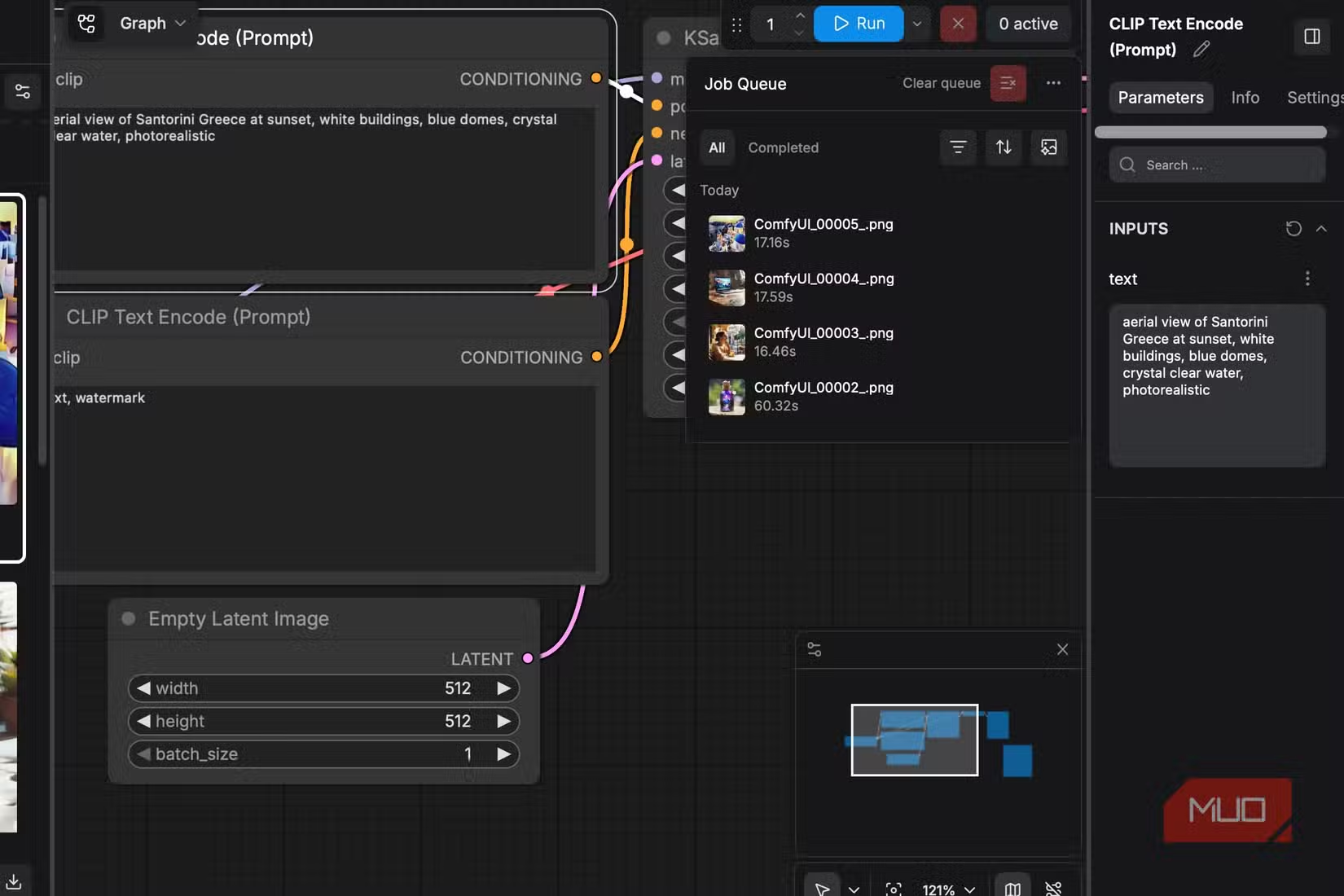
ComfyUI worked. It's a node-based graphical interface that lets you build custom workflows by connecting individual processing nodes, from model loading and prompt encoding to sampling and image output. That granular control makes it popular among advanced users experimenting with ControlNet, LoRA stacking, and custom upscaling.
For Mac users specifically, ComfyUI's Metal support makes it the practical choice. The learning curve is steeper than simpler one-click tools, but the payoff is complete control over every step of the generation pipeline.
What hardware do you actually need?
Wolfe's setup is a MacBook Pro with an M4 Pro chip and 24GB of unified memory. That's a capable machine, but it's not a workstation. The 24GB of unified memory is the key spec. Stable Diffusion models are memory hungry, and unified memory on Apple Silicon means the GPU can access the full pool without the bottlenecks you'd hit on integrated graphics elsewhere.
Lower-spec M1 or M2 machines with 8GB or 16GB of unified memory can still run Stable Diffusion, but you'll hit constraints with larger models and higher resolutions. The M4 Pro's 24GB provides comfortable headroom for most workflows.
The real cost of convenience
Wolfe had already started this shift before going fully local. He'd written about how Krita's free AI Diffusion plugin had, for his purposes, made Adobe Firefly largely redundant. As a writer rather than a designer, he uses AI image tools for article imagery, quick concept visuals, and placeholders.
Firefly is good. But once he found a free alternative that matched his actual needs, he had to ask what he was really paying for. The honest answer: mostly convenience.
Local generation trades some of that convenience for total control. No credits. No watermarks. No sanitized versions of your prompts. The images sit in a folder on your machine, completely yours.
Logicity's Take
The economics here matter beyond individual savings. Cloud AI image services charge subscriptions partly because inference compute is expensive, but also because they can. Local generation shifts leverage back to users with capable hardware. As Apple Silicon Macs proliferate in creative industries, expect more professionals to run this math and reach Wolfe's conclusion. The cloud providers will need to compete on features that local tools can't match, not just convenience.
The broader AI tool market context for why users are exploring alternatives
Frequently Asked Questions
Can you run Stable Diffusion on a Mac without NVIDIA?
Yes. Apple Silicon Macs use Metal Performance Shaders for GPU acceleration instead of NVIDIA's CUDA. ComfyUI supports Metal well, making local Stable Diffusion generation viable on M1, M2, M3, and M4 Macs.
How much RAM do you need for local AI image generation on Mac?
24GB of unified memory provides comfortable headroom. Machines with 16GB can run Stable Diffusion but may hit constraints with larger models or higher resolutions. 8GB is tight for practical workflows.
Is ComfyUI better than AUTOMATIC1111 for Mac?
For current macOS and Python versions, ComfyUI tends to work more reliably. AUTOMATIC1111 has a larger community but can produce dependency conflicts and build errors on modern Mac setups.
How fast is Stable Diffusion on Apple Silicon?
Slower than a dedicated Windows GPU rig, but usable. On an M4 Pro with 24GB unified memory, images generate at a pace suitable for article imagery and concept work, though not for high-volume production.
Is local AI image generation actually free?
After hardware costs, yes. You pay for electricity and your time setting it up. No subscriptions, credits, or per-image fees. Models are downloadable, and the tools are open source.
Need Help Implementing This?
Setting up ComfyUI on Mac involves Python environment management and model downloads. If you're looking for guidance on local AI deployment for your team or content workflow, reach out to Logicity for recommendations on tools and configurations that fit your specific hardware.
Source: MakeUseOf
Manaal Khan
Tech & Innovation Writer
Produced with AI assistance and reviewed by the Logicity editorial team. Learn more in our Editorial Policy.






