Key Takeaways
- AI agents' autonomy creates unique risks: leaked credentials, prompt injection, and irreversible autonomous actions.
- Apply least-privilege principles to both humans and the apps/APIs your agents connect to.
- Map every trigger, input, transformation, and action before you can audit anything effectively.
An AI agent security audit is the process of mapping, reviewing, and hardening the workflows your autonomous agents run. Without one, you have no visibility into what data your agents touch, which external tools they call, or where a misconfiguration could expose customer PII. Zapier published a detailed guide on how to conduct one, and the framework applies whether you use Zapier, Make, n8n, or a custom stack.
Disclosure
Some links in this post are affiliate links — Logicity earns a commission if you sign up, at no extra cost to you. We only link products we have used or actively recommend.
The trigger for this kind of audit is simple: AI agents reason, decide, and act across multiple tools with minimal human oversight. That autonomy is the selling point. It's also the attack surface.
Why AI agents create risks traditional software doesn't
Classic automation scripts follow deterministic paths. An AI agent, by design, interprets ambiguous instructions and picks its own route. That flexibility creates four categories of risk that a security audit should address.
First, leaked PII and credentials. Agents often need access to sensitive data to do their jobs. The more data an agent can touch, the more there is to lose if something goes wrong. Second, prompt injection. Agents that process external inputs can be tricked by malicious instructions embedded in that input. The agent bypasses guardrails and acts outside its intended scope.
Third, irreversible autonomous actions. This isn't always malicious. Sometimes the agent does exactly what it was told, in a situation where that's the wrong call. Edge cases, ambiguous instructions, and missing constraints all contribute. Fourth, shadow AI. Employees spinning up unsanctioned AI tools or building unofficial workflows outside your visibility create blind spots. You can't audit what you don't know exists.
Step 1: Map what your agentic workflow actually does
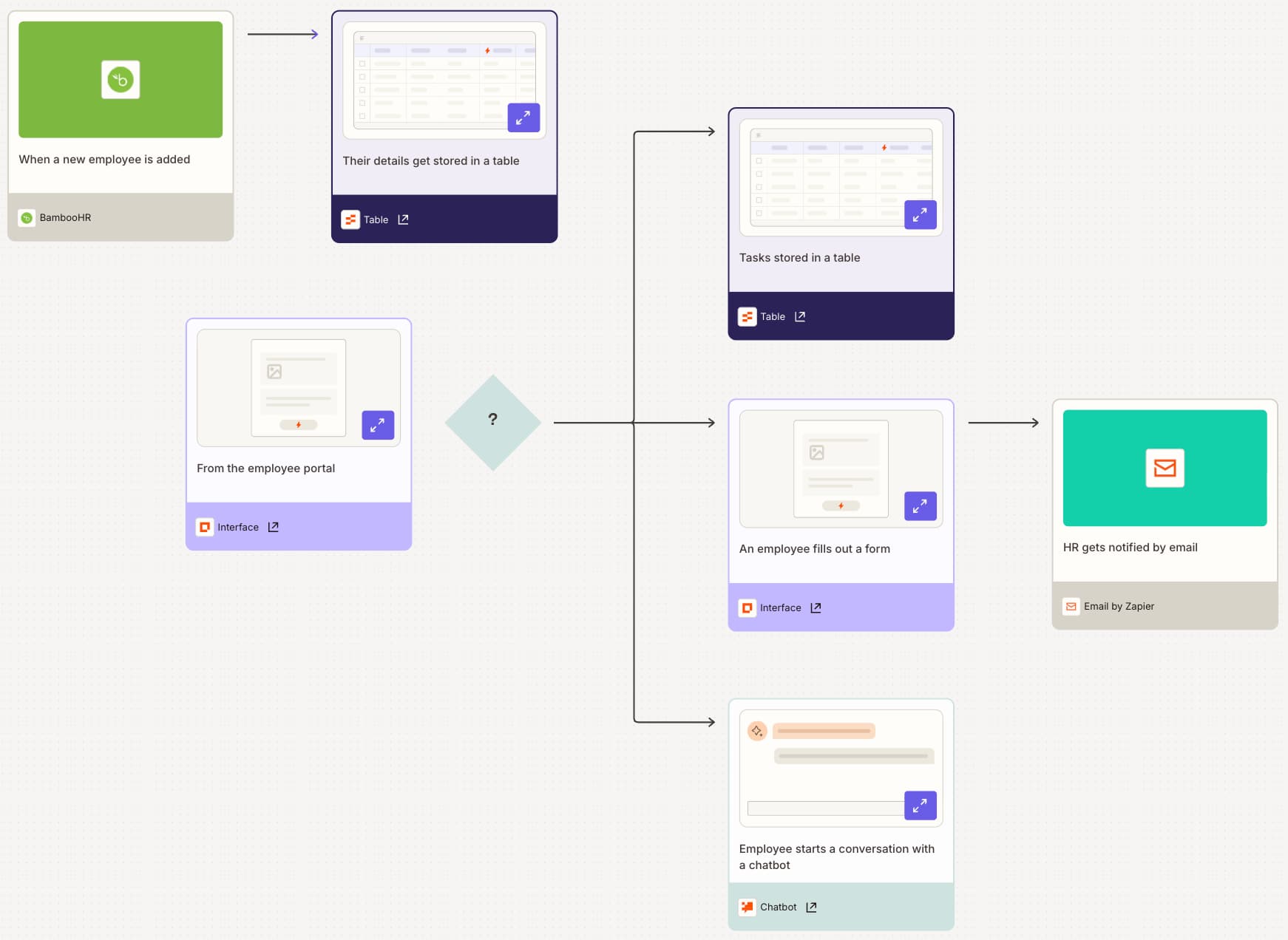
You can't audit a black box. For each workflow, document seven things: the tools (every app, integration, and API connected), triggers (what kicks the workflow off), inputs (what data enters and in what format), transformations (how data is processed at each step), decisions (where the agent makes a judgment call), actions (what the workflow actually executes), and human-in-the-loop checkpoints (where a human reviews before continuing).
Zapier Canvas lets you build a visual map of your workflow. If you're collaborating with others, you can add notes so everyone follows the logic without digging through individual steps. Competing tools like Make offer similar visual builders, though the collaboration features vary.
Step 2: Audit user access with least privilege
Review who on your team has access to what and whether that access is actually necessary. Each person should have access only to the tools, folders, and workflows needed to do their job. Nothing more.
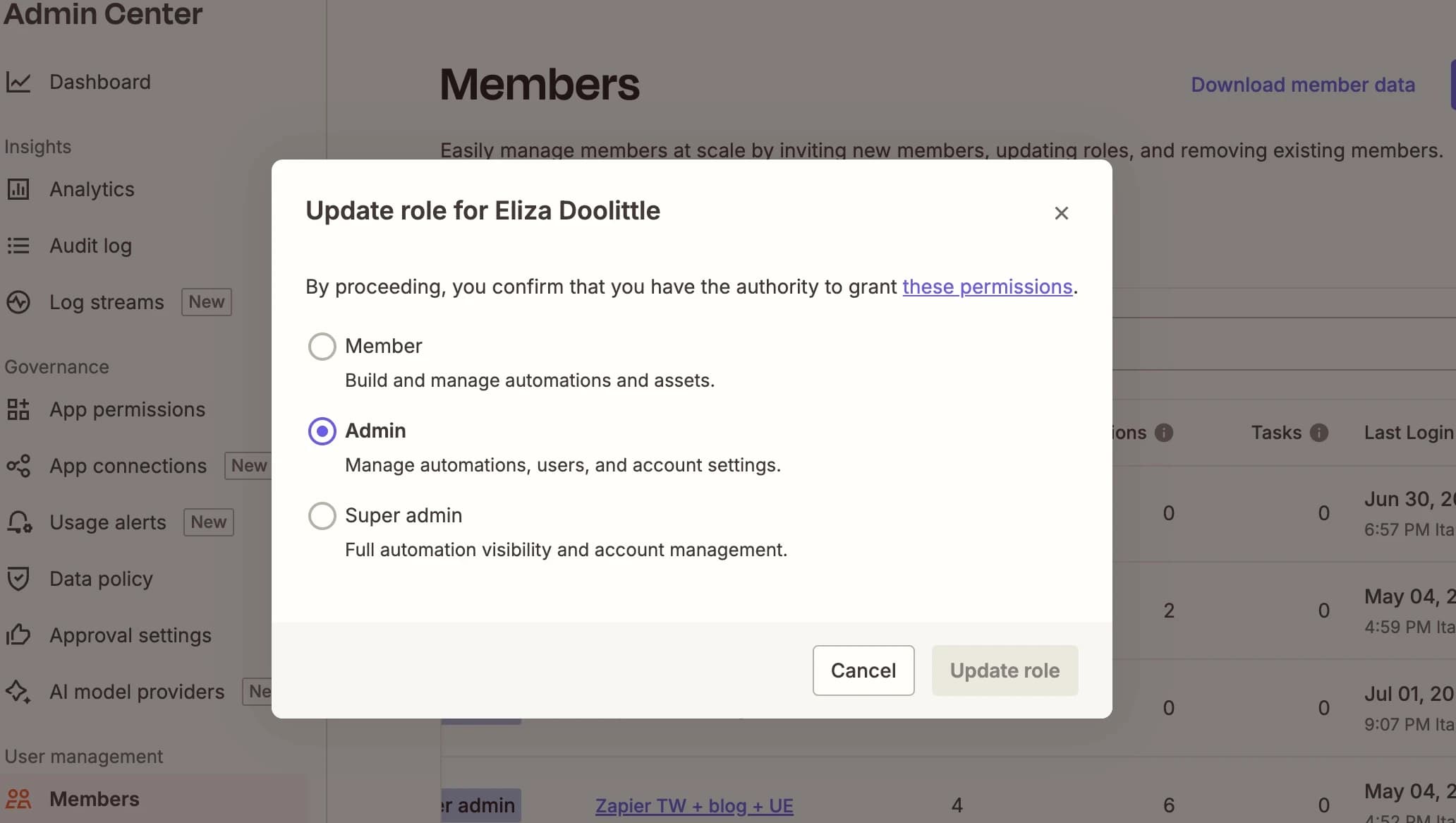
In practice, this might look like a product manager with Owner and Editor access to a folder who can edit a workflow and share it with others, while an IT associate with View-only access can monitor whether the workflow runs correctly but can't change any steps. Go through your team's permissions and ask: does this person still need this level of access? If not, dial it back.
Step 3: Evaluate data handling of apps and AI models
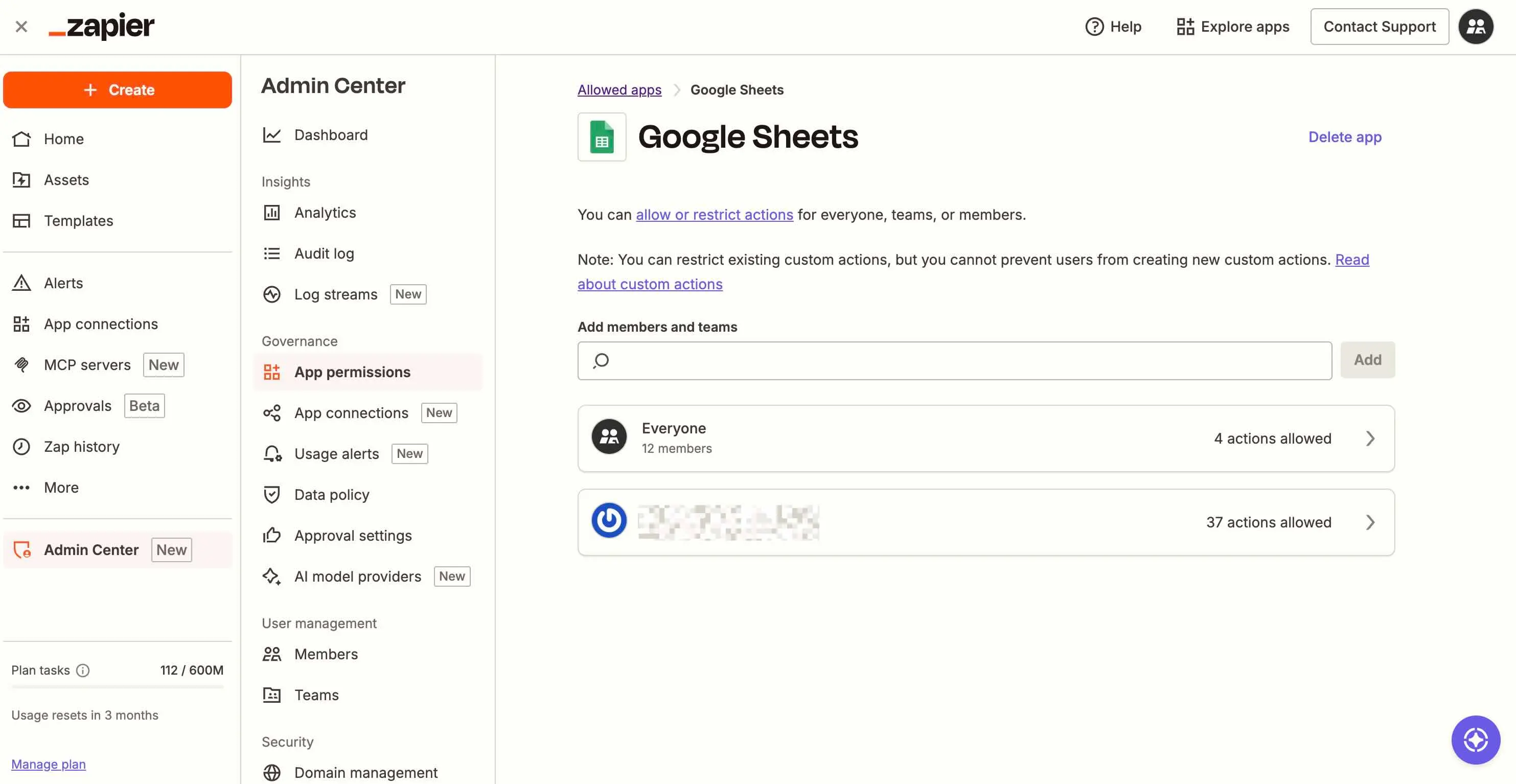
Least privilege applies to apps, AI models, and APIs too. The broader the permissions, the bigger the blast radius if something goes wrong. For each connected app, check three things: data access (is the app limited to only the data it needs?), credentials (are API keys protected with strong encryption and secure authentication?), and permissions (does the app have only the minimum permissions required to run this workflow?).
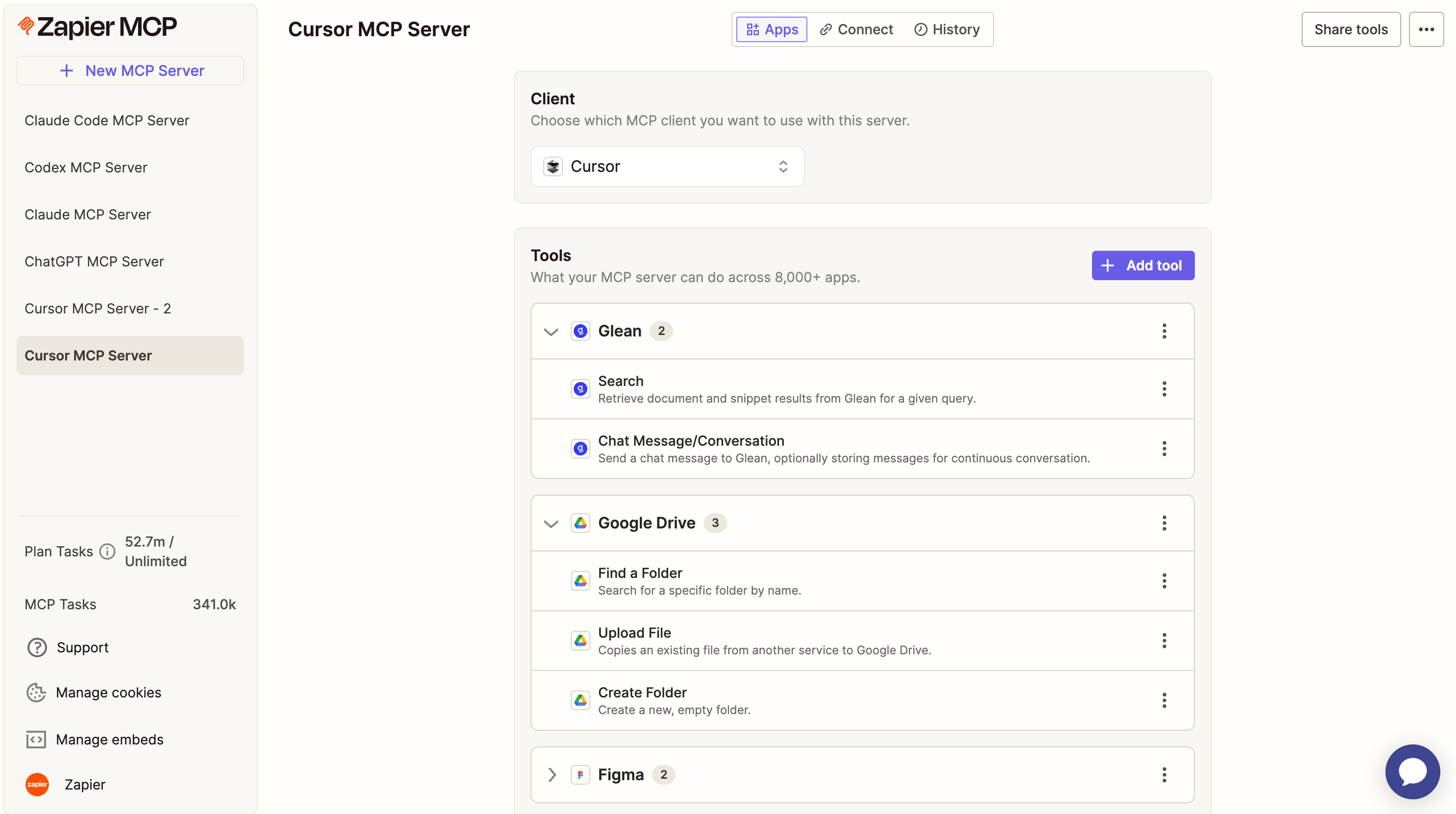
This step often reveals surprises. A meeting summary tool might have read access to your entire CRM. A scheduling agent might hold write permissions to calendars it never touches. The audit surfaces these overreaches before they become breaches.
Step 4: Test for prompt injection vulnerabilities
Agents that process external inputs are vulnerable to prompt injection, where a malicious instruction is embedded into the prompt and tricks the agent into bypassing guardrails. Security researcher Kai Greshake, who works on the OWASP AI Security Project, has called prompt injection "the SQL injection of the AI era."
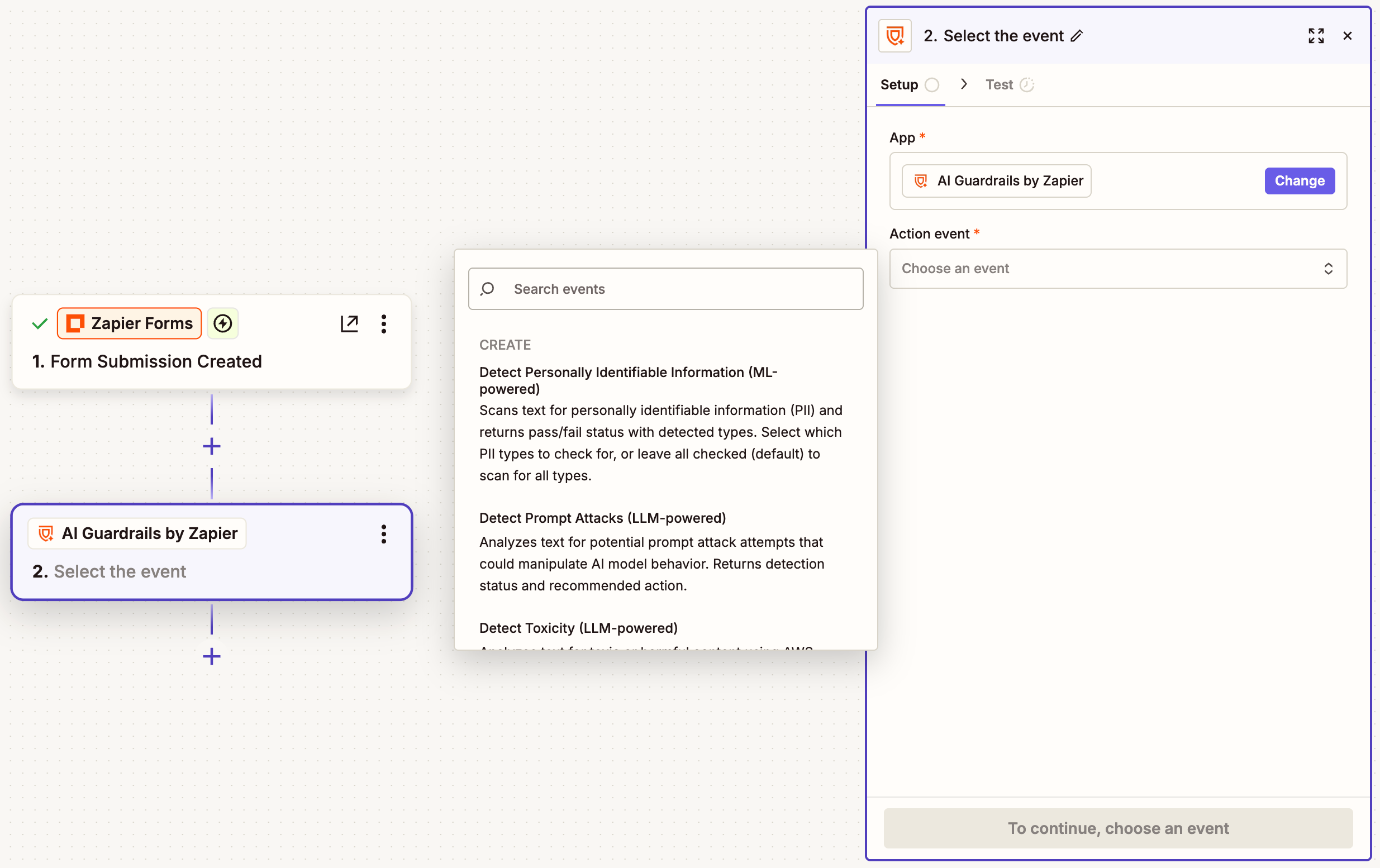
Test your agents with adversarial inputs. Feed them instructions disguised as user data. See if they can be convinced to ignore their system prompts. If an agent reads user-submitted content, like support tickets or form responses, it's a candidate for injection testing.
Step 5: Add human-in-the-loop checkpoints for high-stakes actions
Not every action needs human approval. But actions that delete data, send external communications, or modify financial records probably do. Identify the high-stakes steps in your workflows and add approval gates.
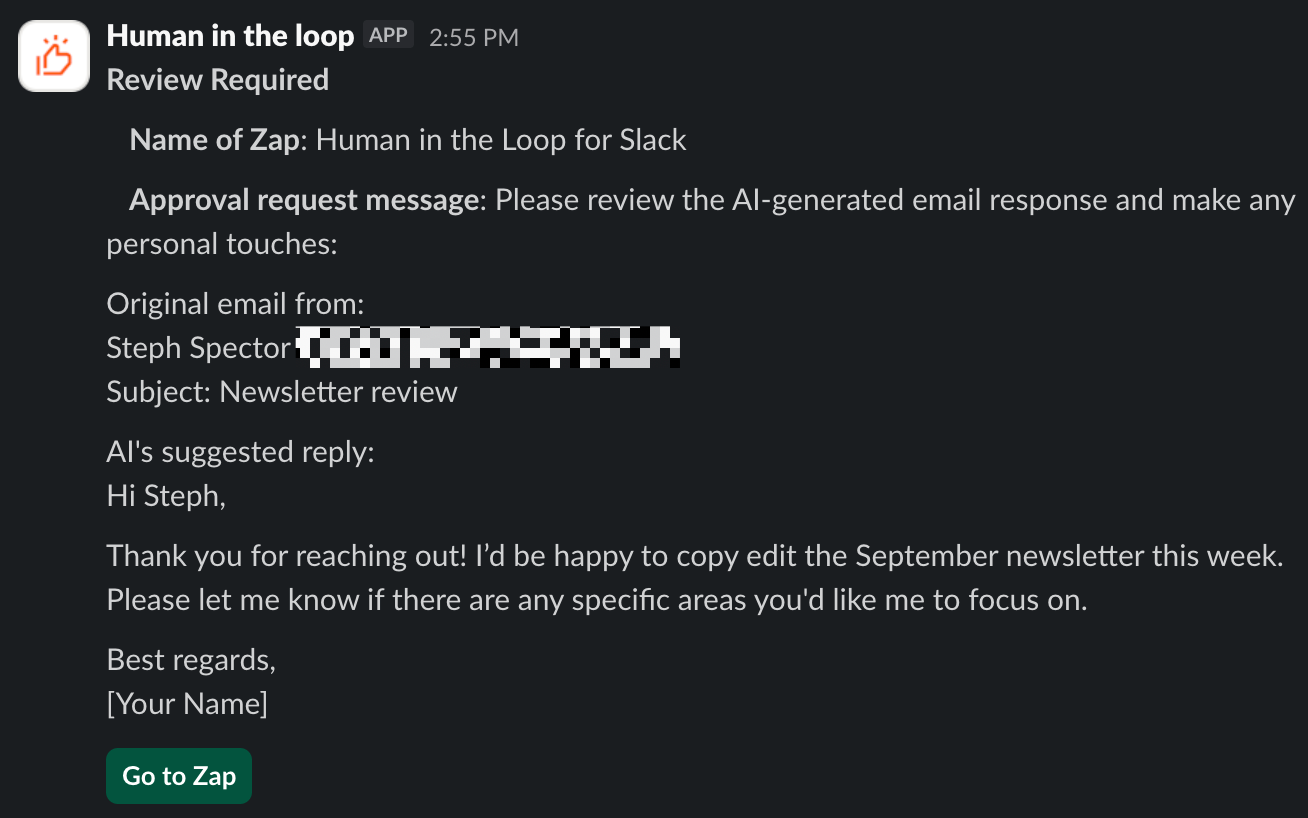
The goal isn't to slow everything down. It's to catch irreversible mistakes before they happen. A well-placed approval step costs seconds and saves hours of cleanup.
Step 6: Document and schedule recurring audits
As you add tools, adjust prompts, or expand what your agents can do, your risk profile shifts. A one-time audit isn't enough. Schedule recurring reviews, quarterly at minimum for production workflows.
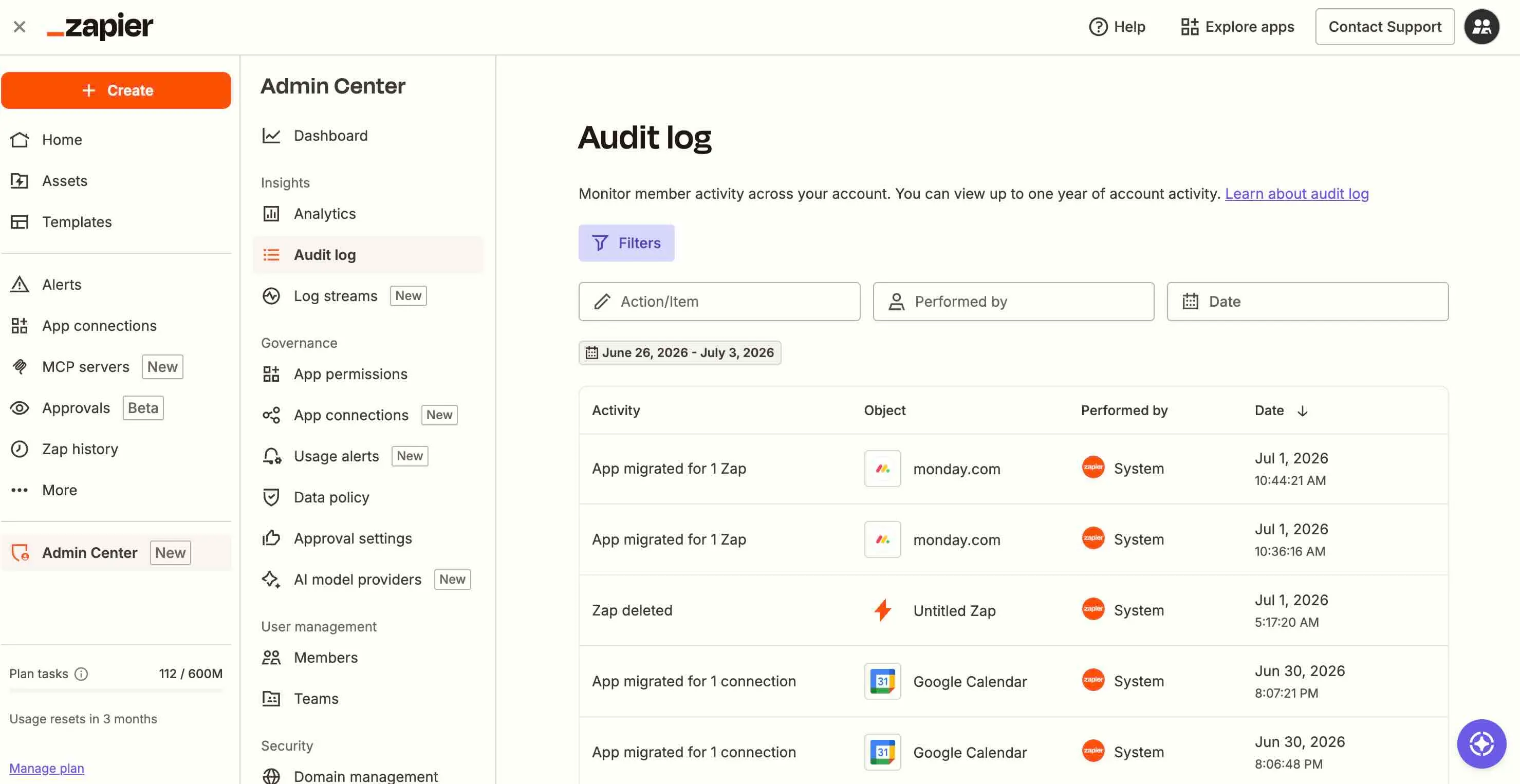
Keep a running changelog of what permissions changed, which integrations were added, and what prompts were modified. When something breaks, the changelog is your forensic trail.
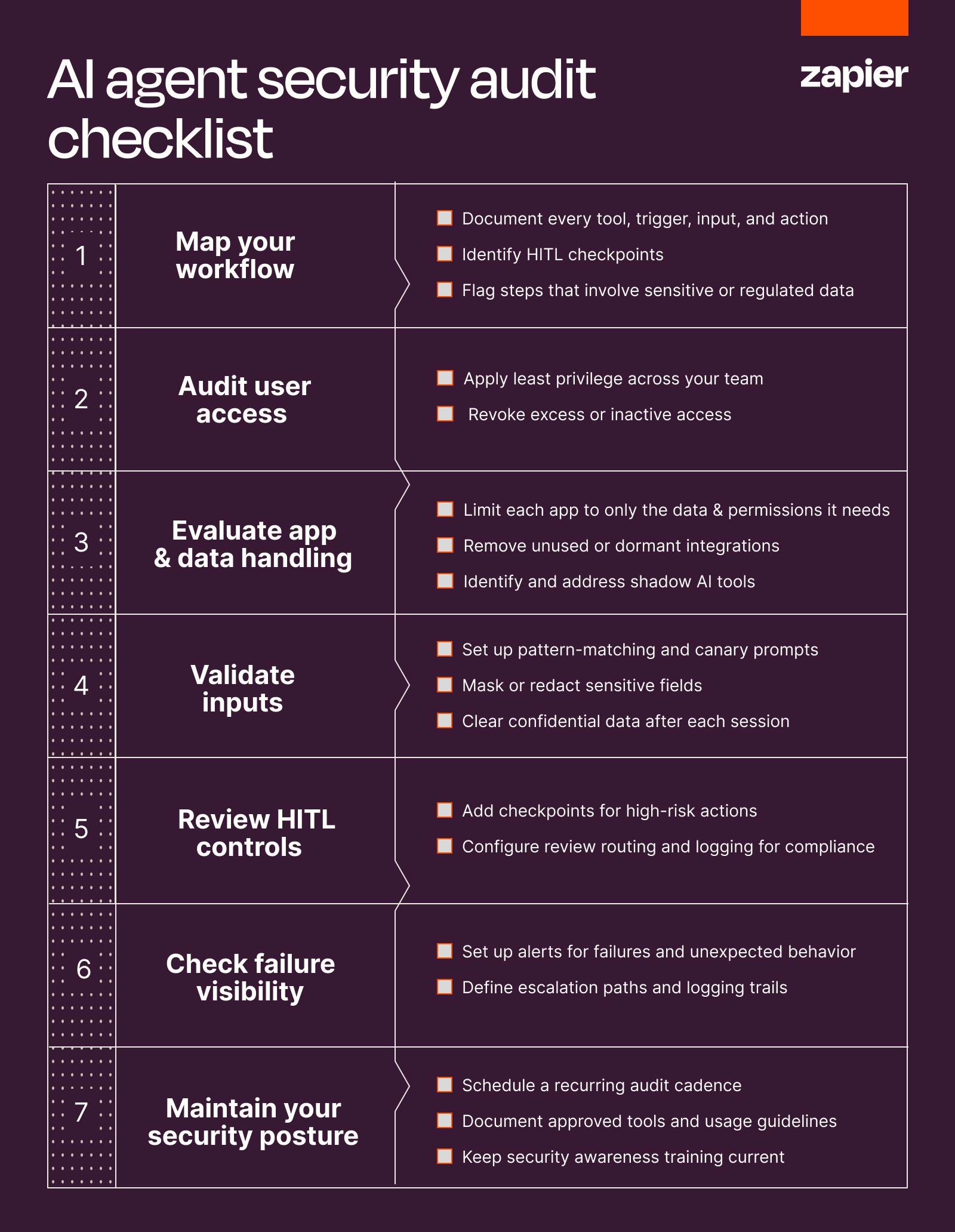
The audit checklist
Zapier's guide includes a downloadable checklist covering workflow mapping, access controls, data handling, prompt security, and HITL checkpoints. It's designed for teams running agents in production, not just experimenting.
Logicity's Take
For RevOps teams running lead routing, data enrichment, or automated outreach through agents, this audit framework isn't optional. If your agents touch [HubSpot](https://logicity.in/r/hubspot), [Salesforce](https://logicity.in/r/salesforce), or [Pipedrive](https://logicity.in/r/pipedrive), you're one misconfigured permission away from leaking customer data or sending rogue emails. The audit's real value is forcing you to document what your agents actually do. Most teams can't answer that question today. The checklist is free; the breach response isn't.
Frequently Asked Questions
How often should I audit my AI agent workflows?
Quarterly at minimum for production workflows. Audit immediately after adding new integrations, changing prompts, or expanding an agent's permissions.
What is prompt injection and how do I prevent it?
Prompt injection is when malicious instructions embedded in user input trick an agent into bypassing its guardrails. Prevent it by validating inputs, separating system prompts from user data, and testing with adversarial inputs.
What's the difference between auditing AI agents and traditional automation?
Traditional automation follows deterministic paths. AI agents reason and decide, which means they can take unexpected actions in edge cases. Audits must account for this interpretive flexibility.
How do I handle shadow AI in my organization?
Inventory all AI tools in use, including unofficial ones. Establish a sanctioned tool list and provide approved alternatives. You can't audit what you don't know exists.
Another case where security oversight gaps created real-world consequences.
Need Help Implementing This?
If your team needs help mapping agentic workflows or building a security audit process, reach out to Logicity's consulting team. We work with RevOps and operations leaders to harden AI-powered automation stacks.
Source: The Zapier Blog
دراسة: أدوات الذكاء الاصطناعي المؤسسية تنتقل للاستخدام الشخصي
المقال الجديد يقدم بيانات من تقرير PYMNTS Intelligence لعام 2026 تُظهر أن 78% من الموظفين الذين توفر لهم مؤسساتهم أدوات ذكاء اصطناعي يستخدمون نفس الأدوات في حياتهم الشخصية. هذا يكشف عن ديناميكية جديدة: نشر الذكاء الاصطناعي في المؤسسات يُشكّل قناة قوية لاكتساب العملاء في السوق الاستهلاكي.
Huma Shazia
Senior AI & Tech Writer
Produced with AI assistance and reviewed by the Logicity editorial team. Learn more in our Editorial Policy.






