Key Takeaways
- Salesforce Agentforce leads for enterprise customization, but HubSpot wins for marketing-sales alignment
- AI CRMs now automate data entry, predict deal outcomes, and draft personalized emails without manual input
- Zapier emerges as an AI orchestration layer that connects multiple CRM systems
The CRM has come a long way from DOS command lines. Today's AI CRM tools predict your pipeline, draft follow-up emails, and automate workflows that used to consume hours of manual effort. After testing over 20 platforms, Zapier's team has narrowed the field to six tools that actually deliver on their AI promises for sales and RevOps teams.
Disclosure
Some links in this post are affiliate links — Logicity earns a commission if you sign up, at no extra cost to you. We only link products we have used or actively recommend.
The shortlist includes Salesforce Agentforce for enterprise customization, HubSpot CRM for marketing-sales alignment, Pipedrive for visual pipeline management, Zendesk for customer support, Zoho CRM for mid-market teams, and Attio for customization. Zapier also earns a spot as an AI orchestration layer.
What separates AI CRMs from traditional systems?
Traditional CRMs store customer information and track interactions. AI CRMs actively make decisions. The difference matters for operations teams drowning in data entry and follow-up tasks.
Five capabilities define the category. First, automation of routine tasks: AI handles data entry, follow-up reminders, and even drafts contextual emails. Second, smart data analysis: instead of your team staring at spreadsheets trying to divine meaning, AI CRMs analyze patterns across thousands of customer interactions to spot trends humans miss.
Third, predictive capabilities let the system forecast which deals will close, identify at-risk customers, and suggest optimal outreach timing. Fourth, personalization at scale goes beyond "Hi [First Name]" to tailor messages for individual customers without manual customization. Fifth, continuous learning means the system improves as it processes more data.
How the six tools stack up
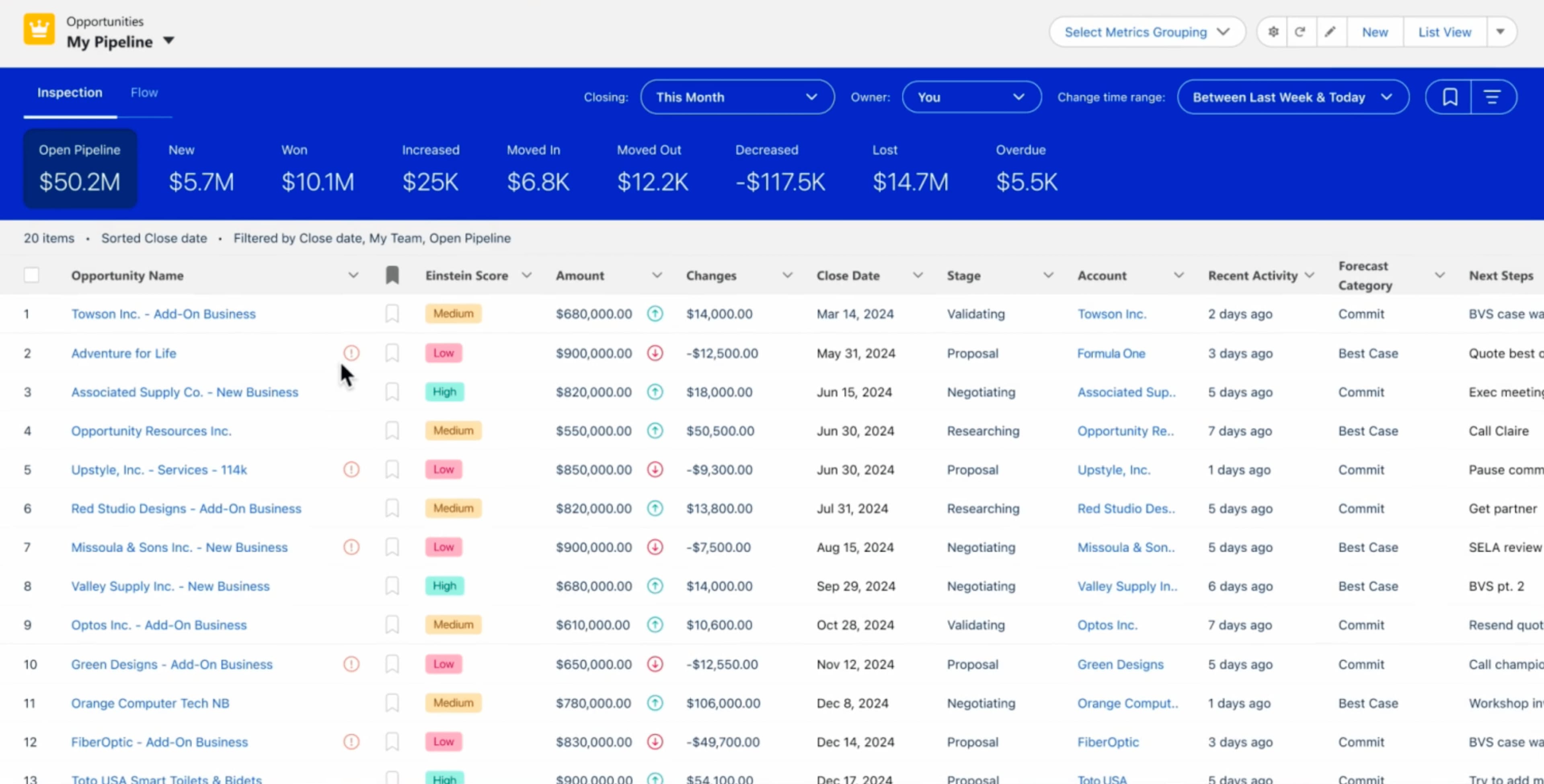
Salesforce Agentforce targets enterprise teams that need deep customization. You can train the AI on your specific data, customize workflows, and adjust how predictions work. The tradeoff is complexity and cost.
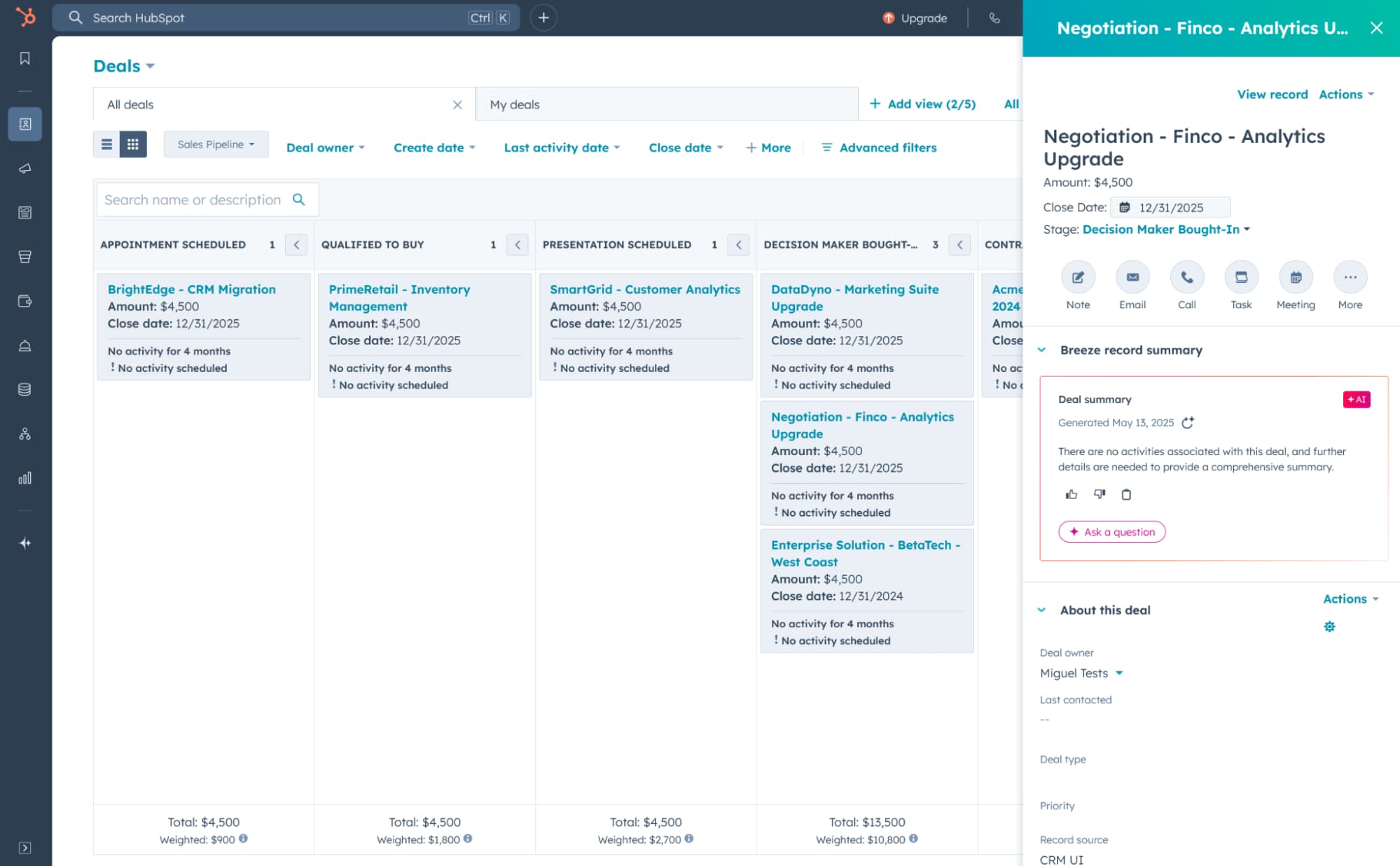
HubSpot CRM wins for teams that need marketing and sales working from the same playbook. Its AI features focus on unifying customer data across departments, though it lacks some of Salesforce's enterprise-grade customization.
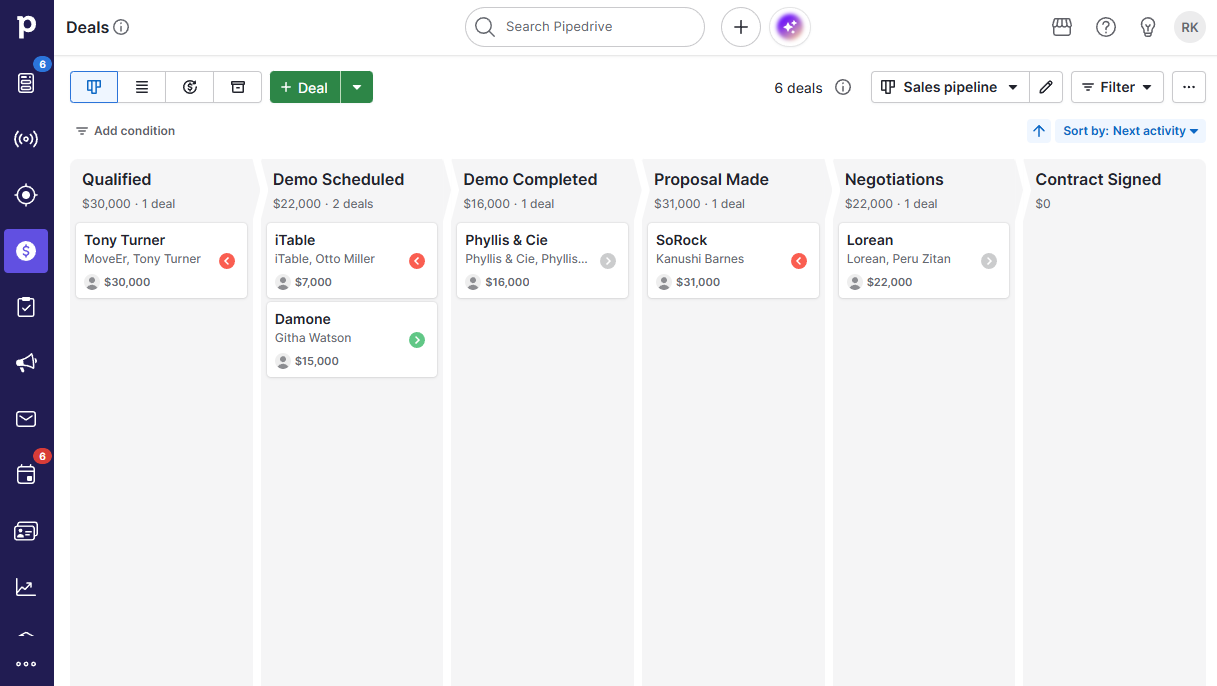
Pipedrive takes a different approach. Its visual pipeline management appeals to sales teams who think spatially about their deals. The AI here focuses on pipeline health and deal probability rather than broad automation.
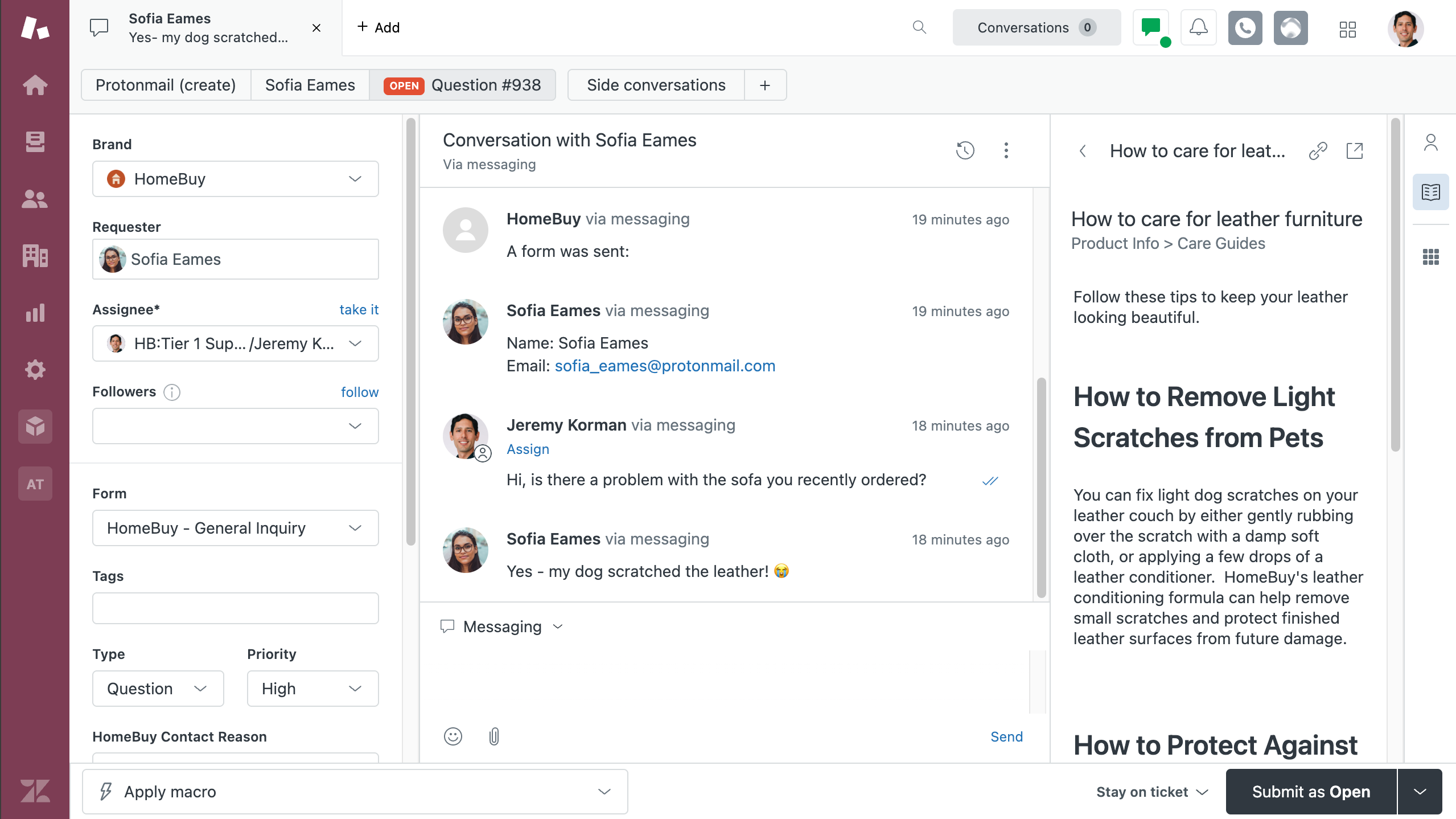
Zendesk carved out the customer support niche. If your CRM needs center on post-sale relationships and ticket management, its AI excels at routing, prioritization, and response suggestions.
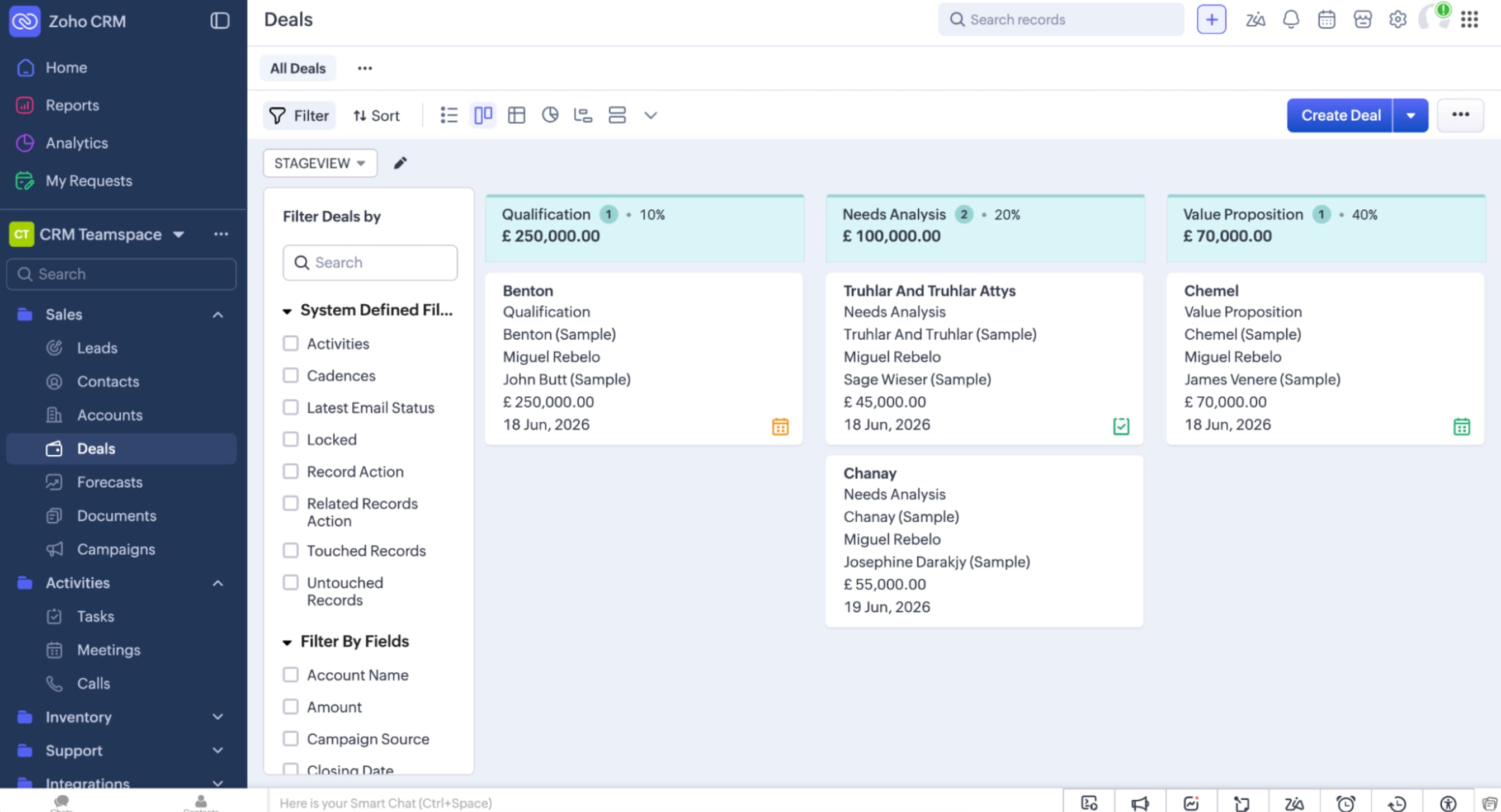
Zoho CRM hits the mid-market sweet spot. It offers AI features comparable to enterprise tools at pricing that won't require board approval. For growing teams, the value equation often favors Zoho over its larger competitors.
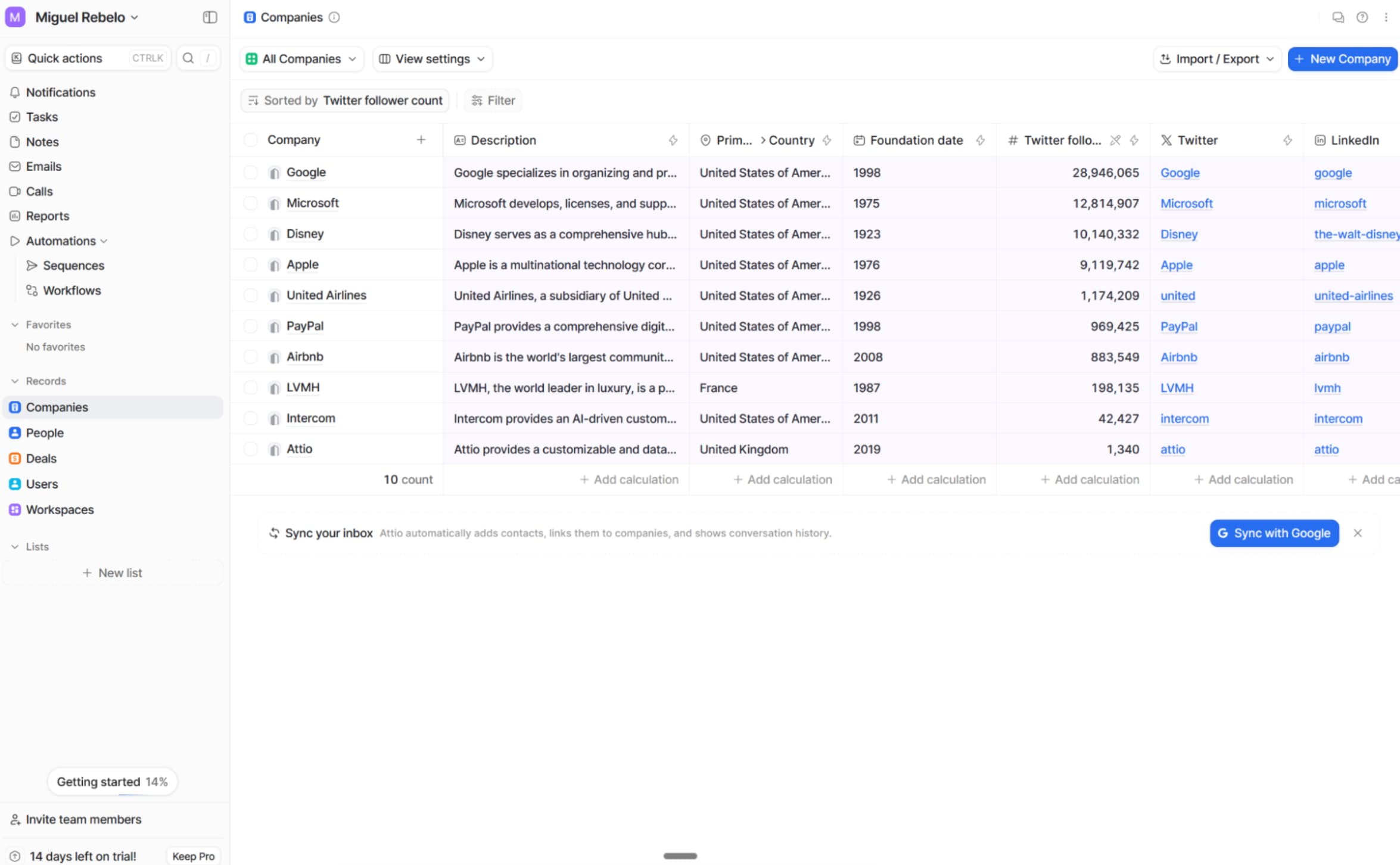
Attio positions itself as the customization-first option. Where other CRMs force you into their workflow, Attio lets you build the system around how your team actually works.
The evaluation criteria that matter
Zapier's testing focused on four functions: AI customization, unified customer view, predictive analytics, and ease of adoption. They also weighted pricing, integration capabilities, and customer support.
AI customization determines whether you can train the system on your data and adjust how predictions work. A unified customer view means the CRM pulls data from sales, marketing, support, and every other touchpoint to give AI a complete picture. Predictive analytics uses historical data to forecast outcomes. Ease of adoption determines whether your team will actually use the thing.
Zapier as AI orchestration layer
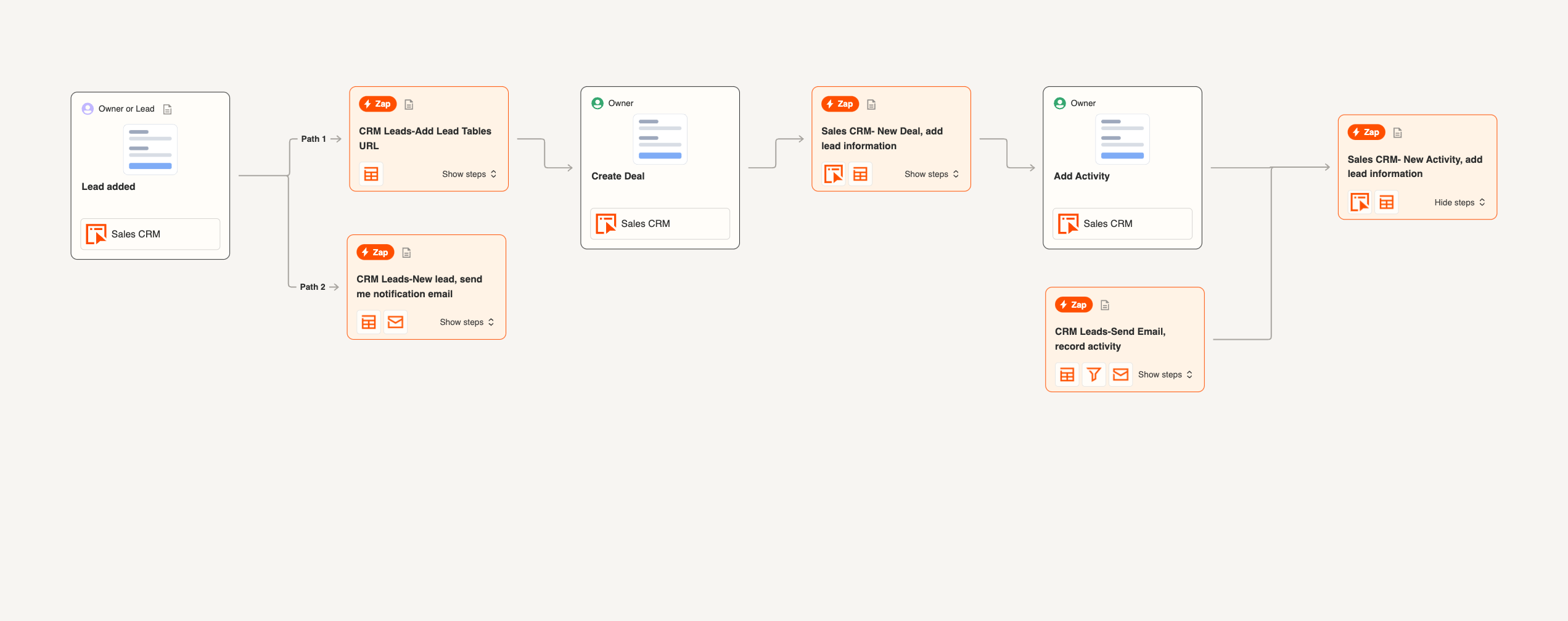
The inclusion of Zapier in a CRM list raises eyebrows, but it reflects a real shift. Many RevOps teams run multiple specialized tools rather than one monolithic CRM. Zapier's AI features now let you orchestrate workflows across systems, essentially building a custom CRM from connected components.
This approach works for teams that have outgrown traditional CRM limitations but don't want to rip out existing infrastructure. You can connect Airtable as your database, ActiveCampaign for email sequences, and Zapier's AI to coordinate the whole system.
Logicity's Take
For RevOps teams evaluating this list, the decision tree is straightforward. Enterprise orgs with dedicated admins should default to Salesforce Agentforce (pricing starts around $25/user/month for basic tiers, but AI features push into $150+ territory). Mid-market teams get better value from Zoho CRM (starting at $14/user/month with AI in higher tiers) or HubSpot's free tier with paid AI add-ons. The sleeper pick is Attio for teams willing to invest setup time for long-term flexibility. Pipedrive ($14-99/user/month) remains the pragmatic choice for sales-focused orgs that don't need marketing automation.
The security question nobody's asking
AI CRMs process your most sensitive customer data to generate predictions. Before deploying any of these tools, your team should audit what data flows where and who has access. Most vendors claim SOC 2 compliance, but the AI components often operate under different data handling rules than the core CRM.
Essential reading before deploying AI CRM tools with access to customer data
Frequently Asked Questions
What is the best AI CRM for small businesses?
HubSpot CRM offers a free tier with AI features that scale. Zoho CRM provides more advanced AI at lower price points than enterprise competitors. For teams under 10 users, either beats paying Salesforce enterprise rates.
How much does AI CRM software cost?
Pricing ranges from free (HubSpot basic) to $150+ per user per month for full Salesforce Agentforce. Most mid-market tools with AI features run $25-75 per user monthly. AI capabilities typically require higher-tier plans.
Can AI CRMs replace sales development reps?
Not entirely. AI handles data entry, lead scoring, and follow-up drafts, but closing deals still requires human judgment. Teams report 40% time savings on administrative tasks, freeing reps for actual selling.
How long does AI CRM implementation take?
Basic setup takes 1-2 weeks. Training the AI on your specific data and workflows adds 4-8 weeks. Enterprise Salesforce deployments often run 3-6 months with dedicated implementation teams.
Which AI CRM has the best integrations?
Salesforce and HubSpot lead with native integrations. Zapier's approach lets you connect virtually any tool. Attio focuses on API flexibility for custom builds.
Need Help Implementing This?
Choosing an AI CRM is the easy part. Implementation, data migration, and team training determine whether it actually improves your revenue operations. Contact Logicity for vendor-neutral guidance on selecting and deploying the right system for your team.
Source: The Zapier Blog
Huma Shazia
Senior AI & Tech Writer
Produced with AI assistance and reviewed by the Logicity editorial team. Learn more in our Editorial Policy.






