Key Takeaways
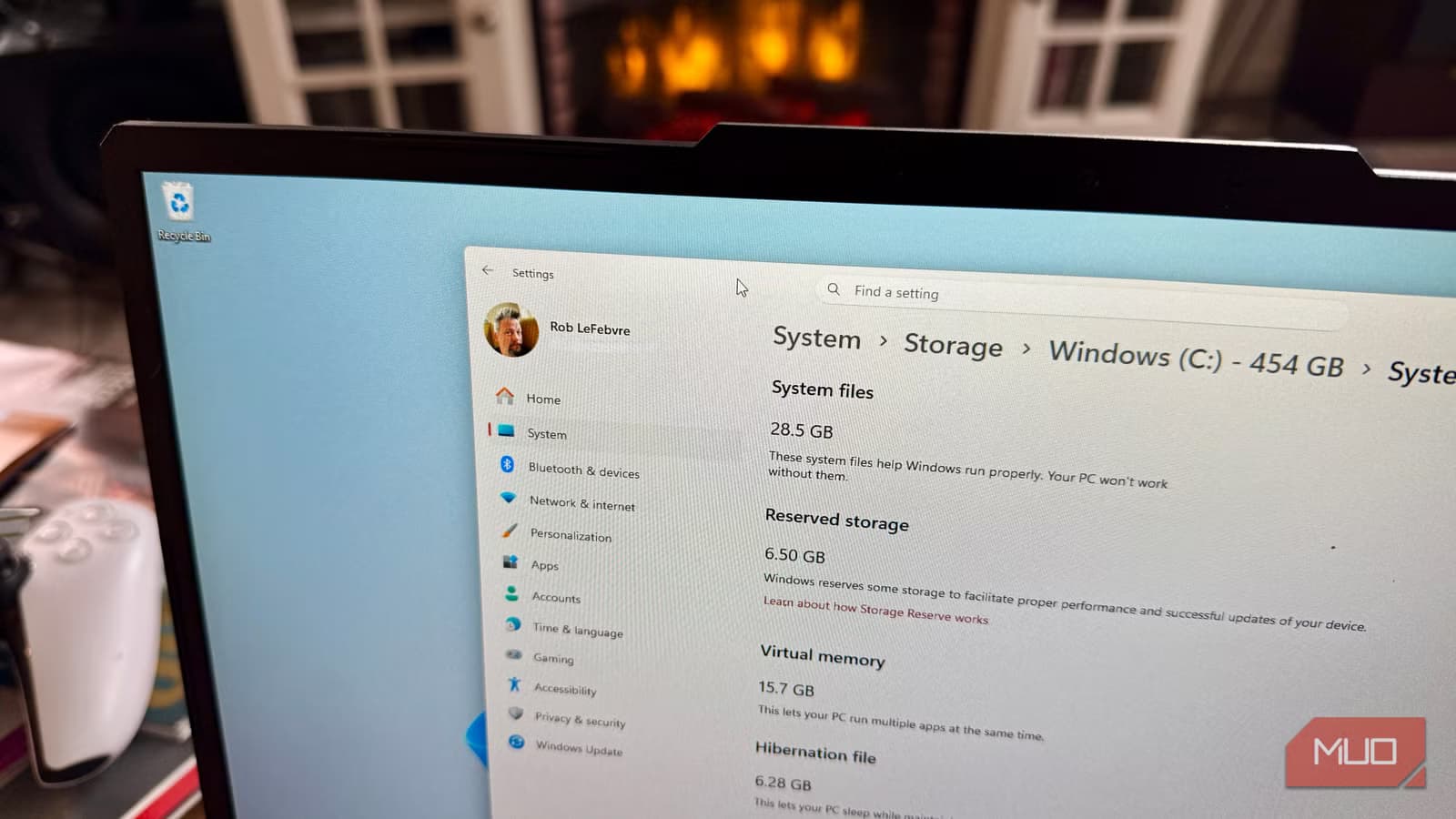
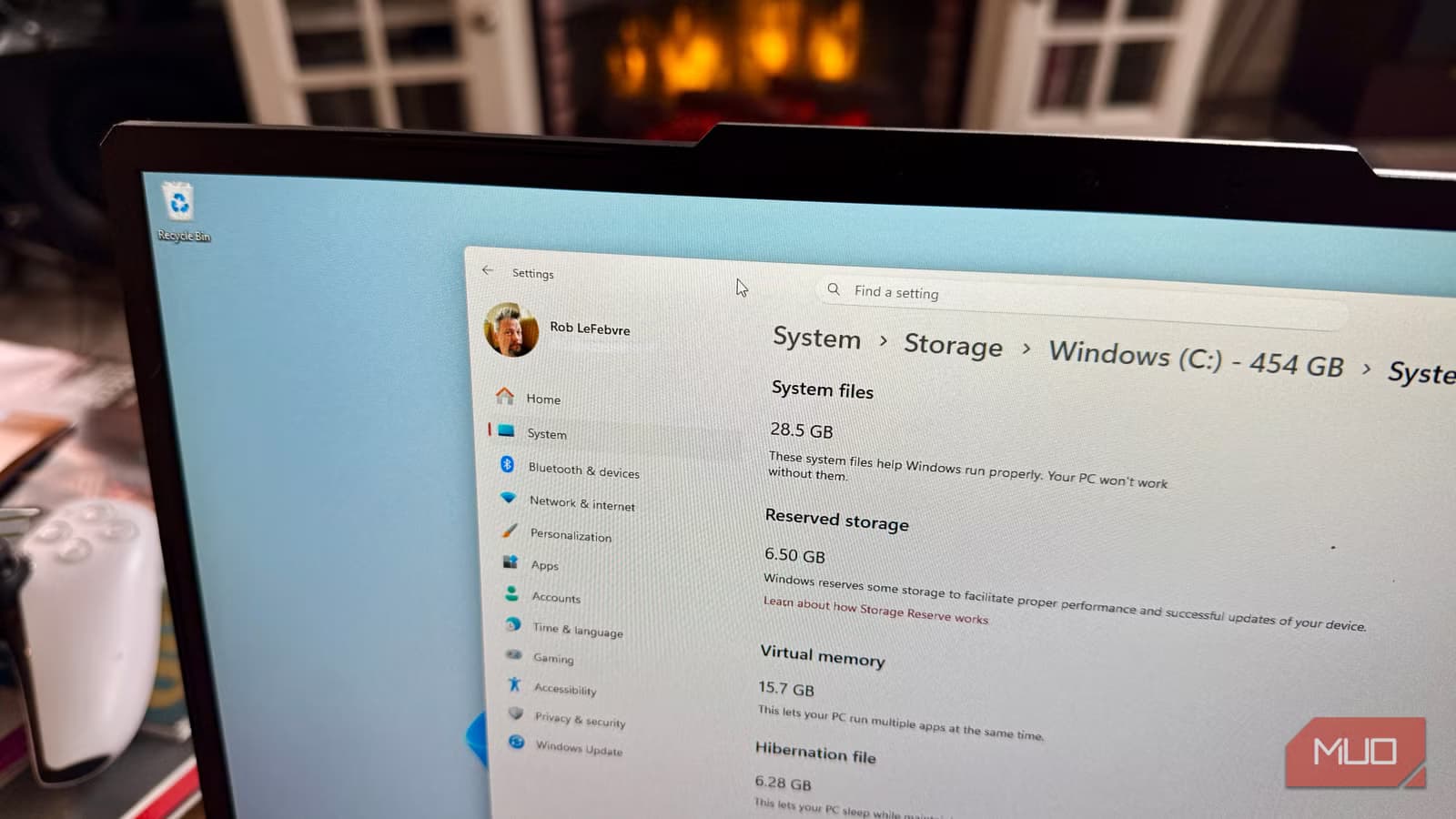
- Windows 11 reserves at least 7GB of storage by default, sometimes more than 10GB
- Reserved Storage has been enabled on all clean Windows installs since 2019
- A single PowerShell command can disable it in about 30 seconds
What Reserved Storage Does
Microsoft introduced Reserved Storage in 2019 to solve a specific problem: Windows updates failing because the drive was too full. The feature sets aside a dedicated chunk of disk space, at least 7GB, that Windows can always tap for updates, temp files, and system caches.
Every clean Windows install since 2019 has this feature enabled by default. Most users don't know it exists. If you upgraded from an older Windows version rather than doing a fresh install, you might not have it enabled at all.
How Much Space It Actually Takes
The 7GB minimum is just a starting point. In practice, Reserved Storage can grow to 10GB or more depending on your setup. Installing optional Windows features or additional language packs pushes the number higher because Windows wants room to maintain those features during updates.
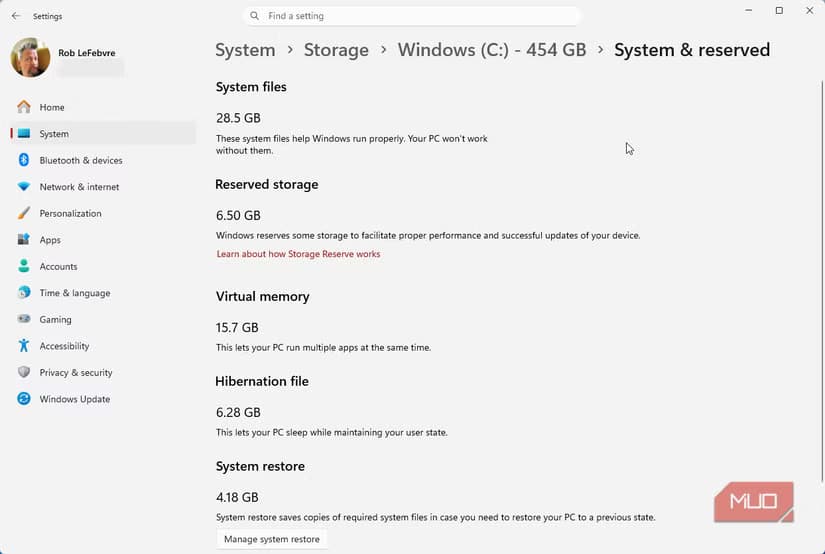
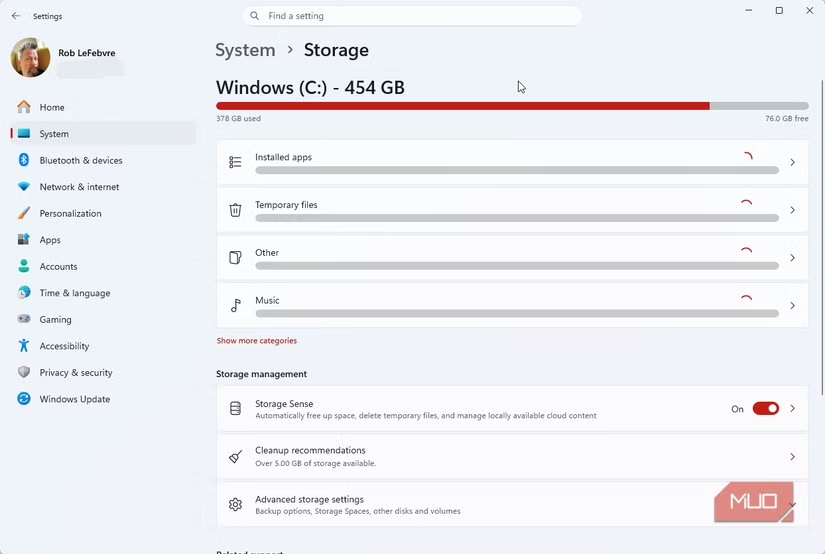
To check your own number, open Settings, then navigate to System, Storage, and click Show more categories. Look under System & reserved for the Reserved Storage line. The number you see is how much space Windows is holding back from you.
Who Should Consider Turning It Off
If you have a 512GB SSD or smaller, that 7-10GB represents a meaningful chunk of your available space. Gamers who constantly shuffle installed titles know this pain. A few extra gigabytes could mean keeping one more game installed instead of redownloading it later.
Users who actively manage their own storage, keeping a buffer of free space and running cleanup tools regularly, won't miss Reserved Storage. You're already doing what the feature was designed to automate.
However, if you tend to fill your drive to capacity and forget about it, Reserved Storage serves as a safety net. Without it, a full drive can cause Windows updates to fail or apps to behave unpredictably.
✅ Pros
- • Reclaim 7-10GB of usable storage immediately
- • Useful for smaller SSDs where every gigabyte counts
- • Good option for users who actively manage disk space
❌ Cons
- • Windows updates may fail if drive gets too full
- • Some system features become unreliable without buffer space
- • You become responsible for maintaining free space yourself
How to Disable Reserved Storage
Turning off Reserved Storage requires a PowerShell command. Right-click the Start button and select Terminal (Admin) or Windows PowerShell (Admin). You need administrator privileges for this to work.
DISM /Online /Set-ReservedStorageState /State:DisabledRun this command and wait for it to complete. The process takes about 30 seconds. Once finished, Windows will release the reserved space back to your available storage.
To verify the change worked, go back to Settings, System, Storage, and check System & reserved again. The Reserved Storage line should either show 0 or disappear entirely.
How to Turn It Back On
If you change your mind or start experiencing update problems, re-enabling Reserved Storage is just as simple. Open PowerShell as administrator and run the opposite command.
DISM /Online /Set-ReservedStorageState /State:EnabledWindows will reallocate the storage space. Just make sure you have enough free space available before running this, otherwise the command will fail.
Logicity's Take
Frequently Asked Questions
Will disabling Reserved Storage break Windows updates?
Not directly. Updates can still install as long as you have enough free space. The risk is that if your drive fills up completely, updates may fail. Keep at least 10-15GB free as a buffer.
How do I check if Reserved Storage is enabled on my PC?
Go to Settings, System, Storage, then click Show more categories. Look under System & reserved for the Reserved Storage entry. If it's not there, the feature isn't active on your system.
Does everyone have Reserved Storage enabled?
No. It's only enabled by default on clean Windows installs since 2019. If you upgraded from Windows 10 or an older Windows 11 version, you might not have it.
Can Reserved Storage use more than 7GB?
Yes. The amount can reach 10GB or more if you've installed optional Windows features or additional language packs. Check your Settings to see the exact number for your system.
For those looking to upgrade their gaming PC hardware
Need Help Implementing This?
Source: MakeUseOf
Huma Shazia
Senior AI & Tech Writer
Produced with AI assistance and reviewed by the Logicity editorial team. Learn more in our Editorial Policy.