Key Takeaways
- Google is separating Search Services History from Personalized Recommendations into distinct controls
- A new Save Media subsetting will capture images, audio, and video from interactions, and it's on by default if Web & App Activity is enabled
- Saved media will be used to train Google's AI models and safety systems
Google is splitting its privacy controls into separate settings for saved activity history and personalized recommendations across Search, Maps, Shopping, and other services. The change gives users more granular control over what Google stores and how it uses that data. But there's a catch: a new media-saving feature is turned on by default for anyone with Web & App Activity enabled, and that data feeds Google's AI training.
The company began notifying users via email with the subject line "New privacy settings for Search services." According to the email, obtained by BleepingComputer, the rollout will reach Google Accounts over the next few days. The affected services include Search, Maps, Shopping, Hotels, Flights, Translate, and News.
What exactly is changing with Google activity history?
Until now, Google lumped history-saving and personalization together under a single toggle called Web & App Activity. That setting controlled whether Google tracked your searches, app usage, and web visits. It also determined whether that data shaped your recommendations.
Google is now breaking this into two distinct controls. Search Services History determines whether your activity is saved to your Google Account. Personalized Recommendations determines whether Google uses that saved data to tailor what you see. You can now save your history without enabling personalization, or vice versa.
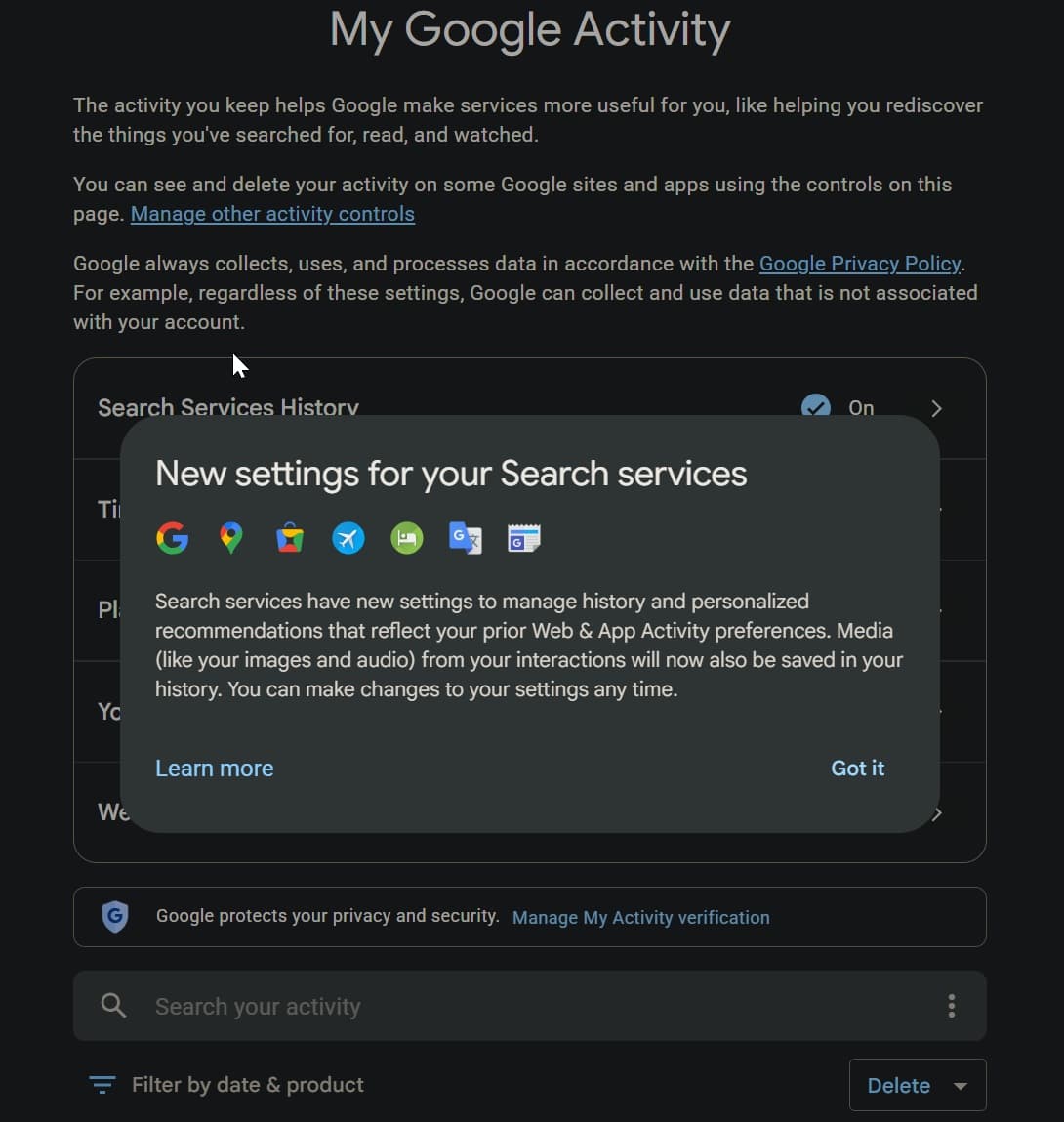
"Previously, saving history and personalization were managed by Web & App Activity," Google stated in the email. "Going forward, you can better tailor your Search services experience using your new Search Services History and Personalized Recommendations settings."
The new Save Media setting captures images, audio, and video
Here's the detail worth flagging to your security team: Google is introducing a Save Media subsetting within Search Services History. This captures images, files, audio, and video from your interactions with Search services. Think visual searches with Google Lens, voice queries, or any multimedia interaction.
If you currently have Web & App Activity turned on, Google will automatically enable both Search Services History and the Save Media subsetting after the transition. You won't be prompted to opt in. You'll need to manually turn it off.
Google frames this as a feature: "This lets you revisit your past visual searches with Lens or continue a Search Live conversation about a song you heard." But the email also confirms the data serves another purpose.
Saved media feeds Google's AI models
"Like your Search Services History, your saved media is also used to develop and improve Google services and technologies, including AI models and safety measures," Google stated in the email.
This is the trade-off. Google gets training data for its AI systems. You get the convenience of resuming visual or voice-based searches. Whether that exchange is acceptable depends on your organization's data governance policies and your users' expectations.
Google says it applies "robust privacy and security protections" to saved media but doesn't specify what those protections are. You can delete individual pieces of media from your history, and you can turn off the Save Media subsetting at any time.
What security leaders should audit now
For organizations using Google Workspace or where employees use Google services on managed devices, these changes warrant a policy review. The automatic opt-in for Save Media means voice queries and image uploads from business contexts could end up in Google's AI training pipeline unless users actively disable the setting.
- Review your organization's acceptable use policy for personal Google accounts on corporate networks
- Audit Workspace admin settings for activity history defaults
- Consider issuing guidance to employees about the new Save Media subsetting
- Evaluate whether voice-based interactions with Google services pose data leakage risks for sensitive discussions
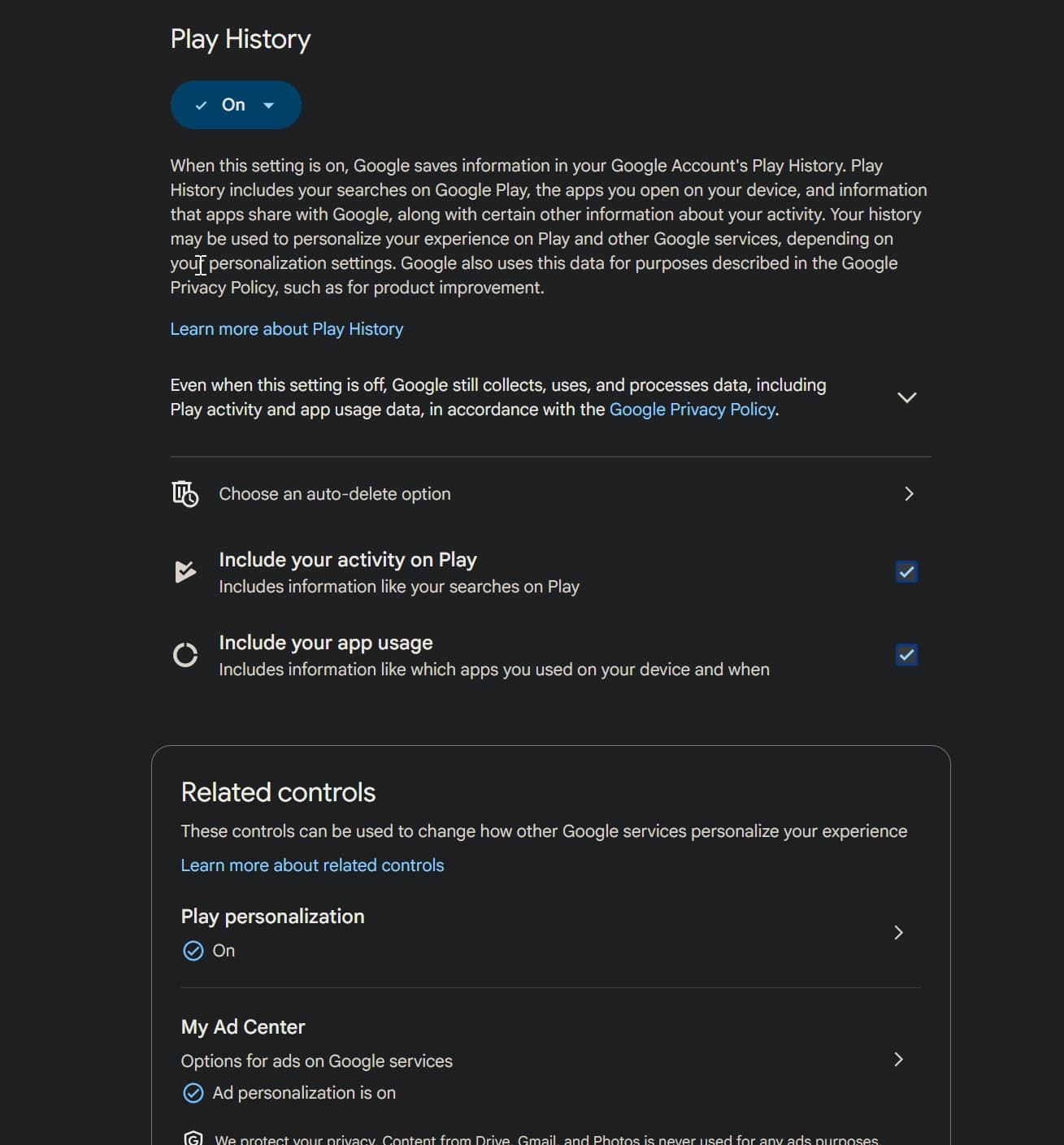
The changes also affect Google Play, though Google's email focused primarily on Search services. Organizations with mobile device management policies should verify how these settings interact with managed Play Store deployments.
Why Google is making this change
Google didn't explain the timing, but the move fits a pattern. Regulatory pressure from the EU's Digital Services Act and Digital Markets Act has pushed Big Tech toward more granular user controls. Google has faced multiple antitrust lawsuits and privacy-related fines, including a €4.34 billion EU penalty.
Separating history from personalization also creates cleaner compliance boundaries. Users who want to save their history for personal reference without feeding recommendation algorithms now have that option. That distinction matters for users in jurisdictions with strict data processing rules.
Frequently Asked Questions
Will my existing Web & App Activity data be affected?
If Web & App Activity is currently on, Google will automatically enable Search Services History and the Save Media subsetting. Your existing data remains, but new controls govern future collection.
How do I turn off the Save Media setting?
Navigate to your Google Account, open Activity controls, find Search Services History, and toggle off the Save Media subsetting. You can also delete individual media items from your history.
Does this affect Google Workspace accounts?
Workspace admins can control activity settings at the organization level. Check your admin console for policies that may override individual user settings.
Can I use personalization without saving my history?
The new separation allows independent control. You can enable Personalized Recommendations while keeping Search Services History off, though personalization quality may be limited without saved history.
Logicity's Take
Google's framing positions this as giving users more control, and technically it does. But the default-on Save Media setting is the real story. For CISOs, the concern is shadow IT: employees using personal Google accounts for work-adjacent searches, voice queries about projects, or Lens scans of documents. That data now feeds AI training by default. Organizations using privacy-focused alternatives like DuckDuckGo, Brave Search, or Startpage for sensitive research may want to reinforce those policies. The broader trend is clear: Big Tech is unbundling privacy controls to satisfy regulators while introducing new data collection mechanisms that require active opt-out.
Related security tooling for managing software supply chain risks
Need Help Implementing This?
If your organization needs guidance on auditing Google privacy settings across Workspace deployments or developing acceptable use policies for AI-enabled search tools, contact Logicity's advisory team for a security policy review.
Source: BleepingComputer
Huma Shazia
Senior AI & Tech Writer
Produced with AI assistance and reviewed by the Logicity editorial team. Learn more in our Editorial Policy.