Key Takeaways
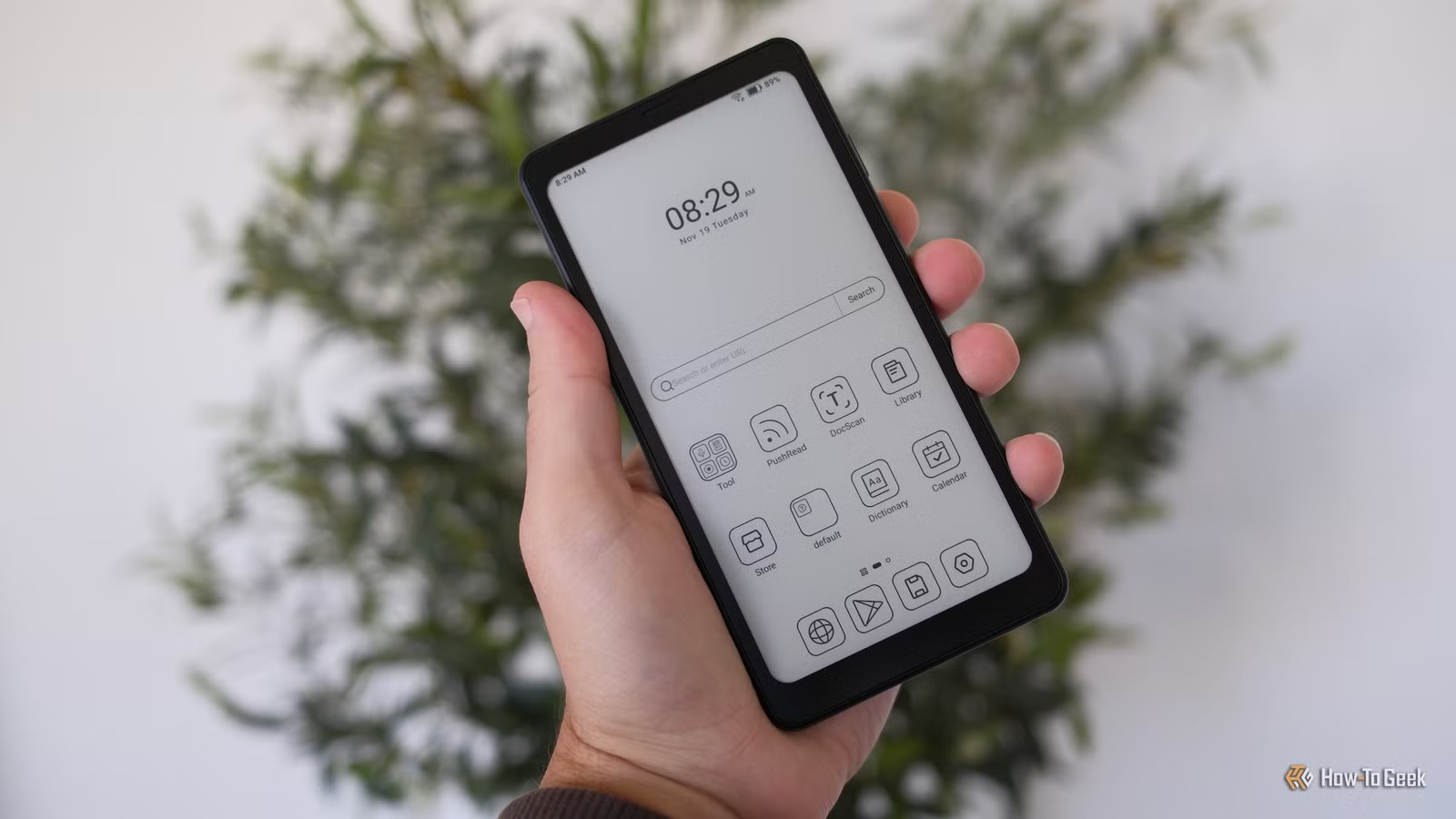
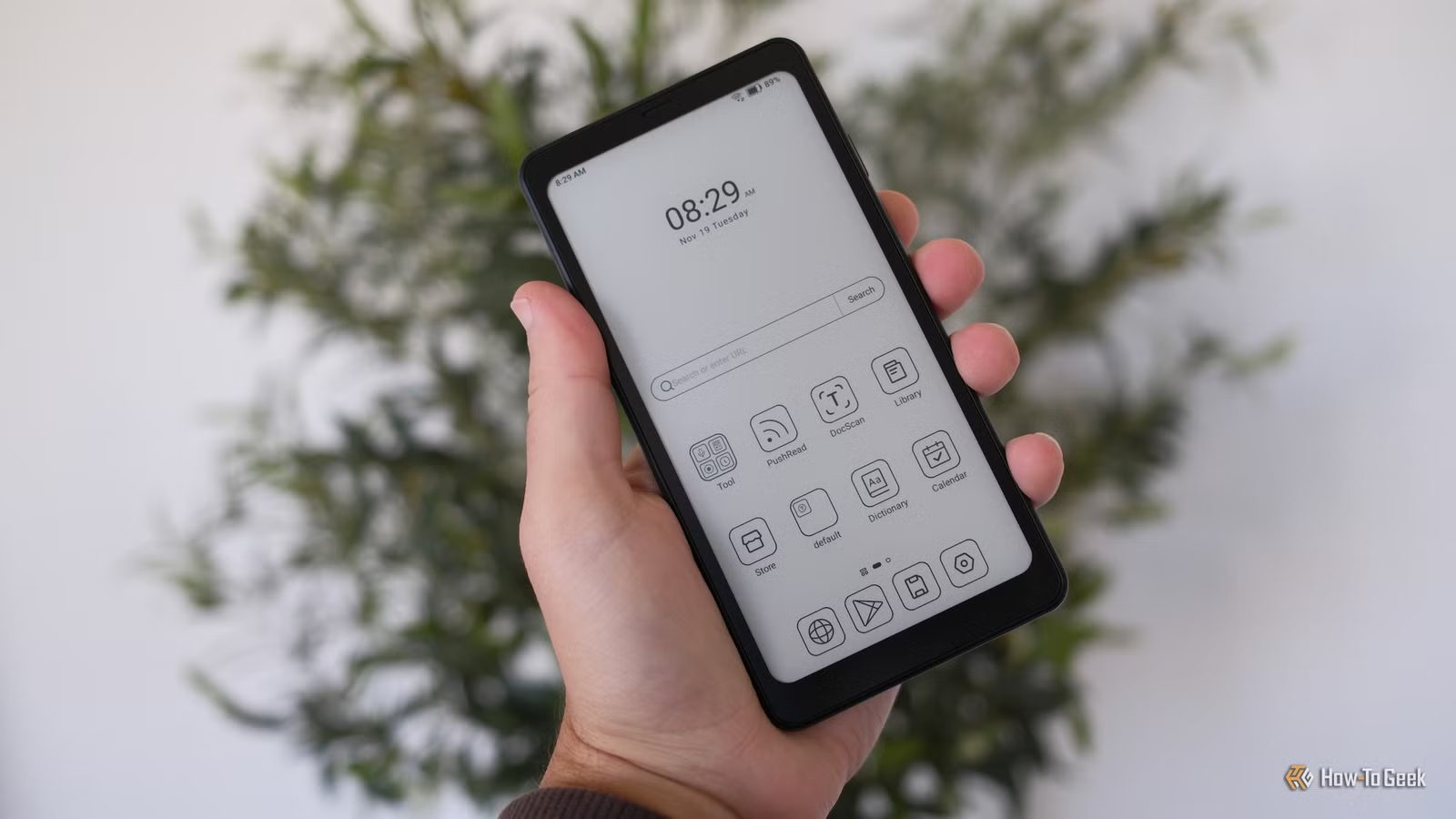
- E-Ink smartphones like the Minimal Phone and Boox Palma 2 offer phone functionality with paper-like screens
- Color E-Ink tablets now run full Android with Play Store access, working as primary computers
- The E-Ink market is projected to reach $15-21 billion by 2030, driven by retail shelf labels and consumer devices
E-Ink screens spent years stuck in one product category: eReaders. The Kindle. The Kobo. Maybe a niche note-taking tablet. That era is over. E-Ink now powers smartphones, full Android tablets, desktop monitors, and digital art frames. If you want a screen that looks like paper and does more than display books, 2025 and 2026 have delivered.
E-Ink Smartphones Are Real Now
The most dramatic shift is E-Ink phones. The Minimal Phone, reviewed by How-To Geek's Bertel King in 2025, runs full Android on an E-Paper display. It costs $500 and includes a 35-button physical keyboard. The tradeoffs are real: black and white only, and the camera is mediocre. But for users who want to break phone addiction while keeping smartphone functionality, it fills a gap no OLED device can.
The Bigme HiBreak Pro Color goes further with a color E-Ink screen, but King reports it has "a far higher degree of bugs." For those who want something simpler, the Boox Palma 2 is a phone-sized eReader that can double as an actual phone with the right apps. It fits in a pocket and runs Android.
“The Palma is the perfect device for breaking phone addiction. It is excellent for reading and podcasts, but terrible for doom-scrolling social media or watching video.”
— David Pierce, Editor-at-Large at The Verge
E-Ink Tablets That Work Like Computers
King used an E-Ink tablet as his primary computer for half of 2025. The device: the Boox Tab Ultra C, marketed as an "E-Ink tablet PC." In practice, it's a 10-inch Android tablet with Play Store access. The display just happens to be e-paper instead of LCD or OLED.
The main limitation? Color E-Ink screens are noticeably dimmer than their black-and-white counterparts. King writes that he would "love these devices so much more" if the contrast matched monochrome models. Still, for reading, writing, and basic productivity, E-Ink tablets offer something no other screen type can: zero flicker and paper-like visibility in direct sunlight.
Digital Notepads Compete With Paper
ReMarkable pioneered the E-Ink notepad category with devices like the ReMarkable Paper Pro. These tablets focus on handwriting and sketching rather than app ecosystems. The downside: ReMarkable locks users into its cloud service.
Alternatives have emerged. Supernote builds direct competitors designed with repairability in mind. For users who want to own their data and fix their own hardware, these options matter.
The Market Behind the Devices
E-Ink Holdings Inc. controls an estimated 80% of the global electronic paper display market. The highest-growth segment isn't consumer devices at all. It's Electronic Shelf Labels (ESLs) for retail, growing at 19.1% annually. Those price tags you see at grocery stores and electronics retailers increasingly use E-Ink technology.
Consumer products benefit from this scale. As E-Ink manufacturing expands for retail applications, the costs for smartphone and tablet screens drop. The Boox Palma 2 and Minimal Phone exist partly because ESL demand has made E-Ink production cheaper.
The 'Calm Tech' Movement
These devices fit into a broader trend sometimes called "calm tech" or "intentional computing." The idea: modern screens are designed to capture attention, not serve the user. OLED displays with 120Hz refresh rates, infinite scroll, and vibrant colors optimize for engagement. E-Ink does the opposite.
“We are in a golden age for E-Ink fans. The technology is no longer just for reading novels; it's being used to create a new category of 'calm tech'.”
— Bertel King, Tech Journalist at How-To Geek
Communities on Reddit's r/eink forum and Hacker News treat these devices as solutions to smartphone addiction. Popular discussions focus on custom "monochrome" setups and minimal launchers that strip away distractions. The main complaint across these communities: price. An E-Ink phone costs $500 or more, while capable budget smartphones sell for under $200.
What's Actually Available
- Minimal Phone ($500): Full Android, E-Paper display, 35-button keyboard, MediaTek Helio G99 processor
- Boox Palma 2: Phone-sized eReader that can function as a smartphone with the right apps
- Bigme HiBreak Pro Color: Color E-Ink phone with more features but more bugs
- Boox Tab Ultra C / Ultra C Pro: 10-inch Android tablets with Play Store access
- ReMarkable Paper Pro: Writing-focused tablet with proprietary cloud service
- Supernote tablets: ReMarkable alternatives built for repairability
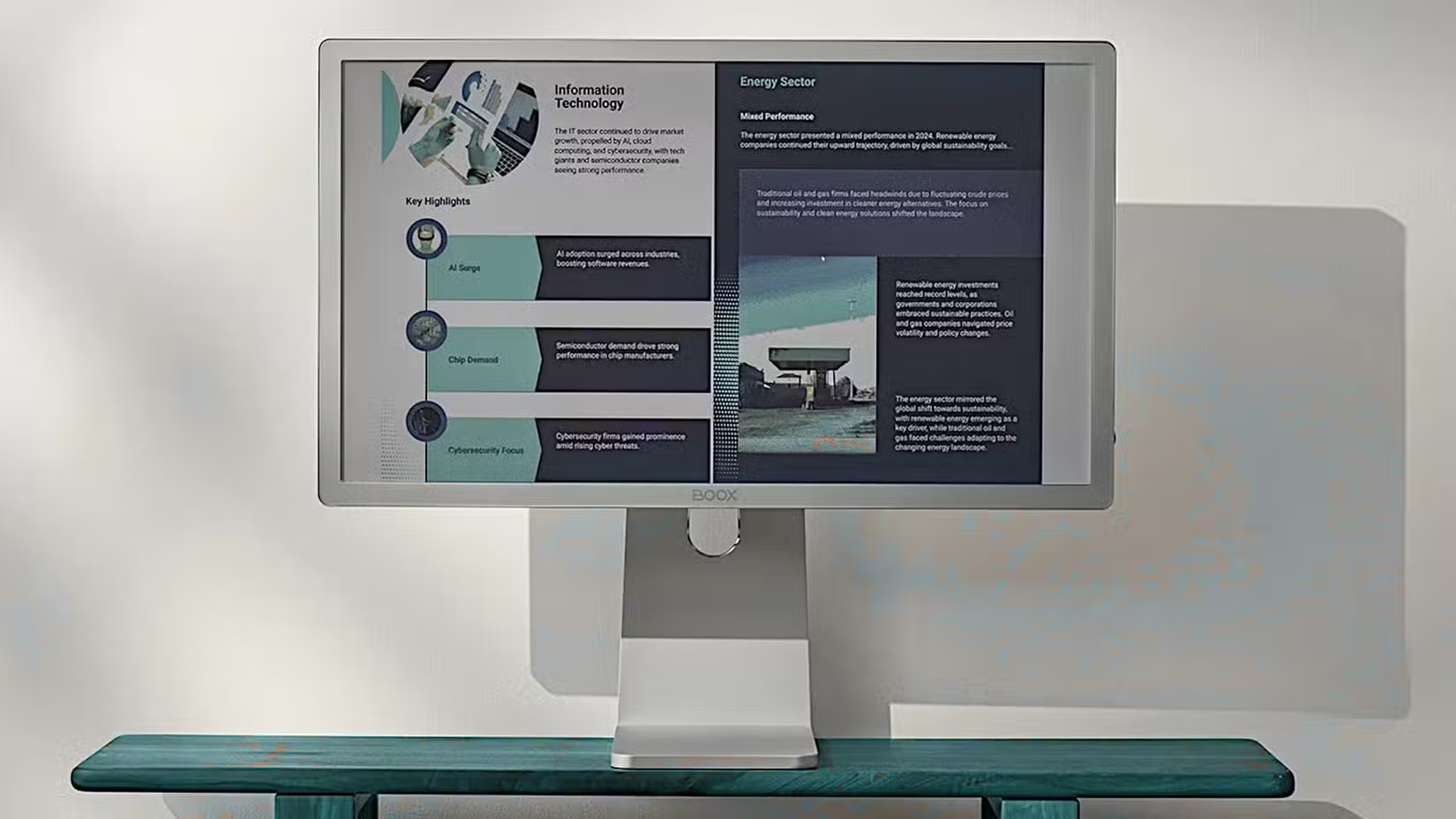
Beyond phones and tablets, E-Ink is appearing in desktop monitors, digital art frames, and specialized devices. The Switchbot AI Art Frame displays artwork on an E-Ink screen. Boox makes E-Ink monitors for users who want paper-like desktop displays.
Logicity's Take
Frequently Asked Questions
Can E-Ink phones run regular Android apps?
Yes. Devices like the Minimal Phone and Boox Palma 2 run full Android with Play Store access. However, apps designed for high-refresh OLED screens may feel sluggish on E-Ink's slower refresh rates.
How much do E-Ink smartphones cost?
The Minimal Phone costs $500. The Boox Palma 2 and Bigme HiBreak Pro Color fall in similar price ranges, significantly more expensive than budget LCD smartphones.
Is color E-Ink as good as black and white?
No. Color E-Ink displays are noticeably dimmer with lower contrast than monochrome versions. Users who prioritize readability may prefer black-and-white models.
What's driving E-Ink market growth?
Electronic Shelf Labels for retail stores, not consumer devices. ESLs are growing at 19.1% annually and represent the highest-volume application of E-Ink technology.
Are E-Ink tablets good for productivity?
For reading, writing, and basic tasks, yes. The Boox Tab Ultra C runs Android with Play Store access. Limitations include slower screen refresh and dimmer color displays compared to traditional tablets.
Another look at older tech finding new uses in modern workflows
Need Help Implementing This?
Source: How-To Geek
Huma Shazia
Senior AI & Tech Writer
Produced with AI assistance and reviewed by the Logicity editorial team. Learn more in our Editorial Policy.