Key Takeaways
- Claude Design produces interactive app prototypes and marketing content from text prompts, reducing designer dependency
- The tool maintains brand consistency by learning from existing code, files, and web content
- Requires Claude Pro, Max, Team, or Enterprise subscription — starting at $20/month per user
According to [How-To Geek](https://www.howtogeek.com/anthropic-claude-design/), Anthropic has unveiled Claude Design, a new AI-powered tool that uses the Opus 4.7 model to create complete designs from text prompts, including interactive prototypes and marketing materials.
Your design team is probably backlogged by three weeks. Your marketing department needs slides for tomorrow's investor call. And your product manager just asked for 'quick mockups' of a new feature — again. This is the reality at most growing companies, where design resources never match demand.
Claude Design changes the math on all of this. It's not a Canva competitor or a Figma replacement. It's something different: an AI system that can build interactive prototypes, presentation decks, and marketing content from a conversation. For business leaders, that means shifting design from a bottleneck to a utility.
What Can Claude Design Actually Build?
Forget the marketing speak. Here's what Claude Design produces in practical terms: presentation slides, marketing graphics, app mockups, interactive prototypes with working buttons and navigation, and even code-powered components with 3D elements, video, and voice integration.
The system pulls from your existing assets. Feed it your brand guidelines, website code, or marketing files, and it maintains visual consistency across outputs. This solves the biggest problem with AI design tools to date — they create generic work that looks nothing like your brand.
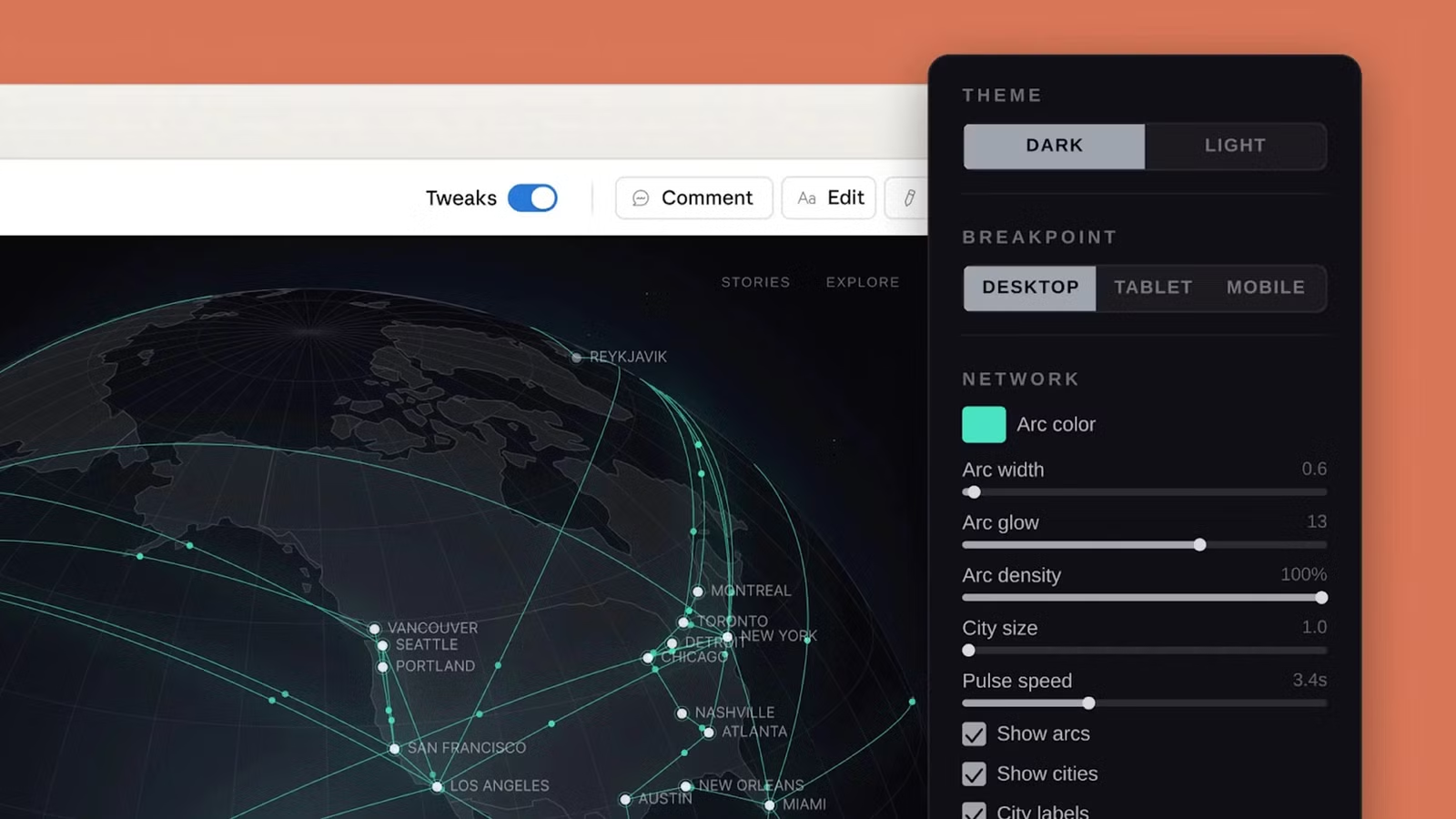
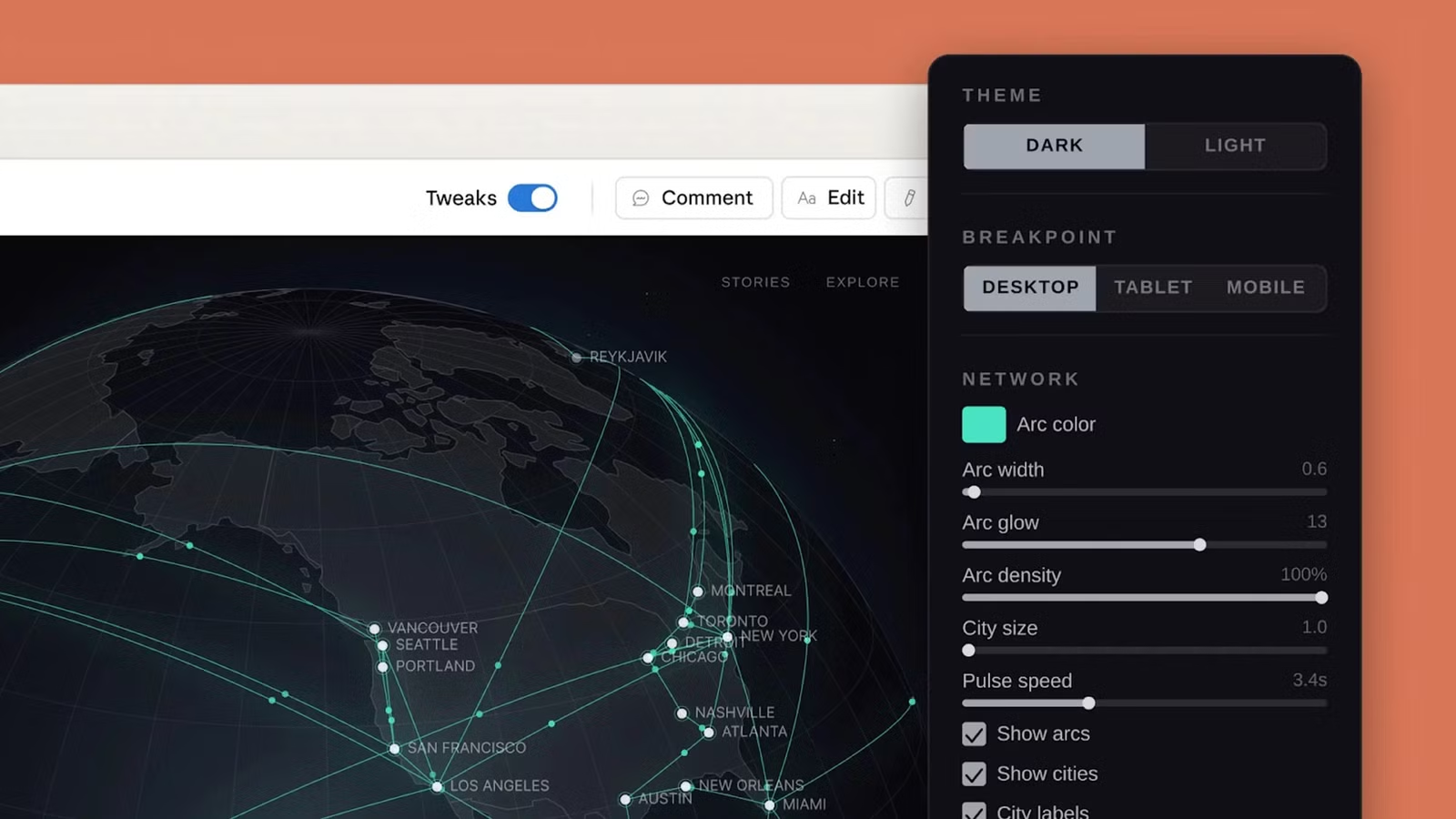
After generation, you're not stuck with the first result. Sliders let you adjust color, layout, and spacing without starting over. Export options include web links, files, and direct Canva integration. Need code? Send the design straight to Claude Code for development handoff.
How Much Does Claude Design Cost for Teams?
Claude Design requires a paid Anthropic subscription. Here's the breakdown that matters for budget planning:
- Claude Pro: $20/month per user — suitable for individual contributors
- Claude Max: $100-200/month per user — higher usage limits for power users
- Claude Team: Custom pricing — shared workspaces and admin controls
- Claude Enterprise: Custom pricing — SSO, compliance features, bulk licensing
Watch the usage limits. Design generation consumes more compute than text conversations, so heavy users will hit monthly caps faster. Anthropic offers extra usage purchases, but factor this into your ROI calculations.
Enterprise Note
Enterprise customers must enable Claude Design before staff can access it. Plan for IT coordination if you're rolling this out to multiple departments.
Claude Design vs Adobe Firefly vs Canva AI: Which Fits Your Stack?
This release lands in a crowded moment. Adobe just shipped Firefly AI Assistant, and Canva launched its second-generation AI tool. Each targets different workflows and existing software investments.
| Feature | Claude Design | Adobe Firefly AI | Canva AI |
|---|---|---|---|
| Starting Price | $20/month | Creative Cloud required | Free tier available |
| Best For | Prototypes, code handoff | Print, photo editing | Social media, presentations |
| Brand Memory | Yes, from files/code | Yes, via Creative Cloud | Yes, via connected apps |
| Code Export | Direct to Claude Code | No | Limited |
| Interactive Prototypes | Yes, with 3D/video/voice | No | Limited |
| Ecosystem Lock-in | Low | High (Adobe apps) | Medium (Canva platform) |
If your company already pays for Adobe Creative Cloud, Firefly AI makes sense. It plugs into Photoshop and InDesign for final polish. If your team lives in Canva, their AI gets you faster results without switching tools.
Claude Design wins when you need interactive prototypes or code-ready outputs. It's also the only option that handles 3D, video, and voice elements in generated designs. For product teams building software, that's a significant capability gap the competitors don't fill.
The Business Case: When AI Design Pays Off
Let's talk numbers. A mid-market company typically spends $80,000-$150,000 annually on design — split between in-house salary, contractor fees, and agency retainers. Most of that goes toward repetitive work: sales decks, social graphics, landing page variations, internal presentations.
Claude Design doesn't replace your senior designer. It replaces the three weeks of backlog that prevents your senior designer from doing strategic work. Marketing can generate their own campaign graphics. Sales can customize pitch decks. Product managers can mock up features without filing design requests.
The ROI calculation: If 10 employees use Claude Max at $150/month each, you're spending $18,000 annually. If that reduces contractor spend by $50,000 and accelerates project timelines by even two weeks, you're ahead.
Deeper dive into enterprise use cases and integration strategies
What Claude Design Can't Do (Yet)
Set realistic expectations. Claude Design is a 'research preview,' which in Anthropic's language means it's not finished. Here's where it falls short for production use:
- No direct print production — you'll still need traditional tools for CMYK, bleeds, and press-ready files
- Limited photo editing — it generates designs, not retouched images
- Usage caps — heavy users will hit limits and need to purchase extra capacity
- Learning curve — getting consistent brand results requires feeding it the right source materials
For teams with strict brand governance, the initial setup matters. Claude Design is only as good as the brand assets you provide. Garbage in, off-brand output out.
Implementation: How Long Until Teams See Value?
Expect a 2-4 week ramp-up period before Claude Design delivers consistent results. That time breaks down like this:
The companies that get the most from AI design tools invest upfront in prompt libraries — pre-built instructions that generate consistent outputs. Share these across teams to avoid everyone reinventing the wheel.
Security considerations when deploying AI tools with access to brand assets
Should You Switch from Canva or Adobe?
Probably not yet. Claude Design complements existing tools more than it replaces them. The smart play is layering it into your stack:
- Use Claude Design for rapid prototypes and first drafts
- Use Canva or Adobe for final polish and brand-approved templates
- Use Claude Code for design-to-development handoffs
The exception: if you're a startup without established design infrastructure, Claude Design might be your entire design department for the first year. At $20-200/month, it's cheaper than any alternative for getting investor decks, landing pages, and app mockups out the door.
✅ Pros
- • Interactive prototypes with 3D, video, voice — no competitor matches this
- • Direct code export speeds up development handoffs
- • Brand consistency from existing assets, not generic templates
- • Lower cost than dedicated design tools for light users
❌ Cons
- • Research preview status means bugs and limitations
- • Usage caps require careful monitoring
- • No print production capabilities
- • Enterprise enablement adds deployment complexity
FAQ: Claude Design for Business Teams
Frequently Asked Questions
How much does Claude Design cost per user?
Claude Design requires a Claude Pro ($20/month), Max ($100-200/month), Team, or Enterprise subscription. Design features consume higher compute, so budget for extra usage if your team generates designs frequently.
Can Claude Design maintain our brand guidelines?
Yes. The system learns from existing code, files, and web content you provide. Upload brand assets, style guides, and examples to get consistent outputs. Quality of inputs directly affects output consistency.
Is Claude Design better than Canva AI for business use?
They serve different needs. Canva AI excels at social media and presentation templates. Claude Design wins for interactive prototypes, code handoffs, and designs with 3D, video, or voice elements. Many teams will use both.
How long does it take to implement Claude Design?
Plan for 2-4 weeks from admin setup to productive use. This includes user provisioning, brand asset uploads, pilot testing, and workflow integration. Teams that invest in prompt libraries see faster adoption.
Can we export Claude Design work to other tools?
Yes. Export options include web links, downloadable files, Canva-compatible formats, and direct handoff to Claude Code for development. No lock-in to Anthropic's ecosystem.
Logicity's Take
We've been building with Claude's API and agent SDK for over a year now, so Claude Design landing with Opus 4.7 integration makes immediate sense to us. This isn't just another design tool — it's Anthropic positioning Claude as the operating system for knowledge work. What excites us most is the code export pathway. Our team regularly prototypes client interfaces in conversation with Claude, then manually translates those to Next.js components. Claude Design to Claude Code could cut that friction significantly. For Indian startups specifically, this shifts the economics. A three-person founding team in Hyderabad or Bangalore can now produce investor-ready materials without burning runway on design contractors. We've seen early-stage founders spend ₹2-4 lakhs on pitch decks alone. At ₹1,700/month for Claude Pro, the math changes completely. One caution: 'research preview' means production reliability isn't guaranteed. We'd recommend piloting with internal materials before client-facing work. The brand consistency features need real testing with your specific assets before you trust them for important outputs.
Need Help Implementing This?
Logicity helps companies integrate AI tools into existing workflows. From Claude API implementations to full design-to-code pipelines, we've shipped production AI systems for startups and enterprises. Get in touch if you want to pilot Claude Design with expert guidance.
Understanding resource consumption for AI-heavy workloads
Source: How-To Geek
Huma Shazia
Senior AI & Tech Writer
Produced with AI assistance and reviewed by the Logicity editorial team. Learn more in our Editorial Policy.