Key Takeaways
- Claude identified DXVK_ASYNC launch option that cut Space Marine load time from 3 minutes to near-instant
- Switching Proton versions on Claude's suggestion fixed Cuphead frame drops and compatibility issues
- AI chatbots can parse game configs and suggest fixes most casual users would never find
Claude AI diagnosed game performance problems on a Linux laptop that the user had struggled with for months. David J. Buck at How-To Geek fed Anthropic's chatbot his Steam game configurations and discovered launch options he didn't know existed. The fix cut Space Marine's load time from roughly three minutes to seconds.
This is a practical use case for LLMs that gets overlooked: parsing technical config files and surfacing buried settings. Steam stores configuration data locally in .ini and .cfg files. These contain parameters for graphics, frame rates, memory allocation, and compatibility layers. Most players never touch them.
What Claude needed to troubleshoot the games
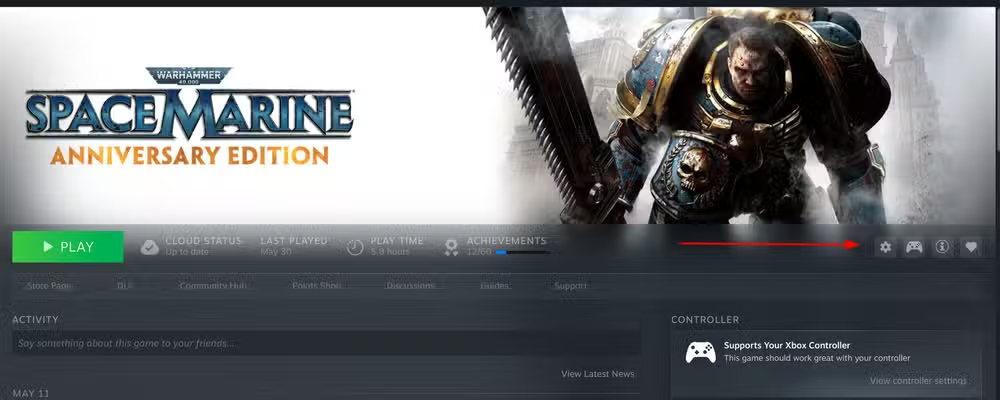
Buck runs Steam on Linux Mint, a setup that introduces compatibility complexity Windows users don't face. Space Marine crashed frequently and loaded slowly. Cuphead dropped frames despite being a 2D game that runs fine on a Nintendo Switch.
When he asked Claude for help, the AI requested a specific checklist: launch options, Proton version, system specs, graphics settings, and a description of the issues. This diagnostic approach mirrors how a human troubleshooter would work, but the AI could cross-reference the information against a broader knowledge base of known fixes.
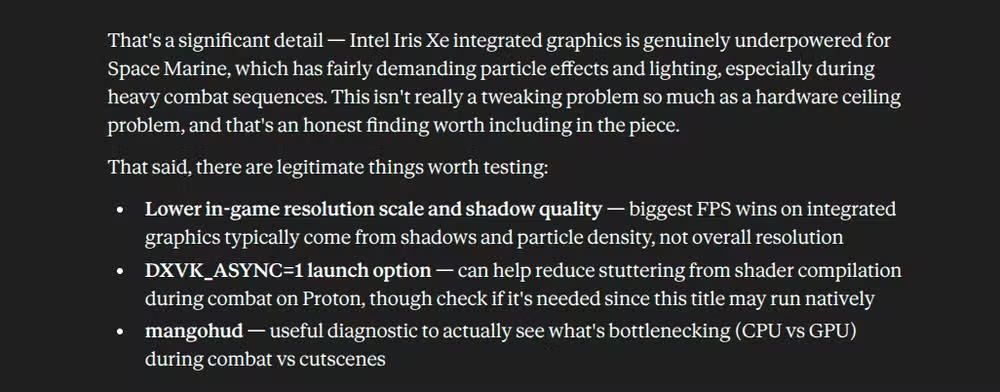
The first finding: Buck's Intel Iris Xe integrated GPU was underpowered for Space Marine's 3D demands. Not surprising, but Claude didn't stop there. It suggested enabling the DXVK_ASYNC launch option, which handles shader compilation differently to reduce stuttering.
The DXVK fix that changed everything
DXVK translates DirectX calls to Vulkan, letting Windows games run on Linux through Proton. The async option compiles shaders in the background rather than blocking gameplay. It's a known tweak in Linux gaming circles, but not obvious to someone who just installed Steam a few months ago.
Buck enabled the option. Space Marine launched fast. The stuttering during mob fights disappeared. He played longer than planned. The in-game graphics settings didn't need adjustment at all. One launch parameter solved the problem.
Cuphead needed a different fix
Cuphead presented a different problem. Frame drops in a 2D cartoon game pointed to compatibility rather than raw GPU power. Claude identified this and suggested switching the Proton version in Steam's properties menu.
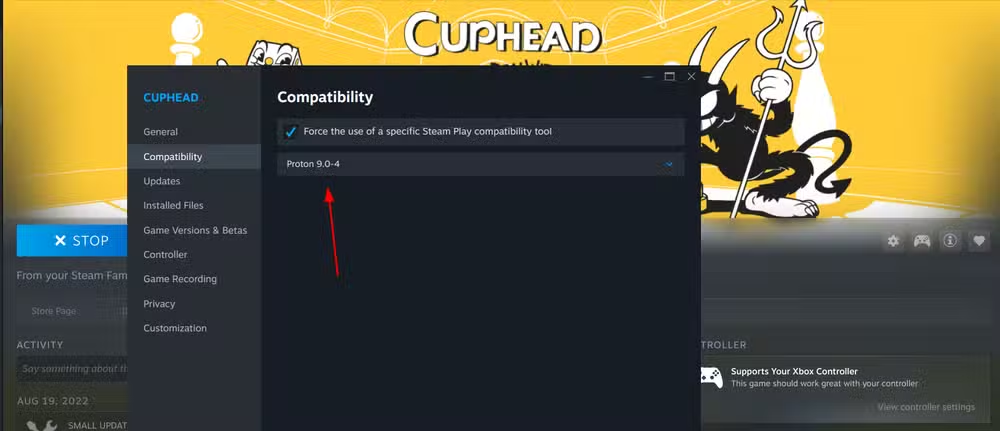
Buck switched to the latest Proton release. Load times improved. The animation smoothed out. Boss fights ran without stuttering. Two different games, two different root causes, two different fixes. Claude diagnosed both correctly.
Where the experiment hit a wall
Buck planned to test more games, including Battletoads and Knights of the Old Republic. He didn't get the chance. Claude hit its message limit and stopped responding.
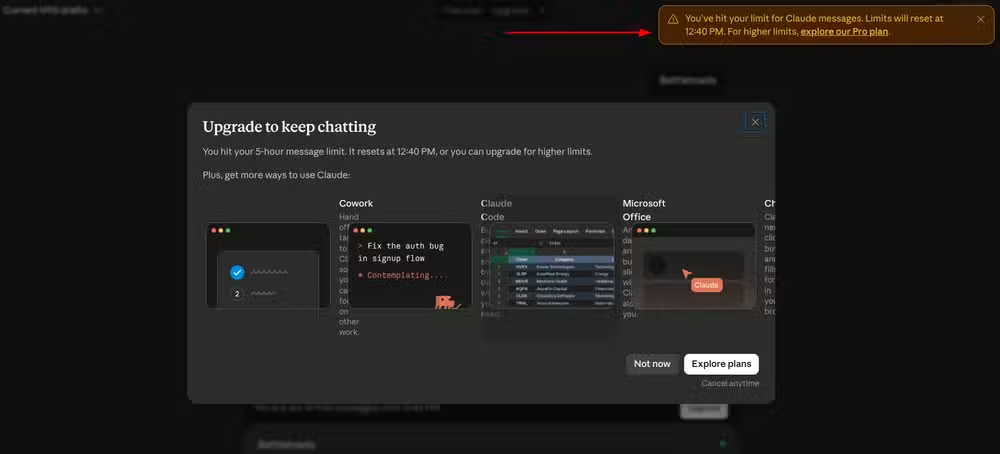
This is a reminder that free-tier AI tools come with constraints. The fixes worked, but the troubleshooting session ended abruptly. For casual experimentation, that's fine. For production workflows, it's worth considering whether rate limits will interrupt critical tasks.
Why this matters for everyday technical problems
Steam has over 132 million monthly active users and more than 34,000 games. Most of those players never edit config files or research launch options. They accept whatever performance they get out of the box.
AI assistants change that equation. You don't need deep technical knowledge to describe symptoms and share system specs. The AI can suggest fixes that would otherwise require hours of forum searching or Reddit scrolling. Buck's case is a clean example: he had limited Steam experience, knew his games ran poorly, and got working solutions in minutes.
This approach extends beyond gaming. Any software with configuration files, environment variables, or undocumented settings becomes more accessible when you can paste configs into an AI and ask what's wrong.
Logicity's Take
The real story here isn't that Claude fixed some games. It's that config file analysis is exactly the kind of mundane, practical task where LLMs deliver immediate value. No creativity required, no hallucination risk for well-documented settings, just pattern matching against known solutions. This use case will expand as more people realize AI can read their dotfiles.
Frequently Asked Questions
Can Claude AI analyze any game's config files?
Claude can parse text-based config files (.ini, .cfg, .json) and suggest fixes based on known issues. It works best for games with documented settings and common troubleshooting patterns.
What is DXVK_ASYNC and why does it improve performance?
DXVK_ASYNC compiles shaders in the background instead of during gameplay. This prevents stuttering when the game encounters new graphical effects for the first time.
Does this method work on Windows or only Linux?
The specific fixes in this example target Linux gaming with Proton. Windows users face different compatibility issues, but Claude can analyze Windows configs and suggest platform-specific solutions.
What information should I give Claude to troubleshoot game performance?
Provide your GPU model, operating system, Proton or DirectX version, current launch options, in-game settings, and specific symptoms like crash timing or frame drops during certain actions.
More hidden settings you can unlock on devices you already own
Need Help Implementing This?
We cover AI tools for practical technical workflows every week. Subscribe to Logicity's newsletter for tutorials on getting real work done with LLMs, not just demos.
Source: How-To Geek
Huma Shazia
Senior AI & Tech Writer
Produced with AI assistance and reviewed by the Logicity editorial team. Learn more in our Editorial Policy.






