Key Takeaways
- Fallback routing sends requests to a fast, cheap model first and escalates only when confidence scores drop below threshold
- The router acts as traffic controller, deciding which model handles each request based on complexity, cost, and customer tier
- Confidence scoring, intent classification, and retrieval layers work together to determine when escalation is necessary
A new DigitalOcean tutorial walks through building a customer support agent with fallback routing, an architecture pattern that routes simple queries to cheap, fast models while escalating complex cases to stronger models or human agents. The approach solves a core tension in AI support: using powerful models for everything burns cash and adds latency, but relying solely on lightweight models fails when queries get ambiguous or sensitive.
Disclosure
Some links in this post are affiliate links — Logicity earns a commission if you sign up, at no extra cost to you. We only link products we have used or actively recommend.
Customer support handles a predictable distribution of requests. "Where's my order?" and "How do I reset my password?" account for most volume. These are perfect for a GPT-3.5 class model. But a small percentage of tickets involve angry customers, legal risk, technical complexity, or ambiguous intent. Those need more firepower.
How does fallback routing work?
Fallback routing is an orchestration pattern where requests hit a primary model first, typically chosen for speed and cost. The system then assesses answer quality against confidence, safety, and policy thresholds. If the answer passes, it ships to the customer. If not, the request escalates to a stronger model, a specialist model, a human agent, or a different workflow entirely.
The pattern works because customer support workloads are imbalanced. A large percentage of tickets are completely repetitive. A smaller slice requires advanced reasoning, better instruction-following, a more careful tone, or access to specialized tools.
What triggers the fallback mechanism?
Several signals can trigger escalation. Low confidence scores are the most obvious. If the primary model returns an answer but expresses uncertainty, the router can send the query upstream. Intent classification also matters. Some topics, like billing disputes or legal complaints, might route directly to stronger models regardless of confidence.
Customer tier is another factor. A VIP customer might always get the premium model. The router can also inspect query complexity, expected difficulty, and whether previous responses in the conversation failed to resolve the issue.
Core architecture components
The DigitalOcean tutorial outlines a system with several moving parts. First, the customer inputs a message through whatever channel they're using: live chat, email, WhatsApp, a website widget, mobile app, or help desk software like Intercom or Zendesk.
An intent classifier then categorizes the request type: billing, refund, technical support, shipping, account access, complaint, and so on. This classification feeds into routing decisions.
A retrieval layer queries relevant knowledge bases before the model generates a response. This could be an FAQ repository, product documentation, order database, CRM data from HubSpot or Salesforce, or ticketing history. The model needs reliable context to produce accurate answers.
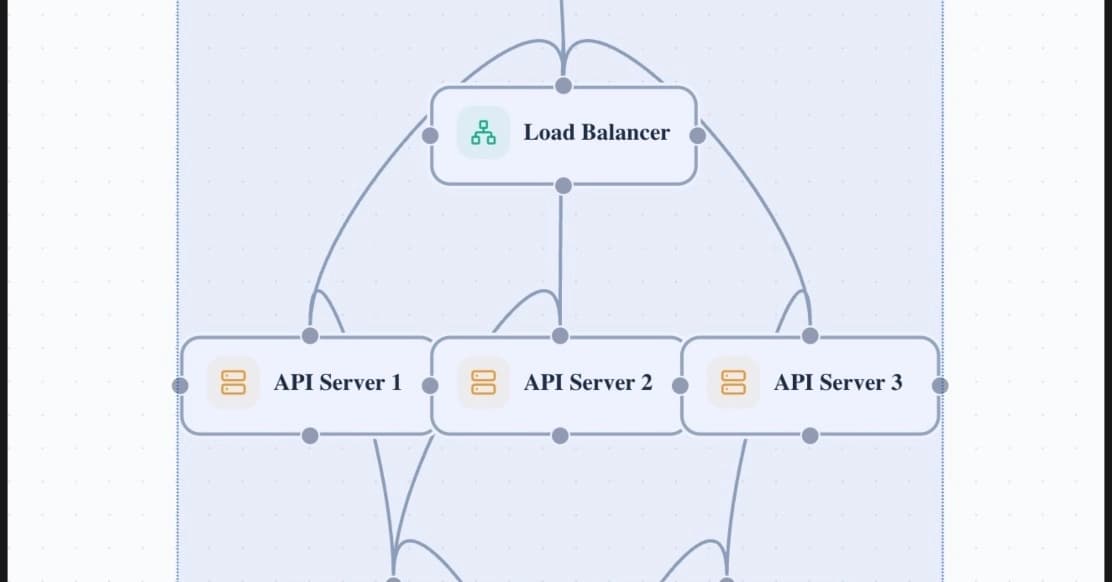
Finally, the router inspects the request and decides which model handles it. The default route points to the cheapest, fastest option. But the router also considers customer tier, topic sensitivity, and expected difficulty before making the call.
Primary route vs. fallback route
The primary route handles the bulk of traffic. This is your fast, cheap model. It processes straightforward questions about order status, feature explanations, pricing, and basic troubleshooting. Response times stay low, costs stay manageable.
The fallback route kicks in for low-confidence cases. When the primary model hesitates, when sentiment analysis detects frustration, or when the topic hits a sensitive category, the request escalates. The fallback model trades speed and cost for accuracy and nuance. In some cases, the fallback might be a human agent rather than a stronger AI.
Confidence scoring in the router
Confidence scoring is the decision engine. The router needs to know when an answer is good enough and when it's not. This can come from the model itself, through logprobs or explicit uncertainty markers, or from a separate evaluator that checks the response against known good answers.
Setting the threshold requires experimentation. Too high, and too many requests escalate, driving up costs. Too low, and bad answers slip through to customers. Most teams start with a conservative threshold and loosen it as they collect data on what works.
Handling latency in real time
Real-time support means latency matters. Customers expect fast responses, especially in live chat. The architecture needs to minimize added delay from routing logic.
One approach: run intent classification and retrieval in parallel while the router makes its model selection. Another: use streaming responses so customers see the answer forming rather than waiting for a complete response. If fallback triggers mid-response, the system can smoothly transition to the stronger model.
Cost constraints in the router config
The router config defines cost boundaries. You might set a maximum spend per conversation, a daily budget cap, or tiered limits based on customer value. When approaching limits, the router can bias toward cheaper models or trigger human handoff earlier.
This becomes critical at scale. A thousand conversations per day with unrestricted fallback to GPT-4 adds up fast. The router config lets you balance quality against budget reality.
Logicity's Take
Fallback routing is the sensible middle ground between over-engineering and under-delivering. Teams using LangChain, LlamaIndex, or Semantic Kernel can implement this pattern relatively quickly. The hard part isn't the routing logic; it's tuning the confidence thresholds and building the retrieval layer that gives any model a fighting chance. If you're evaluating hosting for this kind of architecture, DigitalOcean, Vercel, and Cloudflare Workers all support the async patterns you'll need. Start with aggressive fallback thresholds and relax them as you gather data.
Frequently Asked Questions
When should I use fallback routing instead of always using the best model?
When your support volume is high enough that cost matters and when the majority of your queries are repetitive enough for a cheaper model to handle well. If you're processing hundreds of tickets daily, fallback routing can cut costs by 60-80% while maintaining quality on complex cases.
What confidence threshold should I set for fallback triggers?
Start conservative, around 0.8 or higher, then analyze escalated tickets. If most escalations were actually handled well by the primary model, lower the threshold. Track customer satisfaction scores for both routes to find your optimal point.
Can the fallback route to a human agent instead of a stronger AI model?
Yes. Many implementations use tiered fallback: primary model to stronger model to human. Some topics, like legal complaints or high-value customer issues, might skip directly to human agents regardless of AI confidence.
How do I measure if fallback routing is working?
Track resolution rates, customer satisfaction scores, and cost per conversation across both routes. Compare escalated conversations to non-escalated ones. Look for cases where the primary model should have escalated but didn't, or escalated unnecessarily.
Need Help Implementing This?
If you're building AI support agents and need help with routing logic, confidence scoring, or integration with your existing help desk, reach out to Logicity's consulting team for architecture reviews and implementation guidance.
Huma Shazia
Senior AI & Tech Writer
Produced with AI assistance and reviewed by the Logicity editorial team. Learn more in our Editorial Policy.