Key Takeaways
- Animated diagrams reduce stakeholder miscommunication by making complex systems intuitive
- AI-assisted animation workflows cut creation time from days to under an hour
- Zero ongoing licensing costs compared to traditional motion graphics software
Read in Short
Your engineers are spending 5-10 hours creating static diagrams that stakeholders still misunderstand. Combining Remotion (a React-based animation framework) with AI coding assistants like Claude produces professional animated architecture diagrams in under an hour. The result: faster stakeholder alignment, fewer 'wait, I thought it worked like this' moments in reviews, and documentation that actually gets watched.
Why Static Architecture Diagrams Cost You Money
Every CTO knows this pain: You spend hours perfecting an architecture diagram. You present it to the board or a client. And then you spend the next 30 minutes explaining what the arrows mean, why data flows in that direction, and what happens when Component A talks to Component B.
Static diagrams create a comprehension gap. Your engineering team understands them because they built the system. Everyone else is guessing. This gap leads to approved projects that stakeholders later claim they 'didn't realize would work that way.' It causes scope creep when requirements get reinterpreted. It burns cycles in meetings that should have been emails.
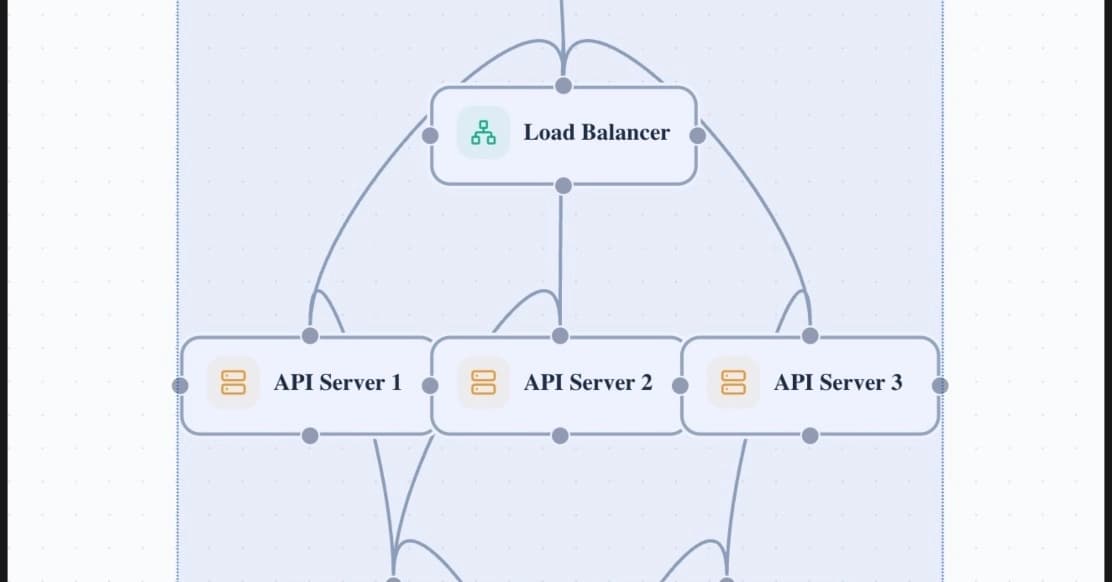
Animation solves this by showing instead of telling. When stakeholders watch data flow through your system, when they see the sequence of events unfold, comprehension jumps dramatically. The question isn't whether animated diagrams are better. It's whether creating them has been worth the time investment.
Until now, it wasn't.
How Architecture Diagrams Animation Actually Works Now
The old workflow for animated technical content required either expensive motion graphics software (After Effects runs $23/month minimum) plus someone who knows how to use it, or clunky diagramming tools with limited animation that still looked amateur.
The new workflow is almost embarrassingly simple. Remotion is an open-source framework that renders React components as video. If you can describe what you want to a modern AI assistant, you can create broadcast-quality animations without touching a timeline editor.
The New Documentation Stack
Remotion (free, open-source) handles video rendering from code. AI assistants like Claude generate the animation code from natural language descriptions. Your engineers fine-tune the output. Total software cost: $0-20/month for AI access you probably already have.
Here's what changes operationally: Instead of booking time with your one designer who knows After Effects, any engineer can spin up an animated diagram. Describe what you want the animation to show. Let the AI generate Remotion code. Tweak colors and timing. Export. Done.
One developer reported creating a complex animation explaining the Outbox Pattern (a database reliability concept) in a single session. The same animation in After Effects would have taken a day minimum, assuming familiarity with the software.
What's the Real Cost of Animated Technical Documentation?
| Approach | Software Cost | Time to First Animation | Learning Curve | Output Quality |
|---|---|---|---|---|
| After Effects + Manual | $276/year | 2-5 days | Steep | Professional |
| Canva/Basic Tools | $120/year | 2-4 hours | Low | Basic |
| Remotion + AI Assistant | $0-240/year | 30-60 minutes | Minimal | Professional |
| Outsource to Agency | $500-2000/video | 1-2 weeks | None | Professional |
The math gets interesting when you factor in opportunity cost. A senior engineer's time costs $75-150/hour loaded. If they're spending 8 hours learning After Effects and 4 hours per diagram, you're burning $900-1800 per animation in engineering time alone.
With the AI-assisted workflow, that same engineer produces comparable output in an hour. Even accounting for AI subscription costs, you're looking at 80%+ time savings on every piece of animated documentation.
Documentation tooling is another area where perfect is the enemy of done
When Animated Architecture Diagrams Actually Matter
Not every diagram needs animation. A simple database schema? Static is fine. But certain scenarios justify the investment almost immediately:
- Investor pitches explaining your technical moat
- Client onboarding for complex SaaS platforms
- Internal training for systems with many moving parts
- Incident post-mortems showing failure cascades
- API documentation for developer experience
- Board presentations on infrastructure investments
The pattern: Any time you're explaining temporal relationships (this happens, then this happens) or data flow to non-engineers, animation pays for itself in reduced confusion and faster alignment.
Implementation: What Your Team Needs to Start
The barrier to entry is surprisingly low. Here's the realistic checklist:
- Node.js environment (your engineers already have this)
- Remotion installation (npm install, 5 minutes)
- AI assistant access (Claude, GPT-4, or similar)
- Basic React familiarity (not required but helps with tweaks)
- Clear description of what you want to animate
The workflow in practice looks like this: Write a detailed prompt describing your architecture and how you want to visualize the data flow. The AI generates Remotion code. You run it locally, see the preview, request adjustments. When it looks right, export to MP4.
The code quality doesn't matter. This isn't production software. It's a tool that produces a video file and then gets discarded. Your engineers can stop cringing about 'clean code' and just ship the documentation.
Prompt Engineering Tip
Be specific about timing and sequence. Instead of 'show data flowing from A to B,' try 'animate a packet moving from the API gateway to the database over 2 seconds, then show a response packet returning over 1.5 seconds with a green success indicator.'
Another example of modern tooling reducing infrastructure communication overhead
The Strategic Case for Visual Technical Communication
Documentation debt is real and expensive. Most companies treat it as a necessary evil. But documentation is actually a competitive advantage when done right.
Clear technical communication accelerates sales cycles. When prospects understand your architecture quickly, they trust your team's competence. It reduces support burden. When users can watch how your system works, they file fewer confused tickets. It improves hiring. Candidates who can understand your stack before the interview ask better questions.
Animated architecture diagrams aren't about making things pretty. They're about reducing the friction cost of every technical conversation your company has.
Frequently Asked Questions
Frequently Asked Questions
How much does it cost to create animated architecture diagrams?
Software costs range from $0 (Remotion is open-source) to $20/month for AI assistant access. The real cost is engineering time, which drops from 8-12 hours per animation with traditional tools to under 1 hour with AI-assisted workflows.
Do our engineers need video editing experience?
No. The AI handles the animation code generation. Engineers only need to describe what they want and make minor adjustments. Basic React knowledge helps but isn't required for simple animations.
How long does it take to implement this workflow?
Initial setup takes 30-60 minutes including Remotion installation and first test animation. Most teams are producing useful documentation animations within their first session.
Is this approach suitable for client-facing materials?
Yes. Remotion renders broadcast-quality video at any resolution. Many companies use it for marketing content, investor materials, and customer documentation. The output is indistinguishable from professionally produced animation.
What about maintaining these animations when architecture changes?
Because animations are generated from code, updates are straightforward. Change the prompt, regenerate, export. No hunting through After Effects project files to find the right layer.
The Bottom Line for Technical Leaders
Your team is already creating architecture diagrams. The question is whether those diagrams actually communicate effectively or just check a documentation box.
Animated diagrams cost roughly the same to produce now as static ones did five years ago, thanks to AI-assisted workflows. The comprehension benefits are measurable. The implementation barrier is a single afternoon.
For companies where technical communication matters, whether that's complex SaaS products, infrastructure services, or any B2B tech, this workflow shift is worth testing on your next internal presentation or client deliverable.
Technical concepts that benefit from visual explanation
Need Help Implementing This?
Logicity helps technical teams modernize their documentation and communication workflows. From tooling selection to team training, we help you ship better technical content faster. Reach out to discuss your documentation challenges.
Source: DEV Community
Huma Shazia
Senior AI & Tech Writer
Produced with AI assistance and reviewed by the Logicity editorial team. Learn more in our Editorial Policy.