Key Takeaways
- The Apple High Alert scam uses fake security breach warnings via calls, texts, emails, and browser pop-ups to steal Apple ID credentials
- Apple never asks for passwords, Social Security numbers, or sensitive data via email, text, or phone calls
- The scam targets Apple's 2.2 billion device users through social engineering, not technical vulnerabilities
A phishing campaign called the Apple High Alert scam is targeting iPhone and iCloud users with fake security warnings designed to steal login credentials. The scam uses urgent messages claiming your Apple account has been compromised, pushing victims toward fraudulent websites that harvest Apple ID passwords and payment information.
This comes on the heels of the iCloud storage is full scam that circulated earlier. Both exploit the same vulnerability: human psychology. Neither attack breaches Apple's systems. They trick users into handing over their data voluntarily.
How does the Apple High Alert scam work?
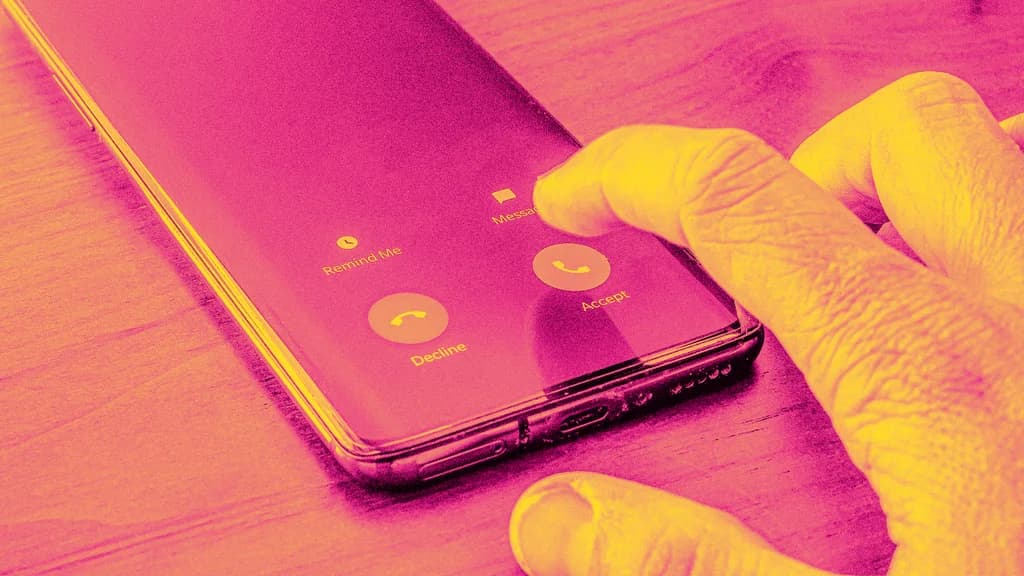
The attack starts with a message. It could arrive as a phone call, email, text message, or browser pop-up. The format varies, but the script stays consistent. You'll see phrases like Security Breach Detected, Your iPhone Has Been Compromised, or High Alert. That last phrase gave the scam its name.
According to ConsumerAffairs, the message claims suspicious activity was detected on your Apple account. It creates urgency. Act now or lose access to your device. The goal is to short-circuit your rational thinking and get you to click a link.
That link leads to a fake Apple login page. It looks convincing. Enter your Apple ID and password, and the scammers now own your credentials. From there, they can access your iCloud data, lock you out of your devices, or drain linked payment methods.
Why Apple users make attractive targets
Apple has over 2.2 billion active devices worldwide. That's a massive target pool. The company's users also tend to store payment information in their Apple accounts, making successful breaches more lucrative for attackers.
Phishing remains the dominant attack vector. The FBI's Internet Crime Complaint Center reported $12.5 billion in losses to phishing scams in 2023. Verizon's Data Breach Investigations Report found that 36% of all data breaches involve phishing. The numbers keep climbing because the approach works.
What Apple says about security requests
Apple's official position is unambiguous. The company will never ask for your password, Social Security number, or other sensitive information via email, text message, or phone call. If you receive such a request, it's not from Apple.
Real Apple security alerts appear in your device settings or through verified communications from apple.com email addresses. They don't demand immediate action via random browser pop-ups or unsolicited calls.
How to protect yourself from the Apple High Alert scam
Start with skepticism. Any message creating panic about your account security deserves scrutiny, not immediate compliance. Scammers weaponize urgency because fear bypasses critical thinking.
- Never click links in unsolicited security alerts. Navigate to Apple's website directly by typing the URL yourself.
- Check the sender's email address. Phishing emails often use domains that look similar to apple.com but aren't.
- Enable two-factor authentication on your Apple ID. Even if scammers get your password, they can't access your account without the second factor.
- Report suspicious messages to Apple at reportphishing@apple.com.
- If you've already entered credentials on a suspicious site, change your Apple ID password immediately and review your account for unauthorized changes.
Browser pop-ups deserve special attention. If a warning appears while browsing, don't interact with it. Close the browser tab entirely. Legitimate security alerts from Apple don't appear in random browser windows.
The social engineering pattern behind these attacks
The Apple High Alert scam follows the classic social engineering playbook. Create fear. Establish authority by impersonating a trusted brand. Demand immediate action. The combination overwhelms rational defenses.
AI tools have accelerated this trend. Security firms report a 1,000% increase in AI-powered phishing attacks since ChatGPT launched. The technology helps scammers generate more convincing messages at scale, with fewer grammatical errors that once served as warning signs.
Frequently Asked Questions
Does Apple send security alerts via text message?
Apple may send legitimate texts for two-factor authentication codes, but the company never asks for passwords or personal information via text. Any text claiming your account is compromised and asking you to click a link is fraudulent.
What should I do if I already clicked a phishing link?
Change your Apple ID password immediately. Review your account for unauthorized purchases or device changes. Enable two-factor authentication if you haven't already. Monitor your linked payment methods for suspicious activity.
How can I verify if an Apple security alert is real?
Go directly to appleid.apple.com by typing the URL yourself. Sign in and check for any actual security notifications. Real alerts will appear in your account settings, not in random emails or pop-ups.
Why do these scams target Apple users specifically?
Apple's ecosystem of 2.2 billion devices represents a huge target pool. Users often have payment information stored in their accounts, making successful breaches financially rewarding for attackers.
Logicity's Take
The Apple High Alert scam isn't technically sophisticated. It's psychologically sophisticated. The real vulnerability here is the gap between how people think they'd respond to phishing and how they actually respond under manufactured panic. Organizations deploying Apple devices at scale should treat this as a training opportunity. Run simulated phishing exercises. The employees who click teach you where your security awareness gaps live.
Need Help Implementing This?
If your organization needs security awareness training or help hardening your Apple device fleet against phishing attacks, reach out to our team at Logicity. We connect businesses with vetted security consultants who specialize in social engineering defense.
Source: Fast Company / Michael Grothaus
Huma Shazia
Senior AI & Tech Writer
Produced with AI assistance and reviewed by the Logicity editorial team. Learn more in our Editorial Policy.