Key Takeaways
- Android 16 QPR3 brings a functional desktop mode to Pixel 8 and newer devices via Developer Options
- The mode supports resizable windows, virtual desktops, and standard keyboard shortcuts like Alt+Tab
- Personalization features remain unfinished, with placeholder text for themes and no wallpaper options
Android 16 desktop mode shipped in the March Pixel Drop, and it actually works. Plug a Pixel 8 or newer into a Thunderbolt dock, enable a developer flag, and you get floating windows, a taskbar, and virtual desktops on your monitor. Google spent three years moving this feature from a broken experiment to something genuinely usable.
Rob LeFebvre at MakeUseOf tested the mode on a Pixel 9 running the May 2026 security patch. His verdict: more capable than the coverage suggests, less finished than Google's announcement implies.
How to enable Android 16 desktop mode
Setup takes about ten seconds once you know where to look. Go to Settings, tap About Phone, then Android version, then tap Build number seven times to unlock Developer Options. Inside Developer Options, enable "desktop experience features." Connect a Bluetooth keyboard and mouse, plug into a Thunderbolt dock, and a prompt appears: Desktop or Mirror. Tap Desktop.
What appears is a proper desktop environment. A taskbar runs across the bottom, Android's three-button navigation sits in the corner, and apps open in floating windows you can resize and reposition. The OWC Thunderbolt 4 Dock mentioned in LeFebvre's testing runs $199 and handles up to two 4K displays at 60Hz.
Window management that actually surprises
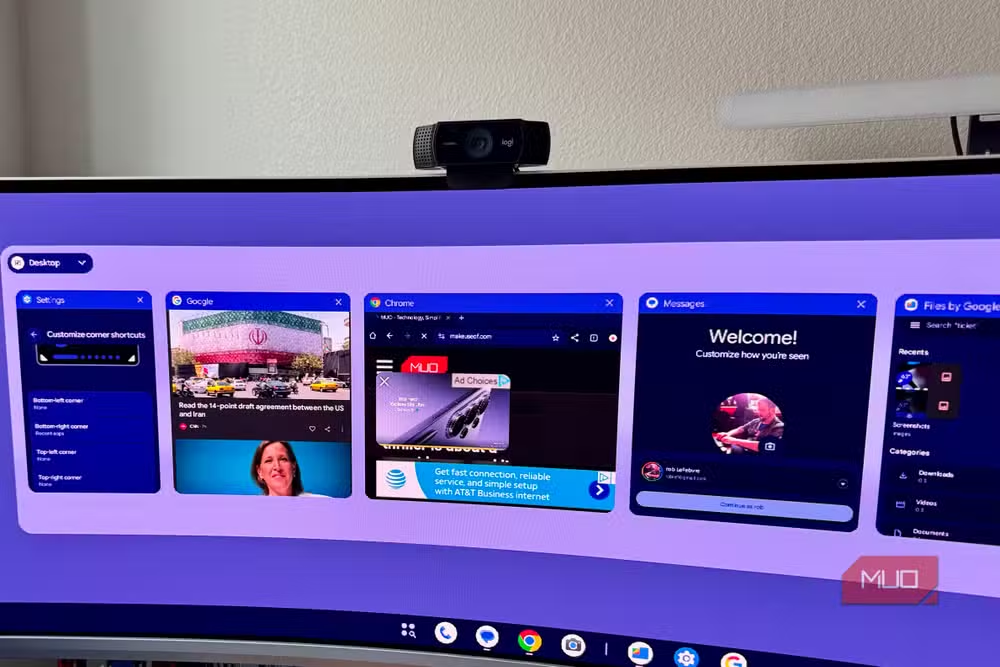
Apps open in resizable floating windows. You can stack several on screen, maximize them, minimize them. Right-clicking an app icon in the taskbar gives you pin, unpin, and close options. Alt+Tab opens an app switcher. These are table stakes for any desktop, and they work.
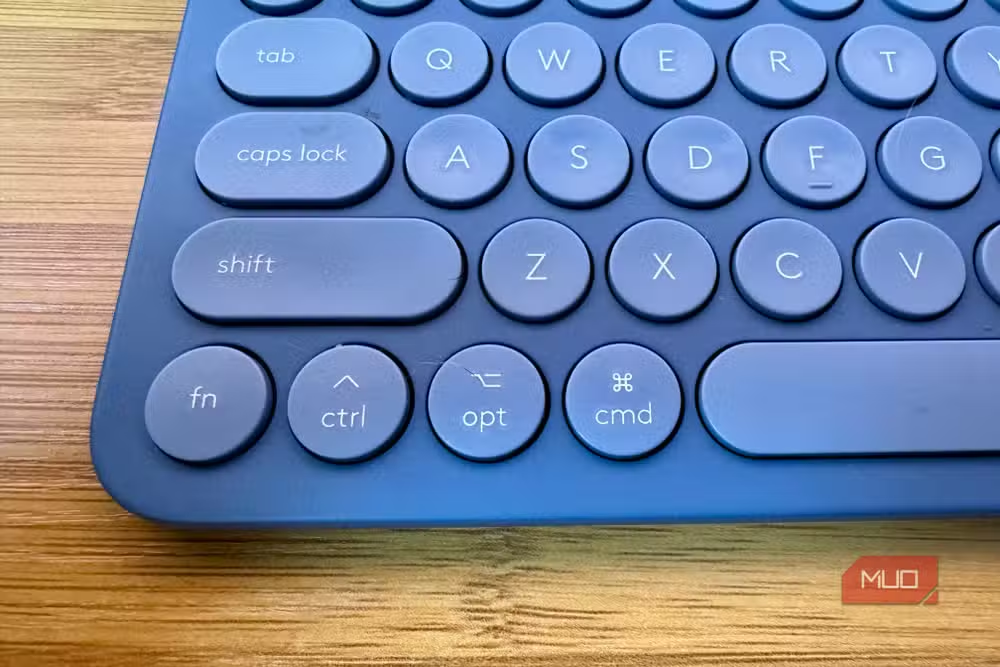
The surprise: Command+Tab (or Win+Tab on standard keyboards) opens virtual desktop spaces. Multiple independent desktops you can flip between. That's a power-user feature nobody expected Google to ship this early.
Google Docs opens in a resizable window with its editing toolbar expanding as the window grows. Keyboard input works naturally for document work. Chrome handles general browsing. Web pages load, text is readable, images look good. The experience sits closer to a Chromebook than a phone pretending to be a PC.
Google built this mode in collaboration with Samsung, drawing on years of DeX development. That partnership explains why the feature feels more mature than typical first-generation Android experiments.
Where the polish runs out
Right-clicking the desktop wallpaper does nothing. No context menu for display settings or personalization appears. The Settings page for themes shows a placeholder reading "New theme packs are coming," and that's it. You cannot change the wallpaper or adjust colors.
Resolution scaling needs work. On a Philips 49-inch ultrawide running natively at 5120x1440, desktop mode capped output at 2711x763. The numbers look alarming on paper. In practice, at normal viewing distance, web browsing remains usable. But the gap between the display's capability and the mode's output is real.
Mouse tracking required manual adjustment in Settings. The defaults were too fast for precise work. These are the kinds of tweaks that a finished product handles automatically.
The app optimization question
Play Store apps supporting freeform windowing and resizable layouts have increased fourfold since the Android 16 beta announcement. That's encouraging, but it doesn't mean every app you need will behave properly in a desktop window.
Opening Google Drive in Chrome lets you browse files, but creating a Doc file pushes you to the native Android app. This kind of friction appears throughout: some workflows stay entirely in browser-style windows, others bounce you between Chrome and native apps with different interaction models.
Reddit and Hacker News discussions show a split. Power users see potential for lapdocks and true mobile computing. Skeptics doubt app developers will bother optimizing for desktop-sized windows when the audience remains small.
Who should actually try this
If you travel with a Pixel 8 or newer and occasionally need a larger screen for document work, this mode eliminates the need to carry a laptop for light tasks. Hotel TVs with HDMI, portable USB-C monitors, office docks. All become viable workstations.
For developers and power users, the virtual desktops feature alone justifies experimenting. For everyone else, the unfinished personalization and resolution scaling suggest waiting another release or two.
Frequently Asked Questions
Which Pixel phones support Android 16 desktop mode?
Pixel 8 and newer devices running Android 16 QPR3 or later support desktop mode. Older Pixels do not have the hardware requirements.
Do I need a specific dock for Android desktop mode?
Any Thunderbolt 4, Thunderbolt 3, or USB4 compatible dock should work. The OWC Thunderbolt 4 Dock ($199) was confirmed working in testing.
Can Android 16 desktop mode replace Samsung DeX?
The feature was built with Samsung collaboration and offers similar core functionality. DeX remains more polished for now, but Google's version works on all compatible Pixels, not just Samsung devices.
What keyboard shortcuts work in Android desktop mode?
Alt+Tab switches between apps. Command+Tab or Win+Tab opens virtual desktop spaces. Standard text editing shortcuts work in supported apps.
Why is my display resolution limited in Android desktop mode?
Desktop mode currently caps output below the native resolution of high-end monitors. A 5120x1440 ultrawide displayed at 2711x763 in testing. Google may improve scaling in future updates.
Logicity's Take
Google's three-year timeline from broken experiment to functional desktop mode mirrors what happened with Chrome OS in its early years. The Samsung partnership accelerated development, but the real test comes next: will Google maintain momentum or let this stagnate like Android tablets did for a decade? The virtual desktops feature suggests serious intent. If app developers respond to the fourfold increase in freeform windowing support, Pixels could become legitimate secondary workstations within two release cycles.
If you're using your Pixel as a desktop, securing your credentials across devices becomes critical
Need Help Implementing This?
Setting up mobile-to-desktop workflows for your team? Logicity can help you evaluate device policies, dock compatibility, and security considerations for enterprise Pixel deployments. Contact us for a consultation.
Source: MakeUseOf
Manaal Khan
Tech & Innovation Writer
Produced with AI assistance and reviewed by the Logicity editorial team. Learn more in our Editorial Policy.






