Key Takeaways

- Zapier MCP connects AI tools to 9,000+ apps and 30,000 actions through a single integration
- The implementation is SOC 2 Type II certified and keeps credentials separate from AI models
- Use cases fall into three categories: preparation, creating drafts, and triaging messages
What MCP Actually Does
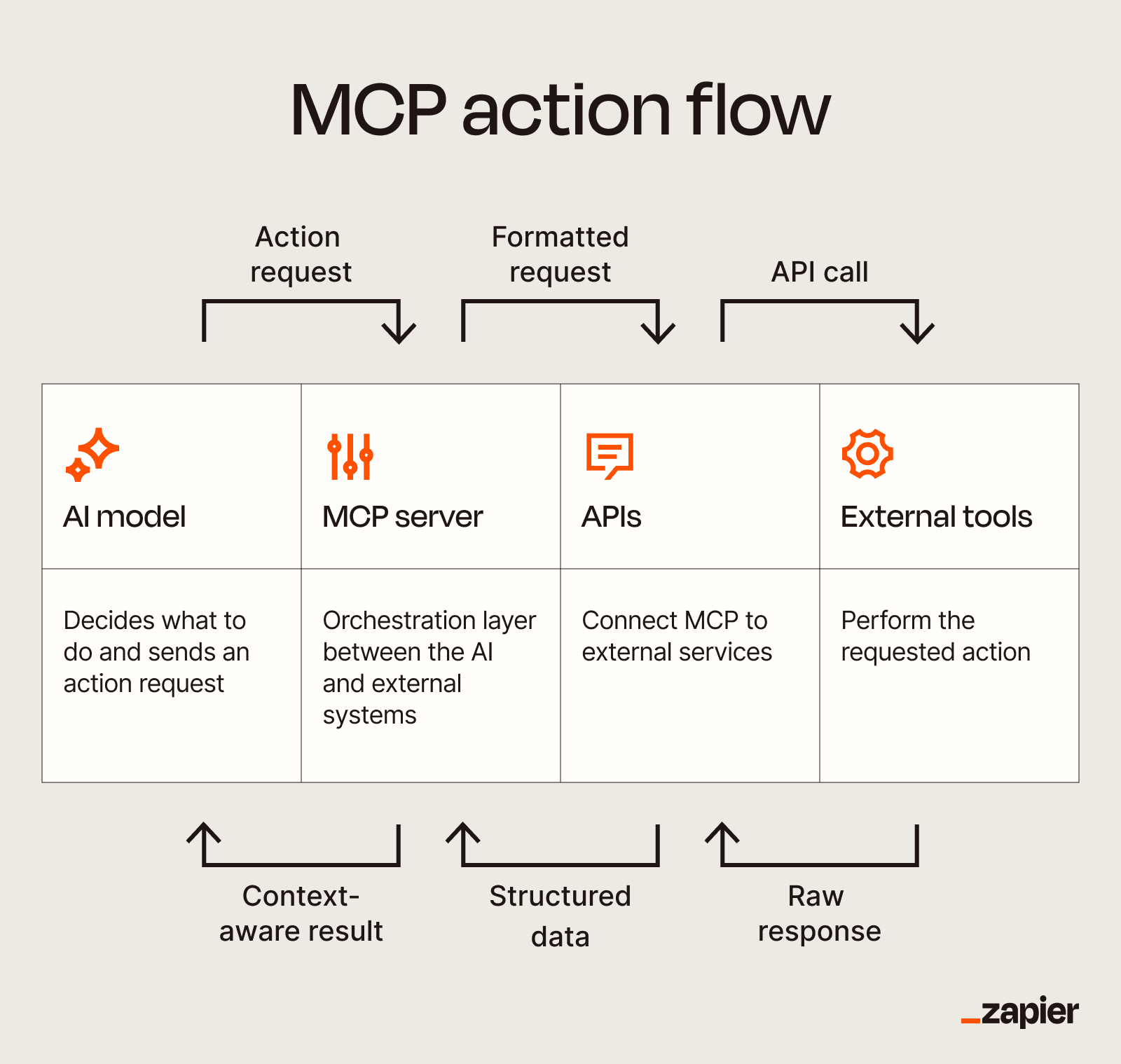
Model Context Protocol, or MCP, works like a universal adapter for AI tools. Instead of your AI assistant only chatting back and forth, MCP lets it take action in other apps. Send emails. Update your CRM. Create tasks. The protocol defines how these connections work.
You could build your own MCP server. That means hiring a developer to write and maintain integrations for every app you want to connect. Or you could use Zapier's implementation instead.
Why Zapier's Implementation Matters
Zapier MCP gives you access to over 9,000 apps and 30,000 actions. That includes any private integrations your team builds. The key difference from building your own: you don't rebuild connections when you switch AI tools.
If you move from Claude to ChatGPT to Cursor, your app connections stay intact. Your access rules carry over. You don't start from scratch.
Security gets handled through OAuth authentication. Your app credentials never touch the actual AI model. The model can't leak them or misuse them because it never sees them. Zapier MCP holds SOC 2 Type II certification, which means independent auditors have verified their security controls.
You also control which apps and actions your AI can access. Grant access to your email but not your CRM. Allow task creation but not deletion. Revoke access anytime.
The Seven Use Cases
Zapier groups the use cases into three buckets: getting prepared, creating drafts, and triaging messages. The company offers templates with suggested prompts for each.
Getting Prepared
Before meetings or calls, you can have your AI pull relevant context from connected apps. Ask it to check your CRM for recent customer interactions. Have it review project management tools for status updates. Pull calendar details for upcoming commitments.
Creating Drafts
Rather than just generating text in a chat window, your AI can create drafts directly in your apps. Start an email draft in Gmail. Create a document in Google Docs or Notion. The content goes where you'll actually use it.
Triaging Messages
Let your AI sort through incoming messages across platforms. It can categorize emails, flag urgent items, or suggest responses based on patterns in your previous communications.
Supported AI Clients
Zapier MCP works with any AI client that supports the Model Context Protocol. The company publishes specific guides for Claude, ChatGPT, Cursor, and OpenClaw. Each guide covers setup and client-specific features.
For templates, Zapier maintains a dedicated MCP templates page where you can browse pre-built configurations. Click "Try it" on any template to follow guided setup instructions.
Logicity's Take
Getting Started
Start with one of the templates rather than building from scratch. Pick a use case that matches your current workflow pain point. The templates include suggested prompts that show you how to phrase requests to your AI.
Set strict access controls from the beginning. Only connect the apps your AI actually needs. You can always expand access later, but starting narrow reduces risk.
More ways to optimize your productivity setup
Frequently Asked Questions
Does Zapier MCP work with ChatGPT?
Yes. Zapier MCP works with any AI client that supports the Model Context Protocol, including ChatGPT, Claude, and Cursor. Zapier publishes specific setup guides for each.
Is Zapier MCP free?
Zapier MCP is part of Zapier's platform. Pricing depends on your Zapier plan and usage. Check Zapier's current pricing for specifics.
Can my AI access my passwords through MCP?
No. Zapier MCP uses OAuth authentication, which means your credentials never touch the AI model. The AI can take actions in your apps but cannot see or store your passwords.
How many apps can I connect through Zapier MCP?
Zapier MCP supports over 9,000 apps with more than 30,000 actions. You can also connect private integrations your team builds.
What happens if I switch from Claude to a different AI tool?
Your Zapier MCP connections stay intact. You connect your new AI client to Zapier MCP and your existing app integrations and access rules carry over.
Need Help Implementing This?
Source: The Zapier Blog
Manaal Khan
Tech & Innovation Writer
Produced with AI assistance and reviewed by the Logicity editorial team. Learn more in our Editorial Policy.