Key Takeaways
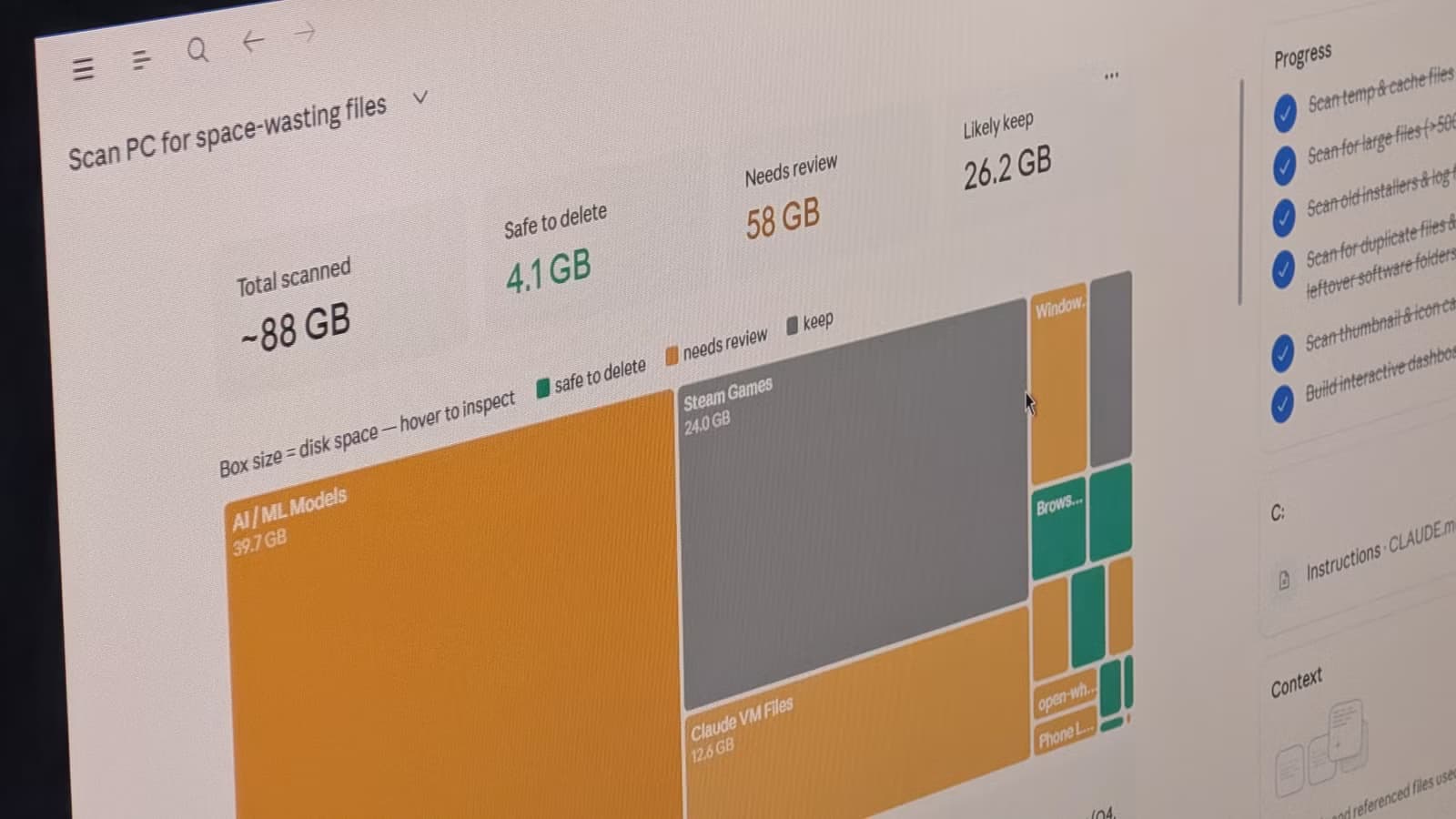
- Claude Cowork can organize messy downloads and desktop folders automatically
- The tool extracts expense data from receipt photos and builds spreadsheets
- Cowork uses Chrome to research vacations, compare destinations, and build itineraries
Claude Cowork, Anthropic's agentic desktop tool, gets pigeonholed as a coding assistant. Most users treat it that way, or stick to basic chat. But the tool can interact directly with your desktop, browser, and files, which opens up a batch of productivity hacks that have nothing to do with writing a single line of code.
How-To Geek's Adam Davidson tested seven of these use cases. Some are genuinely useful. Others feel more like party tricks. Here's what actually works.
Organizing your downloads folder
This is the obvious first test for any file-aware AI. Connect Claude Cowork to your downloads or desktop folder, and it scans for duplicates, groups similar file types, suggests folder structures, and moves files to appropriate locations.
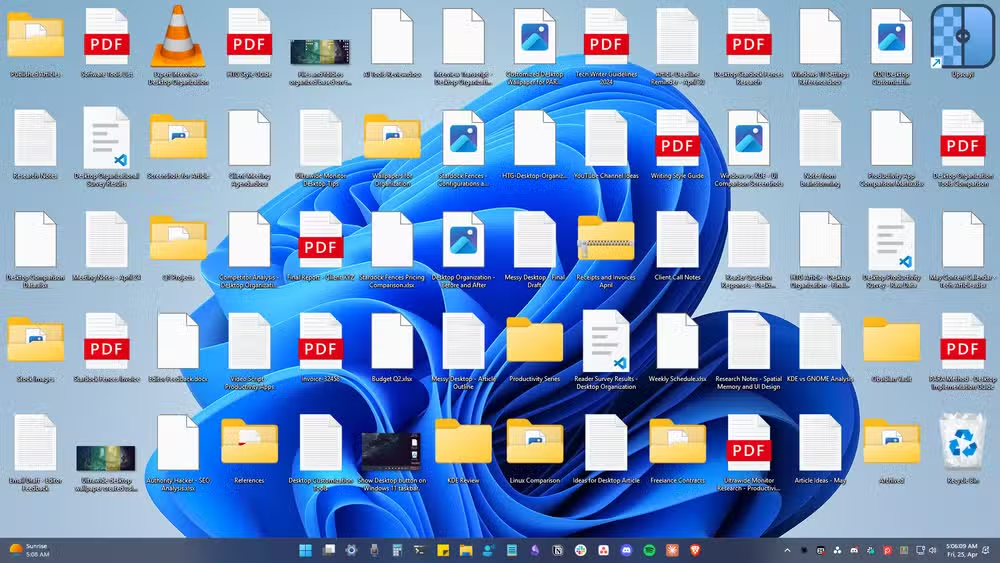
Davidson found it immediately useful. Cowork sorted his downloads into logical folders and flagged installers he'd never deleted. Screenshots went into their own directory. This kind of tedious sorting is exactly what autonomous agents should handle. You set it loose, walk away, and come back to an organized file system.
Extracting expenses from receipt photos
Drop receipt photos into a folder. Cowork uses OCR to pull the text, identifies vendor names, amounts, and dates, then categorizes each expense and exports everything to a spreadsheet.
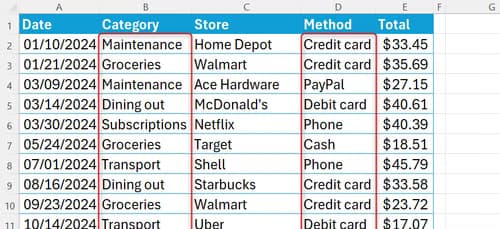
For freelancers and small business owners who still photograph receipts manually, this skips the most annoying step: typing numbers into cells. The accuracy depends on receipt quality and handwriting legibility, but for printed receipts it's reliable enough to cut manual entry time significantly.
Writing alt text for images
Davidson uses this regularly. He drops screenshots into a folder, and Cowork analyzes each image and writes detailed alt text. The results, he says, are better than what he'd write himself.
Good alt text matters for accessibility but often gets skipped because it's tedious. Automating it means no excuses. Content creators, marketers, and anyone publishing images online can batch-process alt text instead of doing it one screenshot at a time.
Researching vacations through Chrome
Cowork can browse the web on your behalf. Ask it to research a vacation and it'll compare destinations, read attraction reviews, check opening hours and prices, calculate travel times, and build a draft itinerary.

This is more impressive in theory than practice. Autonomous web browsing is slow, and the results depend heavily on how well you phrase the initial request. But for anyone who dreads the research phase of trip planning, getting a rough first draft to edit beats starting from scratch.
Creating a daily briefing
Connect Cowork to your email, Slack, and Notion. It reads through your messages, calendar, and task trackers, then compiles a morning briefing that lists exactly what you need to do.
The value here is consolidation. Instead of context-switching between five apps at 9 AM, you get one summary. How much time this saves depends on how scattered your workflow is. If you already run a tight system, it's marginal. If you're drowning in notifications, it's a sanity saver.
Language learning quizzes
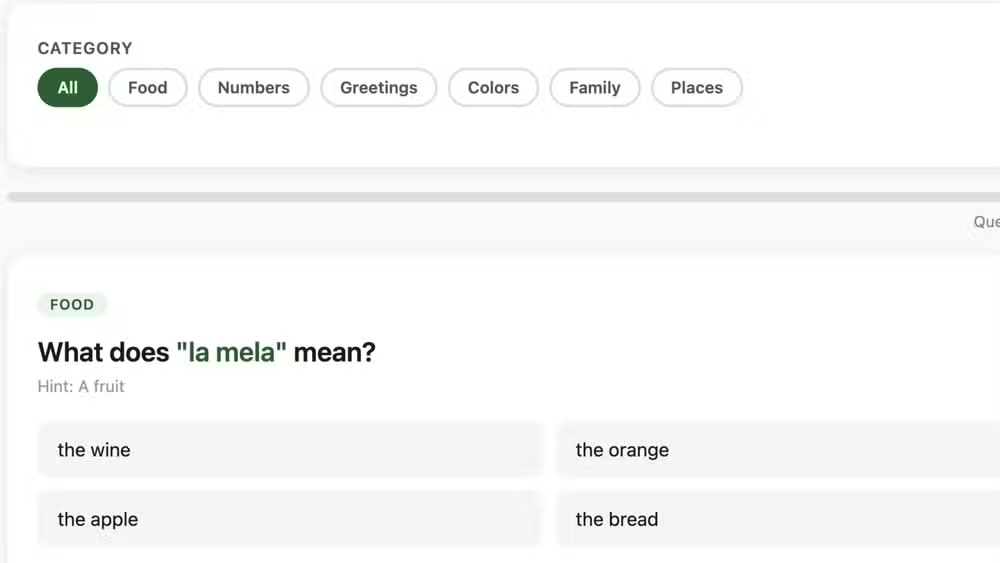
Cowork can generate quizzes from study materials. Feed it vocabulary lists or textbook chapters and it creates flashcards, multiple choice questions, or fill-in-the-blank exercises. It's not a replacement for Duolingo or Anki, but it can supplement them with customized practice tied to whatever you're actually studying.
Why most Claude users overlook Cowork
The split Davidson describes is real. Chatbot users stick to conversations. Developers use Claude Code. Cowork sits in between, requiring more setup than chat but less technical knowledge than code. That positioning makes it easy to ignore.
The other issue is trust. Giving an AI direct access to your file system, email, and browser is a real permission. Some users are comfortable with that. Others aren't, and reasonably so. Anthropic has built safety features into Cowork, but the psychological barrier remains.
For users willing to grant access, though, the productivity gains are tangible. The tasks Cowork handles best share a pattern: repetitive, rule-based work that requires interacting with files or apps. Organizing folders. Extracting data. Compiling information. These aren't glamorous problems, but they eat hours.
Logicity's Take
Claude Cowork's real competition isn't other AI tools. It's the friction of setting it up. Most users won't connect their email and file system to an AI on a whim, regardless of the productivity benefits. Anthropic needs to make the onboarding feel less like granting root access and more like installing a browser extension. Until then, Cowork will stay a power-user feature rather than a mainstream one.
Frequently Asked Questions
What is Claude Cowork used for?
Claude Cowork is Anthropic's agentic desktop tool that can interact directly with your files, browser, and applications. While often used for coding, it handles non-coding tasks like organizing folders, extracting data from receipts, writing alt text for images, and compiling daily briefings from email and Slack.
How much does Claude Cowork cost?
Claude Cowork requires a Claude Pro subscription at $20 per month. The agentic features are included in the subscription, though usage limits apply.
Is it safe to give Claude Cowork access to my files?
Anthropic has built safety features into Cowork, but granting file system and browser access to any AI carries inherent risk. Users should understand what permissions they're granting and start with non-sensitive folders before expanding access.
Can Claude Cowork browse the internet?
Yes. Cowork can use Chrome to search websites, read reviews, check prices, and gather information on your behalf. However, autonomous browsing is slower than manual research, and results depend on how clearly you define the task.
What tasks is Claude Cowork best at?
Cowork excels at repetitive, rule-based work involving files or apps: organizing folders, extracting data from images, batch-processing alt text, and compiling information from multiple sources into summaries or spreadsheets.
Need Help Implementing This?
Logicity offers consulting for teams adopting AI productivity tools. If you're evaluating Claude Cowork or similar agentic AI for your workflow, reach out to discuss integration strategies and security considerations.
Source: How-To Geek
أرقام جديدة: Claude يؤتمت 95% من تحليلات البيانات في Anthropic
المقال الجديد يقدم إحصائيات حصرية من Anthropic تفيد بأن Claude يعالج الآن 95% من استعلامات التحليلات الداخلية للشركة بدقة تصل إلى 95%. كما يكشف أن دقة Claude ارتفعت من 21% إلى أكثر من 95% بعد تزويده بمهارات تحليلية وسياق الأعمال، مما يتيح لفريق علم البيانات التركيز على المهام الاستراتيجية.
Manaal Khan
Tech & Innovation Writer
Produced with AI assistance and reviewed by the Logicity editorial team. Learn more in our Editorial Policy.






