Key Takeaways
- PPM software has evolved from status tracking to strategic portfolio management with AI-driven predictive modeling
- 62% of large enterprises now use AI-assisted workflow engines in their project management stacks
- Tool fragmentation remains the biggest risk, with community consensus favoring consolidated stacks over multiple specialized tools
Project portfolio management software has come a long way from glorified spreadsheets with Gantt charts. In 2026, the global PPM software market is valued at an estimated $9.9 billion. The tools have evolved from tracking task completion to orchestrating business outcomes across dozens of concurrent initiatives.
For anyone coordinating multiple projects, shifting executive priorities, and teams who treat deadlines as suggestions, PPM is less a nice-to-have and more life support. The challenge is picking the right tool from a crowded field. Here are seven PPM platforms worth considering, each with a distinct strength.
What Separates PPM from Project Management
Project management is tactical. You plan a project, assign tasks, track progress, and try to hit deadlines. Portfolio management is strategic. It answers bigger questions: Are we investing in the right initiatives? Are resources stretched too thin? Which projects deliver value, and which need to be cut?
PPM software bridges these two worlds. It gives organizations the tools to select the right projects and execute them properly. In 2026, the focus has shifted to Strategic Portfolio Management (SPM), where AI-enabled predictive modeling and real-time OKR alignment have become essential for managing hybrid and distributed teams.
1. PPM Express: Best for Integrations
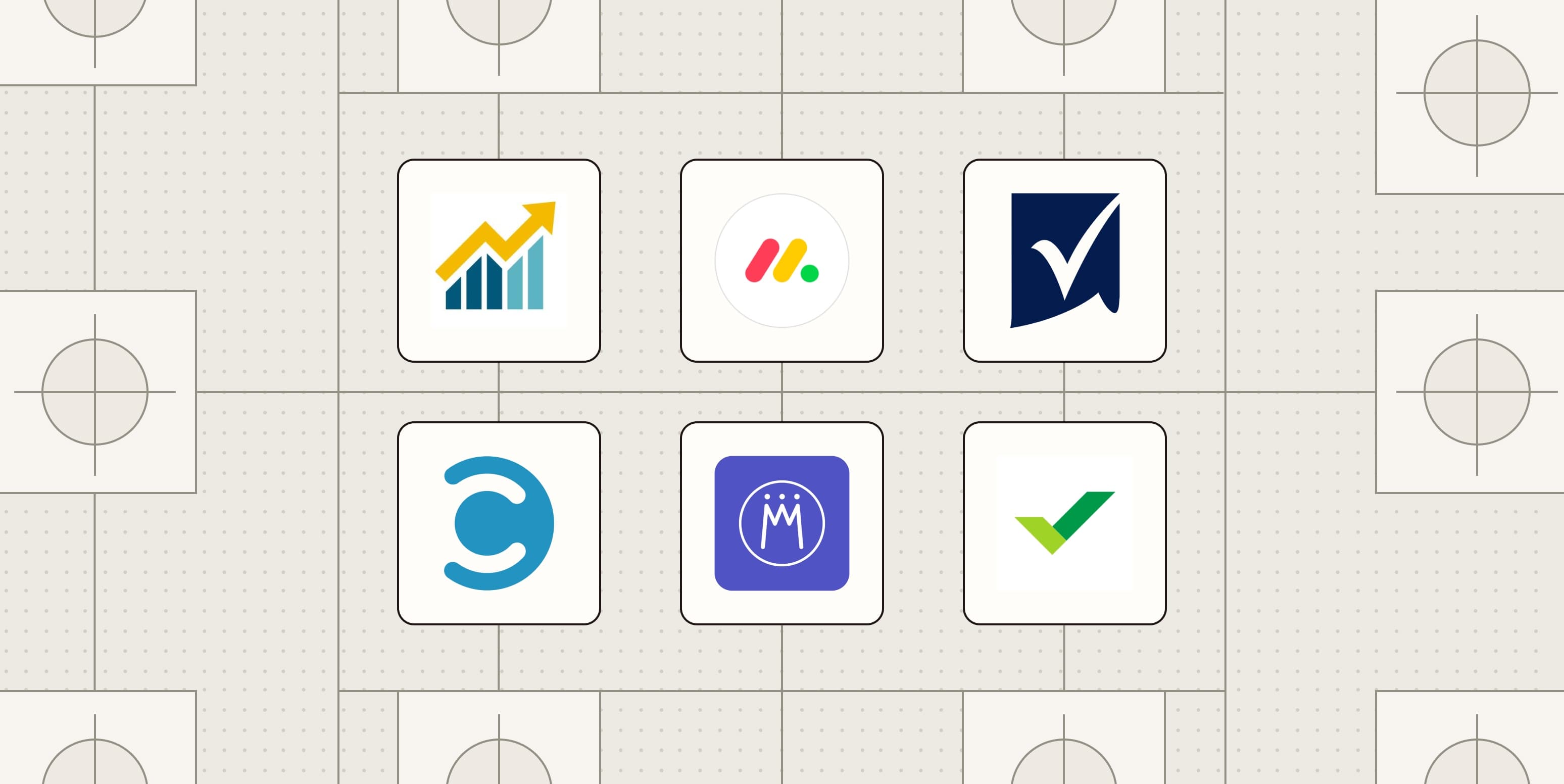
PPM Express stands out for teams already using multiple project management tools. It connects to platforms like Microsoft Project, Jira, and Planner, pulling data into a unified portfolio view without forcing teams to abandon their preferred tools.
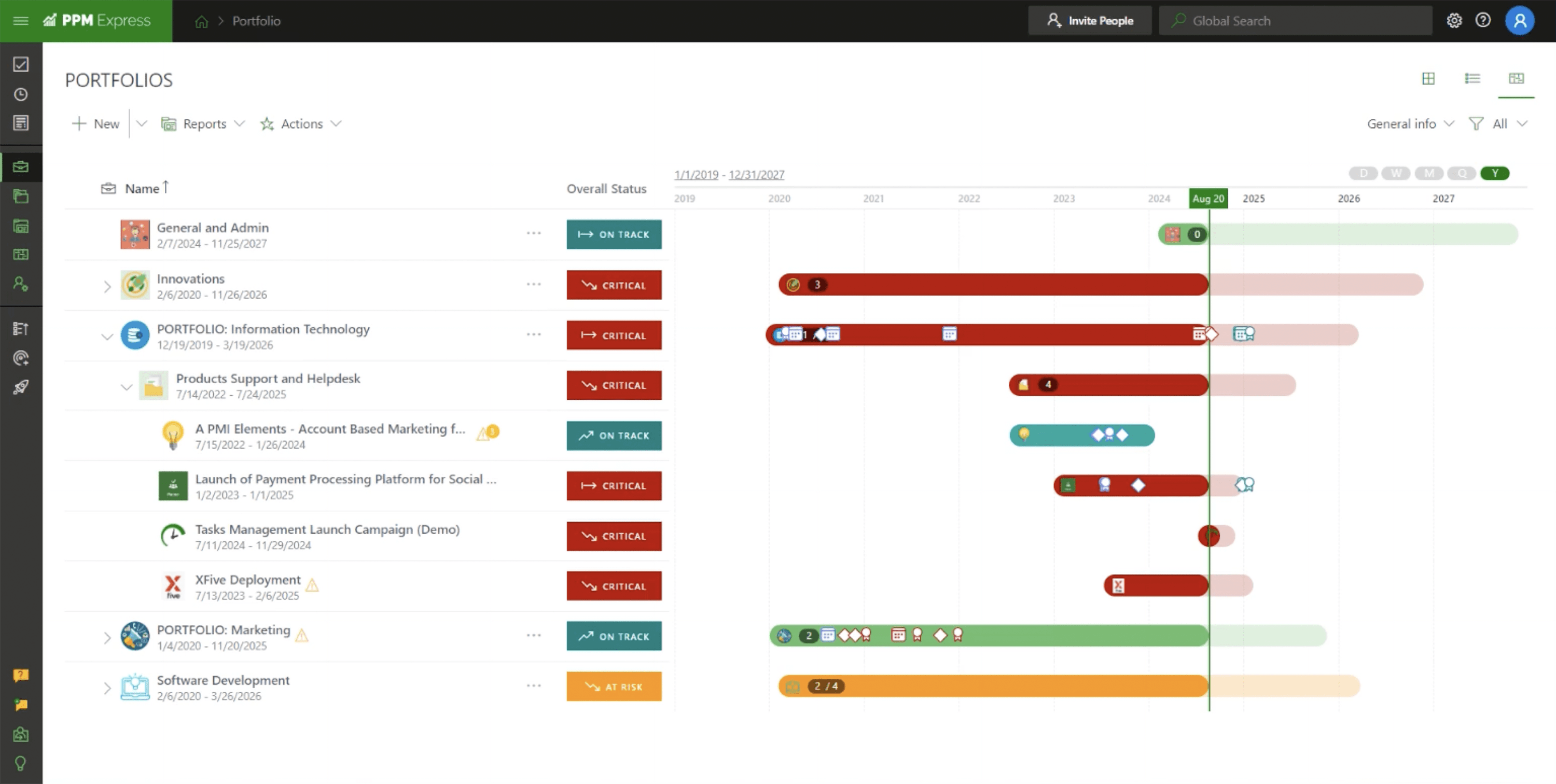
The integration-first approach solves a real problem. Community discussions on r/ProjectManagement and HackerNews frequently highlight the "tooling gap," where fragmented software causes the very communication failures these tools are meant to solve. PPM Express lets teams consolidate visibility without consolidating tools.
2. Smartsheet: Best for Custom Dashboards
Smartsheet combines spreadsheet familiarity with portfolio-level visibility. Its strength is dashboard customization. Teams can build views tailored to different stakeholders, from executive summaries to granular task lists, without switching platforms.
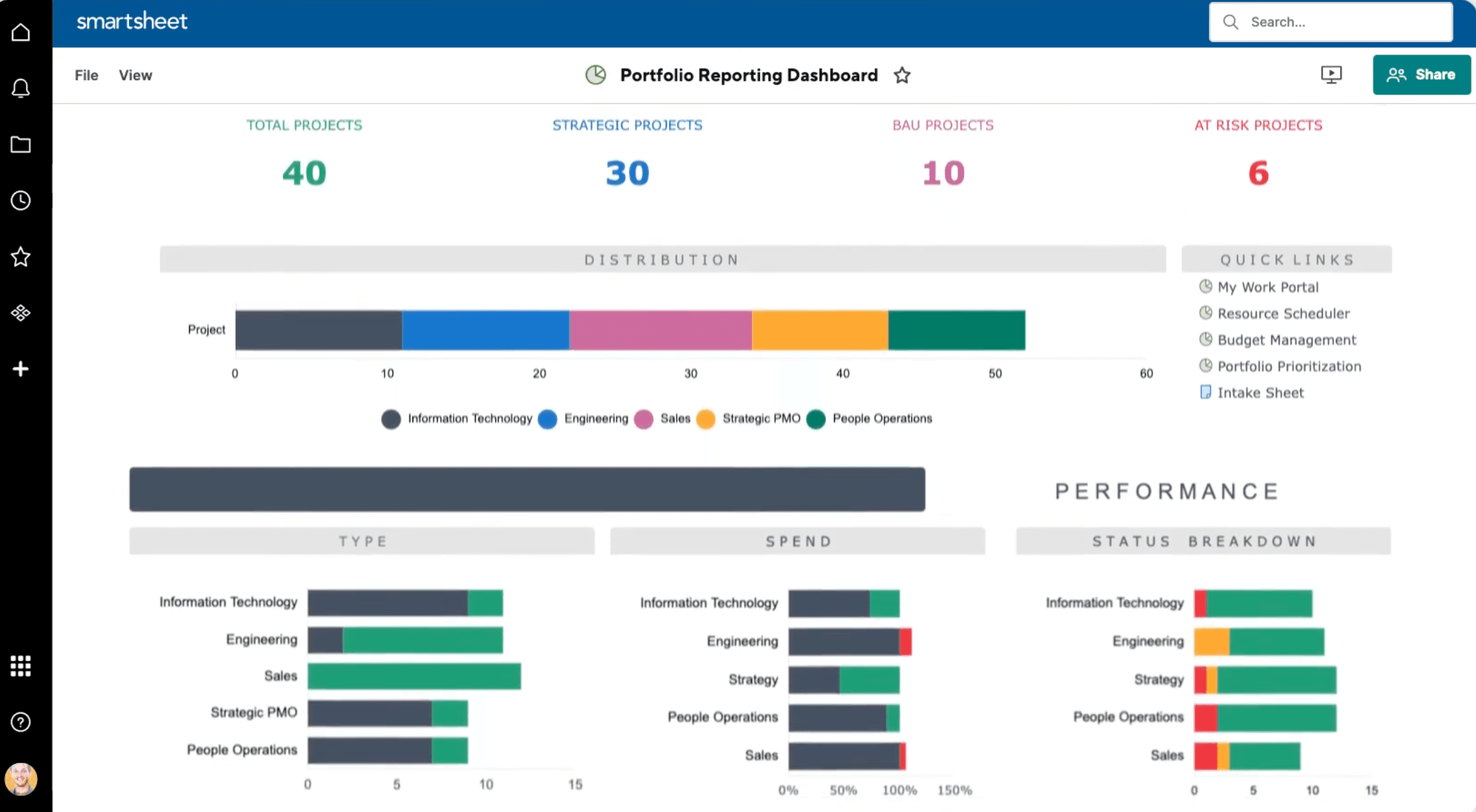
The platform has invested heavily in reducing what it calls "notification fatigue." New automated workflows for hybrid teams aim to improve cross-departmental alignment without drowning users in alerts. For organizations where the "didn't get the notification" excuse has derailed projects, this matters.
3. Planview Portfolios: Best for Large Enterprises
Planview Portfolios is built for complexity at scale. Large enterprises with hundreds of concurrent initiatives and multiple PMOs need visibility that simpler tools cannot provide. Planview delivers detailed resource capacity planning, financial tracking, and strategic alignment features.
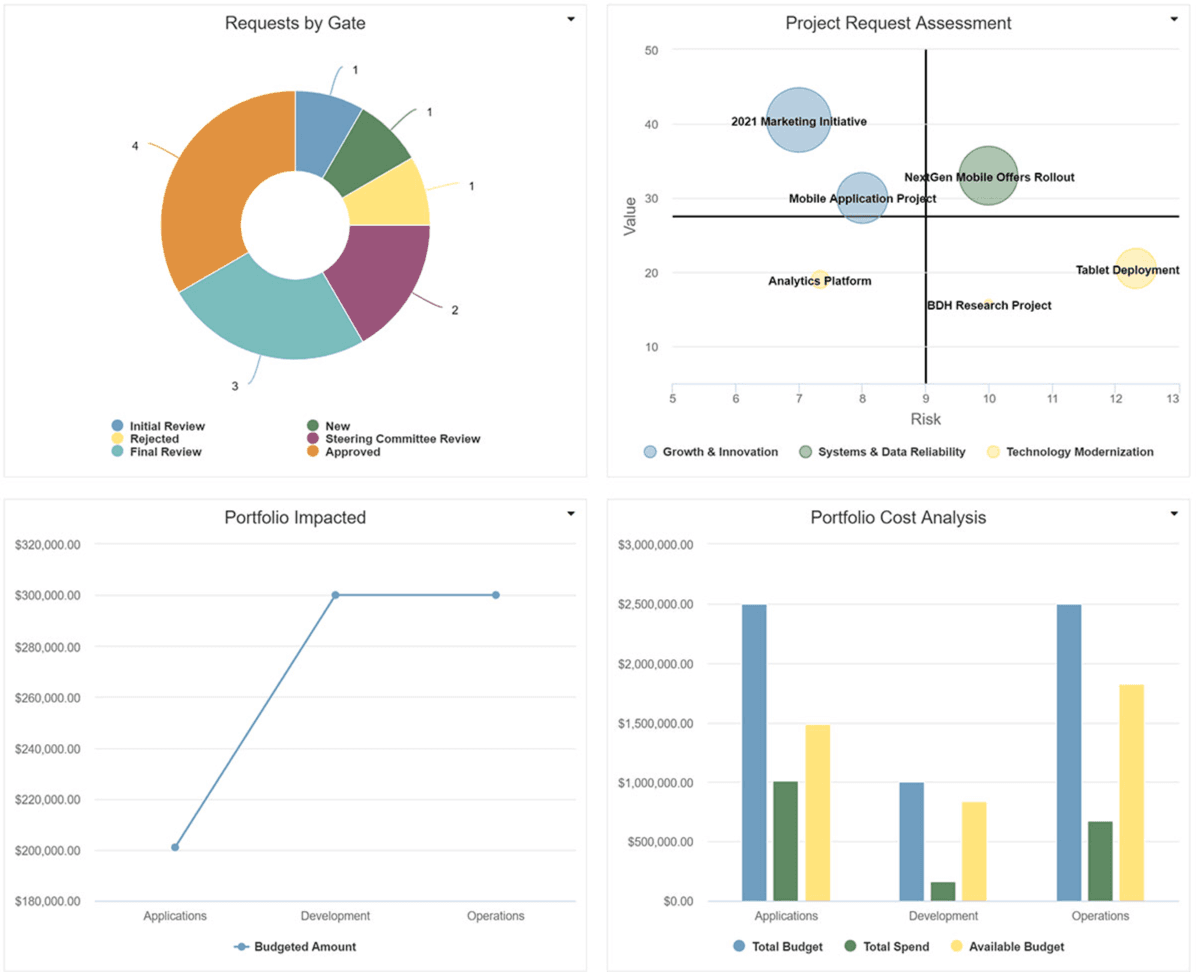
The platform emphasizes the shift from project delivery to strategic outcomes. In 2026, Planview has positioned itself as a solution for organizations moving beyond tracking what got done to understanding what drove business results.
4. Celoxis: Best for AI-Driven PPM
Celoxis has leaned hard into AI capabilities. The platform uses predictive analytics to forecast project outcomes, flag risks before they materialize, and recommend resource reallocations. This reflects a broader industry trend: 62% of large enterprises have integrated AI-assisted workflow engines into their project management stacks.
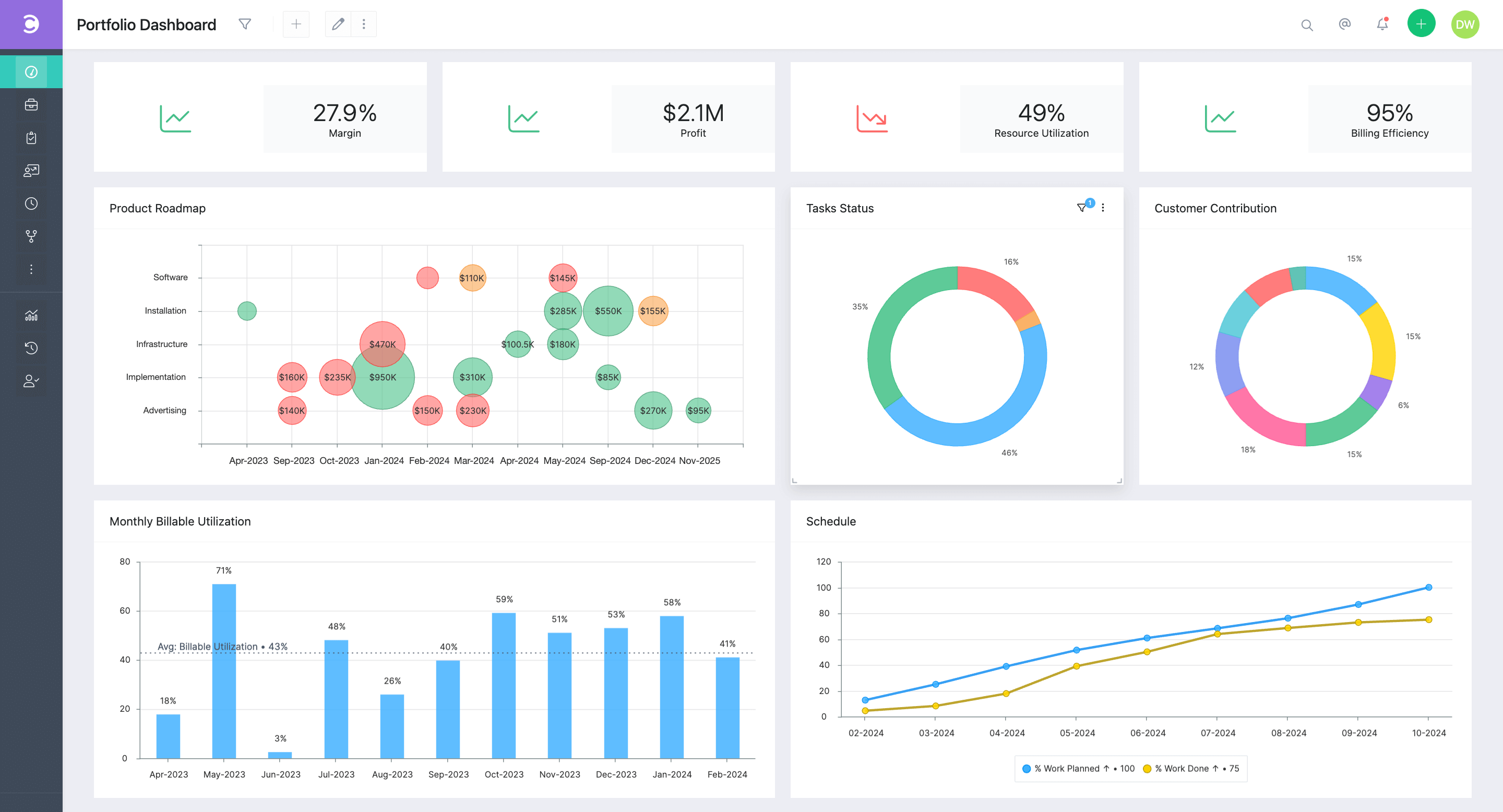
The AI features go beyond novelty. Organizations report a 29% improvement in project forecasting accuracy when using AI-driven predictive analytics. For teams tired of manual tracking and spreadsheet gymnastics, Celoxis offers a glimpse of where PPM is heading.
5. monday.com: Best for Flexibility
monday.com started as a work management platform but has grown into a capable PPM tool. Its strength is flexibility. Teams can configure the platform to match their workflow rather than adapting to rigid structures.
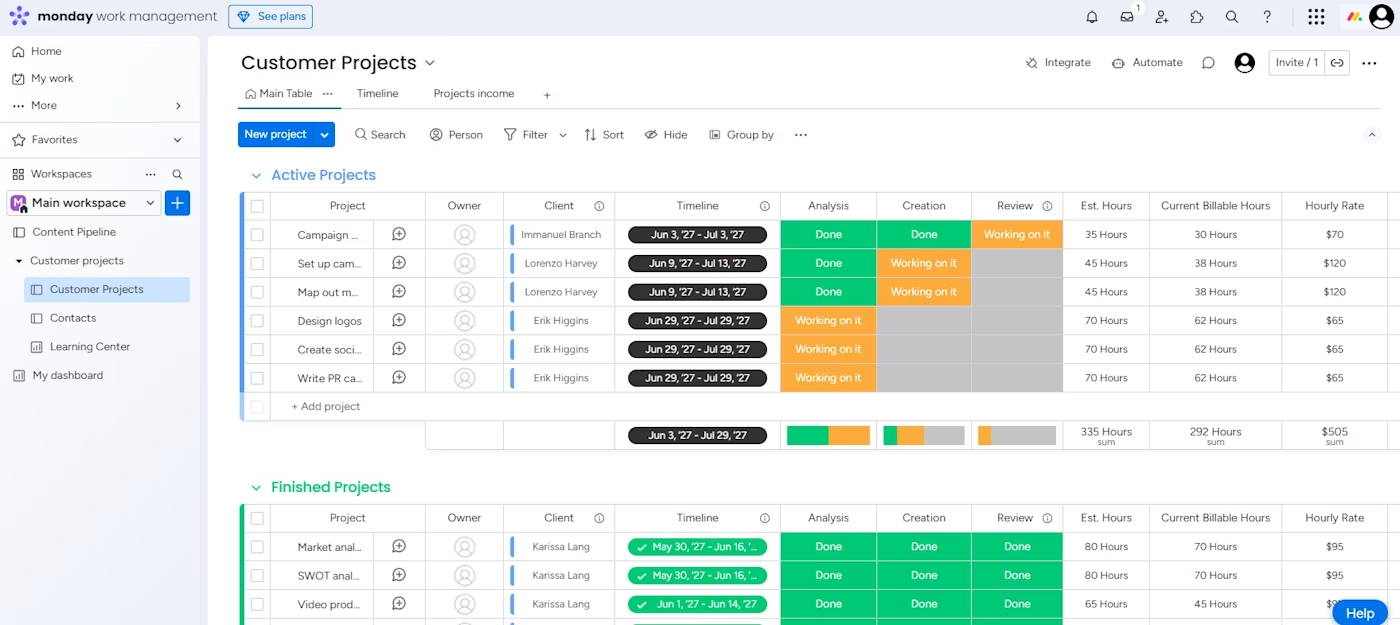
The platform appeals to organizations that need portfolio visibility but balk at the complexity of enterprise-grade tools. It scales from small teams to larger deployments without requiring a dedicated administrator to keep it running.
6. Meisterplan: Best for Portfolio Analysis
Meisterplan focuses on what-if analysis and capacity planning. It helps teams answer questions like: What happens if we add three projects next quarter? Can our current team handle the load? Which projects should we delay to protect critical initiatives?
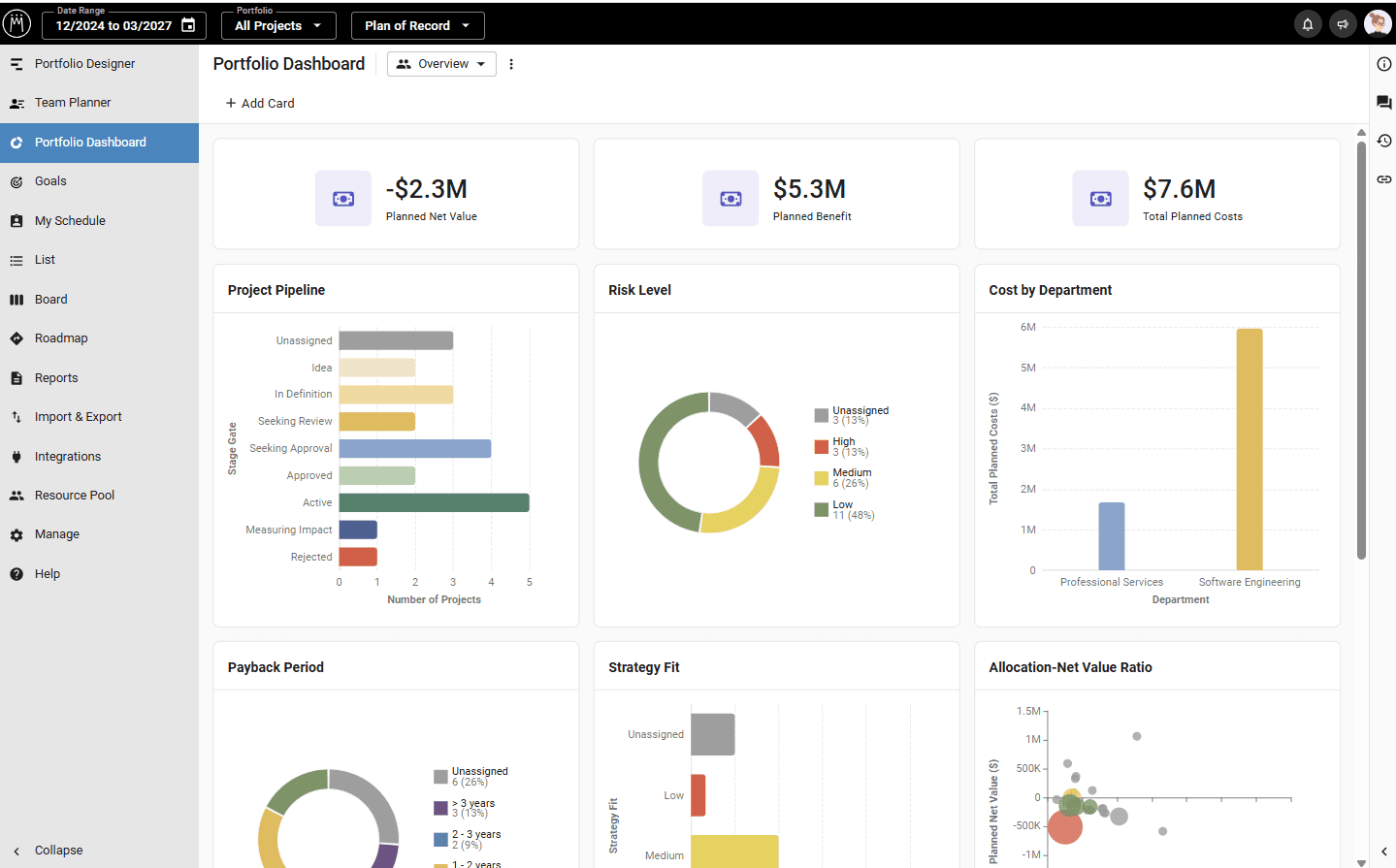
For PMOs that spend significant time modeling scenarios and justifying resource requests, Meisterplan provides the analytical depth that lighter tools lack. It connects to existing project management tools rather than replacing them.
7. Wrike: Best for High-Volume Creative and Marketing Teams
Wrike has carved out a niche with creative and marketing teams that juggle high volumes of campaigns, content, and deliverables. The platform includes built-in proofing, approval workflows, and asset management features that generic PPM tools lack.
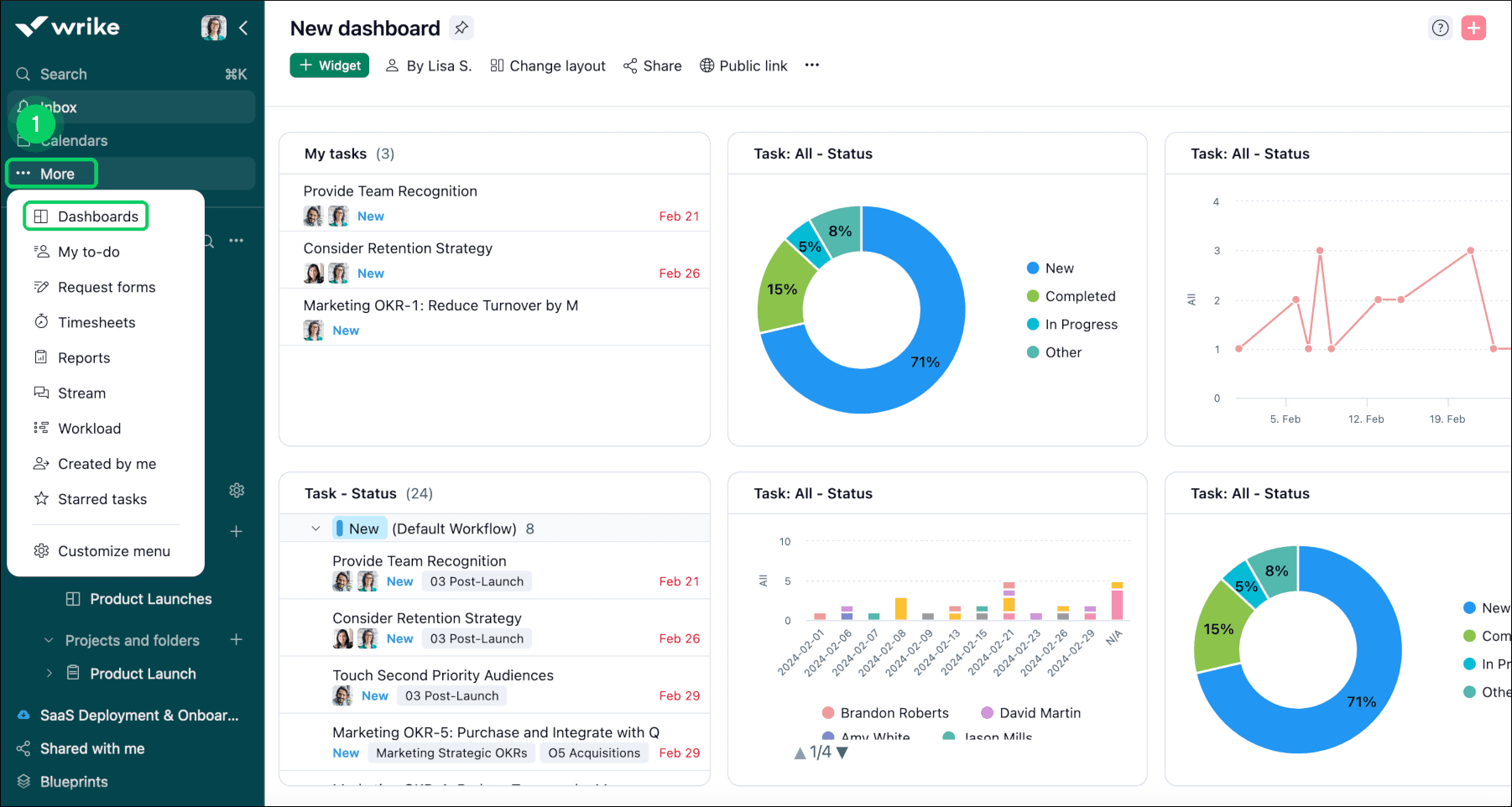
For agencies and in-house marketing teams, Wrike reduces the need for separate tools to manage creative review cycles. The portfolio features let managers see workload across multiple campaigns without losing sight of individual asset deadlines.
How to Choose the Right PPM Tool
The best PPM tool depends on your specific constraints. Consider these factors:
- Existing tool stack: If teams already use Jira, Microsoft Project, or other tools, integration capabilities matter more than standalone features
- Organization size: Enterprise-grade tools like Planview add complexity that smaller teams do not need
- Primary use case: Creative teams need different features than IT PMOs or product development organizations
- AI requirements: If predictive analytics and forecasting are priorities, evaluate AI capabilities carefully
- User adoption risk: The fanciest tool fails if teams refuse to use it
Community consensus in 2026 favors consolidating tool stacks over adding specialized software. Fragmented tools cause the very communication failures PPM is supposed to prevent. Before adding a new platform, consider whether it replaces existing tools or adds another silo.
| Tool | Best For | AI Features | Enterprise Scale |
|---|---|---|---|
| PPM Express | Integrations | Basic | Medium |
| Smartsheet | Custom Dashboards | Moderate | Medium-Large |
| Planview Portfolios | Large Enterprises | Advanced | Enterprise |
| Celoxis | AI-Driven PPM | Advanced | Medium-Large |
| monday.com | Flexibility | Moderate | Small-Large |
| Meisterplan | Portfolio Analysis | Basic | Medium |
| Wrike | Creative/Marketing | Moderate | Medium-Large |
Logicity's Take
PPM software in 2026 is less about tracking tasks and more about strategic decision-making. The tools that win are those that reduce administrative overhead while improving resource visibility. If your current setup requires manual data entry or leaves teams guessing about priorities, it is time to upgrade. But resist adding yet another tool to an already fragmented stack.
Related roundup on business software tools
Frequently Asked Questions
What is the difference between PPM software and project management software?
Project management software focuses on tasks and timelines for individual projects. PPM software takes a portfolio view, helping organizations prioritize and coordinate multiple projects, allocate resources strategically, and align initiatives with business goals.
How much does PPM software cost?
Pricing varies widely. Entry-level tools like monday.com start around $10-20 per user per month. Enterprise platforms like Planview Portfolios typically require custom pricing based on user count and features, often running into thousands per month for large deployments.
Do I need AI features in my PPM tool?
It depends on your forecasting needs. AI-driven predictive analytics can improve project forecasting accuracy by up to 29%. For organizations managing complex portfolios with tight resource constraints, AI features provide meaningful value. Smaller teams may not need them.
Can PPM software replace my existing project management tools?
Some can, but many PPM tools are designed to sit on top of existing project management platforms. Tools like PPM Express and Meisterplan integrate with Jira, Microsoft Project, and others rather than replacing them.
What is Strategic Portfolio Management (SPM)?
SPM is the evolution of traditional PPM. It emphasizes connecting daily project execution to strategic objectives like OKRs, using AI-enabled predictive modeling and real-time alignment to manage modern hybrid and distributed teams.
Need Help Implementing This?
Choosing and deploying the right PPM software requires matching tool capabilities to your organization's specific workflow and constraints. If you are evaluating options or struggling with adoption, reach out to our team for guidance on vendor selection and implementation strategy.
Source: The Zapier Blog
Manaal Khan
Tech & Innovation Writer
Produced with AI assistance and reviewed by the Logicity editorial team. Learn more in our Editorial Policy.