Key Takeaways
The Only Automation Skill Worth Learning in 2026
- Salesforce Flow Builder has replaced Workflow Rules and Process Builder as the primary native automation tool
- External tools like Zapier and MuleSoft handle cross-platform automation that native tools cannot
- Agentforce brings AI agents into Salesforce automation for autonomous task handling
Salesforce admins who still wrestle with manual CSV exports and VLOOKUP nightmares are solving the wrong problem. The real question in 2026 is which automation tools actually reduce admin load without creating a maintenance burden of their own. A recent Zapier roundup cuts through the noise, covering both native Salesforce features and external integrations that connect your CRM to the rest of your stack.
Disclosure
Some links in this post are affiliate links — Logicity earns a commission if you sign up, at no extra cost to you. We only link products we have used or actively recommend.
The stakes are clear: sales reps spend roughly 20 hours per week on non-selling activities. Much of that time goes to data entry, record updates, and manual follow-ups that a well-configured automation can handle. Here's what's actually working.
What counts as Salesforce automation?
Salesforce automation means letting software handle repetitive tasks inside Salesforce or between Salesforce and your other tools. The practical applications include auto-assigning leads based on territory or deal size, updating records when key events fire, triggering follow-up emails or tasks, and managing multi-step approval workflows.
The goal is not just saving clicks. It's building systems that scale without requiring proportionally more manual effort. For SaaS operations growing beyond a handful of reps, this is table stakes.
Native tools: Flow Builder takes over
Salesforce retired Workflow Rules and Process Builder. If you're still running those, they'll work, but all new development should happen in Salesforce Flow Builder. The visual interface lets admins build screen flows for guided data entry, record-triggered flows for automatic updates, and scheduled flows for batch processing jobs.
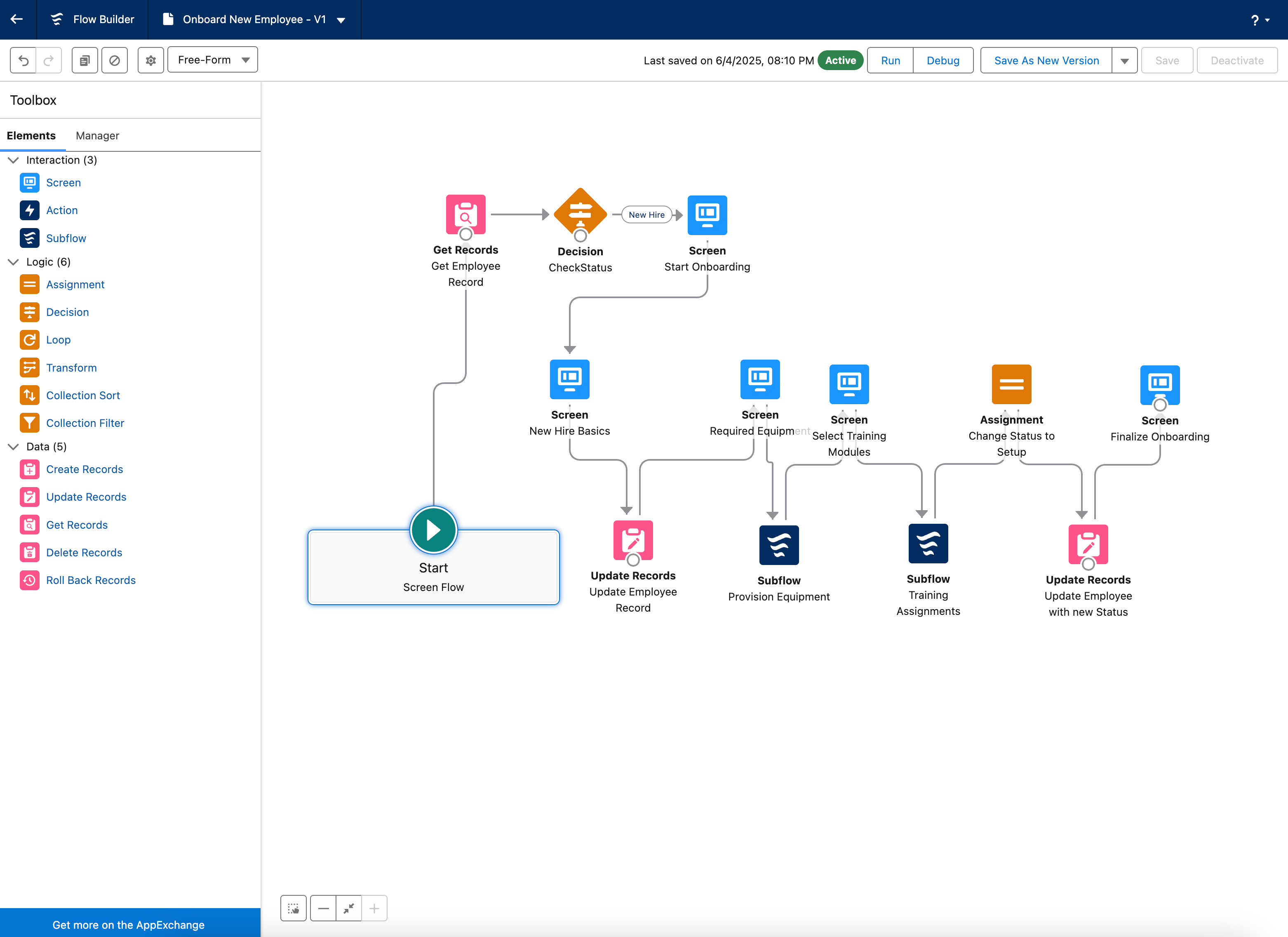
Flow Builder handles use cases that previously required Apex developers. Custom approval paths, complex routing logic, and decision trees can all be configured visually. Salesforce continues expanding the feature with new flow types, better debugging, and tighter integration with Experience Cloud and Lightning Web Components.
The learning curve is real. Simple flows are approachable for any admin. Anything involving subflows, loops, or complex data operations requires genuine investment. But the payoff is automation that lives inside Salesforce, governed by your org's security model, without external dependencies.
Agentforce: AI enters the automation stack
Salesforce's Agentforce brings AI agents into the mix. These are autonomous software agents that can handle tasks like qualifying leads, answering customer questions, or updating records based on email content. The pitch is that agents work around the clock without human intervention on routine inquiries.
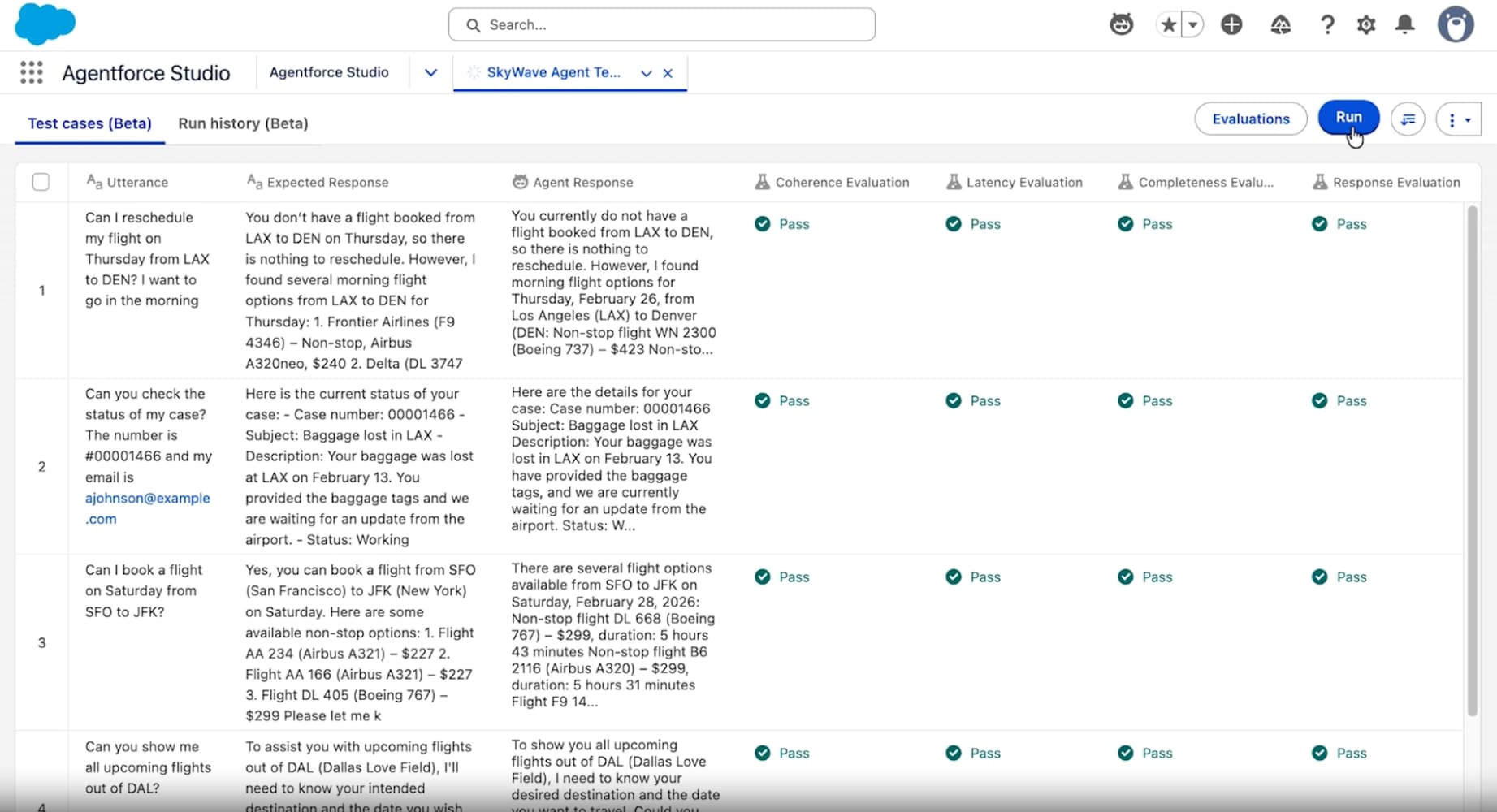
For SaaS teams, this is worth watching but not necessarily worth immediate adoption. AI agents add complexity. They require training, monitoring, and fallback handling for edge cases. If your current automation gaps are straightforward, Flow Builder solves them with less overhead.
External tools for cross-platform automation
Zapier remains the default choice for connecting Salesforce to external apps without code. The platform supports thousands of integrations, and most SaaS tools have pre-built Zaps ready to deploy. Common use cases include syncing Salesforce contacts with marketing platforms, creating Slack notifications on deal stage changes, and pushing form submissions directly into Salesforce as leads.
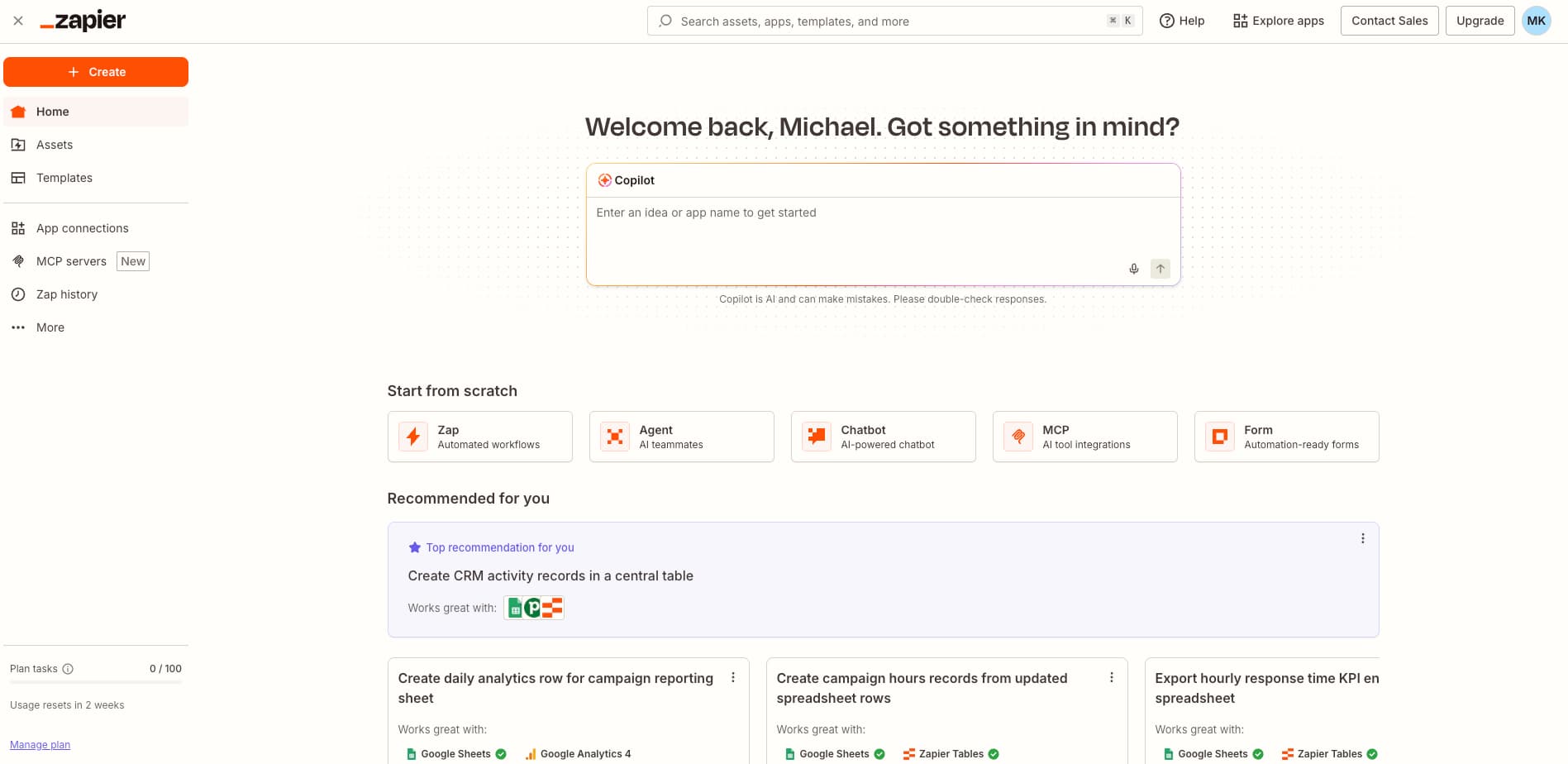
Make (formerly Integromat) offers similar functionality with more granular control over data transformations. For teams with complex mapping requirements or high volume automation, Make's pricing often works out cheaper than Zapier at scale.
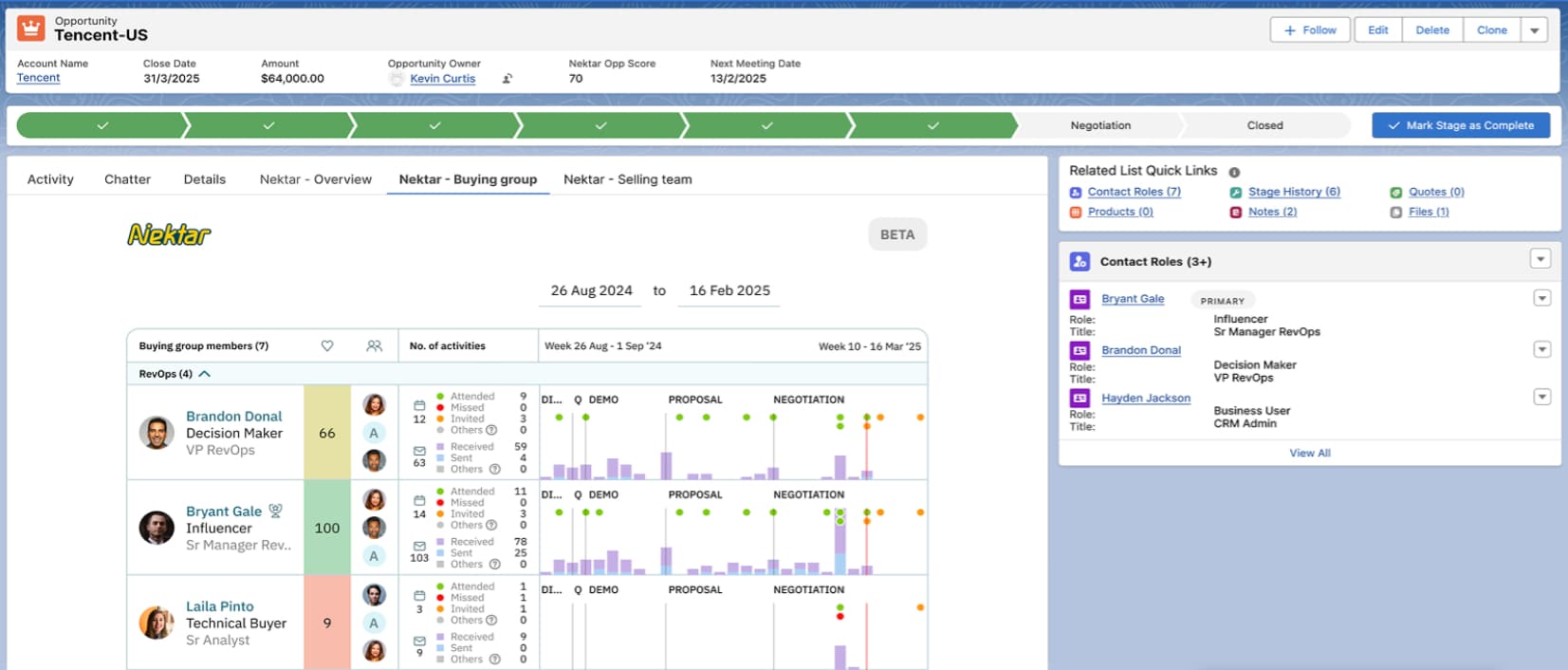
Nektar focuses specifically on CRM hygiene. It captures sales activity data from email and calendar, then writes it back to Salesforce automatically. The value proposition is eliminating the rep's data entry burden while ensuring CRM data reflects actual customer interactions.
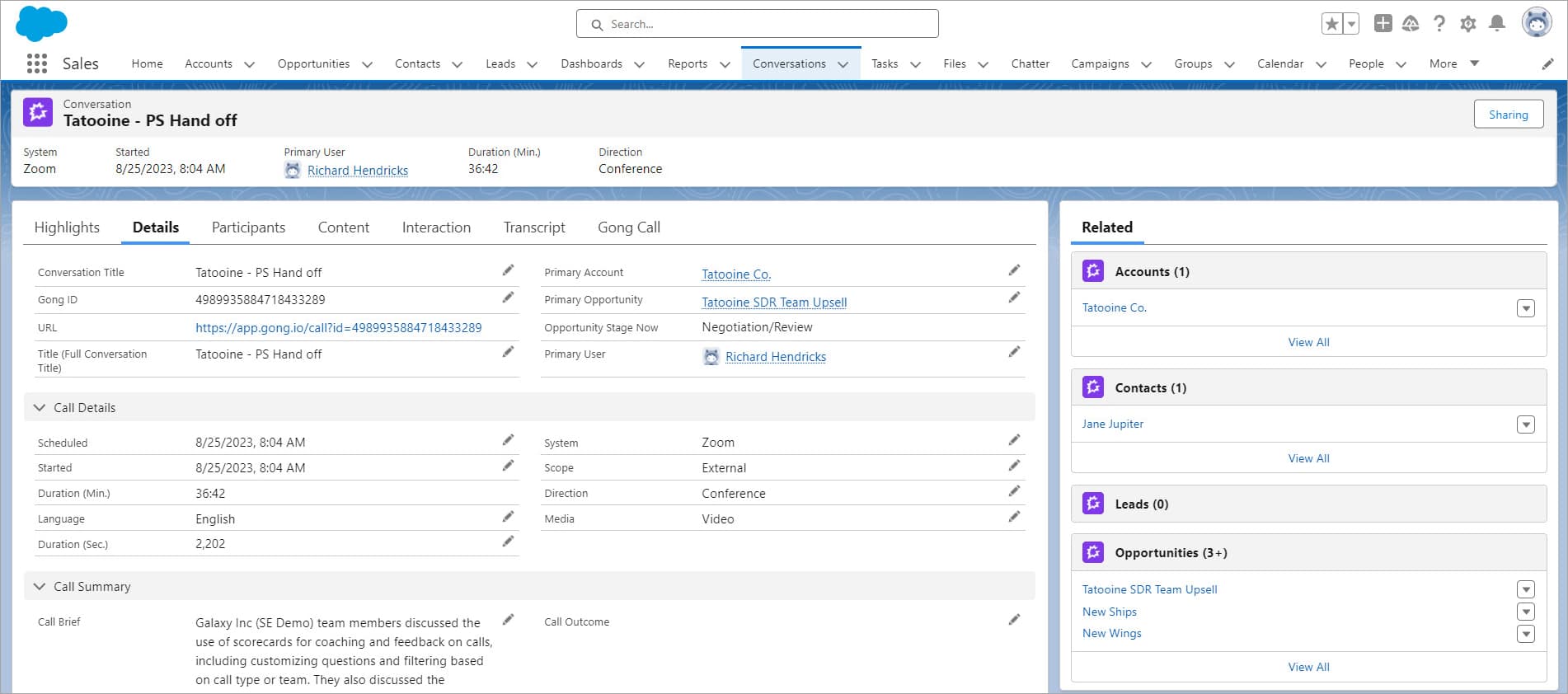
Gong takes a different approach, using conversation intelligence to analyze sales calls and surface insights. It integrates with Salesforce to attach call recordings and AI-generated summaries to opportunity records. For teams focused on call-heavy sales motions, this automates context that reps would otherwise need to log manually.
MuleSoft for enterprise integration
MuleSoft is Salesforce's enterprise integration platform. It's overkill for most SaaS startups, but larger organizations with complex system landscapes use it to build reusable APIs that connect Salesforce to ERP systems, data warehouses, and legacy applications.
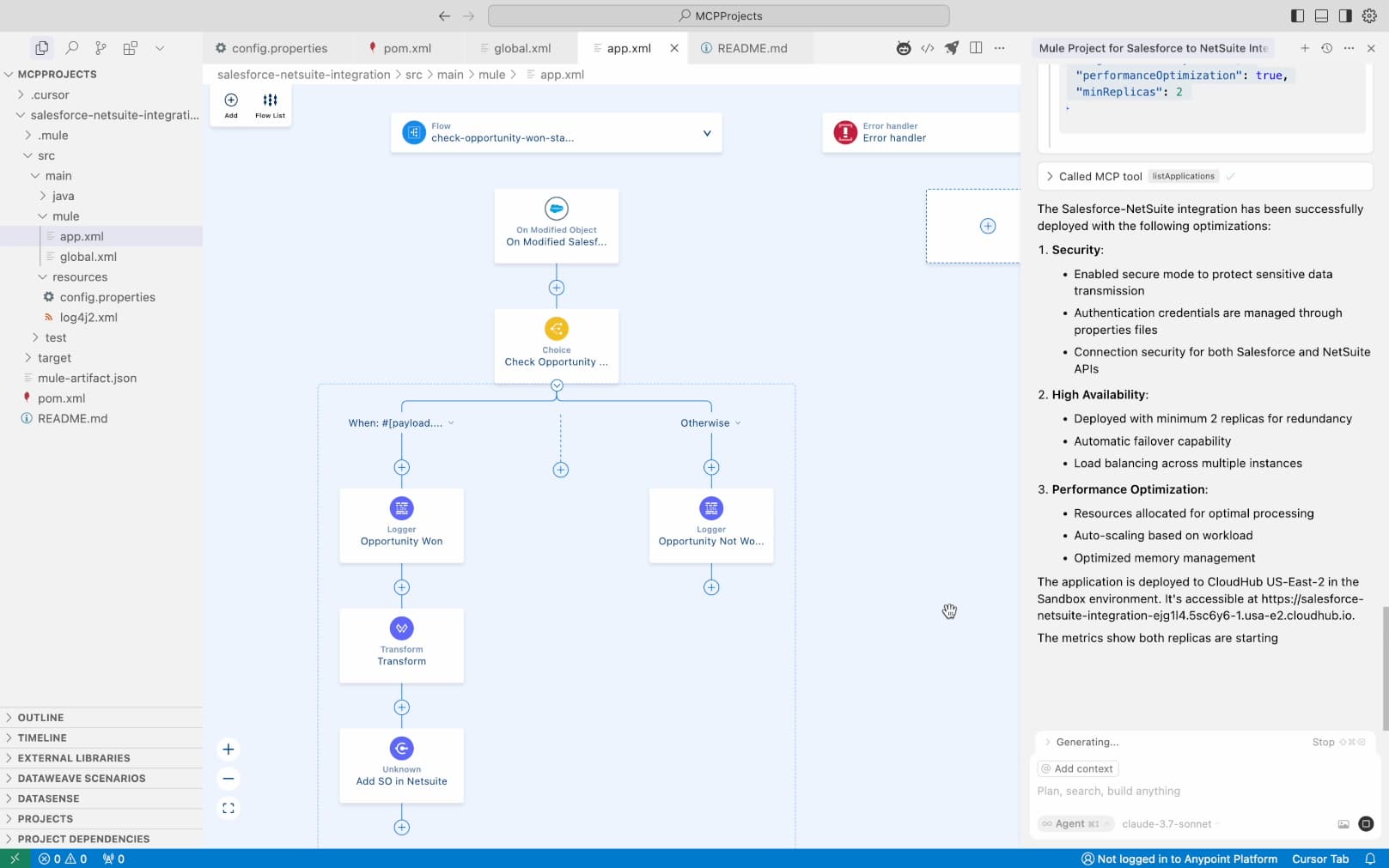
The pricing reflects the enterprise positioning. If you're evaluating MuleSoft, you've likely outgrown Zapier's limits or need governance controls that iPaaS tools don't provide.
Choosing the right tool for your stage
Early-stage SaaS teams should start with Flow Builder for internal Salesforce logic and Zapier for external connections. This covers 80% of automation needs without significant cost or complexity. As deal volume grows and data quality becomes critical, tools like Nektar or Gong justify their subscription costs through time savings and improved CRM accuracy.
The mistake to avoid: over-engineering automation before you understand your actual workflows. Build automations that address real bottlenecks you've experienced, not hypothetical inefficiencies.
Logicity's Take
For SaaS founders running Salesforce, the practical hierarchy is clear: master Flow Builder first (free with your Salesforce license), add Zapier ($29.99/mo starter) for external integrations, then evaluate specialized tools like Nektar or Gong only after you've hit data quality or call volume problems that justify the spend. Alternatives worth considering: [HubSpot](https://logicity.in/r/hubspot) offers tighter out-of-box automation for teams not yet committed to Salesforce, while [Pipedrive](https://logicity.in/r/pipedrive) suits smaller teams who don't need Salesforce's complexity.
Frequently Asked Questions
Is Process Builder still available in Salesforce?
Salesforce retired Process Builder and Workflow Rules. Existing processes continue running, but all new automation should be built in Flow Builder, which offers more capabilities and better performance.
Can I automate Salesforce without coding?
Yes. Flow Builder provides a visual drag-and-drop interface for building complex automations. External tools like Zapier and Make also require no code for most integrations.
What's the difference between Zapier and MuleSoft for Salesforce?
Zapier handles point-to-point integrations at lower cost and complexity. MuleSoft is an enterprise integration platform for organizations needing reusable APIs, governance controls, and complex system landscapes.
How much time can Salesforce automation actually save?
Estimates suggest sales reps spend 20+ hours weekly on non-selling activities. Well-implemented automation targeting lead routing, record updates, and follow-up tasks can reclaim significant portions of that time.
Need Help Implementing This?
Whether you're setting up your first Flow or evaluating enterprise integration platforms, Logicity covers the tools and tactics that matter for SaaS operations. Subscribe to our newsletter for practical breakdowns delivered weekly.
Source: The Zapier Blog
Manaal Khan
Tech & Innovation Writer
Produced with AI assistance and reviewed by the Logicity editorial team. Learn more in our Editorial Policy.