Key Takeaways
- Claude's skills catalog has grown past 1.5 million entries, making curation essential
- Skills are markdown-based prompts that load dynamically, keeping context windows lean
- Most skills focus on coding, leaving knowledge workers underserved
What Are Claude Skills and Why Do They Matter?
If you've been manually copy-pasting prompts into Claude or juggling multiple Projects with different custom instructions, you're working harder than you need to. Skills are Claude's answer to prompt management. They're modular, loadable prompts stored as markdown files that Claude can pull into a conversation on demand.
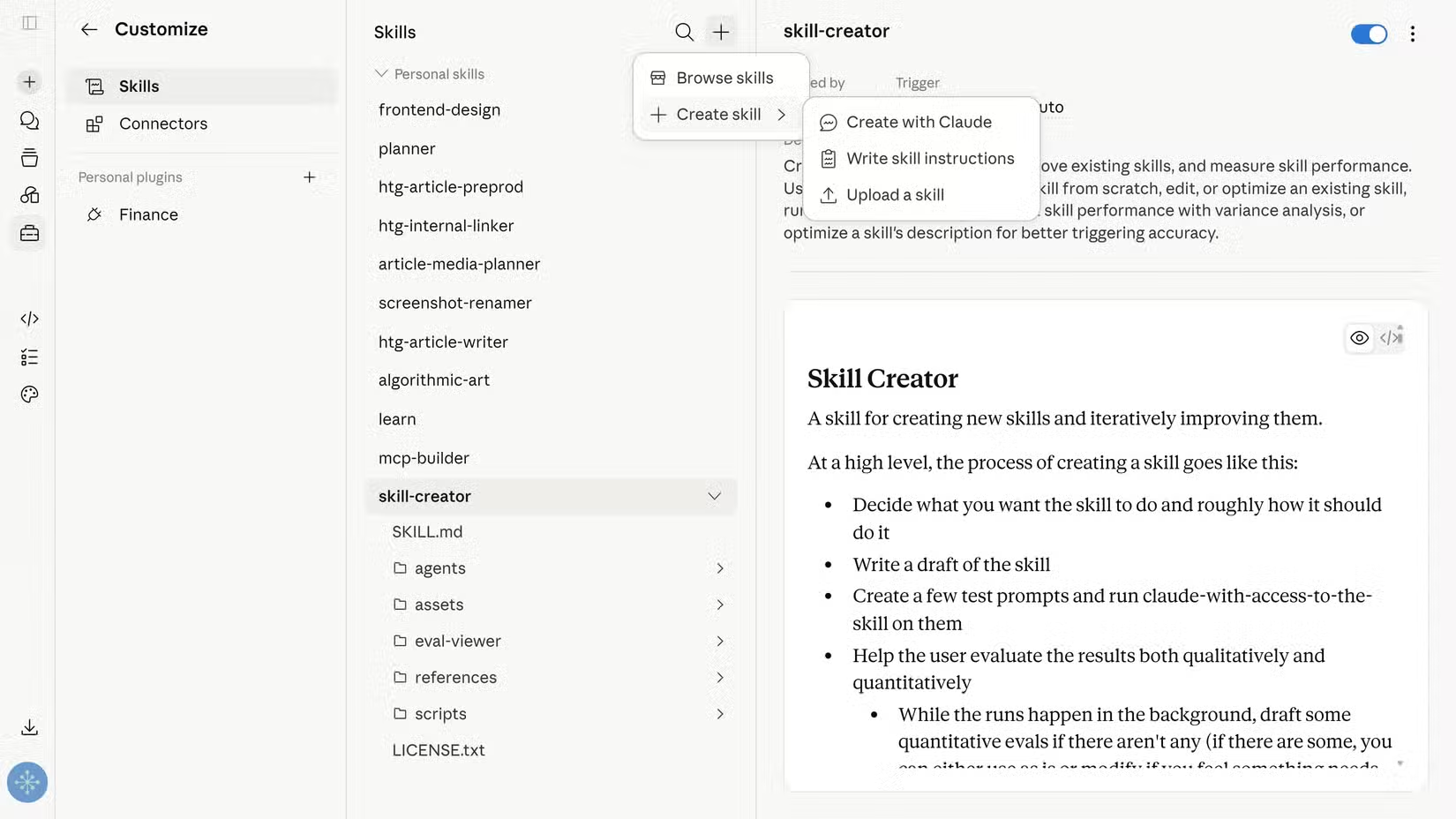
The system works like this: each skill has two parts. A description explains what the skill does. Execution instructions contain the actual prompt. When you enable a skill, only the description loads into Claude's active context window. The full instructions load only when you trigger the skill, either automatically when Claude detects a matching task or manually by typing /skill_name in the chat.
This approach solves two problems at once. You don't have to manage a sprawling library of prompts across different files or Projects. And you're not cramming dozens of lengthy prompts into the context window simultaneously, which would eat into your available tokens and degrade response quality.
The Problem With Claude's Skills Catalog
With over 1.5 million skills available, the catalog has become a discovery problem. Most of what's popular caters to developers. If you're a writer, analyst, project manager, or any other knowledge worker who doesn't write code daily, the top-rated lists won't serve you well.
Dibakar Ghosh, a tech journalist at How-To Geek, spent time testing more than 100 of the top-rated skills specifically to filter out the noise. His conclusion: only six deserve a place in most users' toolkits.
How Skills Actually Work Under the Hood
Skills are stored as SKILL.md files in Claude's memory. If you're using Claude Code or Cowork, these files typically live locally on your machine. The markdown format makes them easy to read, edit, and share.
The dynamic loading mechanism is the key innovation. Traditional approaches to prompt engineering require you to front-load all instructions into the system prompt or paste them at the start of each conversation. That works fine for simple tasks but becomes unwieldy when you need different behaviors for different tasks.
With skills, you install what you need and let Claude handle the routing. When you make a request, Claude checks whether any installed skill matches. If it finds one, it loads those specific instructions. This keeps conversations lean and focused.
What This Means for Your Workflow
The practical benefit is consistency. If you've ever noticed that Claude handles the same task differently depending on how you phrase your request, skills fix that. A well-written skill ensures Claude follows the same process every time.
For teams, skills offer a way to standardize outputs. Instead of each team member developing their own prompting habits, you can share skill files that encode best practices. Everyone gets the same quality of output.


Logicity's Take
Getting Started With Skills
If you're new to skills, start small. Install two or three that match tasks you do repeatedly. Test them against your manual prompting approach. Once you see consistent improvement, expand from there.
The manual trigger option (/skill_name) is useful when you want explicit control. Automatic detection works well for general tasks but can occasionally misfire if you have skills with overlapping descriptions.
Another modular toolkit approach to productivity
Frequently Asked Questions
What is a Claude skill?
A Claude skill is a markdown-based prompt that loads dynamically into conversations. It lets you standardize how Claude handles specific tasks without manually pasting prompts.
How do I trigger a Claude skill?
You can trigger a skill manually by typing /skill_name in the chat, or let Claude automatically detect which skill matches your request.
Where are Claude skills stored?
Skills are stored as SKILL.md files in Claude's memory. For Claude Code or Cowork users, these files are typically stored locally on your machine.
How many Claude skills are available?
The skills catalog has grown past 1.5 million entries, though most focus on coding tasks rather than general knowledge work.
Need Help Implementing This?
Source: How-To Geek
Manaal Khan
Tech & Innovation Writer
Produced with AI assistance and reviewed by the Logicity editorial team. Learn more in our Editorial Policy.






