Key Takeaways
- Yazi is a Rust-based file manager with Miller columns layout and async I/O for fast navigation
- btop provides real-time system monitoring with process management and network stats in a single terminal view
- WordGrinder and Taskwarrior offer distraction-free writing and task management without GUI overhead
For most Linux users, the terminal is where you troubleshoot issues or run sudo commands. It's not where you do daily work. That assumption is wrong, and a growing category of TUI (Terminal User Interface) apps proves it.
TUI apps are terminal-based tools with real interfaces. They're not cryptic command-line utilities. They have layouts, menus, and visual feedback. They just run inside your terminal instead of a separate window. The result: faster performance, lower resource use, and keyboard-first workflows that many developers prefer.
Here are five TUI apps that can replace desktop software you're probably running right now.
Yazi: A File Manager Built for Keyboard Navigation
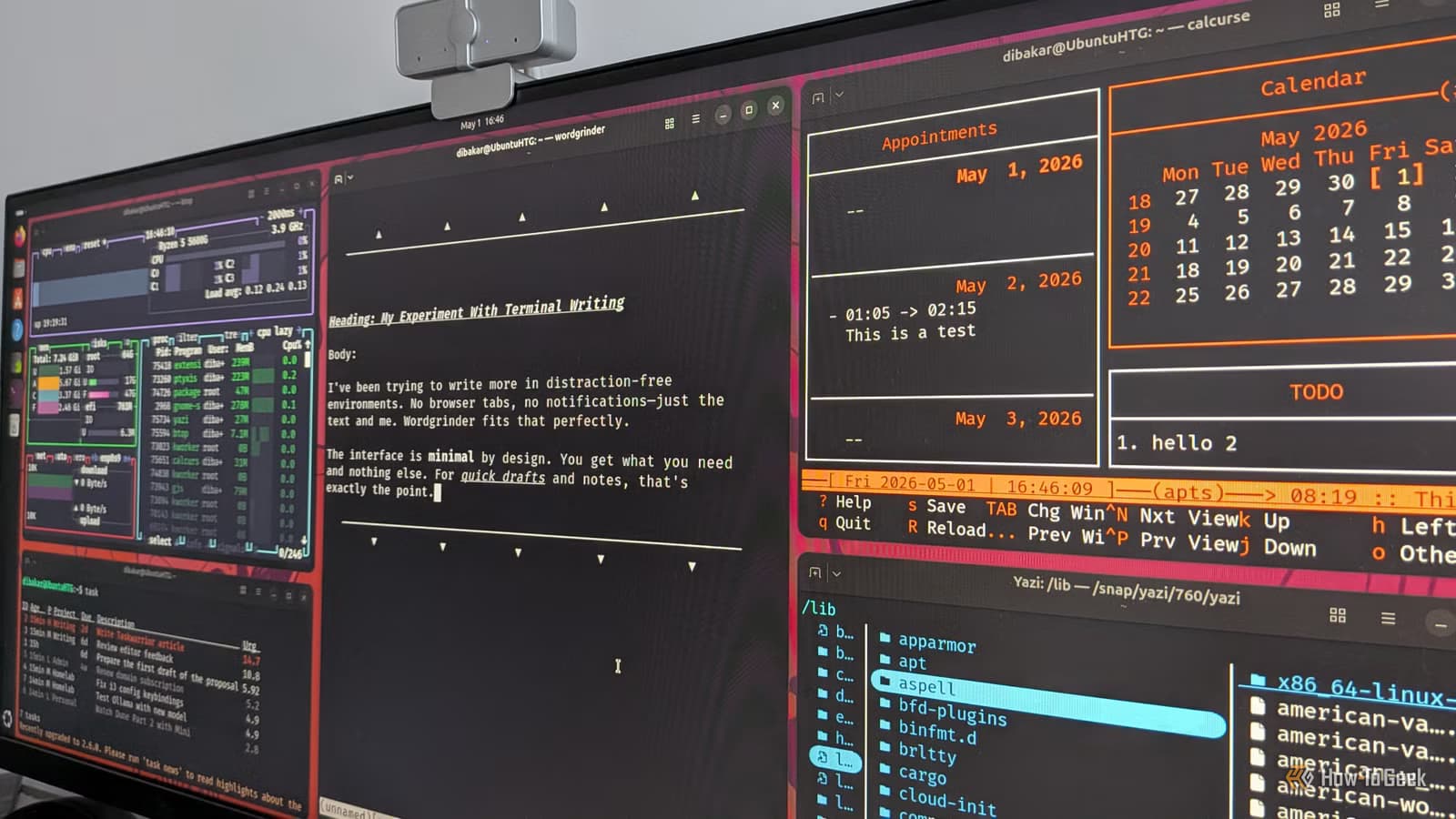
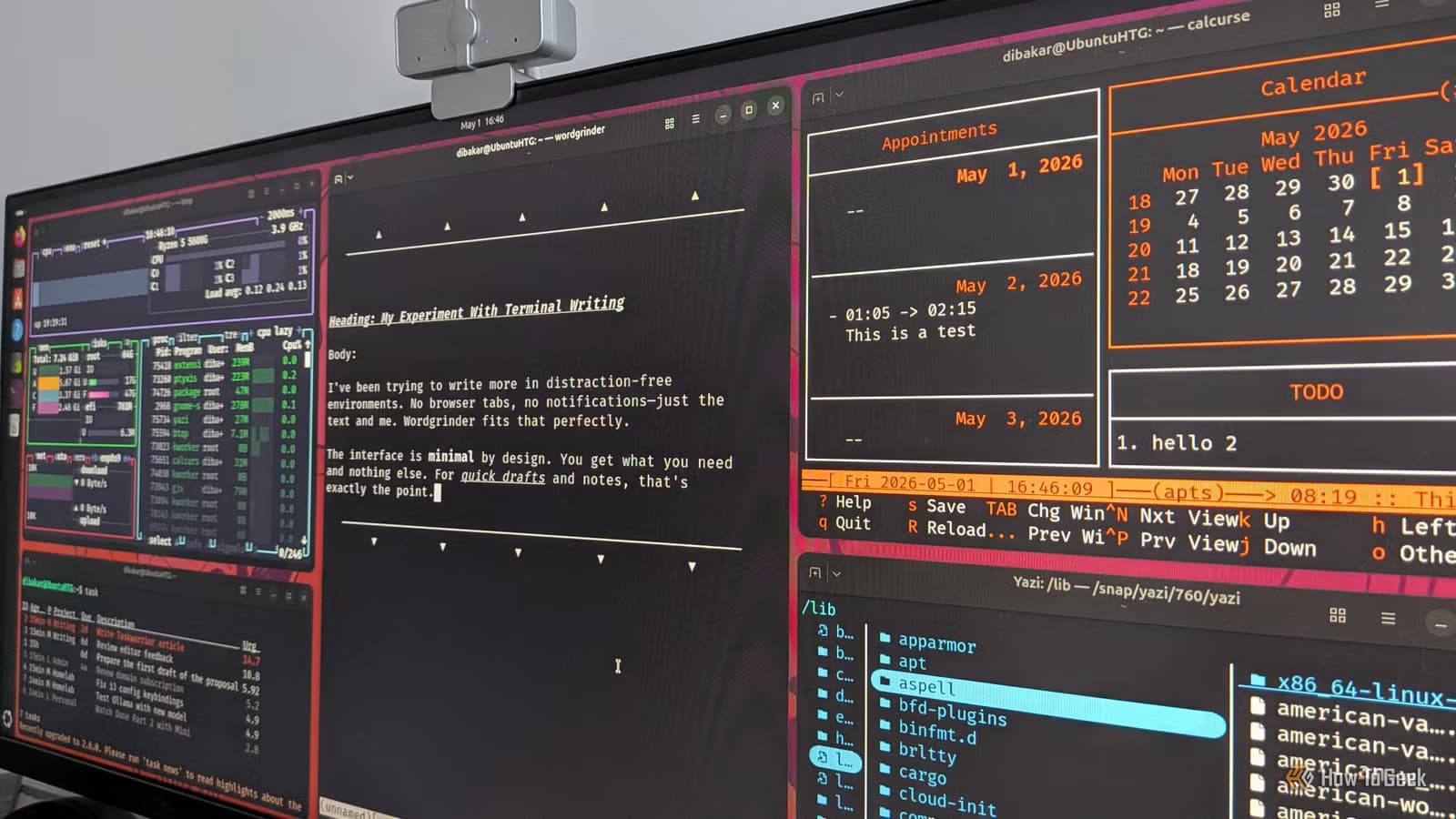
Yazi is a terminal-based file manager using the Miller columns layout. Instead of showing one directory at a time, it displays three columns: parent directory on the left, current directory in the middle, and a preview of the selected item on the right. You always see where you came from and what you're about to open.
It's written in Rust with async I/O. Translation: it's fast. Navigation stays smooth even in directories with thousands of files. File previews render quickly, including images if your terminal supports it.
To launch it, type yazi in the terminal. It opens in your current working directory. Move through directories with arrow keys or Vim-style h-j-k-l. Press Space to select files, y to copy, p to paste, d to delete. There's ripgrep-powered search built in for finding files quickly.
The trade-off: no mouse-based drag-and-drop. If your workflow depends on moving files between graphical apps visually, Yazi won't help. But if you're comfortable navigating with a keyboard, you won't miss it.
btop: System Monitoring Without the Overhead
btop replaces graphical system monitors like GNOME System Monitor or KSysGuard. It shows CPU usage, memory, disk activity, network stats, and running processes in a single terminal view. The interface updates in real time with color-coded graphs.
You can sort processes by CPU, memory, or other metrics. Kill processes directly from the interface. Filter by name to find specific applications. All without opening a separate window or loading a heavy GUI framework.
For developers running resource-intensive tasks or managing servers over SSH, btop provides everything you need to diagnose performance issues. It runs where graphical monitors can't: on remote machines, in containers, on minimal installations.
WordGrinder: Distraction-Free Writing
WordGrinder is a terminal-based word processor. It strips away toolbars, formatting ribbons, and menus. You get a blank screen and your text. Nothing else competes for attention.
It supports basic formatting: bold, italic, headers, lists. It exports to common formats including HTML and ODT. But its purpose isn't feature parity with LibreOffice or Google Docs. It's focused writing with minimal friction.
For drafting articles, notes, or documentation, WordGrinder removes every distraction. No notifications. No temptation to adjust fonts. Just writing.
Taskwarrior: Task Management via Command Line
Taskwarrior is a command-line task manager. You add tasks with task add, mark them done with task done, and filter by project, tag, priority, or due date. The syntax takes 10 minutes to learn. After that, adding and completing tasks is faster than any graphical tool.
The power is in filtering and reporting. Want all high-priority tasks due this week? One command. Need a report of completed tasks for a specific project? One command. Taskwarrior stores everything locally in plain text, so your data stays portable and under your control.
It integrates with scripts and hooks if you want automation. But even used simply, it's faster than clicking through Todoist or Notion for basic task tracking.
More automation tools for power users
calcurse: Calendar and Scheduling
calcurse is a terminal-based calendar and scheduling application. It shows your appointments, to-do list, and daily schedule in a split-pane interface. Navigate dates with keyboard shortcuts. Add events and tasks without leaving the terminal.
It syncs with CalDAV servers if you need cloud backup. But it works perfectly offline with local storage. For users who live in the terminal and just need basic scheduling, calcurse handles it without the weight of Thunderbird or Google Calendar in a browser tab.
The Case for Terminal-Based Workflows
These five apps share common traits. They're fast because they skip GUI rendering. They're lightweight because they don't load desktop frameworks. They're keyboard-first because that's how terminal apps work.
The learning curve is real. You'll spend time reading documentation and building muscle memory for keybindings. But for users who already work in terminals, editors like Vim, or window managers like i3, these apps fit naturally into existing workflows.
They also work over SSH. Managing a remote server? You have full access to file management, system monitoring, tasks, and notes without setting up remote desktop protocols.
Logicity's Take
Frequently Asked Questions
Do TUI apps work on all Linux distributions?
Yes. Most TUI apps are available in standard package managers or can be installed from source. They work on any distribution with a terminal emulator.
Can Yazi preview images in the terminal?
Yes, if your terminal supports image protocols like Kitty's graphics protocol or sixel. Popular terminals like Kitty, WezTerm, and iTerm2 support this feature.
Is Taskwarrior difficult to learn?
The basic commands take about 10 minutes to learn. Power features like custom reports and hooks require reading documentation, but basic task management is straightforward.
Do these apps require Vim keybindings?
Yazi supports Vim-style navigation but also works with arrow keys. Other apps like btop and calcurse use their own keybindings that don't assume Vim knowledge.
Can I use these apps alongside graphical software?
Yes. Many users run TUI apps for specific tasks while keeping graphical apps for others. There's no requirement to go fully terminal-based.
Need Help Implementing This?
Source: How-To Geek
Manaal Khan
Tech & Innovation Writer
Produced with AI assistance and reviewed by the Logicity editorial team. Learn more in our Editorial Policy.