Key Takeaways
- Cloud conversation agents like OpenAI Conversation let you control smart homes with natural language instead of specific commands
- Ollama runs AI locally, eliminating cloud dependency and privacy concerns
- The reSpeaker Lite kit at $30 lets you build a custom voice assistant connected to Home Assistant
Video calling and talking watches once seemed like pure science fiction. Now they're so ordinary we barely notice them. Smart home technology is following the same path, and several Home Assistant integrations are pushing setups into territory that genuinely feels futuristic.
Adam Davidson, a Home Assistant enthusiast who runs his own server, has identified five integrations that transform a basic smart home into something more conversational and intelligent. The common thread: artificial intelligence that understands what you mean, not just what you say.
Cloud Conversation Agents: LLMs Meet Smart Homes
The OpenAI Conversation integration connects a cloud-based large language model to Home Assistant's Assist voice assistant. Instead of memorizing specific command phrases, you can speak naturally and let the AI figure out your intent.
Davidson describes saying "Okay, Nabu, it's too dark in here" to his custom smart speaker. The LLM interprets the complaint, determines the appropriate Home Assistant command, and turns on the light. No direct request required.
This approach mirrors how you'd talk to another person. You don't say "execute light on command for living room." You say it's dark, and the system handles the translation.
Build Your Own Voice Assistant for $30
The reSpeaker Lite Voice Assistant Kit from Seeed Studio costs $30 and includes a two-mic array, a pre-soldered XIAO ESP32-S3 controller, and an XMOS XU316 audio processor. The hardware handles interference cancellation, acoustic echo cancellation, noise suppression, and automatic gain control.
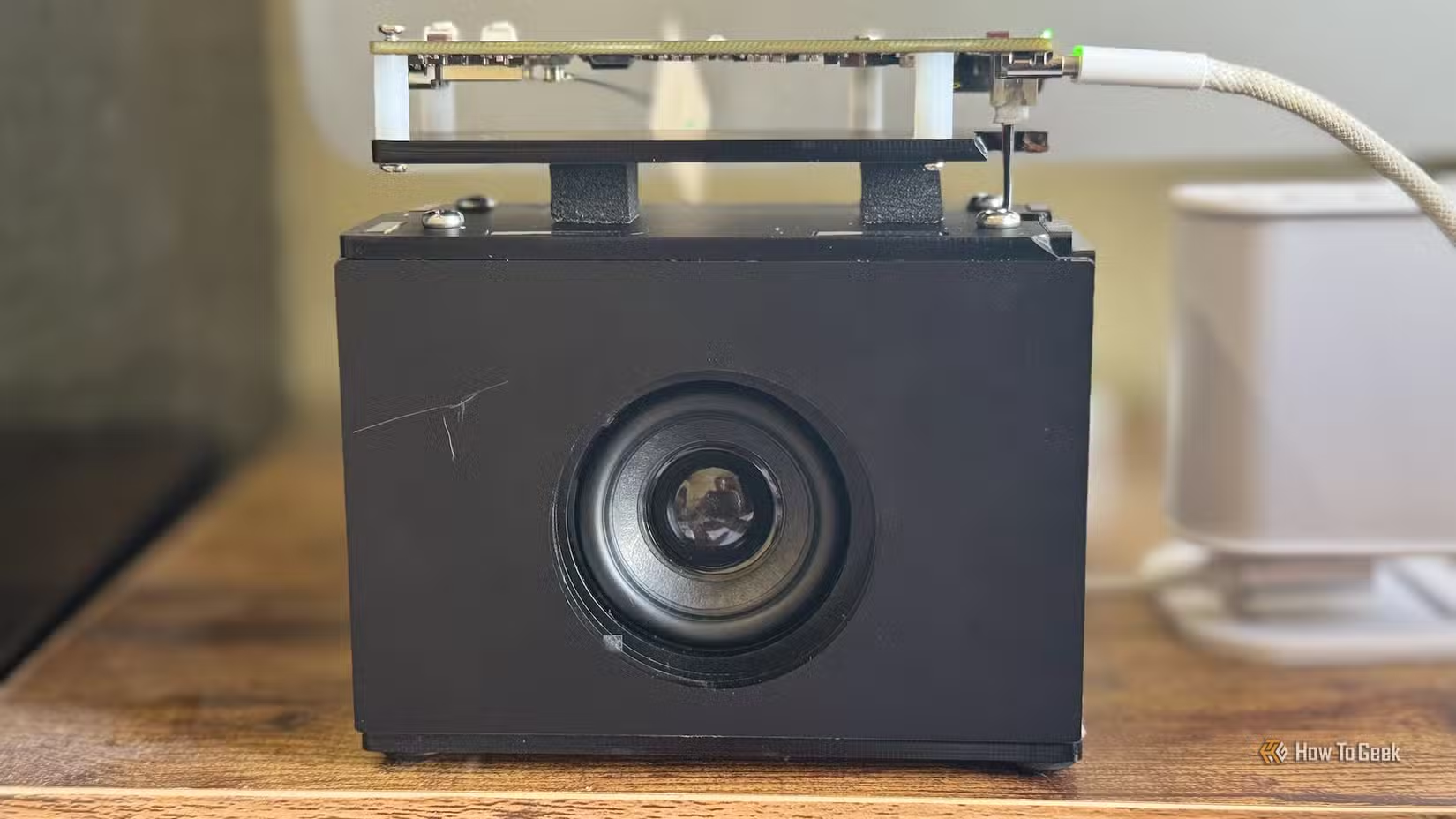
Connect a 5W speaker and you have a local voice assistant that integrates with Home Assistant via ESPHome. No subscription fees, no cloud dependency for the hardware layer.
- ESP32-S3R8 CPU with 8MB PSRAM and 8MB Flash
- USB-C and 3.5mm audio jack ports
- Onboard natural language understanding
- Works with ESPHome for Home Assistant integration
Ollama: Local AI Without Cloud Dependency
OpenAI Conversation works well, but it sends your voice commands to external servers. Ollama offers an alternative: run AI models entirely on your own hardware.
The tradeoff is compute power. Cloud LLMs run on massive server farms. Local models run on whatever you have at home. For smart home commands, though, you don't need GPT-4 class performance. Smaller models handle "turn off the bedroom light" just fine.
Privacy-conscious users benefit most. Voice commands never leave your network. Neither does the context about which rooms exist in your house or what devices you own.
LLM Vision Integration
Home Assistant's LLM Vision integration connects camera feeds to AI models that can describe what they see. Point a camera at your front door and ask the system who's there. The AI processes the image and responds in natural language.
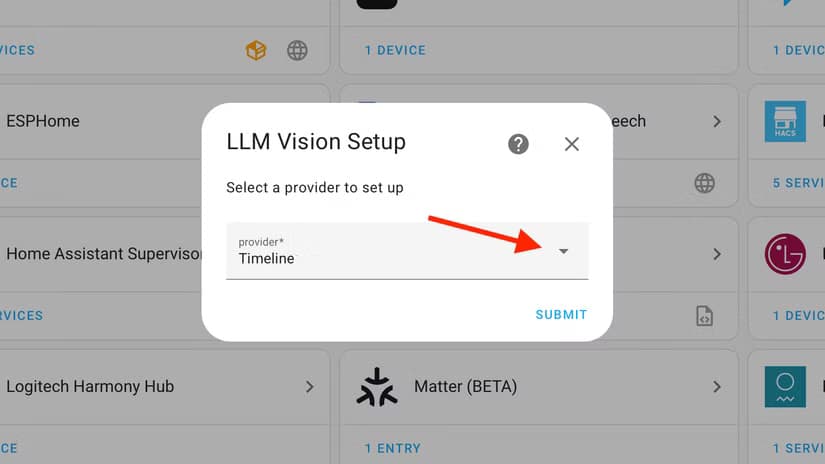
Multiple providers work with the integration, giving users flexibility based on their privacy preferences and hardware capabilities.
Adaptive Lighting
Apple HomeKit's adaptive lighting feature adjusts color temperature throughout the day. Cooler, bluer light in the morning. Warmer tones in the evening. Home Assistant users can replicate this behavior regardless of which smart bulbs they own.

The goal is automation that runs invisibly. Davidson's philosophy: "The ideal smart home should work with minimal interaction from the user, with automations running as if by magic rather than requiring you to push buttons on a control panel."
Logicity's Take
Frequently Asked Questions
Can I run Home Assistant AI features without internet?
Yes. Ollama runs AI models locally on your own hardware, keeping all voice commands and data on your home network.
How much does it cost to build a custom Home Assistant voice speaker?
The reSpeaker Lite Voice Assistant Kit from Seeed Studio costs $30. Add a 5W speaker and you have functional hardware.
What's the difference between OpenAI Conversation and Ollama for Home Assistant?
OpenAI Conversation uses cloud servers with more powerful models but sends data externally. Ollama runs entirely locally with smaller models but keeps everything private.
Does Home Assistant work with Apple HomeKit adaptive lighting?
Home Assistant can replicate adaptive lighting behavior across any compatible smart bulbs, not just those in the Apple ecosystem.
Another look at how AI integrations are being woven into everyday tools
Need Help Implementing This?
Source: How-To Geek
Huma Shazia
Senior AI & Tech Writer
Produced with AI assistance and reviewed by the Logicity editorial team. Learn more in our Editorial Policy.






