Key Takeaways
- Stress tests expose hardware instability before it causes real-world crashes
- Prime95's Small FFTs test can push a laptop CPU to thermal throttling in minutes
- OCCT simulates real-world workloads and is often better than synthetic-only tools
A stress test won't crash a healthy, stable PC. That's the whole point. You run these tools knowing they might take your system down. Better to find problems now than have your machine freeze mid-render or mid-game.
Rob LeFebvre at MakeUseOf ran five popular stress tests on an MSI Cyborg 15 gaming laptop. Each tool targets different components and reveals different failure modes. Here's what each one does and what a crash from it might tell you.
“If your system crashes during a stress test, it's doing exactly what it's supposed to do: preventing that crash from happening while you're in the middle of a mission-critical render or a competitive game.”
— Jordan Miller, Senior Hardware Analyst
Prime95: The Classic CPU Torture Test
Prime95 started as a tool for finding Mersenne prime numbers back in 1996. Overclockers discovered that its number-crunching routines create one of the harshest CPU workloads available. Download it free from mersenne.org.
Launch the program, select "Just Stress Testing," and you get three options. Small FFTs maximizes heat and power draw on your CPU cores. Large FFTs stresses the memory controller and cache. Blend tests your RAM too.
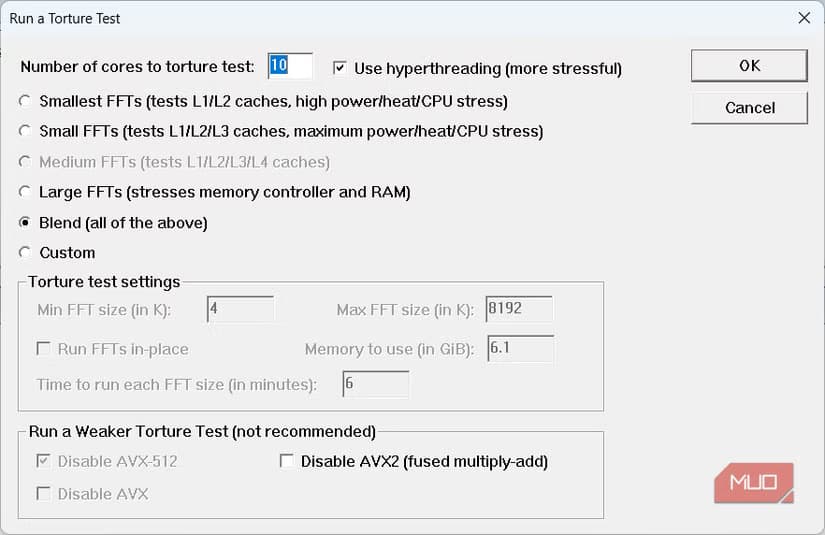
The tool checks its output against known correct results. If your CPU produces a wrong answer, Prime95 flags it immediately. On the MSI Cyborg 15, Small FFTs pushed the CPU to 86°C within minutes, triggered thermal throttling, and then force-quit entirely.
That doesn't mean the laptop is broken. It's a thin chassis hitting its cooling ceiling under maximum AVX load. For laptops, Blend is the more realistic choice. It's still punishing without the same heat spike. A desktop with a tower cooler won't even notice Small FFTs.
y-cruncher: Finds Errors Prime95 Misses
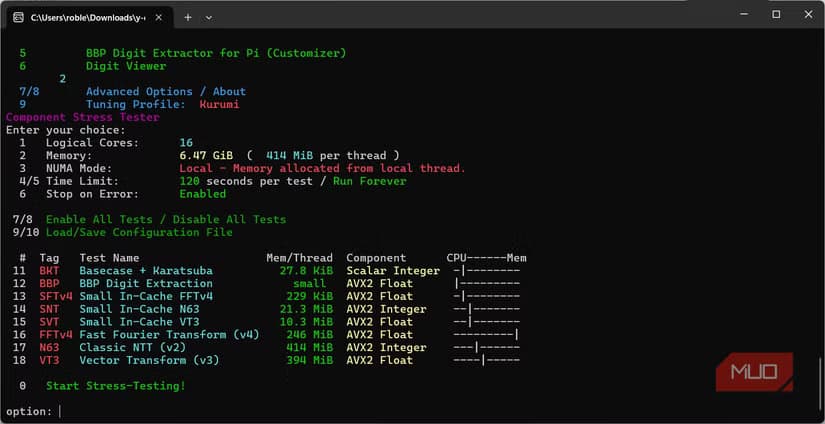
y-cruncher (lowercase on purpose) is a pi computation program from NumberWorld. It's free to download and has a solid reputation in overclocking communities for crashing systems that pass every other stability test.
The program loads your CPU with AVX and AVX512 instructions. These are specialized CPU operations that Intel and AMD added for doing math on large batches of numbers at once. y-cruncher also hammers the memory subsystem, exposing instabilities that Prime95 might miss.
FurMark: GPU Stress at Maximum Heat
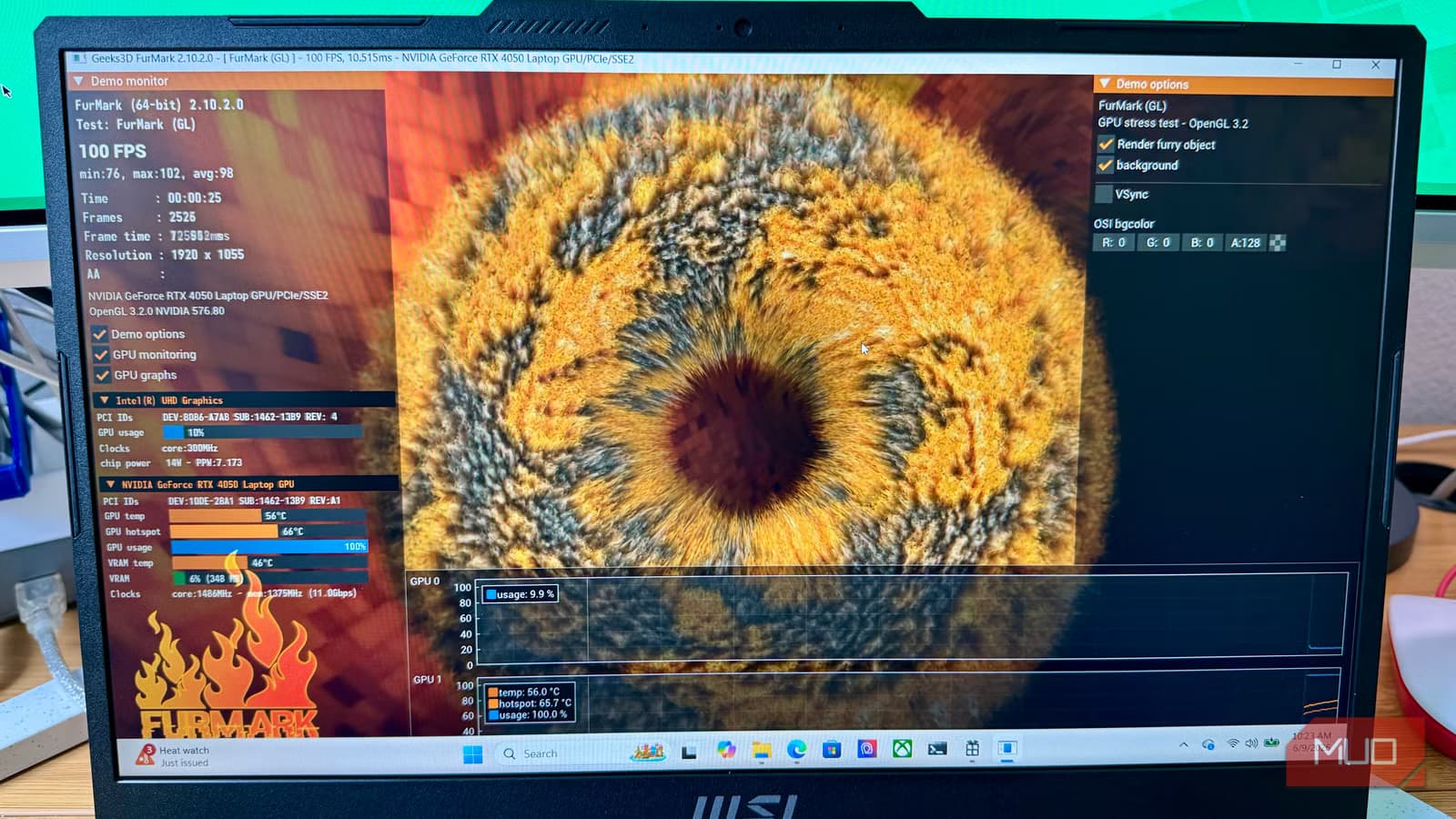
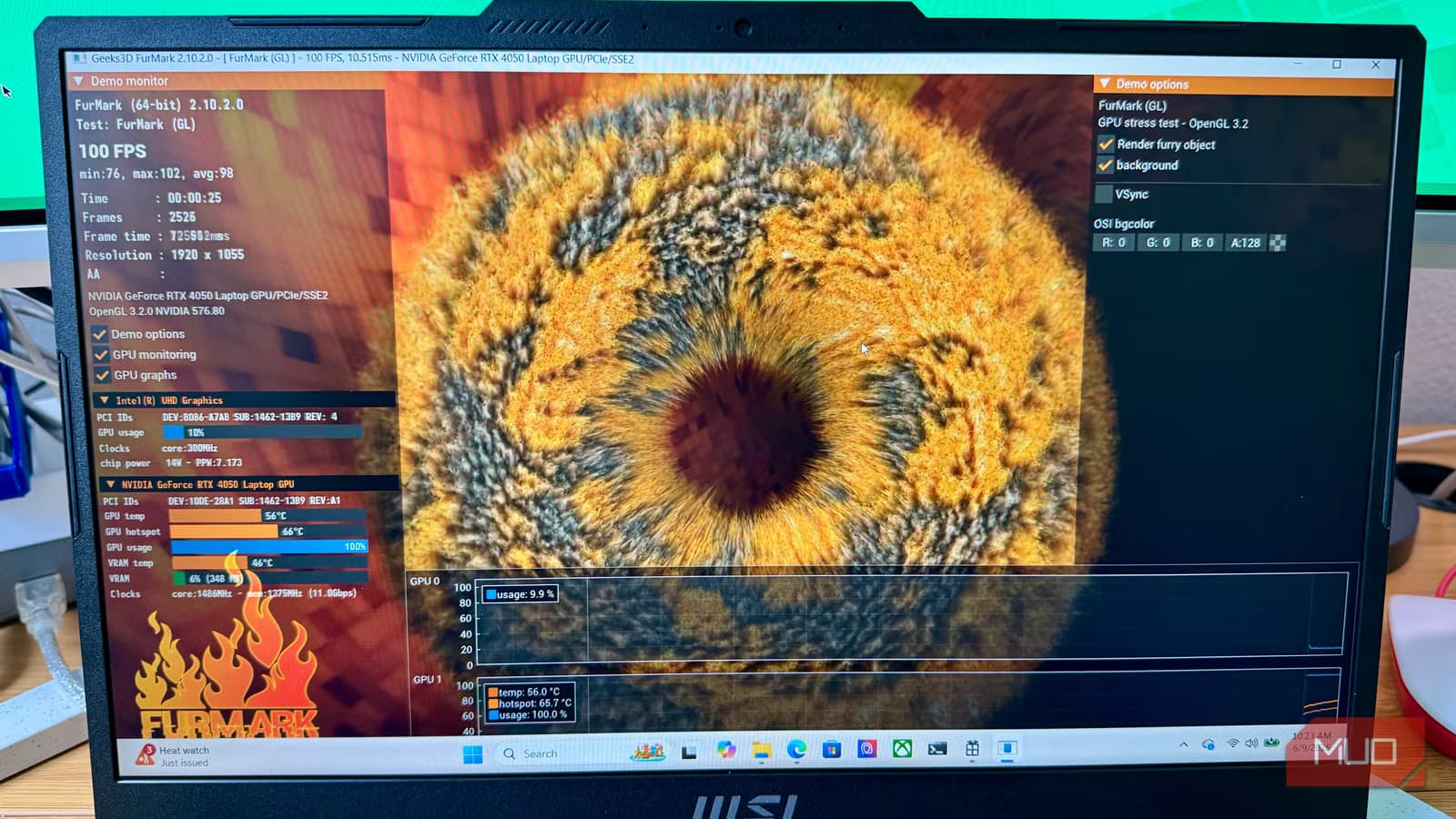
FurMark is the GPU equivalent of Prime95. It renders a furry donut scene designed to push your graphics card to its absolute thermal and power limits. If your GPU has cooling problems or an unstable overclock, FurMark will find them.
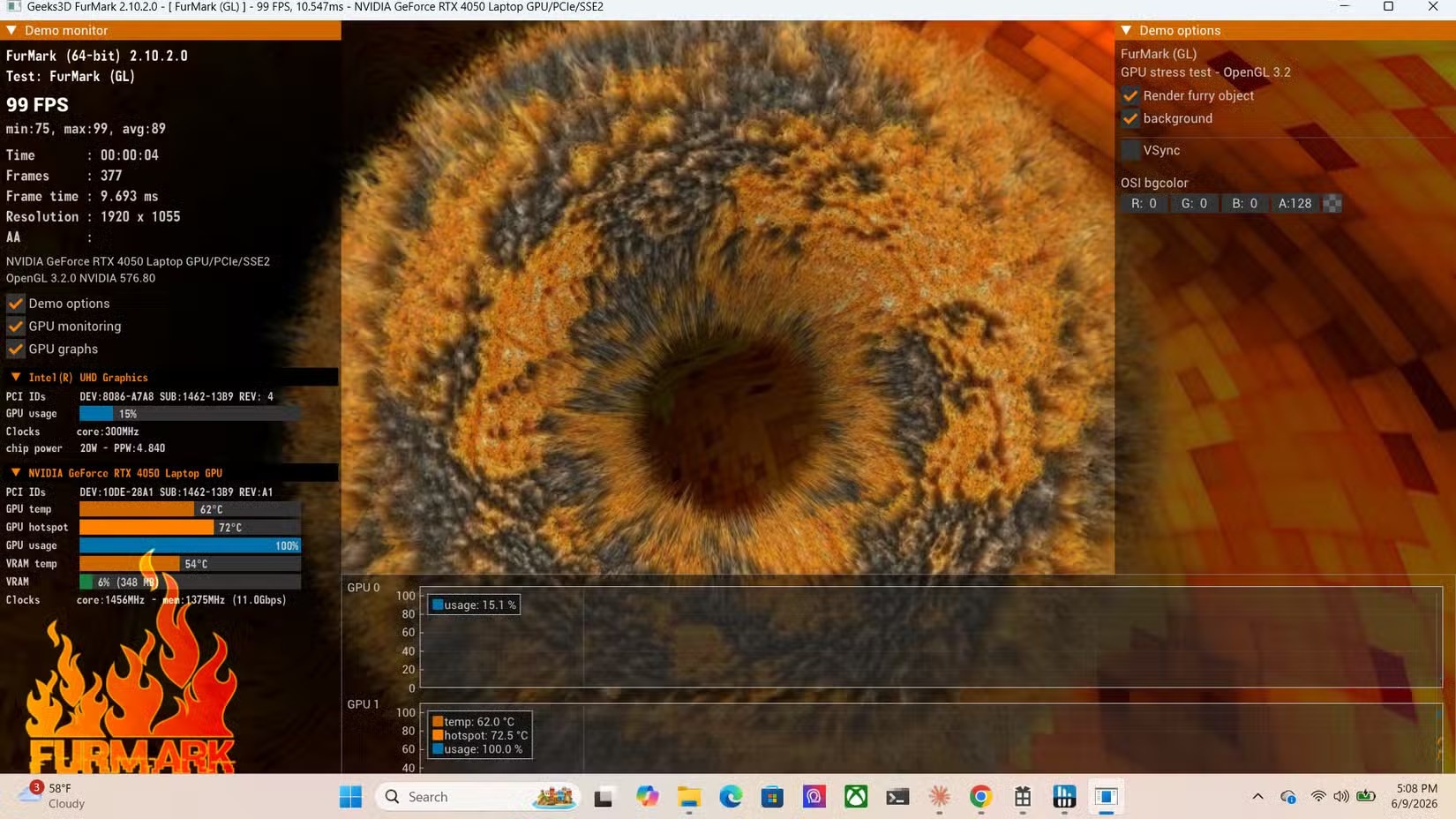
The test is synthetic. No game or application will ever push your GPU this hard. But that's the point. If your card survives FurMark, it can handle anything you throw at it during normal use.
AIDA64: All-Component Stress Testing
AIDA64 takes a different approach. Instead of hammering one component, it can stress your CPU, GPU, RAM, and storage simultaneously. This simulates heavy multitasking workloads where multiple components compete for power and cooling.
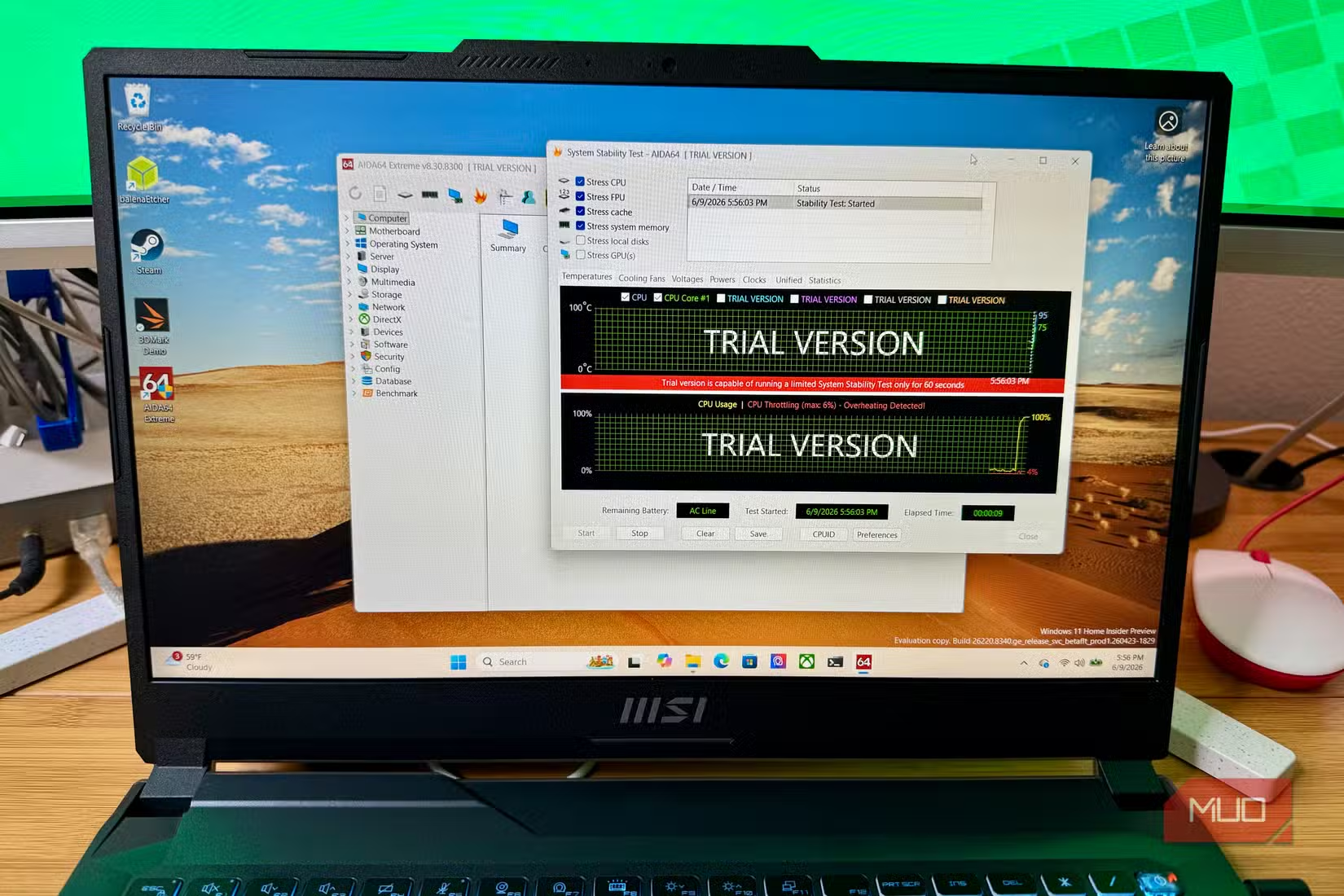
The software also includes detailed system monitoring and benchmarking. You can watch temperatures, voltages, and clock speeds in real time while the stress test runs.
OCCT: The Community Favorite
Reddit's r/overclocking and r/buildapc communities currently favor OCCT over pure synthetic tests. The reason: OCCT simulates varied, real-world workloads that are more likely to uncover subtle stability issues.
While Prime95 and FurMark find the absolute breaking point of your hardware, OCCT catches problems that only appear under mixed, realistic loads. It's a better predictor of whether your system will actually be stable during daily use.
How Long Should You Run a Stress Test?
For basic stability checks, 30 minutes to an hour is usually enough. Most hardware problems show up quickly. But if you want absolute confidence, especially after an overclock, the gold standard is 24 hours of continuous testing.
Keep a temperature monitoring tool like HWiNFO running the entire time. Watch for thermal throttling, which indicates your cooling can't keep up. Also watch for errors in the test output, which indicate CPU or RAM instability.
What to Do If Your System Crashes
- CPU crash during Prime95 or y-cruncher: Check your cooler mount, thermal paste, and CPU voltage settings
- GPU crash during FurMark: Reduce your overclock or check GPU thermal pads and fan operation
- Random crashes during AIDA64 or OCCT: Often points to RAM instability or power supply issues
- Thermal throttling without crash: Your cooling is inadequate for sustained heavy loads
Logicity's Take
Frequently Asked Questions
Can stress testing damage my PC?
No. Modern CPUs and GPUs have thermal protection that shuts them down before damage occurs. Stress tests reveal existing problems; they don't create new ones.
Which stress test should I run first?
Start with OCCT for a balanced real-world test. If that passes, use Prime95 Blend for CPU and FurMark for GPU to find the absolute limits.
How do I know if my stress test passed?
No crashes, no error messages in the test output, and temperatures staying within safe limits (usually under 95°C for CPUs, 85°C for GPUs) means you passed.
Should I stress test a prebuilt PC?
Yes. Factory overclocks and thermal paste application quality vary. A stress test confirms your specific unit is stable.
Another Windows power-user tool that solves a common frustration
Need Help Implementing This?
Source: MakeUseOf
Manaal Khan
Tech & Innovation Writer
Produced with AI assistance and reviewed by the Logicity editorial team. Learn more in our Editorial Policy.