Key Takeaways
- OBS Studio handles screen recording, streaming, and virtual camera output, replacing paid tools like Camtasia or Loom
- The global creator tools market hit $25.4 billion in 2025, driving creators toward cost-efficient alternatives
- Open-source tools require steeper learning curves but eliminate subscription fatigue and vendor lock-in
A veteran tech journalist has documented how he replaced his entire paid creator toolkit with four open-source applications, eliminating recurring subscription costs while maintaining professional output. The shift reflects growing subscription fatigue among creators who are tired of renting their tools month after month.
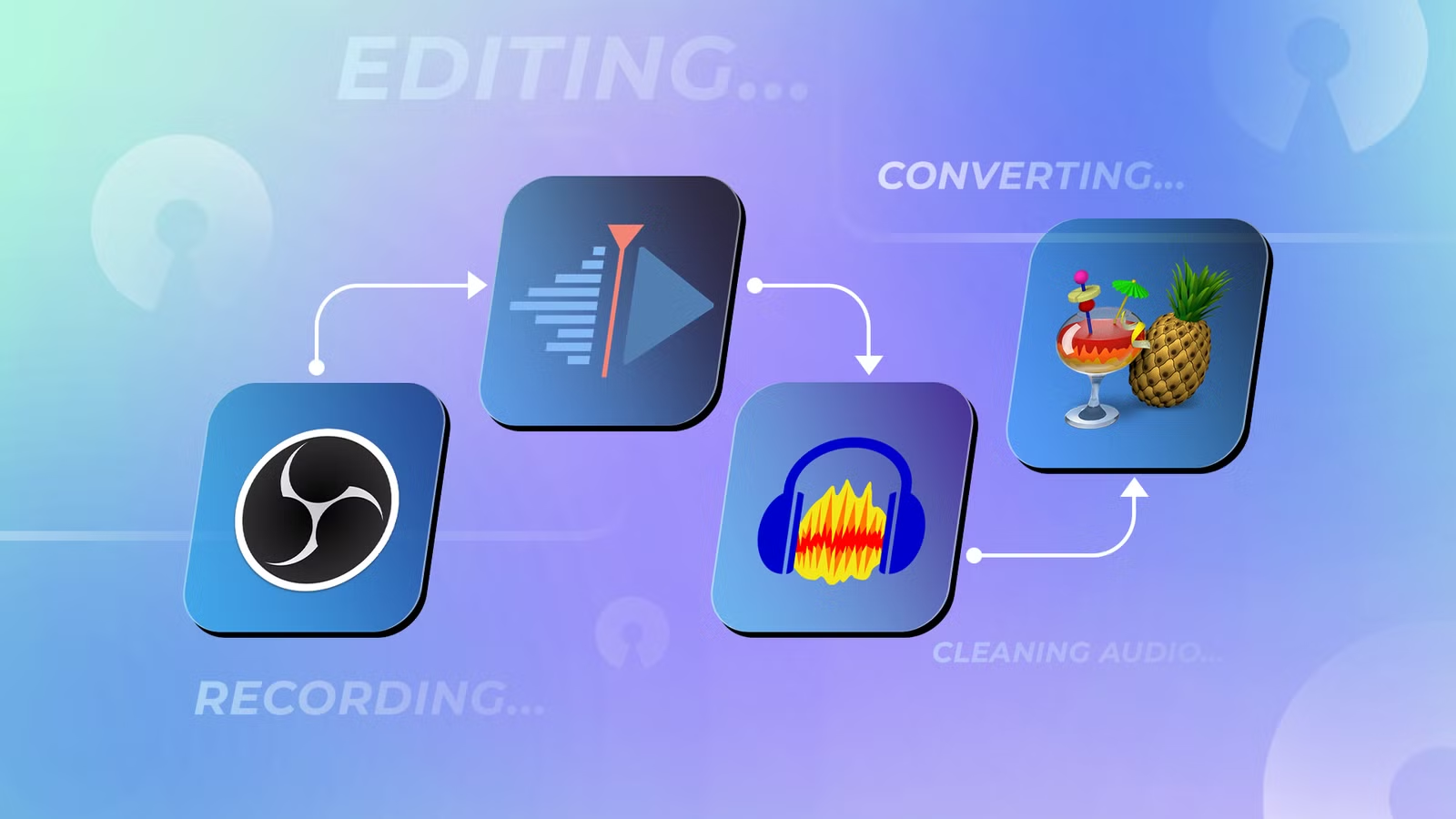
Rich Hein, who has been producing content for over 20 years, outlines a workflow built around OBS Studio for recording and streaming, with additional open-source tools covering video editing, audio cleanup, and file conversion. The full stack runs on Windows, macOS, and Linux.
Why creators are abandoning paid subscriptions
The creator tools market reached $25.4 billion in 2025, and analysts project 18.7% annual growth through 2033. That expansion has come largely through subscription models. Adobe Creative Cloud, Camtasia, and dozens of SaaS screen recorders now charge monthly fees that compound quickly for independent creators.
"When you own your tools, you own your workflow," Hein writes. "Moving away from rented, subscription-based software is the ultimate hack for long-term creative independence."
The counterargument from paid software vendors has always been polish and ease of use. But the gap has narrowed. OBS Studio alone averages 11,000 to 16,000 concurrent users on Steam, making it the backbone of live content creation for streamers and professionals alike.
OBS Studio does more than streaming
Most people associate OBS with Twitch. That undersells it. At its core, OBS captures, mixes, records, and streams video. It functions like a small video control room rather than a one-button recorder.
Instead of picking a window and hitting record, you build scenes from sources: screen captures, webcam feeds, browser windows, images, microphones, and system audio. That architecture enables complex setups. Record a screen with a webcam overlay. Route specific audio inputs. Switch between layouts mid-session. Send a polished scene through the virtual camera into Zoom or Google Meet.
This flexibility makes OBS a direct replacement for Camtasia, ScreenFlow, or Loom, depending on what you need. The trade-off is a steeper learning curve. New users frequently struggle with the interface, audio routing, and export settings before things click.
The learning curve vs. cost trade-off
Discussions on r/opensource and HackerNews consistently return to the same tension. Tools like Kdenlive for video editing or OBS for capture take longer to master than their commercial equivalents. There's no hand-holding wizard. Documentation varies in quality. You'll spend time on forums troubleshooting.
But the payoff compounds. No recurring invoices. No price hikes when a vendor decides to "simplify" their plans. No account lockouts. Your project files stay compatible because you control the software.
For creators treating content as a business, the math is simple. A typical Adobe Creative Cloud subscription runs $55-60/month. Camtasia costs $250 or more outright. Screen recording SaaS tools often charge $15-30/month. That adds up to hundreds or thousands per year, money that could go toward better hardware, marketing, or simply staying solvent during slow months.
What about video editing and audio?
OBS handles capture. For editing, Kdenlive has emerged as a capable free option with a recently refined UI. It handles timeline editing, effects, and export without watermarks or feature restrictions. DaVinci Resolve's free tier offers even more power, though it's not fully open-source.
Audio cleanup typically falls to Audacity, an open-source stalwart that handles noise reduction, normalization, and basic editing. For file conversion, FFmpeg remains the command-line standard, with GUIs like HandBrake making it accessible to non-technical users.
The pattern is consistent: each piece of the workflow has a free, capable alternative. Stitching them together takes more effort than an integrated suite, but the result is a toolkit you actually own.
Explores why power users often prefer open-source command-line tools over graphical alternatives
Another example of open-source tools replacing paid SaaS subscriptions
Is the switch worth it for professional creators?
It depends on your tolerance for friction. If you're already comfortable troubleshooting software, the transition is manageable. If you expect one-click solutions and instant support, you'll find open-source frustrating.
The broader trend points toward FOSS adoption accelerating. Local-first AI features are arriving in open-source editors, offering transcription and enhancement without cloud dependencies. Privacy-conscious creators see this as essential. So do those burned by sudden terms-of-service changes at major platforms.
Hein's experiment isn't about ideology. It's about whether free tools can handle real work. For his workflow, recording, editing, audio cleanup, and conversion, they can.
Logicity's Take
The subscription model worked because it lowered upfront costs and guaranteed updates. But after a decade, the cumulative expense has become the pain point. Open-source tools have matured at exactly the moment creators started questioning whether they actually need the latest features Adobe ships quarterly. For solo creators and small teams, the calculus has shifted. The learning curve is real, but so is the freedom from monthly extraction.
Frequently Asked Questions
Can OBS Studio replace paid screen recorders like Camtasia?
Yes, for most use cases. OBS handles screen capture, webcam overlays, audio mixing, and virtual camera output. It lacks built-in video editing, so you'll need a separate tool for post-production.
What's the best free open-source video editor?
Kdenlive is fully open-source and handles most editing tasks. DaVinci Resolve's free tier offers more features but isn't fully open-source.
Do open-source creator tools work on Mac and Windows?
OBS Studio, Kdenlive, Audacity, and most major open-source tools run on Windows, macOS, and Linux.
How much can you save by switching to open-source creator tools?
A typical Adobe Creative Cloud subscription costs $55-60/month. Add screen recording and audio tools, and annual savings can reach $800-1,200 or more.
Need Help Implementing This?
Building a custom open-source creator workflow? Logicity covers the tools, integrations, and automation strategies that help teams ship faster. Subscribe for weekly guides on making technology work for your business.
Source: How-To Geek
Manaal Khan
Tech & Innovation Writer
Produced with AI assistance and reviewed by the Logicity editorial team. Learn more in our Editorial Policy.






