Key Takeaways
- Files by Google lacks NAS support, RAR handling, and system folder access that power users need
- Third-party file managers like Material Files, Cx File Explorer, and Solid Explorer fill critical gaps
- The 2026 trend toward self-hosted solutions reflects growing concerns about data ownership and rising cloud costs
Google's default Android apps are polished, integrated, and free. They're also, in several cases, frustratingly limited. A recent breakdown from How-To Geek's Ismar Hrnjicevic details four Google apps he abandoned entirely, and the alternatives that transformed his daily Android experience. If you've never ventured outside Google's walled garden, the upgrades might surprise you.
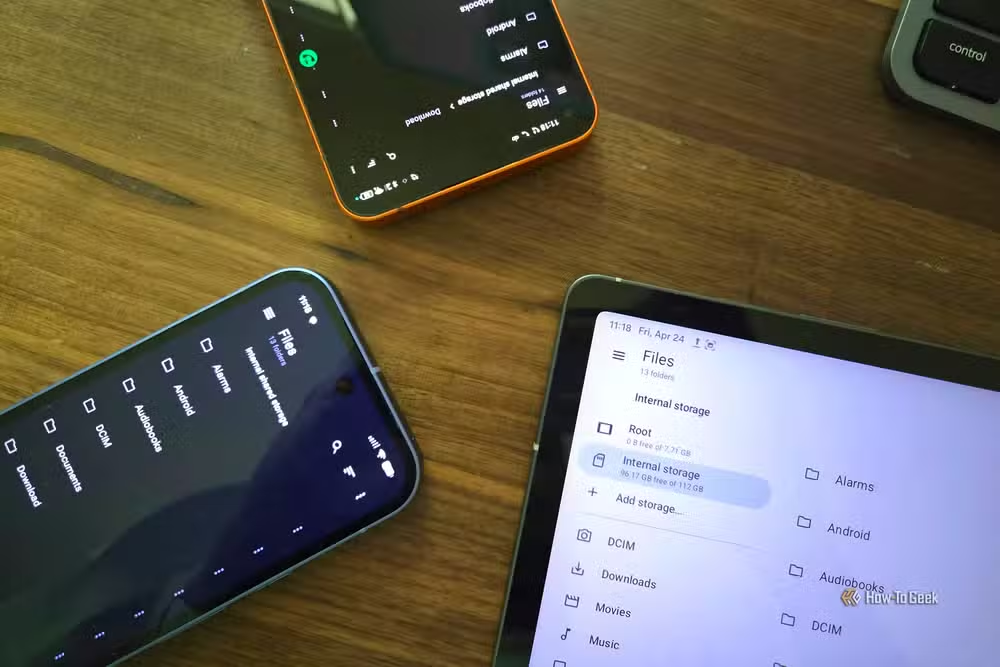
Why Files by Google isn't enough for power users
Files by Google launched in December 2017, making it one of Google's younger core apps. Despite years of development, it remains stubbornly basic. You can move, rename, copy, and extract ZIP files. You can back up to Google Drive. That's about where the power ends.
The missing features matter. Files by Google can't access network storage, a dealbreaker for anyone who transfers files to a NAS regularly. It won't open RAR archives or let you create compressed folders. And it blocks access to system directories like Android/data and Android/obb, directories that advanced users legitimately need.
Hrnjicevic points to three alternatives that fill these gaps: Material Files, Cx File Explorer, and Solid Explorer. All three offer NAS connectivity, broader archive support, and deeper system access. Solid Explorer, in particular, has long been a favorite among Android power users for its dual-pane interface and plugin system.
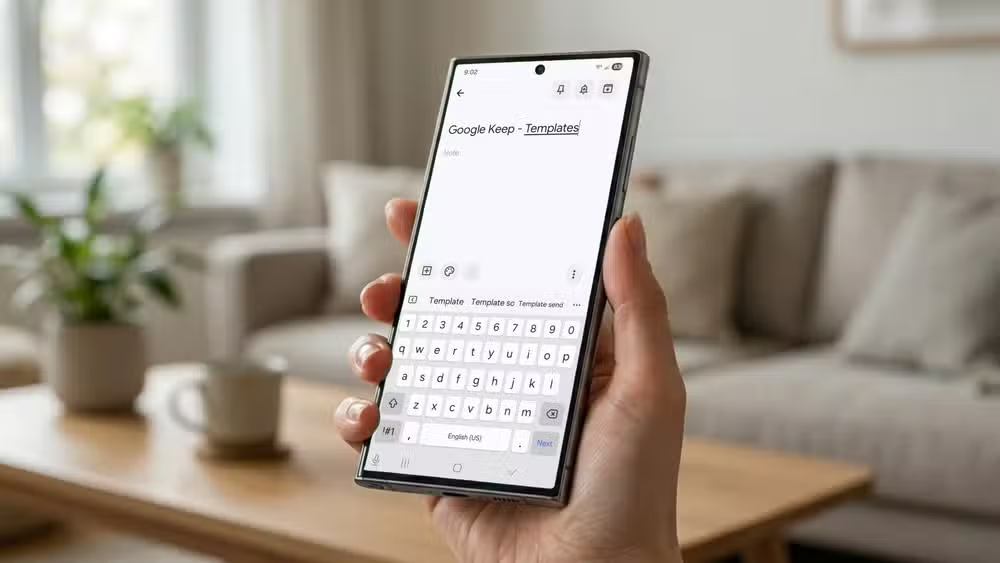
Google Keep hits a wall for serious note-taking
Google Keep works well for grocery lists and quick reminders. But as a note-taking system? It struggles. The app lacks markdown support, robust organization tools, and the linking features that let you build a connected knowledge base. For anyone who takes notes as part of their actual workflow, not just their errands, Keep runs out of runway fast.
The migration path here leads to apps like Obsidian, which has built a devoted following among developers, writers, and researchers. Obsidian stores notes as plain markdown files on your device, supports bidirectional linking, and offers a plugin ecosystem that can turn it into anything from a task manager to a full journaling system. The learning curve is steeper than Keep's, but the ceiling is incomparably higher.
The broader shift away from Google's ecosystem
This isn't just one writer's preference. It reflects a 2026 trend among Android power users: moving away from default Google apps toward self-hosted and privacy-focused alternatives. The drivers are practical. Cloud storage costs keep climbing. Privacy concerns around AI training on user data have intensified. And the self-hosted alternatives have finally matured to the point where they don't require a PhD in Linux to set up.
Immich, an open-source photo management platform, hit 100,000 GitHub stars in May 2026. More than 1,700 contributors have submitted code to the project. Alex D., the lead maintainer, summed up the shift: "The era of 'convenience-at-any-cost' cloud services is ending. Users are rediscovering the sovereignty of owning their own data, and they're demanding professional-grade UI/UX to do it."
Is self-hosting worth the effort?
The How-To Geek article sparked debate on Reddit's r/AndroidApps and r/SelfHosted communities. The central question: does the maintenance cost of running your own server justify the privacy benefits compared to just paying for Google One?
The consensus is nuanced. Self-hosting has moved out of the niche, but it still rewards a tinkerer's mindset. If you're comfortable with occasional troubleshooting and enjoy configuring your own systems, the control and cost savings compound over time. If you want something that just works without your involvement, Google's apps remain the path of least resistance.
The middle ground is growing, though. Apps like Material Files and Obsidian don't require a home server. They run locally on your device, give you ownership of your data, and simply do more than Google's defaults. You can start there and move toward full self-hosting later if the benefits appeal to you.
Which apps should you actually switch?
Not everyone needs to abandon Google's entire suite. The practical approach: identify where Google's apps actively limit what you're trying to do. If you never touch your file manager, Files by Google is fine. If you transfer files to a NAS weekly, it's not.
- File management: Material Files, Cx File Explorer, or Solid Explorer for NAS support and archive handling
- Note-taking: Obsidian for markdown, linking, and extensibility
- Photo backup: Immich for self-hosted storage with Google Photos-level UI
- Media streaming: Jellyfin for self-hosted music and video libraries
The switching cost is real but often overstated. Most alternatives import your existing data. The bigger cost is learning new interfaces and workflows. Budget a few hours for setup and adjustment, then decide if the added capabilities justify the switch.
Logicity's Take
Google's apps optimize for the median user, which means power users will always find the ceiling too low. The real story in 2026 isn't that alternatives exist; it's that they've become good enough to recommend without caveats. The gap between 'works fine' and 'works for me' has never been easier to close.
Frequently Asked Questions
Can I use third-party file managers without rooting my Android phone?
Yes. Apps like Material Files, Cx File Explorer, and Solid Explorer work on unrooted devices and provide NAS access, archive support, and other features missing from Files by Google.
Is Immich hard to set up for photo backup?
Immich requires a home server or VPS, but the project provides Docker-based installation that's significantly simpler than earlier self-hosted solutions. Expect a few hours for initial setup.
What's the best Google Keep alternative for Android?
Obsidian is the most capable option for users who need markdown support, note linking, and extensibility. Notion and Joplin are also popular alternatives with different tradeoffs.
Do I need to pay for these Google app alternatives?
Material Files and Obsidian are free. Solid Explorer offers a free trial with a one-time purchase for the full version. Immich is open-source, though you'll pay for server hardware or hosting.
Need Help Implementing This?
Setting up a self-hosted Android workflow can feel daunting. Logicity covers the tools, tutorials, and tradeoffs you need to make informed decisions. Subscribe to our newsletter for practical guides on taking control of your digital life.
Source: How-To Geek
Manaal Khan
Tech & Innovation Writer
Produced with AI assistance and reviewed by the Logicity editorial team. Learn more in our Editorial Policy.






